
UGCify – UGC for WooCommerce that automatically collects, manages, and displays customer photos and videos on your product pages, turning real purchases into social proof that drives conversions.
This document walks through each section of the UGCify admin panel, so you know exactly where everything lives from day one.
After installing and activating the plugin and the License, on the WordPress dashboard, click on UGCify. Then, on the sub-modules, you’ll see all the features.
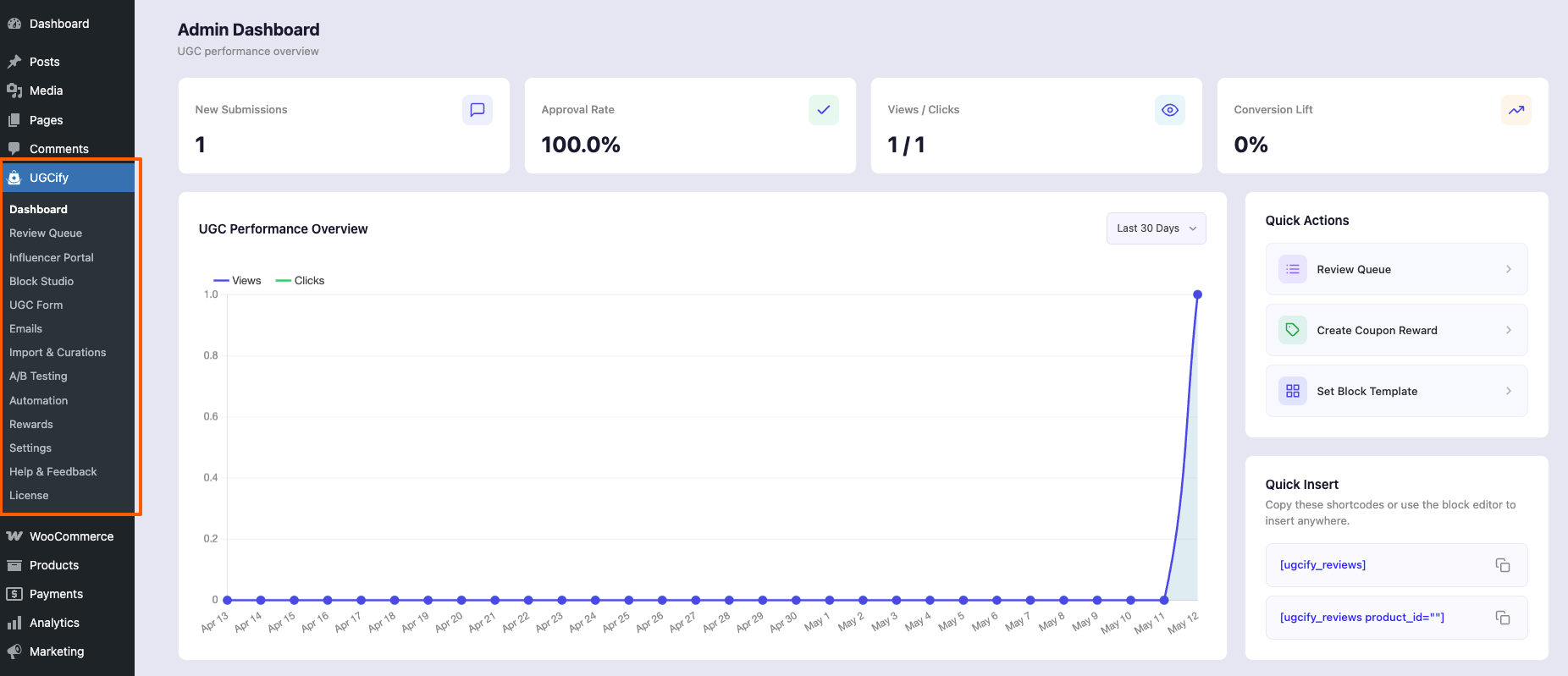
Quick Overview of all the Submenus: #
| # | Menu Item | Description |
| 1 | Dashboard | Overview of UGC performance — submissions, approval rate, views/clicks, conversion lift, and top-performing content. |
| 2 | Review Queue | Moderation hub. Approve, reject, reply to, flag, or bulk-manage all customer submissions before they go live. |
| 3 | Influencer Portal | Invite and manage verified creators. Track rights acceptance, upload volume, and portal access settings. |
| 4 | Block Studio | Visual gallery template builder with live preview. Set layout, colors, card style, and copy the embed shortcode. |
| 5 | UGC Form | Customise the multi-step customer review form — rating stars, media upload, about-you fields, and thank-you screen. |
| 6 | Emails | Configure 10+ automated email triggers (order complete, review approved, points redeemed, badge earned, etc.). |
| 7 | Import & Curations | Pull content from Instagram (OAuth), YouTube, and TikTok into your gallery via hashtag mapping or URL import. |
| 8 | A/B Testing | Run split tests on gallery images, layout types, and widget placement to find the highest-converting variant. |
| 9 | Automation | Connect to Mail Mint to build trigger-based review-request email sequences with branching and segmentation. |
| 10 | Rewards | Auto-issue discount coupons and points when photo reviews are approved. Badge and gamification settings live here. |
| 11 | Settings | Spam detection, reCAPTCHA, WooCommerce review migration (import/export), and S3 cloud storage configuration. |
| 12 | Help & Feedback | Links to documentation, support ticket submission, and the WordPress.org review page. |
| 13 | License | Enter and manage your Pro license key. Unlock premium features and receive automatic plugin updates. |
1. Dashboard #
The Dashboard is your UGC command centre. The four KPI cards at the top:
- New Submissions,
- Approval Rate,
- Views / Clicks, and
- Conversion Lift
Update in real time. The performance chart below tracks views and clicks over the last 30 days. Use the Quick Actions panel on the right to jump to the Review Queue, create a coupon reward, or set a block template without extra navigation.
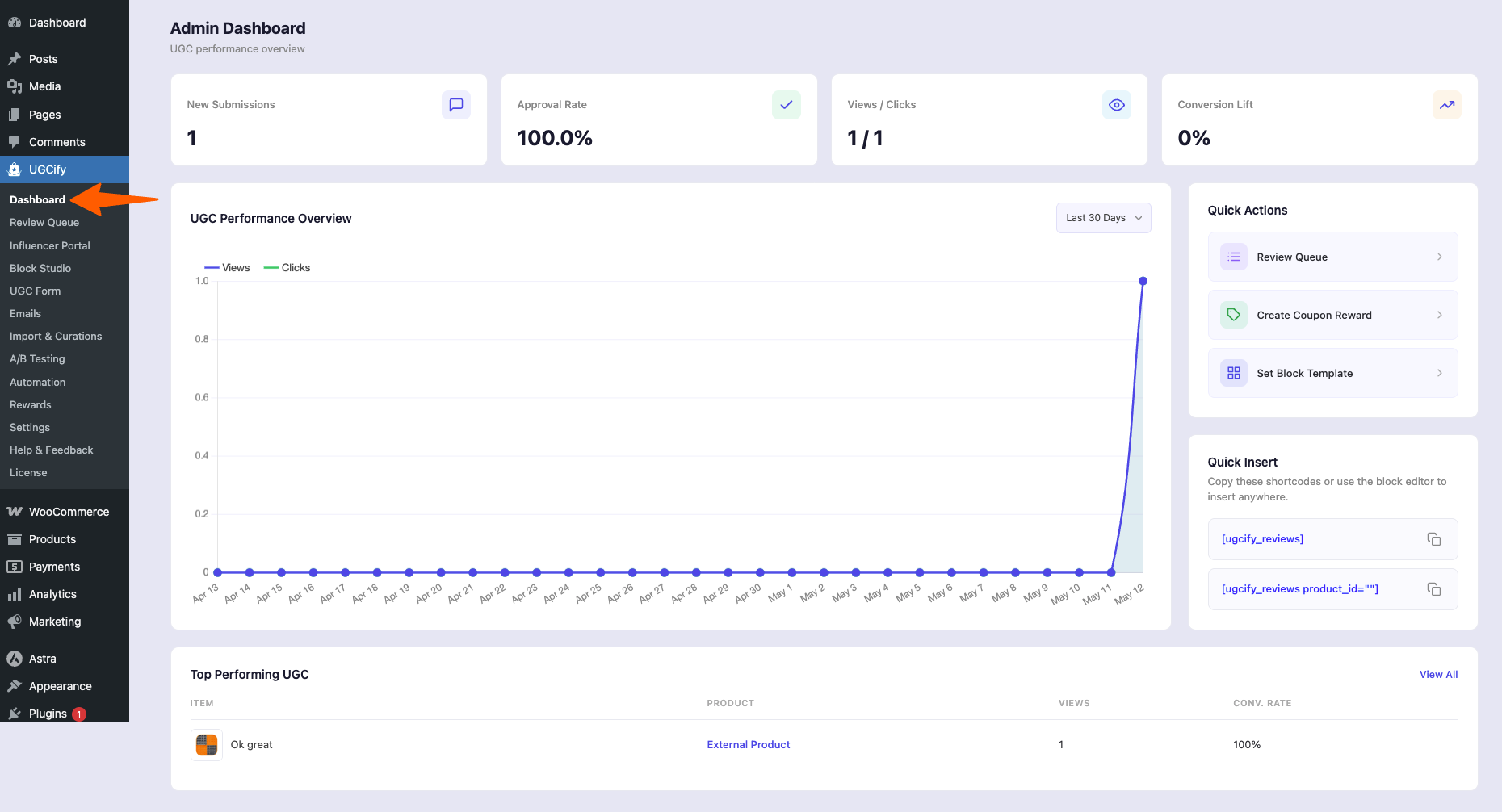
Dashboard — KPI cards, performance chart, Quick Actions, and shortcode snippets
2. Review Queue #
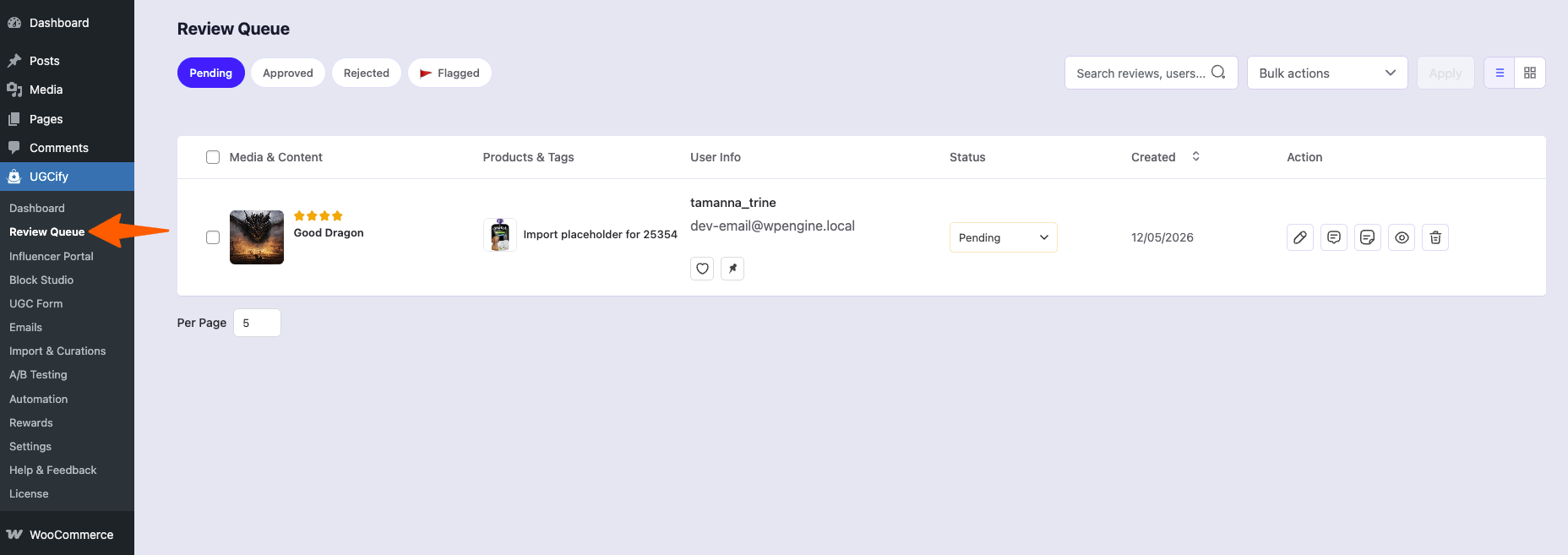
Every submission lands here first. You can approve, reject, reply to, or flag any review from this single screen. Bulk actions let you process multiple submissions at once. Approved reviews are immediately published to the relevant product page; rejected ones are hidden from the storefront but remain in the queue for reference.
3. Influencer Portal #
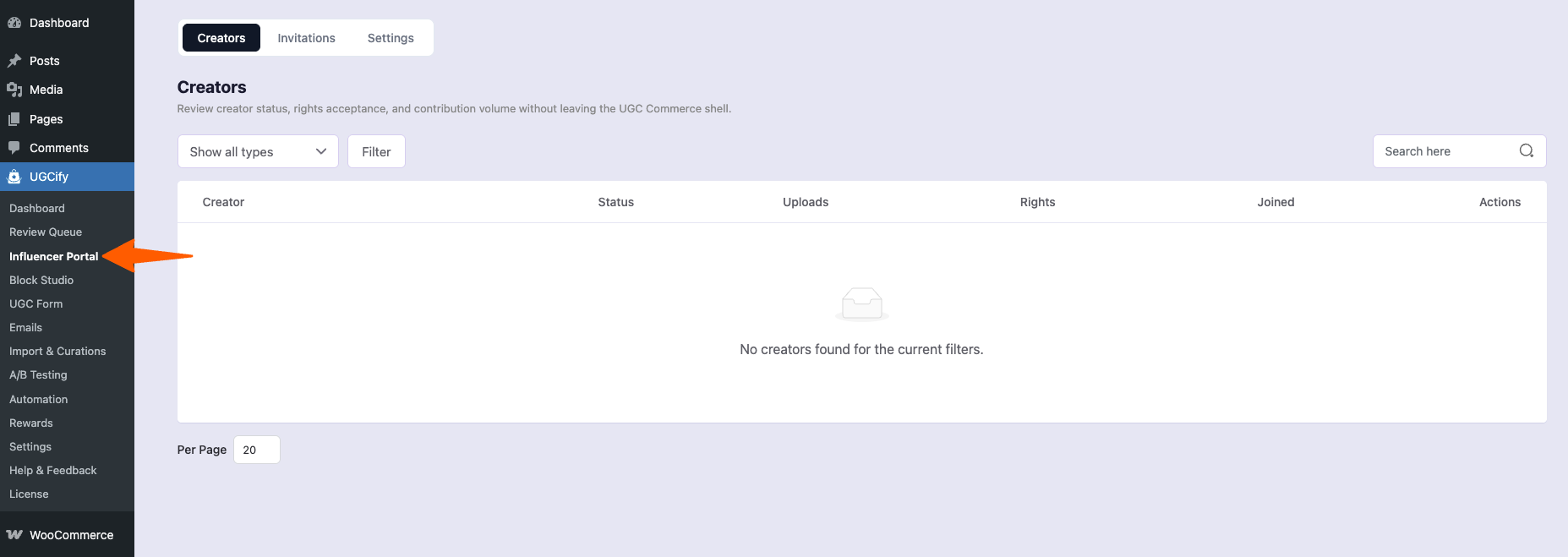
The Influencer Portal lets you recruit and manage verified creators. The Creators tab shows each creator’s status, number of uploads, rights acceptance, and join date. Use the Invitations tab to send token-based invitations with a configurable expiry. The Settings tab controls the portal page, upload limits, rights agreement text, and the public creator label that appears next to approved creator content on your storefront.
Influencer Portal Settings — rights agreement, upload limits, and public attribution controls
4. Block Studio #
Block Studio is a visual gallery builder with a live preview canvas. Pick a layout (Masonry, Grid, List, Carousel, or Slider), then open the accordion panels on the left to adjust the header area, colors and styles, review card details, media behaviour, shoppable product tags, and advanced custom CSS. The preview updates instantly as you change settings. Switch between Desktop, Tablet, and Mobile to check responsiveness. Copy the generated shortcode from the Advanced panel to embed the gallery anywhere.
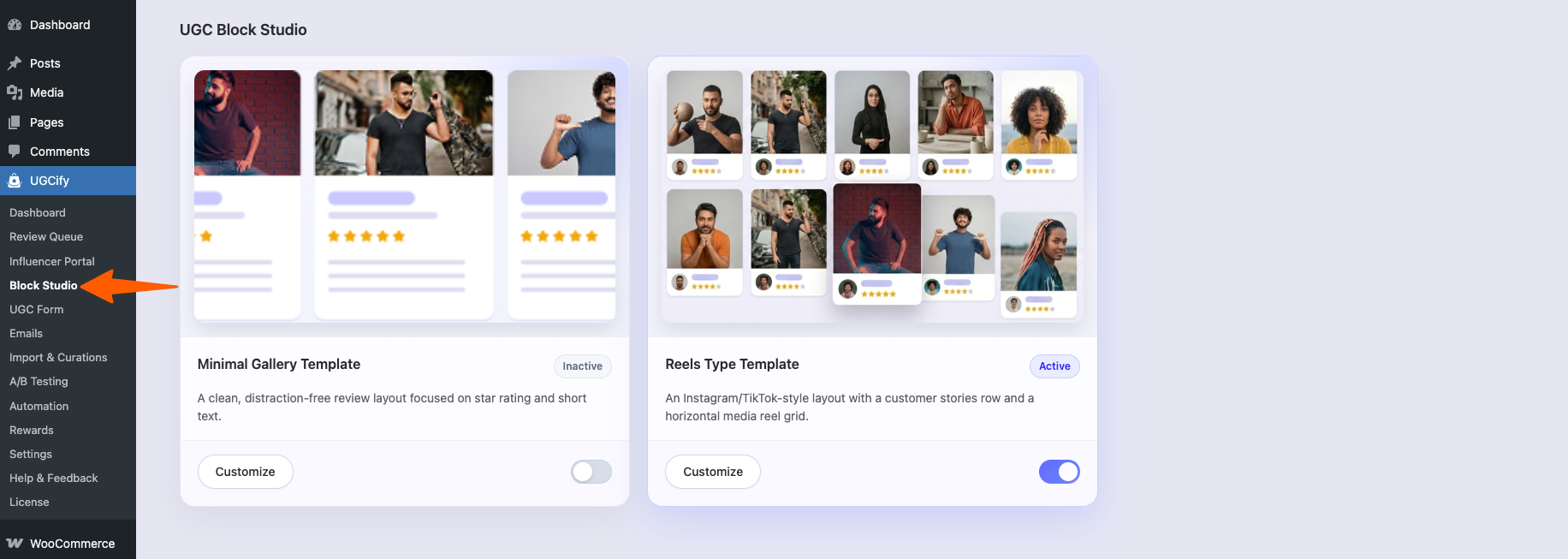
Block Studio — masonry layout with live preview and settings panels
5. UGC Form #
Customise the step-by-step review submission form your customers see when they click “Write a review.” Five tabs map to the five form steps: Rating (star prompt and star style), Media (photo/video upload — supports JPEG, PNG, GIF, MP4, MKV up to 10 MB), About You, Review (headline and body text), and Thank You. The left panel controls general settings, button labels, and color theming, with a live preview on the right.
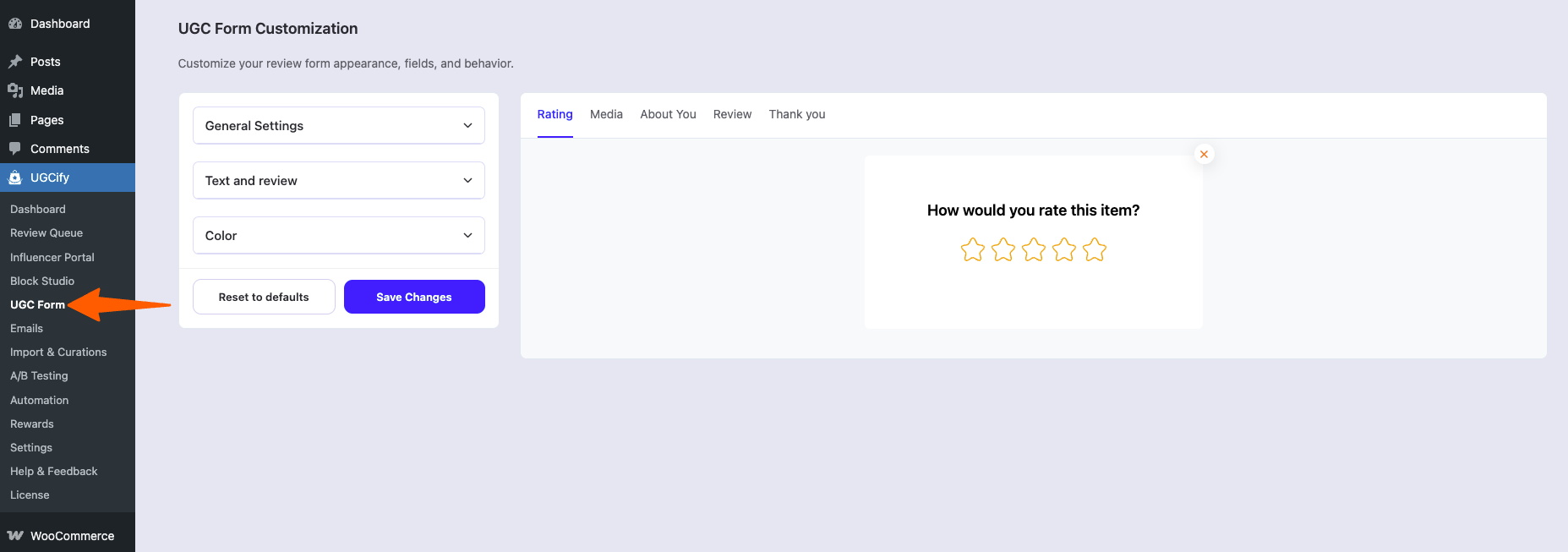
UGC Form — Rating step with live preview of the star-rating screen
6. Emails #
The Emails section manages all automated notifications. Ten triggers are listed on the Emails tab — toggle any on or off, or click Edit to open the drag-and-drop email editor for that trigger. Common triggers include Order Complete (the primary review-request email), Review Approved, Review Rejected, Review Reply, Points Redeemed, and Badge Gained. The Global Settings tab sets the shared from name, reply-to address, brand colors, header logo, and footer text that apply to every email.
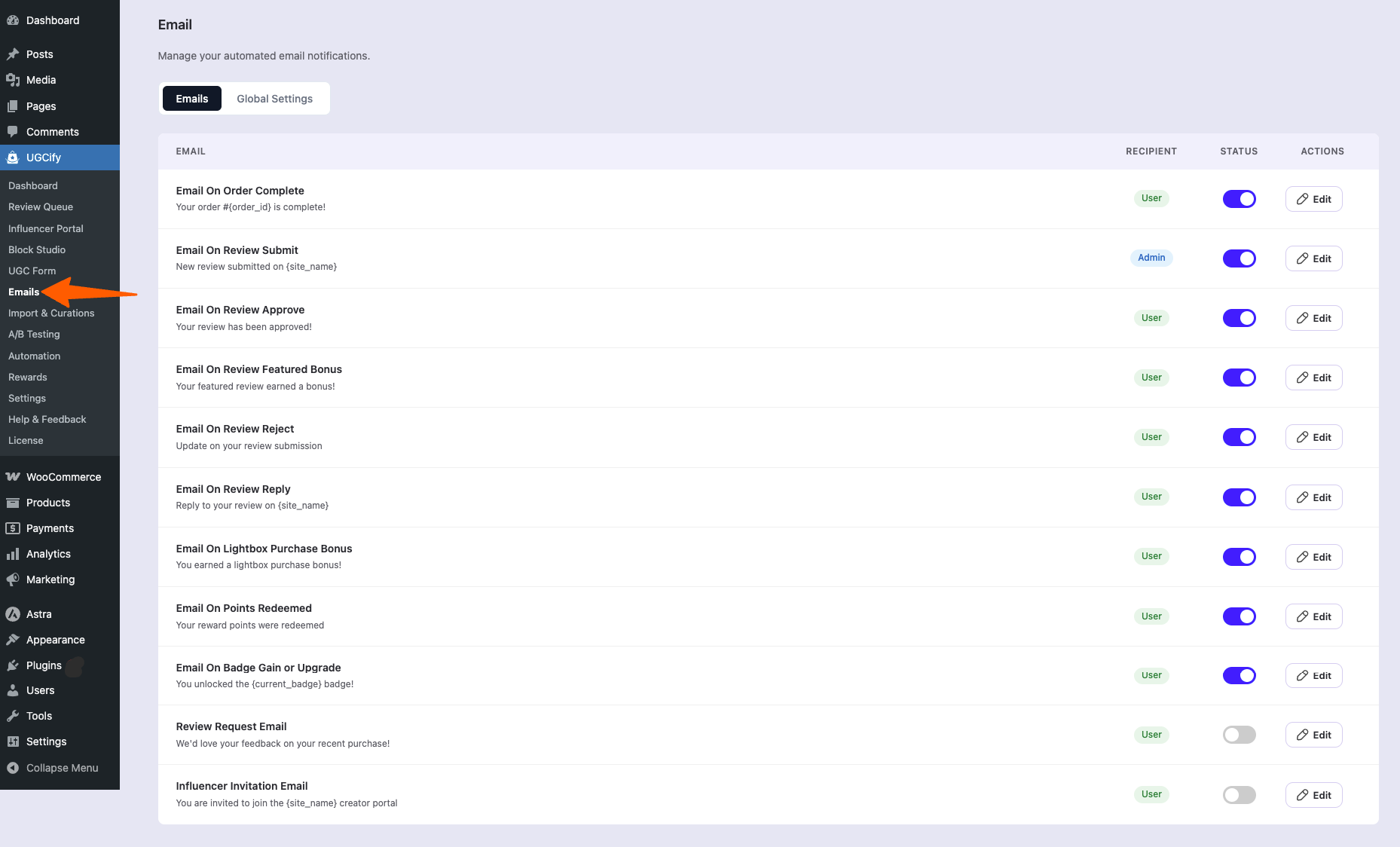
Emails — list of automated triggers with recipient type, status toggles, and Edit actions
7. Import & Curations #
Bring in content from outside your store. The Instagram tab lets you connect a Business account via Meta OAuth, define hashtags, and map each hashtag to a WooCommerce product — the plugin syncs matching public posts on a configurable schedule. The YouTube tab imports video reviews by URL (title and thumbnail are fetched automatically via the YouTube oEmbed API). TikTok videos are displayed using TikTok’s native embed player. All imported content enters the Review Queue for moderation before going live.
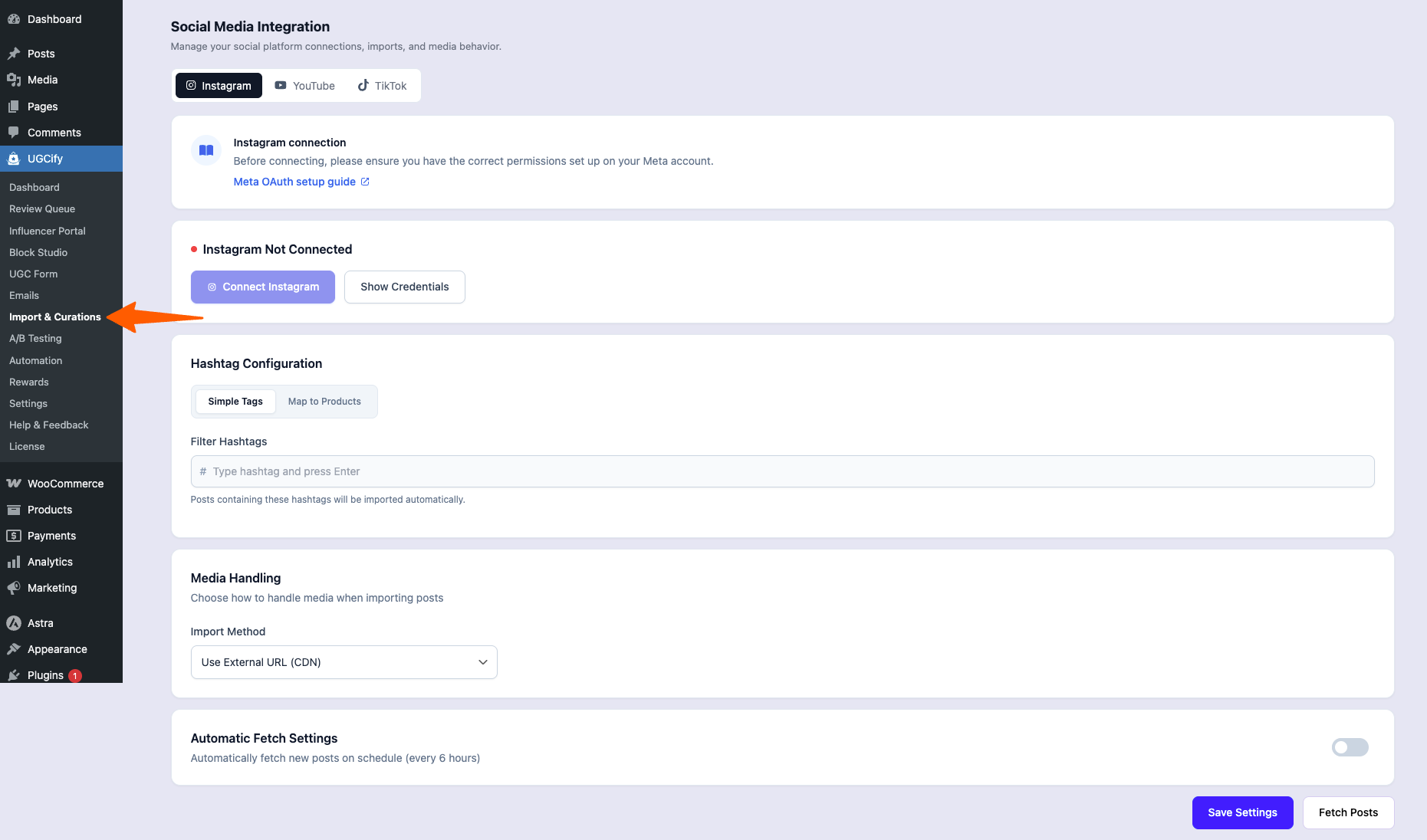
Import & Curations — YouTube video URL import
8. A/B Testing #
Run controlled experiments to find the highest-converting UGC presentation. Three test types are available: Image A/B Testing (compare two featured photos for the same product), Gallery Layout (Masonry vs. Grid vs. List), and UGC Position (test different placements on the product page). Create a test by entering a name, searching for the target product, selecting the test type, and clicking Start. The results table shows current status, winner, and test type for every experiment.
A/B Testing — test creation dialog with Gallery Layout selected
9. Automation #
Automation connects UGCify to Mail Mint for advanced review-request workflows. Once Mail Mint is active, you can build canvas-based email sequences triggered by review events — for example, send a request 7 days after delivery, wait 3 days, then send a reminder if no review has been submitted. Without Mail Mint, the basic email triggers in the Emails section still function independently.
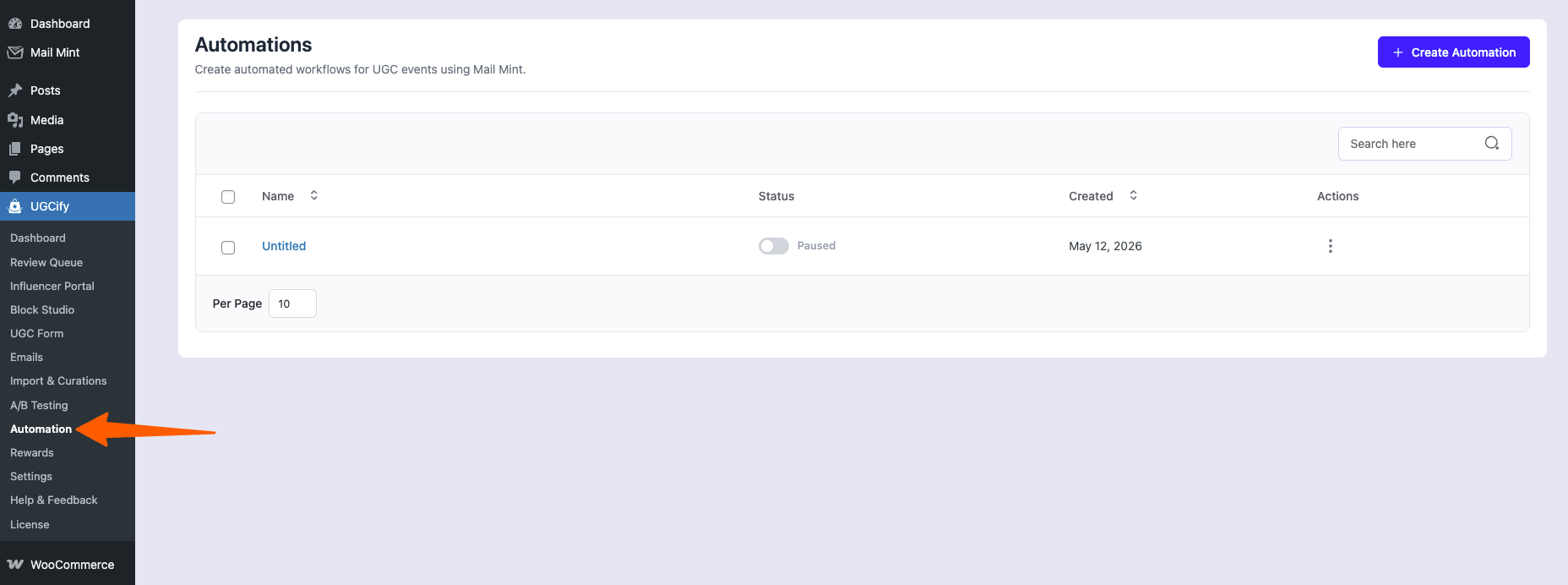
10. Rewards #
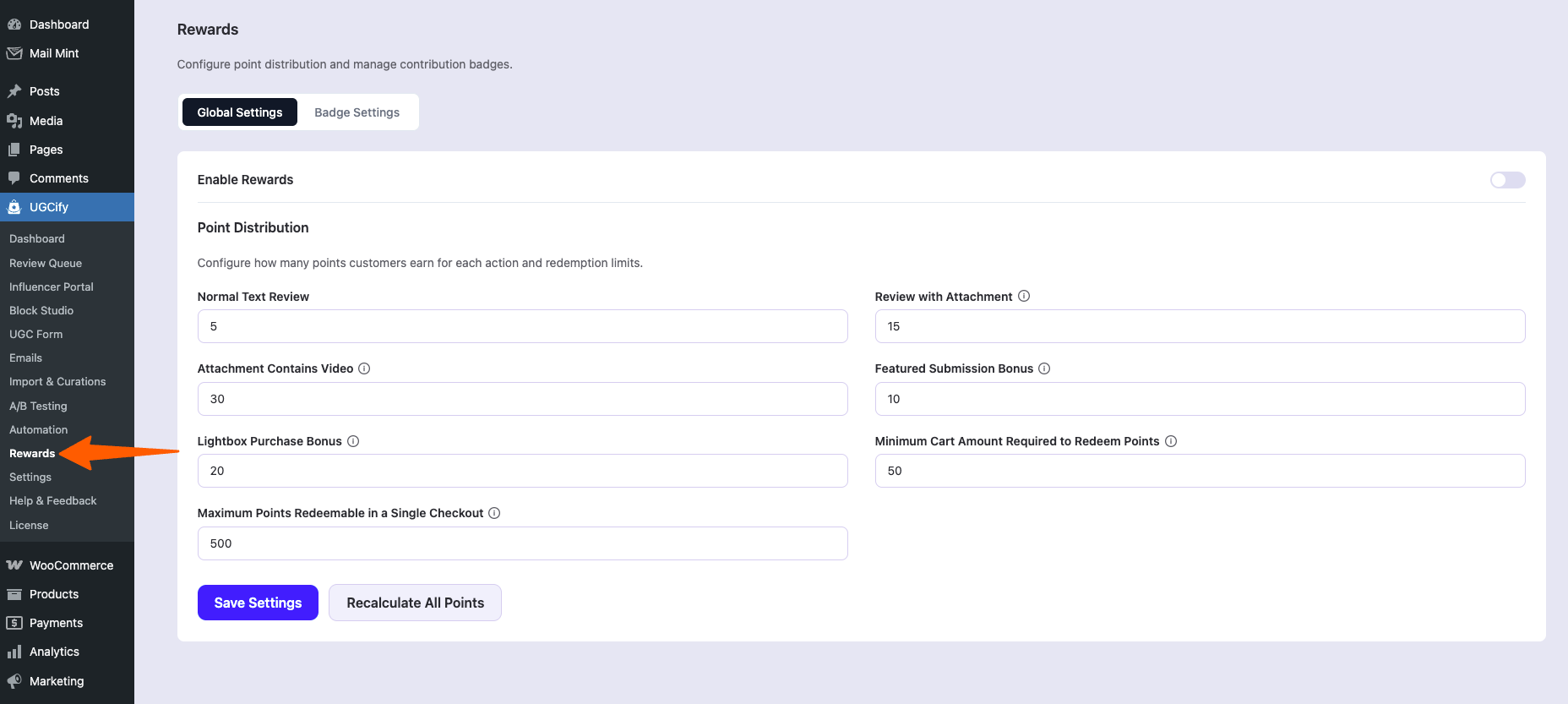
Encourage more and higher-quality submissions by rewarding customers automatically. When a photo review is approved, UGCify can issue a WooCommerce discount coupon or credit points to the reviewer’s account. The Rewards section also manages badge definitions for the gamification system — customers earn and level up badges based on review activity, which can be displayed on their account page and in your gallery.
11. Settings #
Three sub-pages live under Settings. Fraud Management offers keyword-based spam detection and Google reCAPTCHA (v2 or v3) to block bot submissions. Review Migration lets you import existing native WooCommerce reviews into UGCify in one click, with an export option for moving data out. Storage Management redirects media uploads to any S3-compatible bucket (Amazon S3, Cloudflare R2, DigitalOcean Spaces) by entering your bucket credentials.
Settings — Fraud Management with Spam Detection and reCAPTCHA tabs
12. Help & Feedback / License #
Help & Feedback links to the documentation site, the support ticket form, and the WordPress.org review page. The License page is where Pro users enter and manage their license key — once active, Pro features unlock and the plugin checks for updates automatically every 12 hours from the RexTheme update server.
13. License #
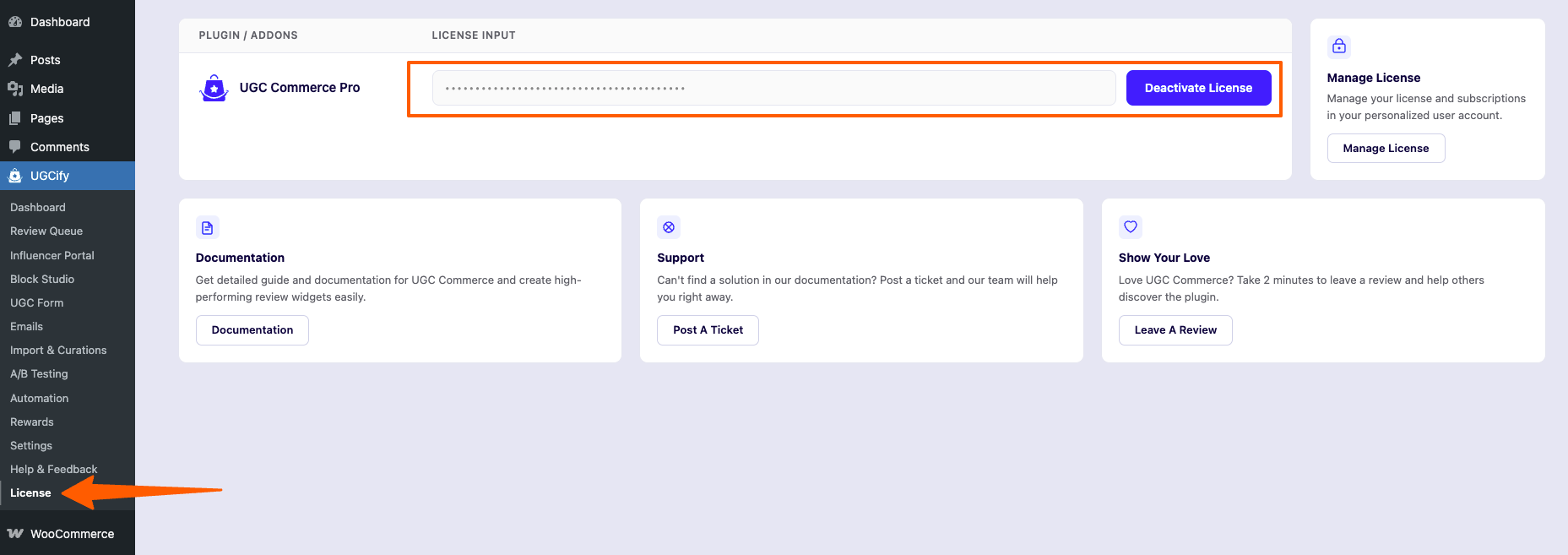
License page — Pro license management with links to documentation and support
That’s a quick overview of the UGCify. Setup takes under 5 minutes.
After activation, UGCify redirects you to a 6-step setup wizard that configures your first email, gallery layout, and form settings.
Compatible with Astra, Storefront, OceanWP, Kadence, GeneratePress, and any WooCommerce-ready theme.