UGCify – UGC for WooCommerce lets you automatically collect and display customer photos and videos on your product pages.
This guide walks you through the installation process of the plugin — from searching the WordPress plugin directory to entering your Pro license key.
Before You Begin #
Make sure your environment meets these requirements before installing:
- WordPress 6.1 or higher
- PHP 7.4 or higher
- Required Plugin WooCommerce (active)
Install & Activate UGCify (Free) #
The fastest way to install UGCify is directly from the WordPress Plugin Directory, right inside your dashboard.
1. Go to your WordPress Dashboard and navigate to Plugins → Add New Plugin.
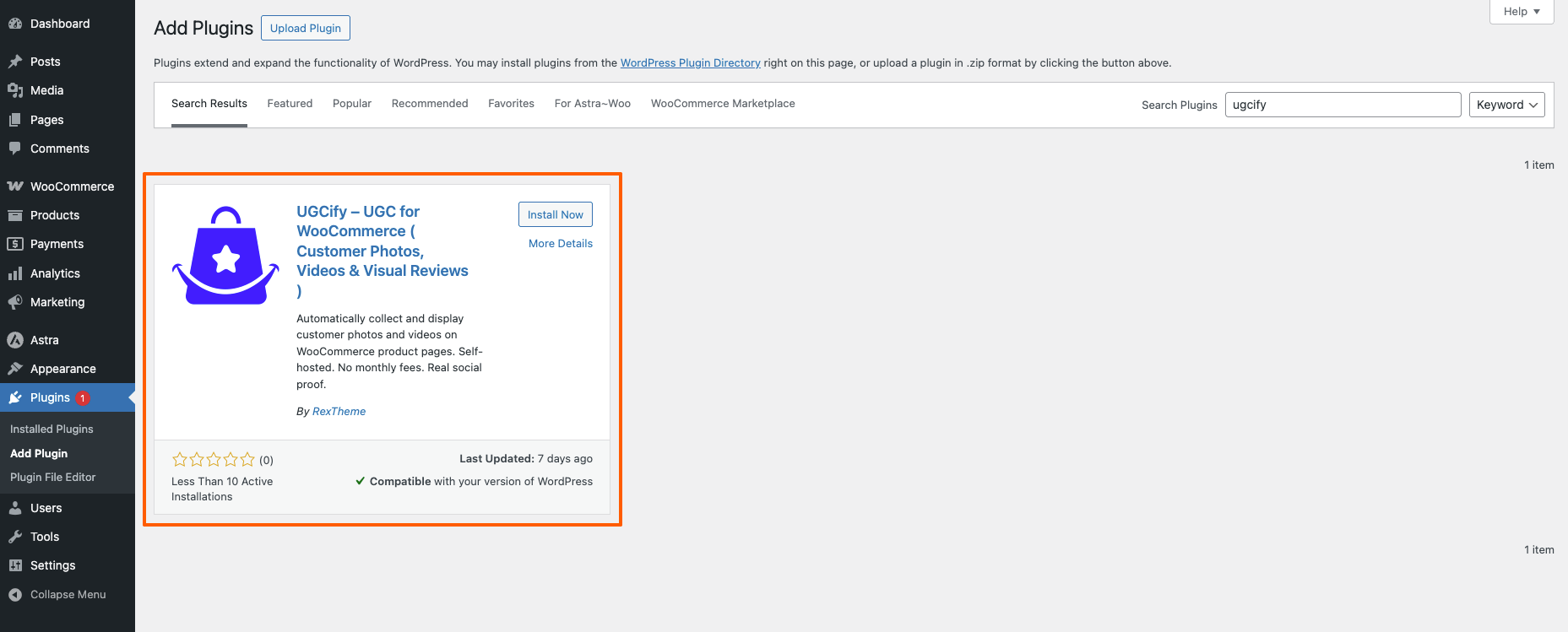
2. In the Search Plugins field on the top right, type UGCify. The plugin will appear in the search results as “UGCify – UGC for WooCommerce (Customer Photos, Videos & Visual Reviews)” by RexTheme.
3. Click the Install Now button on the plugin card. WordPress will download and install the plugin automatically.
4. Once installation is complete, the button will change to Activate. Click it to activate UGCify on your site.
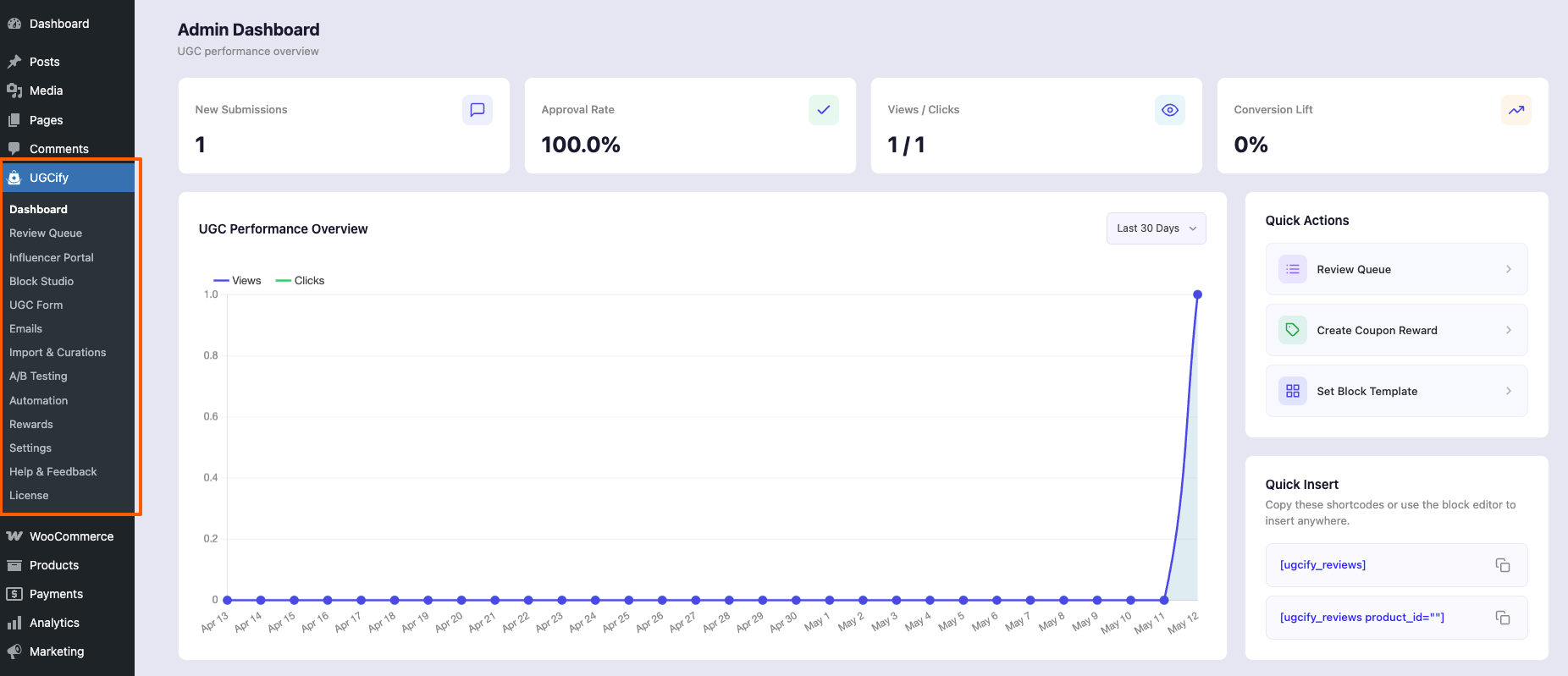
5. After activation, a new UGCify menu will appear in your WordPress Dashboard left sidebar with sub-pages including Dashboard, Review Queue, Block Studio, Emails, and more.
✅ Done!
UGCify is now installed and active. You can also get the free version directly from the WordPress repository at wordpress.org/plugins/ugcify.
Activate The UGCify Pro #
UGCify Pro unlocks advanced features including unlimited UGC collection, discount coupon rewards, influencer portal, Instagram integration, and more.
1. Purchase UGCify Pro from RexTheme, then log in to your RexTheme User Account to collect your license key and download the latest Pro plugin ZIP file.
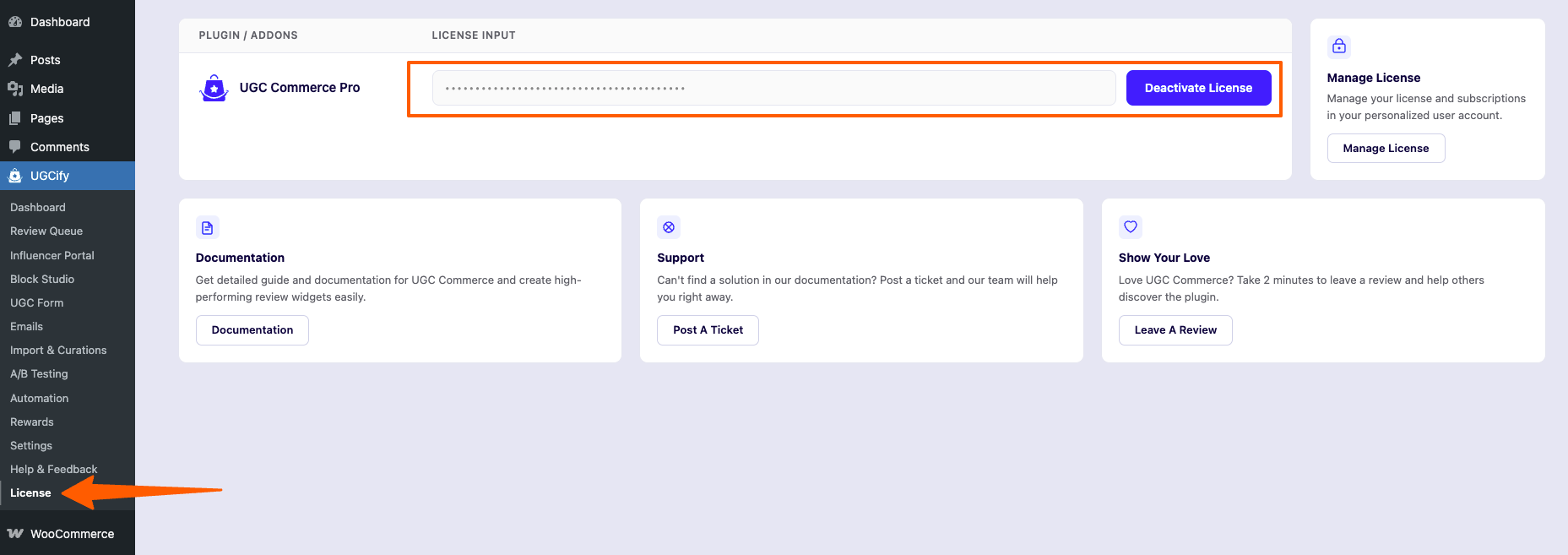
2. Navigate to Dashboard → UGCify → License in the sidebar. You will see the license input field for UGC Commerce Pro.
3. Enter your license key in the input field and click Activate License. The license will be verified instantly and all Pro features will be unlocked.
You’re all set! #
UGCify is now installed and activated. Your store is ready to automatically collect customer photos and videos. From the UGCify Dashboard, you can manage submitted reviews, configure emails, customize your gallery, and track insights — all in one place.