
In this guide, I’ll explain how to set up location-based shipping conditions in Advanced Shipping for WooCommerce plugin by RexTheme.
You can control when certain shipping methods are available based on your customers’ shipping location, such as country, state, city, or postal code.
Bijvoorbeeld:
- Charge an extra shipping fee for specific country/countries.
- Charge a different shipping fee if the order is not from a specific country.
Country Based Shipping Condition #
1. Go to Advanced Shipping Method Settings
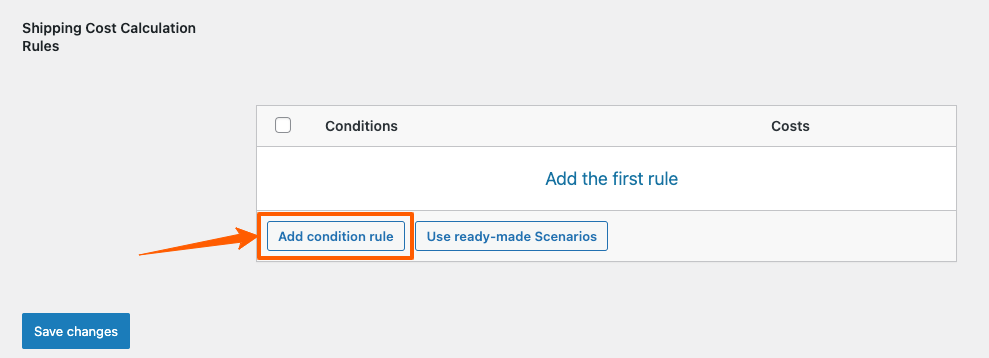
Scroll down and you will get this option to add shipping cost calculation rules.
Click on the Add condition rule to set the price shipping condition for your WooCommerce store.
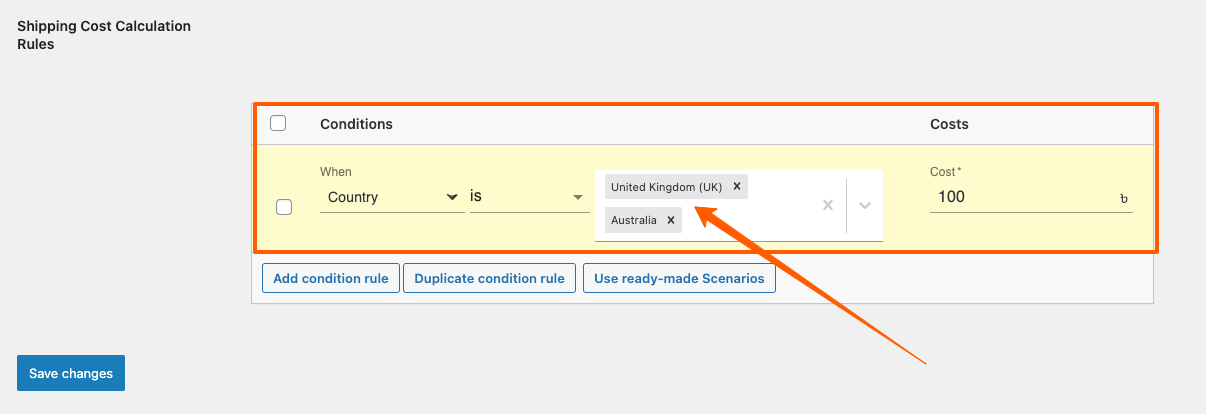
2. Now you can select “Country“ condition by clicking on “When” field.
Select “is” to meet the condition.
Example 1: Lets set a Shipping Condition such that if there are any order to be delivered to UK (United Kingdom) or Australia, there is will be an additional $100 Shipping Charge added.
Example 2: Lets set a Shipping Condition such that if there are any order to be delivered outside of USA, there is will be an additional $80 Shipping Charge added.
Select “Country“ condition by clicking on When field. Select “is not” to meet the condition.

So, this is how easily you can set your country based shipping conditions for your WooCommerce Stores.