
Running “Buy One, Get One” or similar offers is an effective way to drive more sales and increase average order value.
With the Dynamic Discount for WooCommerce plugin by RexTheme, you can easily set up Buy X Get X discounts that automatically reward customers when they purchase a specific quantity of a product.
This guide will walk you through how to:
- Create offers like “Buy 1, Get 1 Free” or “Buy 2, Get 1 at 50% Off.”
- Automatically apply discounts when qualifying products are in the cart.
Before starting, make sure your license is activated.
Follow the steps below to navigate to the Dynamic Discount Dashboard:
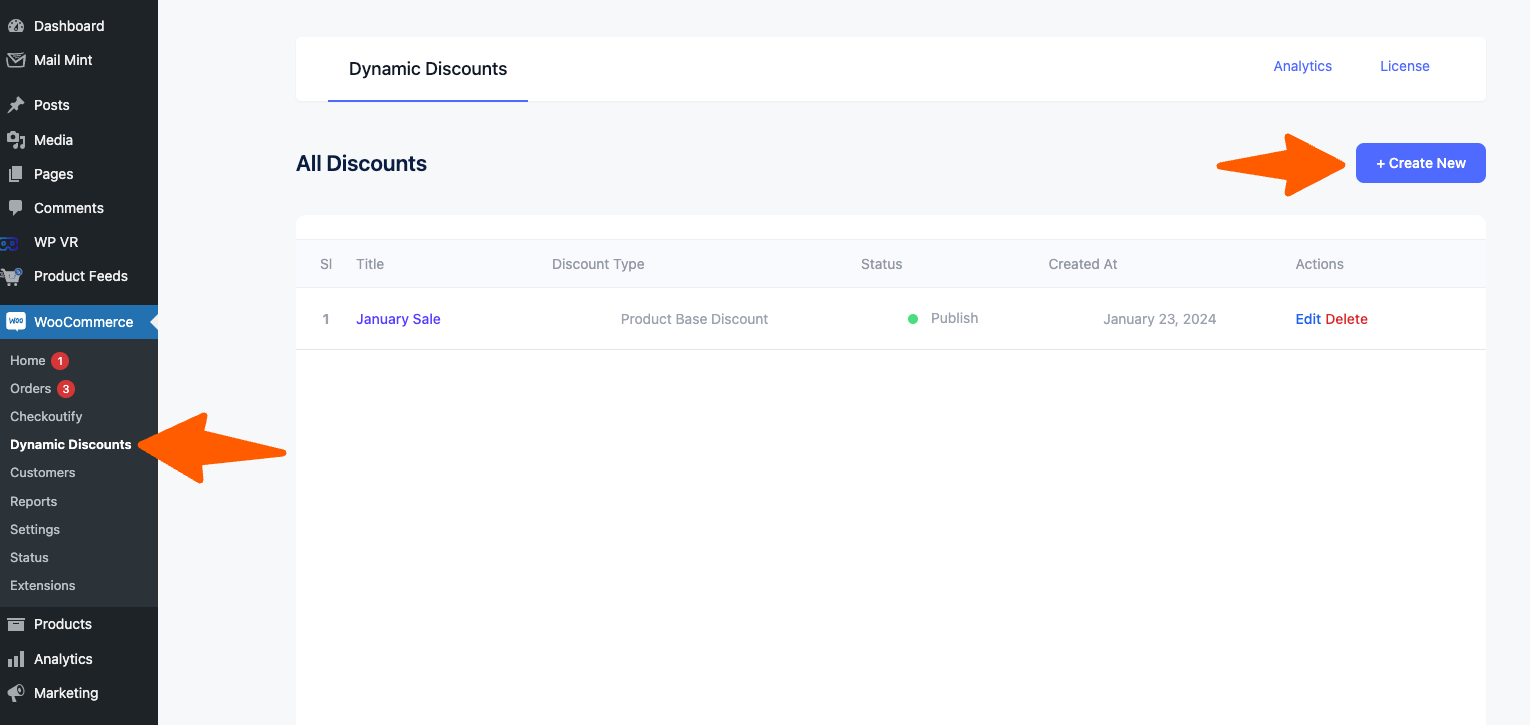
Hover on WooCommerce dashboard > Dynamic Discounts. As you can see, it will take you to the page where you can create a discount rule. On top, you will see a Button + Create New.
Creating Buy X Get X Discount #
1. Give your discount a title. Now from the Discount type dropdown, select BUY X GET X and 2 new sections will be added below.
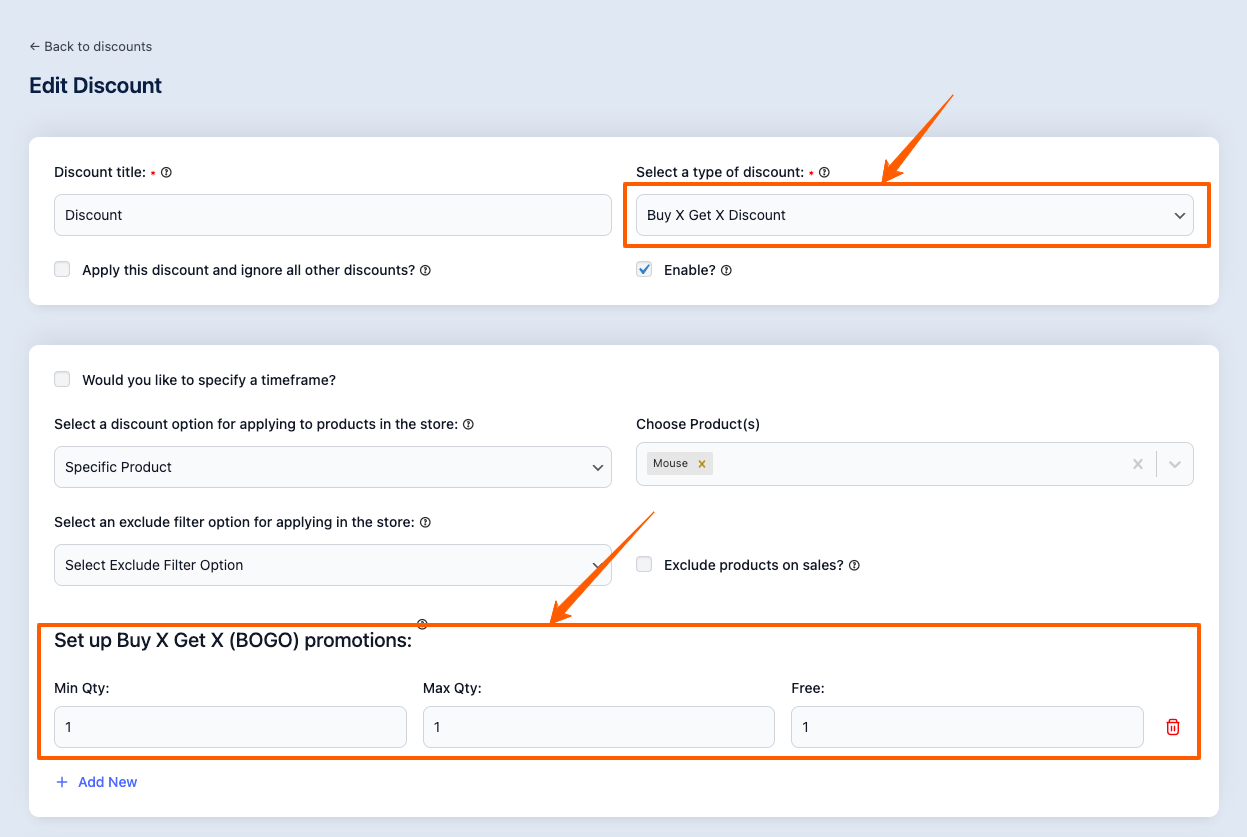
2. Now “Select the Discount option for applying to products in the store”. You select the Discount Rule for
- All Products
- Specific Products
- Specific Category
- Specific Tag
Here we want to apply the discount for the specific product: “Mouse”
You can also exclude products based on:
- Product
- Category
- Tag
3. Now Set up Buy X Get X promotion:
Set the Minimum Quantity and Maximum Quantity and select the quantity for Free
Example: Buy One Get One Free
Min Qty: 1: Max Qty: 1: Free: 1
If you buy 1 mouse, you get another free mouse
Example 2: Buy 1 Get 2 Free
Min Qty: 1: Max Qty: 3: Free: 2
If you buy a minimum quantity of 1 mouse and a maximum of 3, you get another 2 free mouse
4. Now click on the Save button.
That’s it, Buy X Get X Discount Rule is created.
Now that you are familiar with how the Dynamic Discounts for WooCommerce plugin works, in the upcoming documentation you’ll learn about the other discount types