Boost your 360 virtual tours visibility by sharing them directly on popular social media platforms like Facebook, LinkedIn, X (Twitter), Email, and Reddit—without publishing the tour on a webpage!
The powerful Social Media Share feature in WP VR makes this effortless. Exclusive to the Embed Addon in the Agency Plan, this tool allows you to promote immersive 360 panorama virtual tours instantly, reaching wider audiences and driving more engagement for real estate, tourism, events, art galleries, and more.
Whether you’re a real estate agent showcasing properties, a business highlighting products, or a creator sharing experiences, direct social media sharing for virtual tours helps increase traffic, leads, and conversions organically.
Why Share Your 360 Virtual Tours on Social Media? #
- Wider Reach: Platforms like Facebook and LinkedIn have billions of users—perfect for viral potential.
- Higher Engagement: Interactive 360 content encourages likes, shares, comments, and longer view times.
- No Webpage Required: Generate a direct shareable link and post instantly.
- Offline to Online Bridge: Combine with QR codes for events or print materials.
- SEO & Traffic Boost: Shares drive backlinks and visits to your main site or tours.
This feature is ideal for sharing virtual tours on Facebook, LinkedIn virtual tour posts, Twitter/X 360 tours, email virtual tour links, and Reddit panoramic shares.
Benefits for Different Industries #
- Real Estate: Share property tours on Facebook groups or email to buyers—close deals faster.
- Tourism & Hospitality: Post hotel or destination previews on LinkedIn and Reddit for bookings.
- Events & Galleries: Promote exhibitions on X/Twitter for buzz.
- E-commerce: Email product 360 views to customers.
Share Your Virtual Tour on Social Media #
Step-by-Step Guide: How to Enable and Share Virtual Tours on Social Media #
Follow these simple steps to activate and use the Social Media Share feature in WP VR:
1. Activate the Embed Addon #
- Ensure you have the WP VR Agency Plan active.
- The Embed Addon (including Social Media Share) is automatically available.
2. Edit or Create Your Virtual Tour #
- Go to your WordPress dashboard.
- Navigate to WP VR > Add New Tour or edit an existing one.
3. Enable Social Media Share #
- In the tour editor, switch to the Settings tab.
- Scroll to the bottom (with Embed Addon active).
- Toggle Enable Social Media Share to ON.
- You’ll now see direct share buttons for multiple platforms.
Follow the steps below.
1. While editing or creating a tour, go to the General tab.
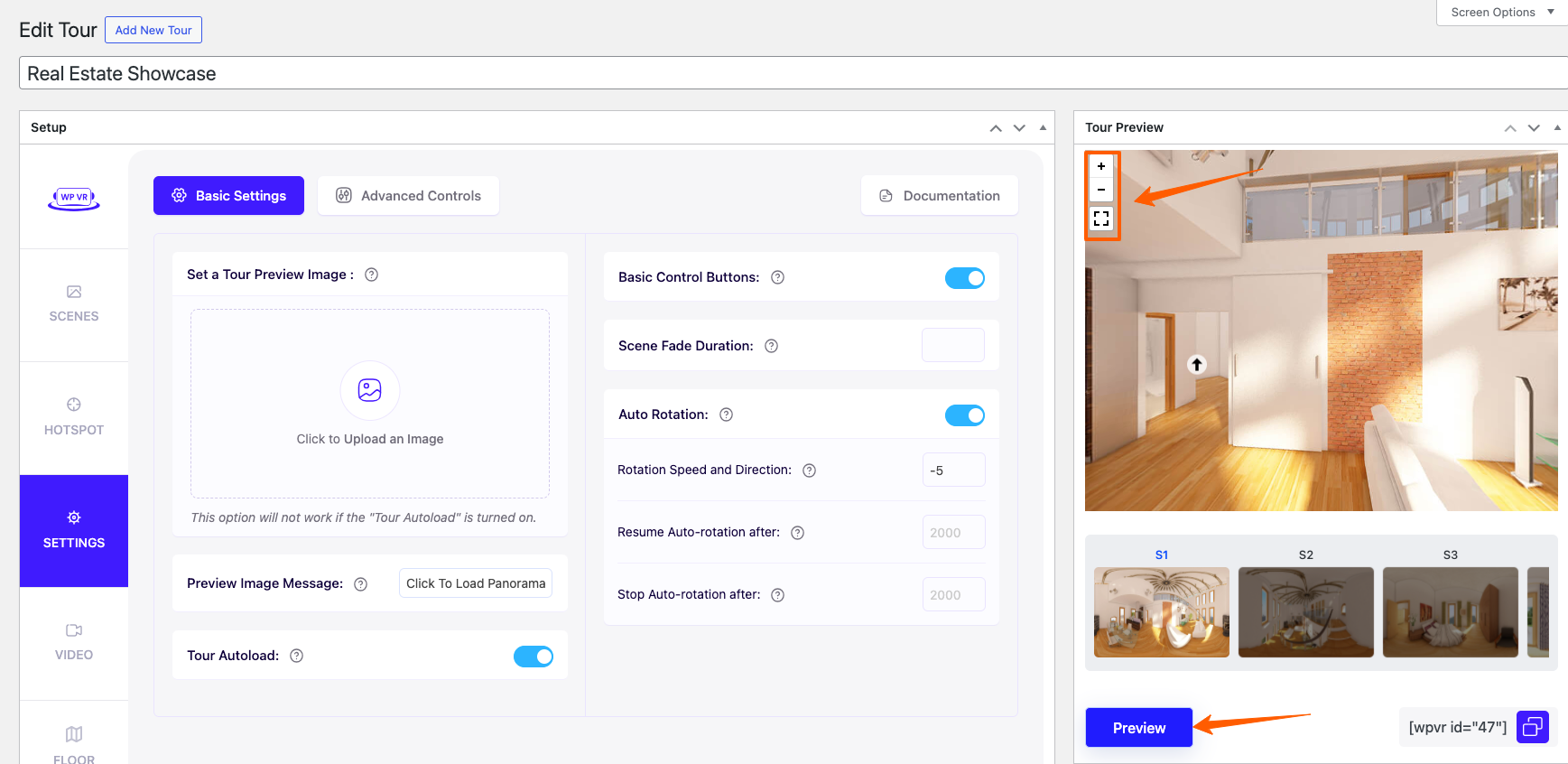
2. Once you have the Embed Add-On activated, at the bottom, you will get the option called Enable Social Media Share. Enable it and you will get the option to share the tour on different platforms.

3. Now choose the platform where you want to share the tour.
As you can see, it’s really easy and simple and you do not need to publish the tour on any webpage to promote it on different social platforms.