Most WooCommerce store owners look at Facebook Marketplace and think, “Nice… maybe I’ll list a few products there.”
That’s the first mistake.
Facebook Marketplace isn’t just a secondary place to dump extra inventory.
It’s a high-intent buyer channel that over a billion people use every month, and a huge share of them log in for one reason only — to buy something today.
Store owners often treat it like a manual listing board and upload a few products, write a quick description, maybe answer some messages, and hope it’s gonna work.
But, in reality, selling on Facebook Marketplace works best when you stop “posting products” and start building a controlled sales channel.
In this guide, I’ll share 10 advanced, practical tips that turn Facebook Marketplace from a side experiment into a consistent revenue source for your WooCommerce business.
Let’s start.
TL;DR: Tips For Selling On Facebook Marketplace
Short on time? Here’s the whole thing in a nutshell — then we’ll dig into the why and how behind each point.
- Listing is free, and local pickup sales cost you nothing in fees — you keep every dollar.
- Shipped sales through Facebook Checkout do carry a selling fee (you’ll see it cited as 5%–10%, plus a small per-order minimum), so price it in before you list.
- The safest way to get paid is cash at an in-person pickup, or Facebook Checkout / PayPal Goods & Services for shipped orders. Steer clear of Zelle, gift cards, and “I’ll overpay you” offers.
- Search-friendly titles, clean photos, fast replies, and competitive pricing are exactly what the Marketplace algorithm rewards.
- Refresh stale listings and post when buyers are actually active — evenings, and Thursday before the weekend.
- Scaling lots of products? Stop posting one by one and let a catalog feed keep everything accurate for you.
Stick around for the full breakdown and all 12 tips.
How Selling on Facebook Marketplace Actually Works
Before we get into tactics, let’s make sure we’re on the same page about how the platform behaves because a lot of what frustrates sellers comes from not getting this part.
Facebook Marketplace is Meta’s built-in space for buying and selling, and you can reach it from the Marketplace icon in the Facebook app or on desktop.
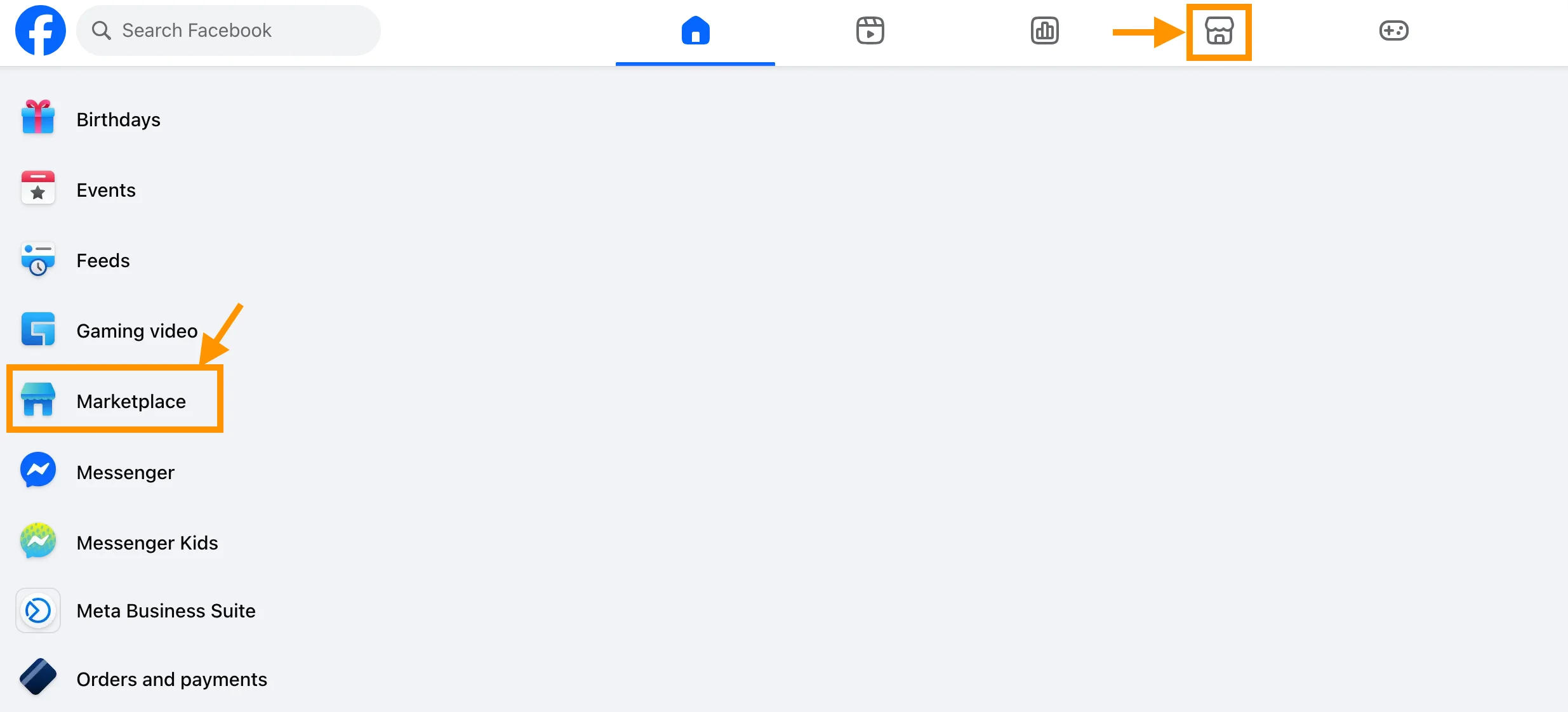
The key thing to understand: all buyers don’t see the same feed. What shows up is personalized by their location, their interests, and what they’ve recently searched for. So whether your listing gets seen depends on two things: how relevant it is and how close it is to the searcher.
You’ve really got two ways to sell, and they work very differently:
- Local pickup — You meet the buyer in person and they pay you in cash or through an app. Facebook takes nothing on these sales. Zero fees.
- Shipped orders — You turn on shipping, the buyer pays through Facebook Checkout, and you ship with a prepaid label. Facebook charges a selling fee here, but in exchange, you get a layer of purchase protection.
One quick heads-up if your account is new: Facebook tends to trust established profiles more, so a brand-new account might wait a few days before it can list or unlock shipping. Either way, fill out your profile with a real photo first — that small bit of trust shows up in every conversation you’ll have with a buyer.
How to Sell on Facebook Marketplace, Step by Step
If you’ve never listed anything before, don’t overthink it — the whole thing takes about five minutes. Here’s the flow:
- Open Marketplace from the app or your desktop sidebar, then hit Create new listing.
- Pick what you’re selling — Items for sale, Vehicle, or Home for sale/rent.
- Upload 3–6 clear photos. This is the single biggest thing deciding whether anyone even taps your listing, so don’t rush it.
- Write a search-friendly title and a description that answers the questions buyers always ask.
- Set a competitive price and choose the right category (more on why that matters in a second).
- Choose local pickup, shipping, or both — then publish.
Here’s the one step almost everyone skips: the category “breadcrumb.” When Facebook asks you to drill down (say, Home & Kitchen → Furniture → Dining Room → Dining Tables), do it properly. That full path is literally what makes your listing findable in Marketplace search. Skip it, and you’ve quietly buried a perfectly good listing where no one will ever scroll.
Why Facebook Marketplace Matters for WooCommerce Store Growth
Let’s be honest about why you’re even considering this. You want more sales without pouring more money into ads — and Marketplace is one of the few places that actually delivers on that.
Here’s why it works: most platforms make you wait for the right person to show up. Marketplace flips that. The people browsing it aren’t there to be entertained — they’re there to buy, usually something specific, usually soon. So instead of interrupting someone’s scroll and hoping they care, you’re putting your product in front of someone who’s already reaching for their wallet.
That tilts a few things in your favor:
- You reach buyers who are actively searching– Marketplace users usually search for a specific product type or price range. They are closer to the purchase decision compared to general social media browsing.
- You can validate product demand before scaling ads– Suppose you sell fitness accessories. If a new resistance band model gets messages and inquiries quickly after listing, you know the product has real interest.
- Comparison shopping actually helps good listings stand out– Many buyers open multiple listings at once. If your title is clear, photos are clean, and description answers common questions, you win attention without aggressive marketing.
- It creates an additional sales path besides your WooCommerce store– Instead of depending only on website traffic or ads, Marketplace becomes another place where orders can start.
- It helps you learn buyer behavior in the early stage– You can see what people ask, what price they negotiate for, and what information they want before buying.
For example, if you sell a $35 premium anti-slip yoga mat in your WooCommerce store, you can list 20–30 units on Marketplace first. If you start getting around 5–10 serious messages in a few days and manage to close a few orders, you know there is real demand before spending heavily on advertising.
That’s why Selling On Facebook Marketplace works best when you treat it as a controlled extension of your WooCommerce sales system rather than just posting products randomly.
12 Tips for Selling on Facebook Marketplace Successfully
Now that you know why Marketplace matters, let’s move to the part that directly helps you get more visibility and orders.
1. Understand What the Marketplace Algorithm Rewards
Before you tweak a single photo or price, you need to know what you’re actually optimizing for — because visibility on Marketplace isn’t random. Facebook decides who sees your listing, and it’s making that call based on signals you can control.
Here’s what it’s weighing: how relevant your listing is to what the buyer searched, how fresh it is, how much engagement it’s getting (clicks, saves, messages), how fast you reply, whether your price is competitive, and the quality of the listing itself — think photo count and the right category. Meta also leans toward local-pickup listings in nearby feeds. Keep this list in the back of your mind, because every tip from here on maps back to one of these signals.
2. Optimize Titles for How Buyers Actually Search
Now that you know relevance is a ranking signal, let’s win it — and it starts with your title.
The trick is to remember Marketplace search behaves like a product search engine, not a social feed. So write your title the way a buyer would type it: lead with the product type, then the key feature or model, then the brand if it matters. Skip the marketing fluff — nobody’s searching “amazing must-have gift.” Lean into specific, long-tail phrases instead, because Marketplace shoppers tend to search with exact intent. Then do two more things most people forget: repeat those keywords inside your description, and fill in every item-specific field (size, color, brand). Those fields feed search too.
3. Use High-Quality Visual Storytelling, Not Just Photos
Okay, buyers can find your listing now. The next split-second decision they make is whether to tap it — and that’s almost entirely down to your photos.
Think of your photos as your first sales message. Picture two listings for the same lamp: one shot in a dim room against a cluttered counter, the other on a clean surface near a window with the lamp switched on. The second one sells. The first gets scrolled right past. And here’s the relief — you don’t need a studio or fancy gear. Good light and a clean background do almost all the work for you.
Run through this quick checklist before you post:
- Use 3–6 images per product.
- Show it from a few different angles.
- Add one lifestyle photo so buyers can picture themselves using it.
- Keep the background clean — clutter just hides what you’re selling.
- Light it well enough to show real detail. Daylight near a window is your best friend.
And if you can, add a short video. A 10–30 second clip showing how the product works, how you pack it, or how it looks in real life does wonders for buyer confidence. A steady phone recording is more than enough — don’t overthink it.
4. Write Descriptions That Answer Questions Before They’re Asked
You’ve got their attention with the photos. Now your description has one job: remove every reason for them to hesitate.
Here’s the mindset shift — clarity sells faster than persuasion.
You’re not writing a sales pitch; you’re answering the questions a buyer would otherwise have to message you to ask. Structure it in three quick layers: what the product is, why it’s worth buying, and how they actually complete the purchase.
Make sure you always cover:
- Dimensions and basic specs.
- Condition — and any flaws. Being upfront here builds trust and cuts down on no-shows.
- Warranty or return policy, if you offer one.
- Shipping options or pickup rules.
- A clear way to reach you — Messenger or your store link.
5. Price Strategically Using Comparison Psychology
Your listing looks great and reads clearly. But before anyone messages you, they’re doing one more thing: comparing your price to everyone else’s. So let’s price for that comparison.
You don’t need to be the cheapest — you just need to look like the smart choice.
Landing a little below similar listings helps you stand out in that side-by-side moment. A small psychological nudge: pricing at $34.90 instead of $35 reads as intentional without really touching your margin. And if you’re priced higher for a good reason — better quality, a warranty, extra accessories — say so right in the description so the buyer understands the gap. One habit worth keeping: glance at comparable listings now and then so your pricing stays grounded in the real market instead of guesswork.
6. Reply Fast With a Simple Messenger Flow
Here’s a scenario you’ve probably lived through: someone messages “Is this still available?”, you spot it two hours later, you reply… and silence. They’re gone.
It stings, but it makes sense. When someone messages you on Marketplace, they’re almost never messaging only you — they’ve fired off the same question to three other sellers, and whoever answers first and sounds reliable usually gets the sale. Speed isn’t just polite here; it’s often the whole game. (And remember the algorithm? Your response time feeds your visibility too, so being slow costs you twice.)
The good news is you don’t have to be glued to your phone. You just need a simple flow you can run on autopilot:
- Open with a quick, friendly line — “Hi, thanks for your interest!”
- Confirm it’s still available.
- Answer their pricing question if they have one.
- Point them to the next step — pickup or checkout.
That’s it. And if you’re juggling a lot of listings, set up Messenger’s saved replies so the first message goes out instantly — even while you’re asleep. You’d be surprised how often simply being first to reply is what closes the deal.
7. Sell Safely and Avoid Common Scams
Replying fast keeps the conversation alive — but staying safe is what keeps that conversation from turning into a headache. And let’s be real: scams and no-shows are the part of Marketplace that frustrates sellers most. The good news is a few simple habits protect you almost completely.
- Meet in public, well-lit places. Many police stations now have “safe exchange zones” for exactly this. Bring someone with you when you can.
- Keep everything inside Messenger. It leaves a paper trail and keeps your personal number private.
- Confirm payment before you hand anything over. For local sales, cash is the simplest and safest thing going.
- Learn to spot the classic red flags. Overpayment offers, “let’s move to text/email,” “I’ll send a courier,” random QR codes, and any pressure to act fast — those are all scam signals waving at you.
- Avoid the risky payment methods entirely. Don’t accept checks, wires, gift cards, or Zelle from strangers. They’re scammer favorites and give you zero protection.
And when you’ve got several buyers at once?
First-come, first-served works fine — just don’t actually hold an item until a pickup time is confirmed, because “interested” buyers vanish constantly. If you’ve already got a pickup scheduled, tell the others the sale is pending and you’ll circle back if it falls through. Keeps everyone happy and keeps you from losing a backup buyer.
8. Know the Fees Before You Price
This is the part that catches new sellers off guard, so let’s clear it up before you set a single price. What you pay depends entirely on how you sell:
| How you sell | What Facebook charges | What you keep |
| Local pickup (cash / app) | Nothing — no platform fee | 100% of the sale price |
| Listing an item | Free — no listing or subscription fees | n/a |
| Shipped via Facebook Checkout | A selling fee per order (you’ll see it cited as 5%–10%) with a small minimum (around $0.40–$0.80) | Sale price minus the fee and shipping |
Two things to keep in mind here. First, the exact shipped-sale percentage gets reported differently across sources and has changed over time, and it can vary by category, location, and account — so don’t take any single number as gospel. Always confirm the current rate on Facebook’s own fees page before you price.
Check the live numbers here: Facebook Marketplace selling fees
The practical takeaway: local pickup is the only mode with zero fees, which is exactly why furniture, appliances, and other bulky, hard-to-ship stuff thrives on Marketplace. If you’re shipping, build the fee and the shipping cost into your price from the start — don’t discover the gap after the sale. And watch your low-ticket shipped items especially, because a flat minimum fee can quietly eat a big chunk of a cheap sale.
9. Choose the Safest Way to Get Paid
Speaking of getting paid — let’s make sure that money actually lands safely, because the right method depends on how you’re selling.
For local pickups, cash is king. It’s the simplest and safest option going — just confirm you’ve got it in hand before the item leaves with the buyer. For shipped orders, Facebook Checkout handles the payment and adds buyer/seller protection, and PayPal Goods & Services is a solid backup because it comes with dispute coverage. Whatever you do, skip checks, wires, gift cards, and friends-and-family transfers from strangers — none of them protect you if something goes sideways.
10. Post at the Right Time and Refresh Stale Listings
Remember how freshness is a ranking signal? That’s why “set it and forget it” quietly kills listings — and why a little maintenance goes a long way.
Your listings get the most eyes right after you post or renew them, and buyer activity tends to peak in the evenings and on Thursdays as people start planning their weekends. So if something’s gone quiet, don’t just let it rot — refresh it. Swap in a brighter lead photo, rewrite the description, nudge the price a little, or relist so it pops back into local search. Most stalled listings don’t need a different item; they just need a small reset so the right buyer finally sees them.
11. Position Your Listings as a Mini Branded Storefront
If you’re selling more than a couple of things, here’s a shift that makes you look far more established than the seller next to you: treat your listings like a tiny storefront, not a pile of random posts.
Consistency is what does the heavy lifting. Keep a steady naming pattern, a similar photo style (same background, same lighting), and a recognizable tone across your listings. Remember, buyers compare several sellers before they message anyone — and when your listings all look like they belong together, you read as reliable. You can even tuck your store name at the end of a description; not as a pitch, just so buyers remember where the product came from. For electronics or apparel sellers especially, that repeatable look is what quietly turns one-time buyers into repeat ones.
12. Scale With Catalog Feeds and Automation
Everything above works beautifully when you’re running a handful of listings. But the moment your catalog grows — or you’re running a full WooCommerce store — posting one by one stops being a strategy and starts being a chore.
This is where you let automation take over the boring part. Uploading manually wastes hours and invites errors and stale stock. Catalog-based selling lets you push product data straight from your store into Facebook’s product ecosystem, so when you update a price, stock level, or description in WooCommerce, the feed reflects it for you. That keeps your listings accurate, syncs leads back to your store so you can retarget later, and lets you maintain the same info across Marketplace, ads, and other channels without rewriting a thing.
Inside Product Feed Manager, the Facebook catalog feed workflow is built to do exactly this — generate and organize feeds for Facebook catalog and Marketplace listings. The point isn’t to take you out of the driver’s seat; it’s to hand off the repetitive work so you can spend your time on pricing, promotion, and talking to buyers.
Read this definitive guide- Facebook Product Feed For Woocommerce [2026]
Common Mistakes WooCommerce Store Owners Make on Facebook Marketplace
By now you know how to optimize your Facebook Marketplace listings and communication.
But knowing what works is only half of the story. The other half is avoiding the mistakes that quietly reduce your sales without you noticing.
Some store owners post products quickly and move on, thinking the job is done. If you have ever done this, you might already know that a listing doesn’t perform well just because it exists.
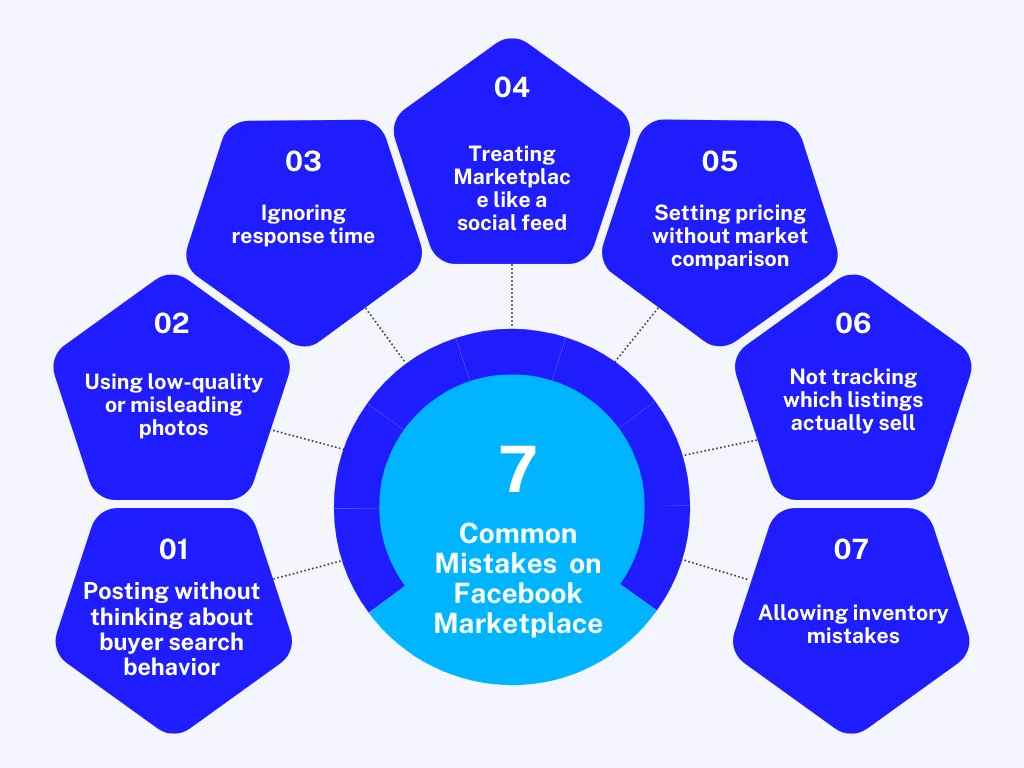
Here are the mistakes you should watch for when selling on Marketplace:
- Posting without thinking about buyer search behavior You might upload a product using a title that sounds nice to you but does not match how buyers search. When your title misses common search phrases, your listing becomes harder to find.
- Using low-quality or misleading photos Imagine a buyer opening your listing and seeing blurry images or a background that hides product details. That usually creates doubt and makes them move to another seller.
- Ignoring response time You may receive a message but reply hours later because you are busy. During that time, the buyer might already contact another seller and make a purchase.
- Treating Marketplace like a social feed Posting random product images or promotional text without clear product information usually does not help sales. Buyers want quick answers, not entertainment.
- Setting pricing without market comparison If your price is much higher than similar listings without explaining the value difference, buyers may not even message you.
- Not tracking which listings actually sell You may continue posting products that look good but bring little interest. Checking message volume, conversion, or inquiry patterns helps you focus on winning products.
- Allowing inventory mistakes Listing products that are already out of stock creates frustration. Confirm stock availability before posting to avoid negative feedback.
Paying attention to these small details helps you keep your Marketplace selling strategy stable and reliable over time.
How Facebook Catalog Feed Support Simplifies Marketplace Selling
If you are serious about selling on Facebook Marketplace, one practical problem you will face is managing product listings when your inventory grows.
Manually updating Marketplace products can become messy. You may forget to change stock status after a sale, or you might spend time uploading the same product information again and again.
This is where Facebook catalog feed support becomes useful.
Instead of treating Marketplace as a place where you post products one by one, catalog-based selling lets you push product data directly from your WooCommerce store into Facebook’s product ecosystem.
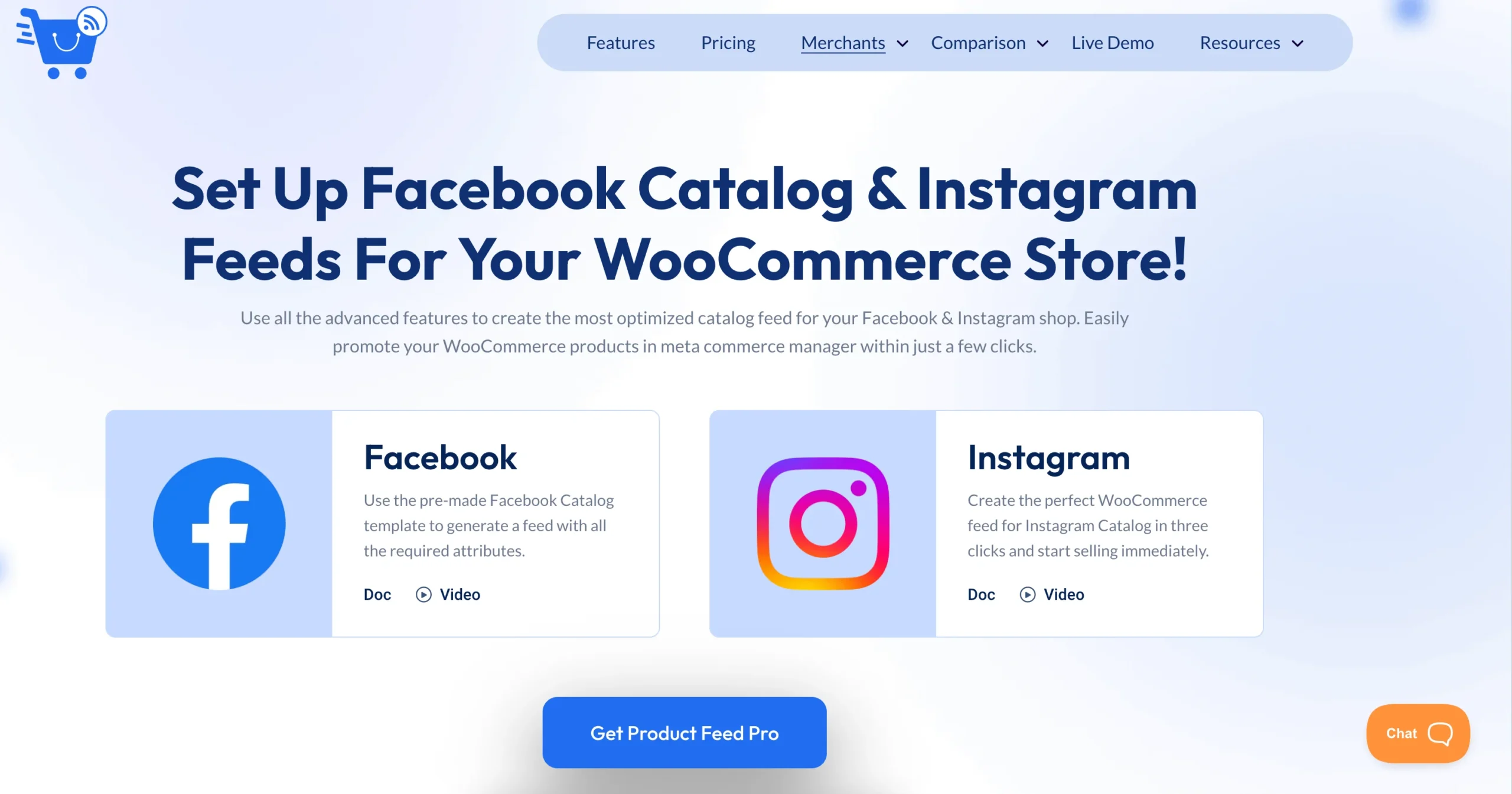
Inside Product Feed Manager, the Facebook catalog feed workflow is designed to help you generate and organize product feeds that can be used for Facebook catalog or Marketplace listing systems.
What happens is simple from your perspective.
You maintain your product information inside WooCommerce. When you update price, stock, or description, the Facebook catalog feed reflects those changes in the catalog export structure. This reduces the chance of showing outdated information to buyers and helps keep listings synchronized with your store.
Also read these:
Final Thoughts
If there’s one thing I want you to take away, it’s this: Marketplace rewards intention. The sellers who treat their listings like strategic assets — not stuff dumped online and forgotten — are the ones who sell consistently.
And the good news is, none of it is complicated. Whether you’re offloading a few items or building a real channel for your store, the same fundamentals win every time: search-friendly titles, clean visuals, fast and safe communication, fee-aware pricing, and accurate stock. Get those right and Marketplace becomes a dependable place to reach buyers exactly where they’re already searching.
Then, when you’re ready to grow, let automation carry the repetitive load so scaling up doesn’t mean more work for you.
FAQs
How do I sell on FB Marketplace for beginners?
Start by creating a Facebook account listing and learning the basics of Selling On Facebook Marketplace, such as uploading clear photos, writing simple descriptions, and pricing competitively. If you are new, focus first on how to sell on Facebook Marketplace locally because local buyers often respond faster.
Is it free to sell on FB Marketplace?
Yes, it is free to list products on how to sell on Facebook free and start selling on Facebook Marketplace. However, you may pay fees if you use paid promotions or shipping tools, depending on the transaction method.
What should you not do when selling on Facebook Marketplace?
Avoid posting poor-quality photos, using misleading descriptions, or ignoring messages when learning how to sell on fb marketplace. Also, do not list items that are not available because it can hurt your reputation.
Is there a better place than Facebook Marketplace?
It depends on your product and audience, but many sellers combine Facebook Marketplace with their own WooCommerce store when working on how to sell on Facebook Marketplace locally for more controlled sales.
What is the safest way to get paid when selling on Facebook Marketplace?
The safest payment method is meeting locally and using verified payment methods while following platform safety rules for how to sell on Facebook Marketplace and overall Selling On Facebook Marketplace transactions.


![Show Your WooCommerce Products on ChatGPT & OpenAI Ads with Product Feed [2026] 2](https://rextheme.com/wp-content/uploads/2026/08/Show-Your-WooCommerce-Products-on-ChatGPT-with-OpenAI-Product-Feed-1-407x213.webp)