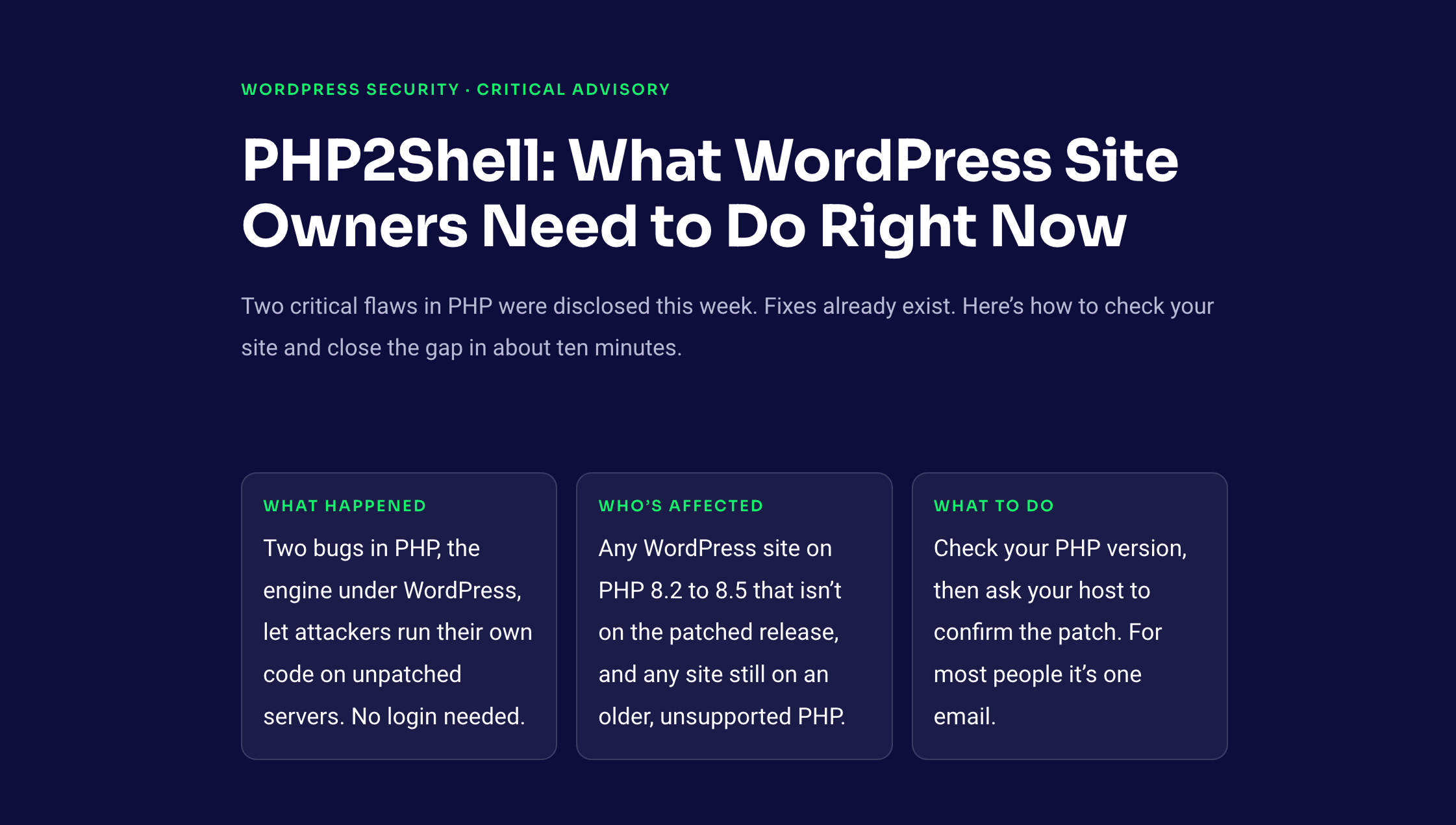
Two critical flaws in PHP were disclosed this week. Fixes already exist. Here’s how to check your site and close the gap in about ten minutes.
What happened
Two bugs in PHP, the engine under WordPress, let attackers run their own code on unpatched servers. No login needed.
Who’s affected
Any WordPress site on PHP 8.2 to 8.5 that isn’t on the patched release, and any site still on an older, unsupported PHP.
What to do
Check your PHP version, then ask your host to confirm the patch. For most people, it’s one email.
Is your site protected? Check in 30 seconds
Type the PHP version your site runs, and we’ll tell you where you stand. Don’t know it yet? The three steps below the checker show exactly where to find it.
The patched versions
The PHP team shipped emergency updates on October 21, 2026. Your site needs to be on these releases or newer.
| PHP branch | Safe from | What it means |
|---|---|---|
| PHP 8.2 | 8.2.35 | 8.2.34 and below are vulnerable |
| PHP 8.3 | 8.3.36 | 8.3.35 and below are vulnerable |
| PHP 8.4 | 8.4.27 | 8.4.26 and below are vulnerable |
| PHP 8.5 | 8.5.12 | 8.5.11 and below are vulnerable |
| PHP 8.1 or older | none | No longer supported. Ask your host to move you to a newer branch. |
One important exception.
Some hosts apply the security fix without changing the version number you see. If your version looks old but your host says it’s patched, ask them to confirm that in writing. That’s good enough.
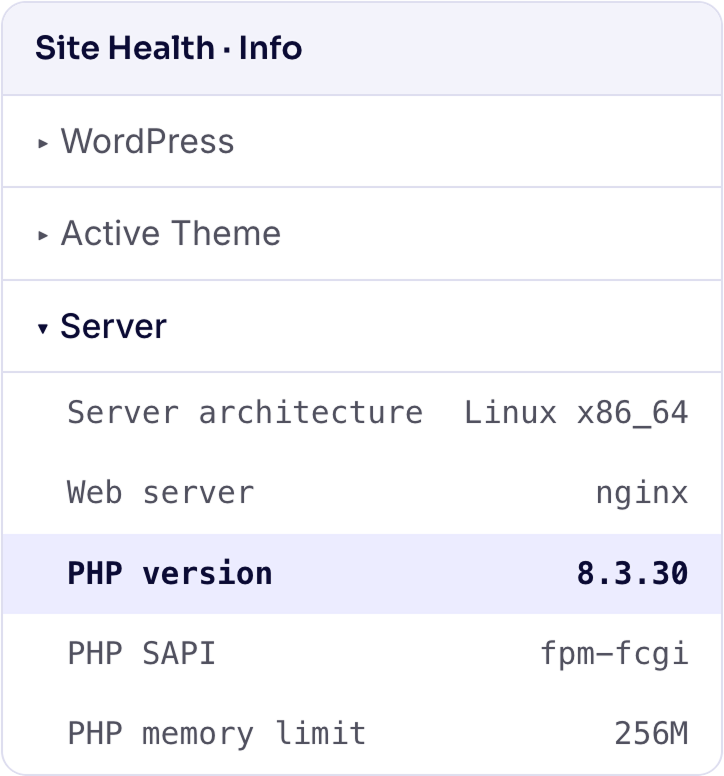
Don’t know your version? Find it in three steps
- Log in to WordPress.
Open your admin dashboard as usual.
- Go to Tools → Site Health → Info.
The Info tab is next to Status at the top of the page.
- Open the Server section.
Look for the PHP version row, then type it into the checker above.
What is PHP2Shell, in plain English?
PHP is the programming language that runs WordPress. Think of it as the engine. WordPress is the car built around it, and your plugins are the accessories. PHP2Shell is an engine problem, so new tires won’t help.
PHP2Shell is the name given to two security bugs found in PHP itself:
CVE-2026-109618
Memory corruption when PHP runs out of memory
When a server hits its memory limit, PHP can mishandle the situation in a way an attacker may be able to exploit.
CVE-2026-109619
Reusing memory that was already released
PHP can keep using a piece of memory it has already let go of, and an attacker may be able to control what ends up there.
9.2out of 10 on the CVSS v4.0 severity scale, for both bugs. That’s in the critical range.
In the worst case, an attacker could run their own code on a vulnerable server. They don’t need a username or a password. Security people call this remote code execution, or RCE, and it’s about as serious as a vulnerability gets.
Updating WordPress or your plugins won’t fix this.
The fix has to happen at the PHP level. For most site owners, that means your hosting provider.
Does this affect my WordPress site?
Yes, if your site runs a vulnerable PHP version. WordPress leans on PHP for almost everything: loading pages, processing forms, logging people in, and talking to the database. The same goes for any other PHP app on the same server.
If an attacker got in through PHP2Shell, they could potentially:
- Read customer or website data they shouldn’t see.
- Change your files or inject malicious code.
- Take your site offline or disrupt how it works.
- Grab database and application credentials.
- Reach other things the server process can reach.
Now take a breath.
Running a vulnerable version means your site may be exposed. It does not mean you’ve been hacked. Your real risk depends on your PHP version, your server setup, and whether your host has already patched. Many hosts moved fast on this one.
How to protect your site, in five steps
Do them in order. Most people will be done after step one.
1. Ask your host to confirm the patch (today)
For most site owners this is the fastest and safest move. Your host controls the PHP that runs your site. Copy the message below and send it through your host’s support channel.
Hi,

I’m writing about the PHP2Shell vulnerabilities disclosed this week (CVE-2026-109618 and CVE-2026-109619).

Could you confirm whether the PHP runtime for my website has been patched against both? My site is: [your domain]

If it hasn’t been patched yet, when will the update be applied, and do I need to do anything on my side?

Thank you.
Copy this message and share it with your hosting provider.
Running several sites? Send one message per site, or list all your domains in one.
2. Update PHP yourself, if your host lets you
Some hosting panels let you pick your own PHP version. Look for MultiPHP Manager, PHP Selector, or something similar. Before you switch:
- Test the parts of your site that matter most once it’s done.
- Take a full backup of the site and database.
- Check that your theme and plugins support the version you’re moving to.
- Pick a supported, patched version from the table above.
What to test after the update
Pick the kind of site you run, and we’ll show you the things worth clicking through.
WooCommerce Store
- Checkout, from cart all the way to the order confirmation page
- Payment gateways (place a small test order or use sandbox mode)
- Order and customer emails
- Product feeds, if you sync to Google Shopping, Meta, or marketplaces
- Cart recovery emails and discount rules
Virtual tour site
- Tours load and spin on desktop and mobile
- Hotspots, floor plans, and scene links
- Tours embedded on other pages or other sites
- Any lead or booking form attached to a tour
Funnel or email marketing site
- Opt-in and lead forms
- Funnel steps, redirects, and thank-you pages
- Email automations and the triggers that start them
- Order bumps, upsells, and checkout on funnel pages
- Any A/B test you have running
Business or portfolio site
- Contact and quote forms
- Menus, pages, and site search
- Logins for staff or members
- Caching and page speed (clear all caches after the change)
3. Update WordPress, your theme, and your plugins
This doesn’t fix PHP2Shell, but it closes other doors while you’re at it. Check for updates to:
- WordPress core
- Your active plugins
- Your theme
- WooCommerce and any extensions, if you use them
4. Look for signs of trouble
Security researchers have already seen attempts to exploit PHP2Shell. If your site was running a vulnerable version, ask your host to review the server logs. Warning signs include:
- Files that changed when you didn’t change them
- Administrator accounts you don’t recognise
- Visitors being redirected somewhere strange
- Unusual processes running on the server
Seeing something odd doesn’t mean you’ve been hacked, but it deserves a look. If you think your site has been compromised, talk to your host or a WordPress security professional before you change anything else.
5. If you can’t update yet
If your host doesn’t have a patched PHP build ready, ask them for temporary protection: tighter network rules, restricted access, or briefly taking a high-risk system offline.
A firewall lowers your exposure. It doesn’t replace the patch.
Your PHP2Shell checklist
✓ Found my PHP version under Tools → Site Health → Info
✓ Compared it with the patched versions (or ran it through the checker)
✓ Asked my host to confirm the patch for CVE-2026-109618 and CVE-2026-109619
✓ Backed up my site before any PHP change
✓ Moved to a patched PHP version (or confirmed my host did) and tested the key workflows
✓ Updated WordPress core, my theme, and my plugins
✓ Asked my host to check logs for suspicious activity, in case I was on a vulnerable version
Using WPVR, Product Feed Manager, Mail Mint, or WPFunnels?
The same advice applies to you. PHP2Shell is a bug in PHP, not in these plugins. Your plugins can be fully up to date and your site can still be exposed if the PHP underneath hasn’t been patched.
After any PHP upgrade, test the parts of your site that make you money: checkout, product feed generation, form submissions, automations, and payment integrations. The test picker in step 2 above is a good place to start.
If something looks off after an upgrade, reach out to our support team. We can help you work out whether it’s the plugin or the PHP change.
Frequently asked questions
1. Is my WordPress site already hacked?
Not necessarily. Running a vulnerable PHP version means your site may be exposed. It doesn’t prove anyone got in. Patch first, then ask your host to review the logs if you were exposed for a while.
2. Will updating WordPress fix PHP2Shell?
No. The bugs are in PHP itself, so your server needs a patched PHP runtime. WordPress updates are still worth doing; they just don’t fix this.
3. Do I need to uninstall my plugins?
No. There’s no general reason to remove plugins because of PHP2Shell. Focus on patching PHP and keeping everything else updated.
4. Can I fix this without technical knowledge?
In most cases, yes. Send your host the message in step 1 and ask them to confirm the PHP runtime has been patched. They do the technical part.
5. Does a WordPress security plugin protect me?
A security plugin or firewall can reduce your exposure, but it can’t guarantee these attacks are blocked. The PHP security update is the real fix.
6. My host updates PHP automatically. Am I fine?
Probably, but ask them to confirm the patched version is actually running. “Automatic updates” doesn’t always mean an emergency fix has landed yet.
7. I’m on PHP 8.1 or older. What now?
Those branches no longer receive security fixes, so there’s no patched release for them. Ask your host to move you to PHP 8.3 or 8.4 and to confirm the PHP2Shell fix is included. Back up first and test afterwards.
Check your PHP version. Then send the email.
PHP2Shell is a reminder that your site’s security doesn’t stop at themes and plugins. Your hosting environment matters just as much. The fix is simple: make sure your site runs a patched PHP version. A few minutes today protects your customers, your sales, and the trust you’ve built.

![Show Your WooCommerce Products on ChatGPT & OpenAI Ads with Product Feed [2026] 2](https://rextheme.com/wp-content/uploads/2026/08/Show-Your-WooCommerce-Products-on-ChatGPT-with-OpenAI-Product-Feed-1-407x213.webp)