Normally, when you promote a listing on your website, you create a detailed listing page with clean photos and an option to make inquiries.
But nowadays, people aren’t fully convinced by photos.
Homebuyers want to be able to understand the layout, figure out how the rooms connect, and get a realistic picture of how the house would look during a live visit. Photos partially help, but leave a lot of grey areas due to no sense of direction or dimensions, and a risk of being digitally edited.
A 360 virtual tour can help build that clarity more efficiently, giving a somewhat realistic feel and helping with clarity over the layout or room distributions.
Now, as per some online guides, it’s established that a virtual tour may cost around $150–$500 per property.
Is that really true?
Answer: NO.
That amount is only half true. In some cases, it can get even more expensive, or, with the right option, way lower.
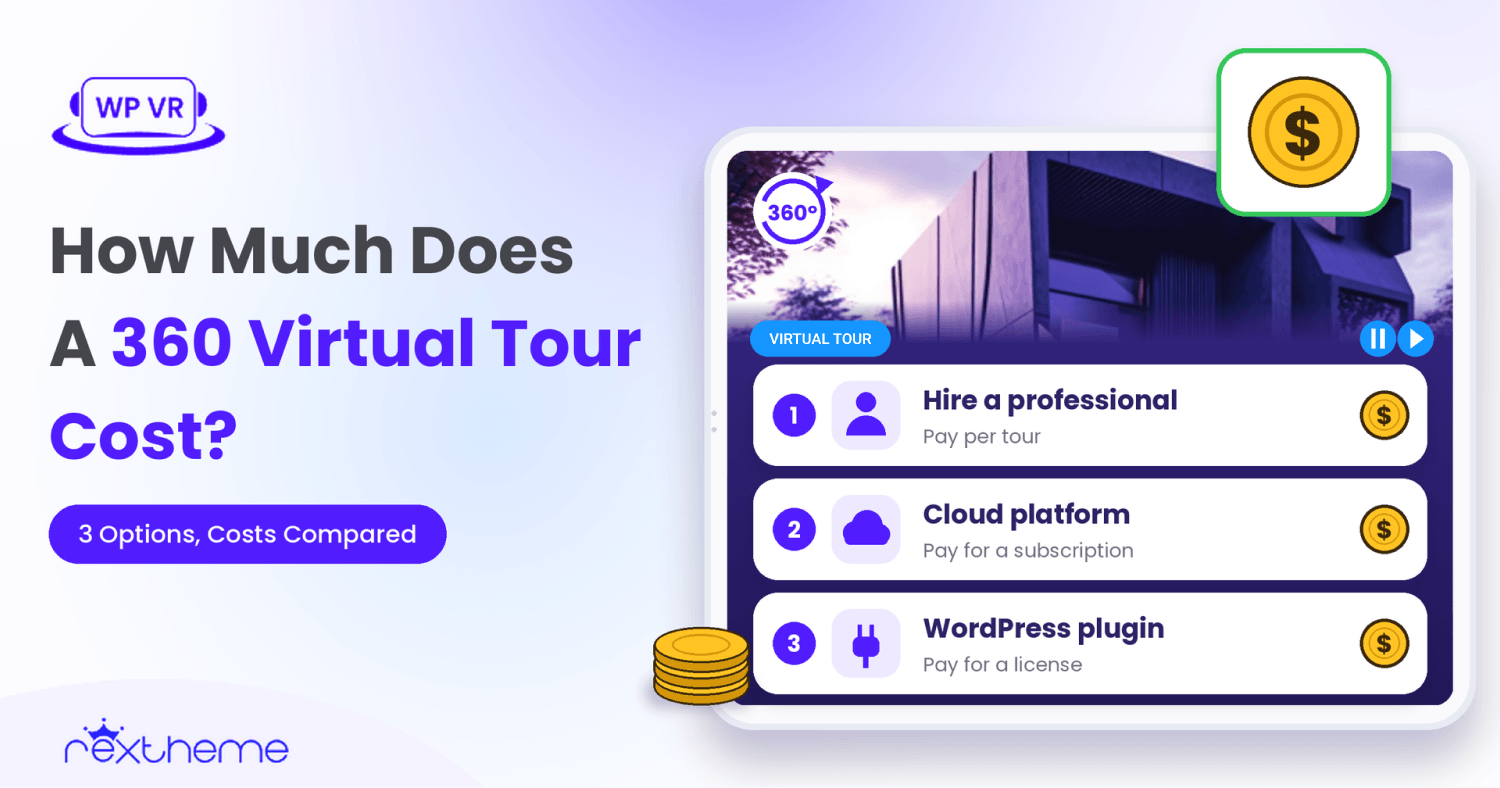
So today, we decided to prepare a guide to give you an idea of how much it may cost to create a virtual tour based on the different options you have — hiring a professional, creating and hosting a virtual tour on an external platform, and doing it yourself inside WordPress.
The main intention here is to give you a clear idea of the overall cost, and not just the price around a specific tool.
At the end of the day, you will be able to
- Get an estimate and understanding of which option is more financially feasible for you, and
- Realize if this extra investment is worth it.
At A Glance: How Much Does It Cost To Create A 360 Virtual Tour?
The cost depends largely on who creates the tour and where you host it.
You can hire a professional to handle everything, create a tour on a cloud platform and then embed it on your website, or use a plugin within WordPress to create a tour and place it on your listings.
Here’s how the three options compare:
| Option | Estimated cost | What you’ll pay for |
|---|---|---|
| Hire a professional | $150 to $500 per property. At 15 listings a year, that’s $2,250 to $7,500 | Professional capture, tour creation, and hosting for a limited period |
| DIY with a cloud platform | Around $717 to $1,040 in year one, then $192 to $240 a year | 360 camera, accessories, cloud subscription, and your time |
| DIY on your own website | Around $625 to $900 in year one, then $99.99 a year | 360 camera, accessories, website software, existing website hosting, and your time |
These are planning estimates, not industry averages. The DIY figures assume you’re purchasing a camera and accessories, and exclude your time, taxes, and additional hosting costs. Actual expenses will vary depending on your equipment, software, and hosting arrangements.
The key difference: Professional services generally charge per property. DIY equipment and software can be reused across multiple listings, so the more tours you create, the lower your equipment cost per tour may become.
Does Your Listing Need A Virtual Tour?
Before explaining your options and cost breakdowns, let’s answer this crucial question real quick.
Is it worth investing in virtual tours for your property listings?
Because, as a realtor, you’re already spending a good amount of time and money preparing your listings on your website. (This includes professional photography, populating listing pages with property information, inquiry forms, etc.).
However, research suggests that virtual tours can help buyers better understand properties before visiting, making them a worthwhile consideration for listings where photos alone may not provide enough clarity. As such, some reports claim that virtual tours can deliver better results in terms of getting potential inquiries and reducing time wasted on failed property visits.
- As per Zillow’s 2026 buyer research, 52% of buyers surveyed agreed they had spent time visiting properties they might have skipped with better floor-plan information. Another 69% agreed 3D tours convey space better than static pictures.
- Zillow’s 2026 seller report found 64% considered a virtual tour very or extremely important and 78% said the same as floor plans.
- Researchers at Texas Tech University’s Rawls College of Business analyzed MLS confirmed that virtual tours can close up to 31% faster and sold for up to 9% more in value, compared to listings without one (after comparing 143,575 property listings). (Source)
- Also, a report from Invision Studio stated that adding virtual tours can reduce the no. of wasted showings by around 50% (from 8-12 showings to 4-6 showings).
From these, it is clear that virtual tours do have the potential to give you an edge over photos.
But there are also questions about the cost.
In a May 2026 Reddit discussion, a commenter questioned an extra $200 virtual tour when their photography package and MLS already delivered substantial media.
And it’s natural to question it.
But if a virtual tour helps you avoid unnecessary property visits while attracting buyers who better understand the property, the return on that investment could be substantial, especially considering the time and effort you spend on every showing.
My verdict:
I believe virtual tours are worth considering as an investment for business growth. Several studies have pointed to faster sales in some markets, while buyer surveys showed how important it is to understand a property before visiting.
For listings where buyers need more clarity, a virtual tour can be especially valuable.
However, whether spending $300–$500 is justified depends on the property, your existing marketing materials, and how often you plan to create tours.
In most cases, for an independent realtor with your own website, it’s definitely worth it.
What Will You Pay For When Creating A Virtual Tour?
Creating a virtual tour mainly involves 3 steps:
- Capturing 360 panoramic images.
- Turning them into a virtual tour.
- Placing them on their respective listing pages.
If you hire an agency for a complete virtual tour, they’ll handle the photography, tour creation, and delivery. That’s why it costs more than doing everything yourself. You can also hire a photographer only for the 360 images and build the tour yourself, but that comes with a separate photography expense.
For DIY options, you will need three main investments:
- Equipment to capture 360 panoramas.
- Software to turn 360 photos into virtual tours + hosting.
- Your time.
| Cost | Professional production | DIY production |
|---|---|---|
| Capture | Usually included in the quoted visit | Camera purchase or rental, or paid panorama files |
| Tour and hosting | Assembly and hosting for a stated term | Cloud platform or website software plus hosting |
| Your time | Briefing, access, and review | Capture, preparation, scene linking, and testing |
What Are Your Main Options To Create Virtual Tours And How Much Do They Cost?
As mentioned earlier, you really have 3 options to create virtual tours for your WordPress site.
- Hire a professional VR agency.
- Create one using an external/cloud virtual tour platform
- Use a WordPress plugin to create and host the virtual tour on your WordPress site.
Let’s weigh in on them and get an estimate on the cost.
1. When Should You Hire A Professional To Make A Virtual Tour And How Much Would It Cost?
Personally, I think hiring professionals for every virtual tour can become unnecessarily expensive, especially when you have several properties to cover and cheaper DIY options are available.
But there are scenarios when you may genuinely need a professional, and a DIY option would not be feasible.
- If you need tours occasionally
This means that if you are someone who is doing well without virtual tours, but for one or two listings where your earnings will be high, you may want a virtual tour to get more attention, with hopes of getting it sold faster, then hiring a professional agency would probably be a good idea. - If selling properties is your part-time job
This is common for many home resellers. If you invest in properties on a small scale from time to time, but have some other earning source, meaning being a realtor is a part-time role for you, then you might feel creating a virtual tour is more overwhelming. At that time, paying a bit extra wouldn’t hurt. - If you sell luxury properties
On ordinary houses or rentals, it’s fine to go without virtual tours. But when it comes to a luxury home, the money at stake is quite high for the buyer. So the least you can do is give them a premium experience and more clarity. So, in this case, hiring a professional to create the tour would make more sense. - If you want to focus on your core work only
This is completely fine. You may not want to meddle with the extra work and only focus on selling your listings in every possible way. At that time, things like adding listings to websites, creating virtual tours, etc., could be handed over to an external agency.
It is also particularly practical for a one-off listing, a tight launch deadline, premium presentation, or an agent who already hires a media provider.
No matter who you work with, don’t assume that a standard photography package includes a virtual tour. In most cases, it’s not included. Some agencies offer combined packages, while others charge separately. So, make sure to ask what is included, share that you need a virtual tour, and be clear about the cost involved.
So how much would it cost to hire a professional agency to create a virtual tour?
As per cost guides by Travvir or Panoee, an agency would charge between $150 and $500 per virtual tour. This range was established by collecting data from ordinary residential tour services. For larger properties, it depends on the size of the house and room distribution, so at that time agencies could ask for higher prices.
For now, use this $150–$500 range to estimate what you might spend annually, depending on how many properties you create tours for in a year.
| Cost per tour | No. of Listings per year | Cost in a year |
|---|---|---|
| ~ $150-$500 | 15 | ~ $2,250–$7,500 |
**For this calculation, we’re assuming an agent would want to create virtual tours for 15 property listings annually.
That being said, this is only an estimate. The cost may be higher or lower.
- First, pick an agency with a proven track record.
I recommend you look for agencies that are offering a single package for both photography and virtual tours. That way, both of you will be transparent about expectations right from the beginning, and it will usually cost less than when you take the two services separately.
However, if you’re looking for a 3D tour with a dollhouse view, you may need a provider specializing in 3D scanning rather than ordinary 360 photography. These tours use a different capture process, so check whether your chosen agency offers that service.
- The agencies usually won’t make a quote without a visit. So set an appointment to visit the property and ask them to give you a clear understanding of how they want to carry out the task — how many pictures they will take, which angles they will take the photos from, etc.
- Then get the quote and see if there is any way to negotiate a lower price.
- Once agreed upon, get it in writing.
For the tour itself, get a written quote covering number of scenes, capture type, travel, editing, floor plan, delivery time, a branded and unbranded link if needed, hosting expiration, renewal fees, revisions, and rights to panoramas. Some photographers will deliver reusable files; do not assume that until it is agreed in writing.
Quick summary:
How much will it cost to hire a professional agency to create a virtual tour?
Go to a professional agency if you need occasional tours, are an agent part-time, sell luxury properties, or prefer someone else to handle production.
It will cost around $150–$500 per tour, amounting to approximately $2,250–$7,500 annually if you create tours for 15 properties.
2. When To Create A Virtual Tour Using An External Cloud-hosted Platform And What Will It Cost?
A cloud-hosted DIY virtual tour creation is feasible when you may need to create several tours on a regular basis but without hosting it on your own server. A realistic first year costs about $717 to $1,040, which covers a 360 camera, accessories, and a subscription, then $192 to $240 a year. Plus, you have time to invest in capturing those photos and configuring the tours.
To be able to create a tour with this option, here are the steps:
- Capture 360 panoramas of each room with a camera you buy or rent, or hire a photographer.
- Choose a cloud virtual tour platform, such as Panoee or Kuula.
- Upload the panoramas, connect the scenes, and add hotspots in the platform’s online editor.
- Publish the tour, collect its embed code, and embed the virtual tour in your listing page.
Do note that the tour remains on the platform’s server. You are only embedding it on your website. If your subscription ends, your tour may stop functioning properly.
A quick breakdown of everything you need
You may find different types of cameras and virtual tour software. The following calculation is done considering the Insta360 X4 Camera and Kuula Pro for SaaS virtual tour builder.
| Cost line | Amount | Basis |
|---|---|---|
| 360 camera, one time | $424.99 to $699.99 | Insta360 X4, US store, 2 Nov 2026, to the X6 launch price |
| Accessories, one time | About $100 | Our assumption for a stand, memory card, and similar items, not a quote |
| Cloud plan | $192 to $240 a year | Kuula Pro at $16 a month on annual billing, or $20 a month paid monthly |
| Extra storage | Includede | Pro lists up to 100,000 posts, with no monthly upload limit |
| Your time | Not included | See “How Long Would It Take to Create a Virtual Tour in a DIY Approach?” |
| Year one total | $717 to $1040 | Low end X4 with annual billing, high end X6 with monthly billing |
| Later years | $192 to $240 | Subscription only, if the camera stays usable |
Now, while the numbers feel high, you have to understand that you can create multiple tours under the same subscription, depending on the platform’s usage and storage limits. The more virtual tours you create, the lower your average cost per tour will be.
Here’s an estimated breakdown:
| Tours in a year | Year one, cost per tour | Later years, cost per tour |
|---|---|---|
| 1 | $716.99 to $1,039.99 | $192.00 to $240.00 |
| 3 | $239.00 to $346.66 | $64.00 to $80.00 |
| 6 | $119.50 to $173.33 | $32.00 to $40.00 |
| 12 | $59.75 to $86.67 | $16.00 to $20.00 |
As you can see, if you create 12 tours, the average cost falls significantly. Hiring an agency for every property could cost several times more, especially when you consider that DIY equipment can be reused in subsequent years.
Do note that this estimate was done with specific tools as examples. You may find cheaper options or even more expensive options out there.
It will come down to what specific features you need. For example, if you need to collect inquiries or leads via your virtual tour, Kuula allows you to integrate with external CRMs. But not all VR tools have such option, whereas CloudPano has built-in lead forms and a collection system, though overall more expensive than Kuula.
What if I hire a professional cameraman for 360 photos only?
There is nothing wrong with doing so, but professional photographers for 360 photos aren’t cheap.
As per Boston Real Estate Photography, they charge $65 per panorama. Imagine a house that needs 6 scenes. Then it would cost you about $390 for the photoshoot only. Add your virtual tour software and hosting expenses, and the total becomes even higher. For 15 properties, you’re already looking at $5,850!
Some other firms have even higher pricing.
The only time this will be feasible is if you hire a private photographer with a 360 camera. If they aren’t part of a larger firm, they will probably charge as low as $150 per hour. For a single property, that is somewhat affordable, but not the ideal scenario.
Capturing them yourself would be the most affordable approach.
Quick summary:
How much will it cost to use an external platform to create and host a virtual tour?
You may consider an external virtual tour platform when you need a larger number of virtual tours to be created and want a convenient hosting & sharing solution.
It will cost around $717 to $1040 in the first year, as you need to invest in a camera and accessories. After that, the cost will be $192 to $240 a year.
This estimate uses Insta360 X4 and Kuula as examples. It will change depending on the tools you actually purchase.
The more tours you create, the lower the cost per tour will be.
3. When To Use A WordPress VR Plugin And How Much Will It Cost?
If you have a website built with WordPress and want full control & ownership of your virtual tours, then creating them using a plugin would be the best option. Plus, you have time to invest in capturing photos and building tours.
Among the three main options we’ve compared, it is the most affordable option considering the cost, long-term ownership, and ease of use for realtors who will need to create new tours regularly.
A realistic first year costs about $625 to $900, which covers a 360 camera, accessories, and a VR plugin (such as WPVR’s Starter license), then $99.99 per year moving forward.
To be able to create a tour with this option, here are the steps:
- Capture 360 panoramas of each room with a camera you buy or rent, or hire a photographer.
- Install the VR plugin on your WordPress site.
- Upload the panoramas, connect the scenes, and add hotspots to virtual tours
- Publish the tour and place it on its listing page.
For a WordPress website, WPVR is currently the top-rated virtual tour plugin you can use to create and publish interactive 360 virtual tours directly on your own website. You may start with WPVR’s free version, which lets you create virtual tours with at most 5 scenes per tour. This is a great option, as you can start even if you do not have the whole budget ready.
The plugin itself will cost you between $99.99 and $400 a year, depending on the number of sites you have and whether you want an external embedding option or not. For an individual realtor, the $99.99/year plan is more than enough.
The plugin doesn’t have features like dollhouse tours or walking animation that large brands like Matterport offer. But you can still create a professional-looking 360 experience with WPVR. It supports interactive hotspots for room navigation and property information, along with useful features such as branding, background audio, explainer videos, floor plans, and inquiry options. These help you present the property more effectively and give interested buyers ways to take the next step.
A quick breakdown of everything you need
The following calculation uses the Insta360 X4 and X6 cameras and the WPVR Starter plan, for a WordPress site you already pay for.
| Cost line | Amount | Basis |
|---|---|---|
| 360 camera, one time | $424.99 to $699.99 | Insta360 X4, US store, 2 Nov 2026, to the X6 launch price |
| Accessories, one time | About $100 | Our assumption for a stand, memory card, and similar items, not a quote |
| WPVR Starter, 1 site | $99.99 a year | WPVR pricing page, regular price, excluding taxes |
| Hosting | Your existing WordPress hosting | No separate tour fee. Not included: an upgrade if your current plan can’t handle large image files |
| Your time | Not included | See “How Long Would It Take To Create A Virtual Tour In A DIY Approach?” |
| Year one total | $625 to $900 | Low end X4, high end X6, both with Starter |
| Later years | $99.99 | License only, if the camera stays usable |
This calculation assumes you already have a WordPress website with enough hosting capacity for your virtual tours. If you need to build a website or upgrade your hosting to accommodate additional files and traffic, those expenses will be extra.
Software costs about $92 to $140 less per year than the cloud plan in the previous option, as long as you already pay for a site. The more tours you create, the lower the average cost per tour will be.
Here’s an estimated breakdown:
| Tours in a year | Year one, per tour (X4 to X6) | Later years, per tour |
|---|---|---|
| 1 | $624.98 to $899.98 | $99.99 |
| 3 | $208.33 to $299.99 | $33.33 |
| 6 | $104.16 to $150.00 | $16.67 |
| 12 | $52.08 to $75.00 | $8.33 |
| 15 | $41.67 to $60.00 | $6.67 |
At 15 tours a year, that is about $42 to $60 per tour in year one, compared with $150 to $500 per tour from a professional.
What if I hire a professional cameraman for 360 photos only?
Again, the answer is the same. There is nothing wrong with doing so, but professional photographers for 360 photos can become expensive. As explained above, certain firms may charge about $65 per image while private photographers may charge about $150 per hour (usually taking 2-3 hrs).
Eventually, the cost would be quite high, about $4,500 to $6,750 for 15 tours.
So, again, we recommend you go for a full DIY approach. It will take a bit more time, but in the long run, it is a better financial decision.
What Are Other Options For Making A 360 Tour?
The above 3 are the best approaches. But you do have two other options where you have to handle the hosting, testing, and fixing yourself. Meaning, these are only for people who are willing to deal with technical stuff and learn complex tools.
| # | Route | Software cost | Year one with a camera | Later years | What you also pay for |
|---|---|---|---|---|---|
| I | Desktop export software | About $65 (Vistudio 360) to $499 (3DVista), one time | About $590 to $1,300 | $0 for the software | Web hosting, your time |
| II | Unity Pro | $2,310 per seat per year | About $2,835 to $3,110 | $2,310 a year | Web hosting, a developer, or many hours of your own time |
Year one assumes a $424.99 to $699.99 camera and about $100 for accessories, the same as the other routes. Later years assume the camera stays usable. Vistudio’s price is ¥9,800, which is roughly $65.
Later years show software only. You still pay for web hosting, and your time for every new tour. 3DVista’s optional hosting from €99 a year is extra if you use it instead of your own hosting.
I. Desktop software that exports web files
You pay once for software, build the tour on your computer, and upload the finished files to your own hosting. The result is an ordinary interactive web tour that visitors can look around and click through. 3DVista allows you to make your tours into a new web page or embed them into an existing page, with no special player needed, and offers optional hosting from €99 a year in case you do not want to host the tours on your website. Vistudio’s one-time purchase includes free updates and comes with a free trial to try it out first.
Who should consider it: Agents or teams who build many tours and want to avoid monthly fees. At $499, 3DVista costs about the same as 2 to 2.6 years of Kuula Pro ($192 to $240 a year). Vistudio’s price costs less than one year of any subscription.
II. Unity 3D (a game engine)
Yes, you can build a 360 tour in Unity. You place each panorama on a sphere, write scripts for hotspots and for moving between scenes, then export a web (WebGL) build and host the files. Unity has no tour editor, so you build that part yourself.
Unity has a free plan, but it is for gaming and entertainment applications only. Since real estate virtual tours do not qualify for this, you won’t be able to use the free plan.
For commercial real estate virtual tours, Unity Pro starts at $2,310 per seat annually. But there’s an important licensing condition: if your business exceeds $1 million in total revenue, Unity requires its Industry plan for non-game applications. That plan is custom-priced and could make this approach considerably more expensive.
But remember, the licence is only part of the cost. You write and maintain the code, and tours must work on phones, where most buyers browse. Unity’s own roadmap says WebGL support for mobile browsers targets high-end phones and may not cover lower-end devices or projects with many assets.
You do get an AI assistant to help you speed things up. But you still need technical prowess and good knowledge of how the platform works.
Who may consider it: A developer, or a team with one, that wants custom features no virtual tour software offers, such as branded interactions, 3D objects, or VR. It is also reasonable if you already know Unity well and the licence cost is acceptable.
Why are the first three options usually better?
- Technical Building vs Easy Creation
A cloud platform or WPVR needs you to upload images, and they convert them into tours. With Unity, you need to build the whole tour using 3D elements and custom design. Simply giving the image isn’t enough here. - The Time Constraint vs Fast Delivery
The other three options require considerably less technical work compared to Unity. For example, once your 360 photos are ready, you may be able to create a basic tour using WPVR in 5–10 minutes. However, capturing the photos, preparing them, and testing the final tour will take additional time. On top of that, Unity, even setting up a basic 3–4 scene tour, may take several hours. - Your Responsibility vs Theirs
When you build with offline tools, you have to host and maintain the tours. If anything breaks, you have to fix it. With the other options, they are liable to maintain the software and ensure nothing breaks as long as you provide the right images. - High vs Low Cost per Tour
Unity has no free plan for this kind of work, so you pay $2,310 a year before building anything. At 15 tours a year, that is about $154 per tour for the licence alone, which already matches the low end of a professional ($150 to $500). WPVR Starter is $99.99 a year, and a cloud plan is $192 to $240 a year.
How Long Would It Take To Create A Virtual Tour In A DIY Approach?
The time you will need to invest will depend on whether you take the panorama images yourself or not.
If you have the images, then you will need about 5-30 minutes to create a commercial-ready 360 virtual tour, depending on how much you want to customize it.
With WPVR, within 5-10 minutes, you can upload multiple images to turn them into a 360 virtual tour, then set up hotspots to move between the scenes, and embed this tour on a listing page.
However, capturing the 360 images is what may take a bit more time.
For a 3-bedroom house,
- If you get a professional photographer, you’ll need to accompany him for one or two hours to capture the images. Then give him another 3-4 hours to deliver the images to you, optimized for quality, and a Nadir image added. Some will request 24 hours to post-process the images and then send over 360 photos.
- If you wish to capture the images yourself, then you may need 2-3 hours to complete the image capture. And you will have the images of yourself, so you get instant access to using them.
So altogether, you may end up spending 1.5-4 hours of your time creating a virtual tour of a standard 3-bedroom home (ignoring the wait time if a photographer requests time or delivery). For larger homes, you will need more time.
| # | Option | Time to capture images | Time to create a tour | Time to place on website |
|---|---|---|---|---|
| 1. | Hire a professional | 1 to 2 hours if you accompany the photographer | None from you. The photographer delivers in 3 to 4 hours, and some ask for 24 hours (wait time, not your time) | A few minutes to paste the link or embed code you receive |
| 2. | DIY with a cloud-hosted platform (for example, Kuula) | 2 to 3 hours to capture the images yourself, and you can use them straight away | 5 to 30 minutes to upload the images, link scenes, and add hotspots, depending on how much you customize | A few minutes to copy the embed code into the listing page |
| 3. | DIY with a WordPress plugin (WPVR) | 2 to 3 hours to capture the images yourself, and you can use them straight away | 5 to 10 minutes for a basic tour: upload the images, link scenes, and set hotspots | Included in the same step: embed the tour on a listing page |
These figures are planning estimates, not measurements. Vendor guides report shorter capture times, such as 15 to 90+ minutes.
DIY time will depend on the home, your equipment, and your experience. The first time you try to capture images, it may take an hour or two more. But once you get a grasp of it, it will become much more convenient both in terms of cost and time.
When is the investment worth it?
Now that you know how much creating a virtual tour may cost, the next question is whether it’s worth spending that money on your listings.
The answer depends on the properties you’re selling, how often you need virtual tours, and what you’re trying to achieve.
For example, consider a property with an unusual layout. Your listing photos may look attractive, but buyers might still struggle to understand how the rooms connect.
In this case, a 360 virtual tour can help buyers explore the property before requesting a showing. This could be particularly useful for out-of-town buyers who can’t easily visit properties just to get a better understanding of the space.
Similarly, if you’re selling a high-value property, offering a virtual tour alongside professional photos and floor plans may help you present the listing more comprehensively. It also gives you something additional to demonstrate when discussing your marketing approach with sellers.
But there’s another important consideration: how frequently you plan to create virtual tours.
If you need a virtual tour for just one property, paying $150–$500 for professional services might be perfectly reasonable.
However, if you’re planning to create virtual tours for 10–15 properties throughout the year, paying that amount every time can become expensive.
That’s where DIY options become more appealing. As we’ve seen in the earlier calculations, your camera is a one-time investment, and you can reuse your software across multiple listings.
So, the investment is generally easier to justify when you have properties that benefit from virtual tours and plan to use them regularly.
But does that mean every listing needs one?
Not necessarily.
For example, if you’re dealing with a small apartment for rent, and your existing photos already give buyers a clear understanding of the space, investing in a virtual tour may not be necessary.
However, for larger homes, properties with unusual layouts, or listings attracting out-of-town buyers, a virtual tour can be a valuable addition. It gives buyers an opportunity to explore the property before deciding whether to arrange a showing.
Are There Any Hidden Costs Of Creating A 360 Virtual Tour?
Yes. The quote or subscription price is not really the whole bill.
Hosting renewals, storage, extra scenes, reshoots, and plan limits can all add to the cost over time, so check what is included and what it costs to keep the tour online next year before you commit.
- Hosting and subscription renewals
Professional tours usually include hosting for a set period, often 3 to 12 months, then charge about $5 to $30 a month or $50 to $100 a year per tour, according to vendor guides such as Travvir and Panoee. Cloud platforms keep your tour online only while you keep paying, and some charge for extra storage: Panoee bills $0.15 per GB per month above 3 GB. WPVR has an annual license. If you do not renew, you will stop receiving future updates on the plugin, but your existing published tours should remain unaffected.
With WordPress, you also keep paying for the hosting your website already needs regardless of the virtual tour, so usually we do not count it in the cost for a virtual tour.
- Reshoots, editing, and additional scenes
A bigger home needs more scenes. If a seller restages the home or a shot comes out badly, a professional may charge for another visit, which may involve charging extra. When you do it yourself, a reshoot costs you another trip and your time, which we estimated above at 2 to 3 hours of capture for a standard 3-bedroom home.
- Additional features and platform limits
Floor plans are often an extra feature with additional fees in case of professional service. Plan limits matter too. On Kuula, a custom domain is part of the Business plan, and the free Basic plan does not include the Virtual Tour editor. WPVR has some features in higher plans, such as external embeds and virtual shopping, though most important features are part of the Starter plan. Finally, ask what happens if you cancel your subscription and whether you can keep, export, or migrate your existing tours. (With a self-hosted solution such as WPVR, the tour content remains on your WordPress website, although exporting it to another virtual tour platform may require additional work.)
Which Virtual Tour Option Should You Choose?
Choose by how often you create tours and where you want them to appear. Hire a professional if you need one or two tours a year. Pick a cloud platform if you create tours regularly and want someone else to host them. Pick a WordPress plugin if you already run a WordPress listing website.
| Your situation | Suggested option | Reason |
|---|---|---|
| You need one or two tours a year | Hire a professional | No equipment to buy. Roughly $150 to $500 per tour |
| You create tours regularly and do not want to manage hosting | Cloud-hosted platform | The provider hosts your tours. About $717 to $1,040 in year one, then $192 to $240 a year |
| You have a WordPress listing website and create tours regularly | WordPress VR plugin such as WPVR | Tours live on your own site. About $625 to $900 in year one, then $99.99 a year |
| You need a 3D model or dollhouse view | Specialist 3D scanning provider | A 360 panorama tour does not create measurements or a dollhouse view |
| You need highly custom interactions and have developers | Custom software such as Unity | The most flexible option, but Unity Pro starts at $2,310 per seat per year, and you maintain the code |
The DIY figures exclude your time, which can add 1.5 to 4 hours per standard 3-bedroom home, as estimated above.
How many virtual tours will you create in a year?
Frequency matters most, because a camera is a one-time cost. At 3 tours a year, creating tours with WPVR costs about $208 to $300 per tour in year one, which sits inside the $150 to $500 you would pay a professional. At 6 tours a year, it falls to about $104 to $150 per tour, and from year two it is about $17 per tour. The cloud route follows the same pattern at a higher price. A person who needs a tour only once or twice a year would spread the camera cost over too few listings.
Where do you want your virtual tours to appear?
If your own website is your main channel, a tour embedded there works well. If you depend on your MLS or a listing portal, check their rules first. A tour on your WordPress site shows on your site. It does not automatically show on Zillow or another portal because each platform sets its own rules.
How Can You Start Creating Virtual Tours Without Overspending?
Start small. Test one tour on one listing before you commit to anything large. Use equipment you already own or rent a camera for a day, choose the entry plan of your tool, and skip premium features until a listing needs them. If you run a WordPress site, build your first tour there.
- Start with one property before investing heavily
Pick a listing where buyers would benefit from seeing how the rooms connect, such as an unusual layout or a home that out-of-town buyers cannot easily visit. Time the whole job from capture to publishing, so you have a real number for your own hours.
- Use the tools you already have
Check whether your photographer can supply 360 panoramas, whether you already own a compatible camera, or whether renting one is enough for your first tour. Panoee lists camera rental at about $30 to $80 a day (Panoee). Choose the entry plan, and add features only when you need them.
- If you have WordPress, consider creating your first tour there
WPVR is our own plugin, so treat this as one option and not the only one. It lets you build interactive tours from 360 panoramas and publish them on your own WordPress site. You can start with the free plugin from WordPress.org.
If you need more features, the Starter plan is $99.99 a year for one site at the regular price (WPVR pricing). It has some features in higher plans, such as external embeds and virtual shopping, though the most important features are part of the Starter plan. WPVR does not create 3D dollhouse views, and it does not decide where portals or your MLS show a tour.
Frequently Asked Questions
Can I create a 360 virtual tour for free?
Partly. Some tools have free plans, such as the free WPVR plugin and Panoee’s free tier with 3 GB of storage. But the panoramas still have to come from a camera, a rental, or a photographer, and storage or hosting limits may apply. Kuula’s free Basic plan, for example, does not include its Virtual Tour editor, which is part of Pro.
Do I need an expensive 360 camera to make a virtual tour?
No. A consumer 360 camera such as the Insta360 X4 was $424.99 on the Insta360 US store (November 2026), and you can rent one for $30 to $80 a day. You can also pay a photographer for panoramas at a fair price (we found one Boston provider charging $65 per panorama). Check that your tool accepts the image format first.
How much does a Matterport virtual tour cost compared to a regular 360 tour?
Can I add a 360 virtual tour to my MLS or Zillow listing?
Not automatically. A tour on your website shows on your website, and whether a portal or MLS displays or links it depends on that platform’s rules. NAR’s 2022 guidance says MLS tours often must be unbranded with no external links, so check your MLS rules first. WPVR does not promise placement on any portal.
How much does it cost to maintain a virtual tour after it is published?
It depends on where the tour is hosted. A professional’s package usually includes hosting for 3 to 12 months, then about $5 to $30 a month or $50 to $100 a year per tour. A cloud plan such as Kuula Pro is $192 to $240 a year. WPVR Starter is $99.99 a year for one site, plus the hosting cost your WordPress site already has.
How Much Should You Spend On A Virtual Tour?
It all comes down to your requirements and preferences.
A professional tour costs roughly $150 to $500 per property, so it suits one or two tours a year or a home that needs expert capture.
A cloud platform costs about $717 to $1,040 in year one and $192 to $240 a year after that, and suits agents who want someone else to host their tours.
WPVR costs about $625 to $900 in year one and $99.99 a year after that, if you already run a WordPress site.
Both DIY routes also cost your time.
Now, do note that while DIY options can be significantly more affordable, hiring a professional may still be worth the extra expense when you need premium photography, advanced editing, or specialized presentation. This is particularly relevant for luxury properties where presentation quality is a major priority.
However, for agents who regularly create virtual tours and have the time to capture 360 photos themselves, DIY options can offer substantial long-term savings and greater control over the process.
If you have a WordPress site, give WPVR a try for free. It will take you less than 10 mins to test and understand if it meets your requirements (initially coming with some panoramas pre-uploaded for you to test with). Try WPVR for Free.