![3 Best 360 Panorama Plugins for WordPress [2026]](https://rextheme.com/wp-content/uploads/2026/07/Best-Panorama-Plugins-For-WordPress.webp)
If you’re searching for the best panorama plugins, you probably just want something that works without wasting your time.
Maybe you already have 360° images but don’t know how to turn them into a proper virtual tour. Or you tried a tool before, and it felt too complicated.
That’s usually the reason behind this search. You want something simple. Upload your images, create a tour, publish it on your site.
According to statistics, 360° panoramic photography can reduce wasted viewings by up to 40% but only if your tour is easy to use and looks good.
That’s Where the Panorama Plugin Helps You. They help you turn your images into interactive virtual tours and publish them on your WordPress site without coding.
But not every plugin is easy or worth it. To save you time, I’ve picked 3 of the best panorama plugins that make this process simple. I’ll also show you what features to look for, so you can choose the right one.
Let’s get started,
TL;DR – Best Panorama Plugins for WordPress in 2026
- Listings with a virtual tour get 87% more views than listings with photos alone.
- Your visitors don’t experience a photo the way you do – they can’t look around a room, so they lose interest before they ever picture themselves in the room.
- Plain image galleries feel flat: no depth, no walk-through, no reason to stay on the page.
- That gap quietly costs you engagement, leads, and bookings you never even see.
- A good panorama plugin should let you:
- Turn 360° photos into a tour in minutes
- Add clickable hotspots for extra info
- Publish on any page builder or theme
- Load smoothly on mobile
- Final Verdict: Use WPVR to turn your 360 images into a virtual tour
- The fix is simple: let people explore your space rather than just look at a picture of it.

What is A Panorama Plugin, Exactly?
A panorama plugin is a WordPress tool that takes your 360° panoramic photos and turns them into an interactive virtual tour that visitors can drag, zoom, and explore right on your page.
Instead of showing a flat picture of a room, it lets someone “stand” in the middle of the space and look in every direction – the same way they would on a real visit.
The better ones go a step further and let you link multiple rooms together, drop in clickable hotspots (text, images, video, even booking buttons), and publish the whole thing without touching a line of code.
That’s the difference between a simple 360 panorama plugin and a full virtual tour builder.
What to Look for in a 360 Panorama Plugin
Before you install anything, here’s what actually matters. Every strong option here should tick these five boxes:
- Interactive hotspots & media support: Look for a plugin that lets you add clickable hotspots inside your tour. You should be able to attach text, images, videos, or even WooCommerce products to make the experience interactive.
- Multi-scene virtual tours: A good plugin should let you connect multiple scenes to create a full walkthrough. Smooth transitions like fade or zoom and auto-rotation make the tour feel natural.
- Easy WordPress integration: It should work seamlessly with WordPress. Check for Gutenberg blocks, Elementor support, and shortcode options so you can place your tour anywhere easily.
- Flexible media support & responsiveness: Make sure it supports standard 360° image formats and works smoothly on both mobile and desktop with easy drag and touch controls.
- VR headset support: Choose a plugin that offers VR mode so users can experience your tour using devices like Google Cardboard.
- Customization & branding: You should be able to change colors, navigation controls, and add your logo so the tour matches your brand.
- External integrations: Some plugins allow you to use panoramas from sources like Google Street View, which is useful if you don’t have your own 360 images.
What Are the Best Panorama Plugins in WordPress
When it comes to picking a panorama plugin, it’s all about what you need. Here I looked at features, current install numbers, pricing, and, importantly, how recently each one was updated.
I have given a comparison of the best panorama plugins in WordPress at first so that you have some clear idea:
| Plugin | Best for | Actieve Installeerapparaten | Rating | Gratis | Pricing |
|---|---|---|---|---|---|
| WPVR | Full multi-room virtual tours (real estate, hotels, showrooms, galleries) | 10,000+ | 4.7★ (131 reviews) | Available | $99.99 / yearly |
| iPanorama 360 | A single 360° scene on a tight budget | 5,000+ | 4.5★ (31 reviews) | Available | $29 one-time |
| Panorama Viewer (bPlugins) | Simply displaying 360° photos/videos on posts & product pages | 2,000+ | 4.3★ (8 reviews) | Available | $49.99 / yearly |
In my opinion, start with the free plan, test 3 plugins, and get the real value you want. If you see pricing, others are better than WPVR, but if you see more functionality, control, and what the public says, you will definitely choose WPVR. So start with a free virtual tour.
1. WPVR: 360 Panorama and Virtual Tour Builder For WordPress

With WPVR, you don’t need any technical help to get started. You can create a complete virtual tour on your own in just 3 simple steps.
It also gives you more ways to increase engagement. Features like zoom, smooth navigation, and a scene gallery make tours easier to explore.
You can add interactive hotspots to share text, images, videos, GIFs, or even sell products. This turns your tour into something users can actually interact with, not just view.
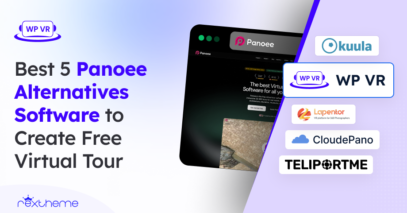
WPVR works with any page builder or theme like Gutenberg, Elementor, or Divi. Plus, it supports 360° videos and is beginner-friendly, with 10,000+ installs and a 4.7★ rating.
Best Features
Here are some features of WPVR that stand out :
- Easy UI & creation process: You can create a virtual tour in under five minutes with just 3 steps. No technical skills needed, and there are tutorials and guides if you ever get stuck.
- Interactive hotspots support: Add clickable hotspots with text, images, videos, GIFs, URLs, or buttons. You also get 900+ customizable icons and add-ons like forms inside your tour.
- Mobile-friendly tours: Every tour is fully responsive and works smoothly on mobile. You can customize height, improve loading speed, and even show helpful messages for mobile users.
- 360° scene features: Create up to 5 scenes for free and unlimited in Pro. Add titles, control angles, use partial panoramas, and enable scene galleries with 15+ transition effects.
- Easy navigation & customization: Customize navigation controls, colors, and branding to match your style. Users can explore using mouse or keyboard controls.
- VR headset support: Enable VR mode with one click so users can view your tour using Google Cardboard or other VR headsets.
Additional Features
You have gone through some core features that WPVR provides. Here are some special features that you can add to take your virtual tour to the next level:
- Floor plan integration: Easily create and add detailed real estate floor plans to your virtual tours. This helps visitors clearly understand the layout of homes, showrooms, or business spaces.
- Explainer video support: Add a guided, pre-recorded video to walk visitors through your tour. It keeps users engaged and helps you explain every part of the space.
- Embed addon feature: You can share your VR tours outside WordPress using QR codes, social media (LinkedIn, Facebook, Reddit, Email, X), or iFrame embeds on any website.
- Password-protected access (password-protected virtual tours): Create password-protected virtual tours for exclusive clients. Perfect for private listings, galleries, or premium experiences.
- VR headset & cardboard support: Enable immersive viewing with one click so users can explore your tours using VR headsets or Google Cardboard.
Reviews
- WPVR panorama plugin has a 4.7 out of 5 rating in the WordPress plugin directory
- Reviews: 131+
Pricing
- Starter Plan: $99.99 /yearly for 1 site
- Pro Plan: $199.99 /yearly for 10 sites
- Agency Plan: $399.99 /yearly for unlimited sites with more features
![3 Best 360 Panorama Plugins for WordPress [2026] 3](https://rextheme.com/wp-content/uploads/2024/09/WPVR-Pricing-2026-scaled.webp)
If you want the advanced features, you can get the Pro version. Or if you need this plugin for unlimited sites and would like to have the embed add-on, you can go with the Agency Plan. You can even start WPVR for free.
2. iPanorama 360 – WordPress Virtual Tour Builder
![3 Best 360 Panorama Plugins for WordPress [2026] 4](https://rextheme.com/wp-content/uploads/2024/09/3.-Ipanorama-360-.webp)
iPanorama 360 lets you make awesome virtual tours for your clients right from your WordPress dashboard.
You can add markers to show info about different parts of the tour or to move to other rooms.
Plus, there’s a neat tooltip system that lets you add text, images, videos, and more to make your tour even more interactive.
All you have to do is upload your 360 panoramic images, and this plugin will do the rest to turn them into a super realistic virtual tour.
You can use iPanorama 360 with the classic shortcode, and it works great with the Gutenberg Block Editor.
Plus, you can easily share your tour on other websites using the iFrame embed feature.
Best Features:
- Simple and Quick Creation Process: The modern web interface makes it easy to create interactive virtual tours quickly. Preview mode lets you review all changes before publishing.
- Link Multiple Scenes Together: Connect multiple scenes using 360-degree images and clickable markers. Customize transitions like fade, zoom, and twist, and add tooltips or popovers for extra details.
- 5 Types of Scenes: Choose from five scene types, including Sphere, Cube, Little Planet, Flat Image, and Google Street View, for flexible tour creation.
- Hotspot Support: Add interactive hotspots or popovers with text, images, videos, and other media to enhance engagement.
- iFrame Embed Feature Support: Easily share your tours using HTML iframe embed code by copying it from the shortcode option and pasting it on any website.
Additional Features :
- Duplicate Tour on One Click: You can duplicate any tour with just one click and quickly create similar experiences without starting from scratch
- Control Permissions: You can navigate scenes using your mouse wheel or arrow keys, making the tour smooth and easy to control.
- Audio Background: You can add background music to your scenes to keep your virtual tours engaging and enjoyable.
Reviews
- The average rating of this iPanorama plugin is currently 4.5 out of 5 in the WordPress plugin directory
- with more than 31+ reviews.
Pricing
- $29 one-time payment
![3 Best 360 Panorama Plugins for WordPress [2026] 5](https://rextheme.com/wp-content/uploads/2024/09/3.-Ipanorama-360-pricing.webp)
3. Panorama Viewer by bPlugins
![3 Best 360 Panorama Plugins for WordPress [2026] 6](https://rextheme.com/wp-content/uploads/2024/09/2.-Panorama-plugins-1024x604.webp)
This plugin makes it super easy to add awesome panoramic photos and videos to your website, even if you’re not a tech expert.
You can put your panoramic pictures and videos in your blog posts, pages, sidebars, and even on your online store product pages.
This plugin for WordPress lets you show off images, 360° images, and videos on your site without any issues.
You can change the size of your panorama images to fit your website’s style. You can also control how fast your images rotate, and choose whether or not to have default controls on the screen.
If you upgrade to the pro version, you can do even more advanced stuff like display galleries, 360° tours, and Google Street View.
You can also pick the starting view angle and decide if you want custom controls for your visitors. You can make your images load automatically without needing the user to click on them.
You can also let users drag the images with their mouse or fingers, and show or hide a compass for directions.
You can even add titles and author names to give more info about the images.
Best Features
- Display the Gallery, Tour 360°, and Google Street View: You can easily embed 360 photos and videos on your WordPress site and even add Google Street View locations to create a virtual tour.
- 360 Image Gallery: You can create and showcase a complete 360-degree image gallery for your audience.
- User-Friendly Interface: You get a clean and simple interface that makes it easy to use without any confusion.
- Shortcode Support: You can embed your tours anywhere on your website using the shortcode feature.
Additional features
- Display the Title and Author Name: You can add a title and your name to each virtual tour, and the plugin will display them clearly for your audience.
- Google Panoramic Street View: You can add Google 360 Street View directly to your website to create more immersive virtual tours.
Reviews
- The average rating of this iPanoram plugin currently is 4.3 out of 5 in the WordPress plugin directory
- Reviews: 8+
Pricing
- $49.99 per year for a single site
- $83.88 per year for 3 sites
- $323.88 per year for unlimited sites
![3 Best 360 Panorama Plugins for WordPress [2026] 7](https://rextheme.com/wp-content/uploads/2024/09/2.-Panorama-Viewer-by-Bplugins-Pricing.webp)
Comparison Between These Plugins
| Feature | WP VR | iPanorama 360 | Panorama Viewer |
|---|---|---|---|
| Hotspots Support | Yes | Yes | No |
| Scenes Type | 2 types | 5 types | 1 type |
| Mobile Friendly | Yes | Yes | Yes |
| Page Builder Support | Gutenberg, Elementor, Divi, Oxygen, Visual Composer | Gutenberg | Elementor |
| Floor Plan | Yes | No | No |
| Gyroscope Support | Yes | Yes | No |
| Shortcode Support | Yes (all builders) | Yes (all builders) | Yes (all builders) |
| VR Headset Support | Yes | Yes | No |
| Easy Creation Process | Yes | Yes | Yes |
| Navigation Layout | Highly customizable | Limited | Not customizable |
| Share Outside WordPress | Yes | No | No |
| Free Plan | Yes (more features) | Yes | Yes |
| Pricing | $99.99 yearly | $29 one-time | $49.99 yearly |
Conclusie
Choosing the right 360 panorama plugin really depends on what you actually need, not just features, but also your budget and how advanced you want your virtual tours to be.
If you want the best overall experience, go with WPVR. It gives you more control, better customization, floor plans, VR headset support, and even lets you share tours outside your WordPress site.
If you’re building professional tours (especially for real estate or business), this one gives you the most value for your money.
Now, if you’re thinking, “That sounds great, but I want something more affordable,” then iPanorama is a solid choice.
It still offers good features like multiple scene types and interactive elements, but you’ll miss out on some advanced things like floor plans and external sharing. Still, for the price, it’s a strong middle-ground option.
And if your needs are very basic, like just displaying simple 360 images, then Panorama Viewer can work. It’s easy to use, but it’s quite limited in terms of customization and advanced features. You’d mainly pick this if budget is your top concern.
In my opinion, start with WPVR free, then switch to pro if needed; otherwise, don’t.
** FAQs **
1. How do I fix 360° photos that look stretched or blurry in my tour?
Export your images at a 2:1 equirectangular ratio first, because that’s the shape these tools expect. Keep each file under about 6 MB so it stays sharp without dragging down the page. Re-upload them, and your property rooms will look crisp instead of warped.
2. I don’t own a 360° camera, can I still build a virtual tour?
Yes, you can start with the phone in your pocket. Shoot with your phone’s built-in Pano mode or a free panoramic camera app for Android or iPhone, then upload the result straight into your panorama plugin. Plenty of agents capture an entire home this way long before they buy dedicated gear.
3. Why won’t my tour show up on the page after I publish it?
Most of the time, your page builder stripped the shortcode, or you dropped it in the wrong spot. Paste the tour’s block or shortcode directly into the content area, clear your cache, and refresh the page. If it still hides, switch on the iframe or block option and your virtual tour loads right away.
4. Will a virtual tour slow down my real estate website?
It can, but you control that easily. Choose a panorama plugin that loads its scripts only on pages with a tour, compress your 360° images before uploading, and skip stacking several heavy tours on one page. Do that, and your property pages stay quick even on mobile data.
5. How do I make sure buyers can actually use my tour on their phones?
Test it on your own phone before you share the listing anywhere. Turn on gyroscope or touch navigation in your panorama plugin and set a comfortable starting angle for each room. Then any buyer can swipe through your home from the couch without pinching or getting lost.