![360 Panoramic VR: How Smart Agents Filter Buyers Before Showings [2026]](https://rextheme.com/wp-content/uploads/2024/09/360-Panoramic-VR_-How-Smart-Agents-Filter-Buyers-Before-Showings.webp)
Every real estate agent knows this situation: a full day of showings, but only a few serious buyers. The rest are just curious visitors who were never going to move forward.
That’s not a time problem. It’s a filtering problem, and this is exactly where 360 VR panoramas help. Instead of bringing everyone to your property, a 360 VR panorama lets buyers explore your home first.
It’s a 360-degree image that puts them in the center of a room, allowing them to look around just like they would in person.
According to statistics, listings with 360° photos consistently see around 45% more interactions than those using conventional images.
It helps to bring more engagement from buyers who are actually interested.
This means buyers can decide early if your property fits their needs. By the time they book a visit, they’re already interested. It will save you time, effort, and unnecessary showings.
In simple terms, 360 VR panoramas help you:
- Pre-qualify buyers before visits
- Reduce wasted showings
- Focus only on serious interest
- Make the home-selling process faster and smoother
This guide will show you what 360 VR panoramas are, how to create them, and how to use them to improve your property listings,
TL;DR – 360 VR Panoramas
- 360 VR panoramas help real estate agents filter serious buyers before showings
- They reduce time wasted on low-intent visits and back-and-forth calls
- Buyers can explore the property remotely and decide faster
- You can create them using a phone, 360 camera, or DSLR setup
- Listings with virtual tours often get more views and quicker decisions
- Final verdict: WPVR gives real estate agents an easy way to turn panoramas into virtual tours and qualify buyers earlier
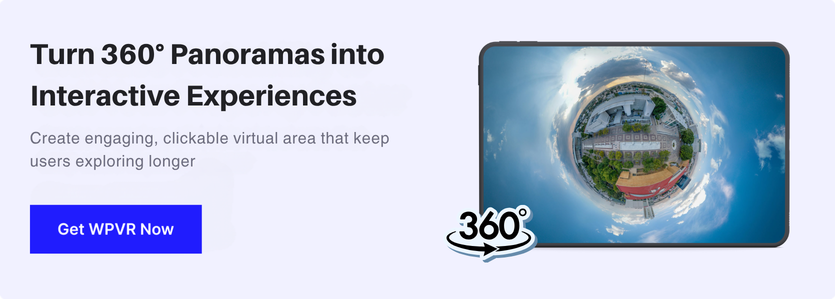
Difference between Normal Photo vs 360 Panoramic Images
You may be confused between a normal photo vs. a 360 panoramic photo. I have cleared it out below:
| Feature | Normal Photo | 360° Panoramic Image |
|---|---|---|
| What you see | One angle only | Whole room in every direction |
| How it feels | Just looking at a picture | Feels like you’re inside the space |
| Can you move around? | Nein | Yes, you can drag and explore |
| Effort to create | Very easy | Slightly more effort |
| Tools needed | Phone or camera | 360 camera or special app |
| Best for | Basic listings, quick photos | Virtual tours, better presentation |
| Buyer experience | Quick look | More engaging and interactive |
The Real Problem Isn’t Too Few Showings, It’s Too Many Wrong Ones

When you’re actively managing property listings, it often feels like a full calendar is a good sign. More showing requests should mean more opportunities to close a deal.
But that’s not always how it plays out.
Many of those bookings come from buyers who are still exploring, comparing options, or just curious. So stop inviting too many strangers into your home-selling process.
They’re not ready to make a decision yet. And that means your time gets spread across people who may never move forward.
If you calculate time, it becomes clearer. A single listing with fifteen showings, at roughly 45 minutes each, takes over eleven hours of your time.
Multiply that across several listings, and a large part of your week is spent on viewings that don’t lead anywhere. This is where 360 VR panoramas start to make a practical difference.
They allow buyers to explore a property in detail before they ever book a visit.
Instead of relying on a few static photos, they can look around your space, understand the layout, and decide if it fits what they’re looking for.
You can see the difference in behaviour.
- Someone who spends a short time on a virtual tour and moves on likely wasn’t a strong lead.
- But someone who takes time to explore and then reaches out is already more certain.
According to data, listings with virtual tours can see up to 87% more views, and many buyers skip listings without them.
Around 73% of buyers say they want to view a virtual tour before booking a showing.
It’s not about getting more people through the door. It’s about making sure the people who do show up are the right ones.
- Learn more – how to capture panoramic images
Why Use 360 Panoramas for VR?
When used in virtual reality (VR), these panoramas can transport you to different places, making you feel like you’re in that place.
Using 360 panoramas in VR has many benefits that you can’t get with regular flat images.
- They create realistic experiences.
- They’re great for virtual tours of real places.
- They help preserve memories more engagingly.
- They’re useful for education, training, entertainment, and business.
Not just that, if you compare a flat image with a VR panorama, you will find a huge difference.
To use 360 panoramas in VR, you need to gather some materials,
Let’s start with the materials,
What You Actually Need To Capture a Panoramic VR Image
You have three realistic options for capturing 360 photos for VR, and none of them require a production crew.
1. Smartphone

Most modern phones can shoot a 360-degree image through a panorama or dedicated 360 mode, sometimes paired with a cheap stitching app, whether you’re on iPhone or Android.
On Android, you can use a panoramic camera app for Android to create full 360 images.
If you’re using an iPhone, the built-in Panorama mode in the Camera app takes a 180-degree photo, or you can use a dedicated panoramic camera app for iPhone to get a 360 view
It won’t match a dedicated 360 camera in low light, but in a well-lit living room or a staged bedroom, the quality is usually good enough to publish. And since you already have the device, there’s no extra setup cost
- Learn more – How to Make A Virtual Tour with iPhone Panorama
2. 360 camera

A dedicated 360 camera is where things start to feel easy and consistent. You can use Insta360 or Ricoh Theta to capture your entire room in a single shot, so there’s no stitching or extra work on your end.
- You press a button,
- Get a clean spherical image,
- And move on to the next room.
This is usually what agents switch to once they’re doing more than a couple of tours a month. It saves time, keeps your results consistent, and makes the whole process faster.
If you want to explore more options, you can check the best 360 panoramic cameras to make a virtual tour. It breaks down which cameras are worth it depending on your budget and how often you plan to shoot.
3. DSLR Camera

A DSLR setup gives you the highest image quality, but it also takes the most work.
You’ll need to shoot multiple overlapping photos from a fixed point (called the nodal point) and then stitch them together using software.
This gives you full control over exposure, sharpness, and detail, but it’s slower and requires some experience with manual settings.
It makes the most sense if you’re already comfortable using a camera and want that extra level of control. Thus, you can easily shoot 360 panoramas with a DSLR
4. Drone Shoot
For exterior shots, a drone gives you a perspective you simply can’t get from the ground. If you’re learning how to take panoramic photos, this is where aerial shots add something extra.
It’s especially useful when the size of the lot, garden, or surroundings matters. You can show how everything connects in one wide panoramic view.
That said, it’s not a replacement for interior panoramas. Think of it as an add-on—it gives context, while indoor shots show the details buyers care about.
File Format & Quality (What You Need)
No matter which method you choose, the final image needs to meet a basic standard:
Beispiel:
Atlantis Dubai has shown all of the distinctive features that are available for clients to view and investigate before they arrive using 360 video tours.
- Equirectangular format (a flat 2:1 image that VR viewers can read)
- Minimum resolution: 3000 × 1500 pixels
Anything below that starts to lose clarity, especially when someone zooms in to check details like walls, finishes, or surfaces.
Common Mistakes to Avoid (First-Time Shoots)
A few things tend to catch people out the first time and it’s all pretty normal once you get into it.
- Bright windows losing detail: This usually comes down to timing. Midday light is harsh and difficult to manage. If you shoot earlier in the morning or closer to sunset, you’ll get much better results.
- Seams or bent doorways: When something looks off, it’s rarely the software. Most of the time, you’ve moved the camera slightly while shooting. Keeping it steady and centred makes a big difference.
- One wall brighter than another: This happens when exposure shifts between shots. You can fix it by switching to manual or locking your settings so everything stays consistent.
Nothing complicated here; you just start noticing these things as you go, and your results improve quickly.
Make Your Panoramic Photo into a Virtual Tour with WPVR
![360 Panoramic VR: How Smart Agents Filter Buyers Before Showings [2026] 3](https://rextheme.com/wp-content/uploads/2024/09/WPVR-Hotspot--1024x550.webp)
Once you have your panoramic image ready, the next step is turning it into something buyers can actually explore. A static image won’t hold attention for long. What you need is a simple way to make it interactive.
And you can turn your 360 image into a virtual tour with WPVR, as it is one of the best free virtual tour creators with unlimited tours. It’s built specifically for creating 360° tours, and the setup is quick enough to fit into your normal listing workflow.
You don’t need technical skills, and you don’t need extra tools. WPVR is free to start, with over 17,000 active users and 900,000+ downloads, so it’s already tested by real users, not just in theory.
Here is how you can make a real estate virtual tour easily.
- Install WPVR on your WordPress site: Start with the free version to test things out. You can always upgrade later if needed.
- Create a new virtual tour: From the WPVR dashboard, add a new tour. This is where your property experience begins.
- Upload your 360° image: Make sure your image is equirectangular and at least 3000×1500px. This keeps the tour clear and immersive on all devices.
- Add hotspots for navigation and details: This is where the tour becomes interactive. You can link rooms, highlight features, show an interactive floor plan, or even add extra details like square footage or a contact form.
- Publish and embed the tour: Once ready, publish your tour and place it directly on your property listing page.
The result is a fully interactive virtual tour that works on both desktop and mobile. Buyers can explore your property from their browser without downloading anything. If they have a VR headset, the experience becomes even more immersive, but it’s not required.
Which Setup You Have to Use in Which Situation
Not every agent needs the same setup. The right choice depends on how often you’re creating tours and the kind of properties you’re working with. What works for one listing a month won’t make sense if you’re handling ten.
I am giving you a simple way to think about it:
| Your situation | Best fit | Why |
|---|---|---|
| Occasional listings, tight budget | Smartphone + free WPVR | Lowest cost to start, good enough quality for most standard listings |
| Steady volume, want consistency | Dedicated 360 camera + WPVR | One-button capture, faster turnaround per listing, still self-operated |
| High-end listings, want polish | DSLR + manual stitching | Best possible image quality, worth the extra time on premium properties |
| High volume across a whole team | Dedicated 3D capture platforms (Matterport-style hardware) | Built for repeatable, standardized output across many properties, at a higher cost and with a steeper setup than a self-shot panorama |
Use Cases for 360 Panoramas in VR
VR is already changing how people learn, shop, and make decisions.
- Students can explore places without travelling.
- Shoppers can view products more clearly before buying.
- Businesses use it to save time and reduce costs, like testing ideas without building real versions.
The main benefit is simple. It helps people understand things faster and make better decisions. And as VR improves, more industries are starting to use it in everyday work.
I’ve discussed different types of fields where VR is already a leading factor for businesses. Keep reading; you will find your industry as well.
1. Immobilien
Real estate has started using 360 panoramas because they simply make listings easier to understand. Instead of guessing from photos, buyers can look around your property before they visit.
When you create even virtual luxury home tours, it allows people to explore your homes from anywhere. This cuts down on unnecessary visits and brings in buyers who are already interested.
For example, UN Reality in South Korea uses virtual tours on their website for Forest Heights listings. Buyers can check out their properties first, so when they reach out, the conversation is more serious.
This tour is created with the WPVR Plugin:
![360 Panoramic VR: How Smart Agents Filter Buyers Before Showings [2026] 4](https://rextheme.com/wp-content/uploads/2024/09/Forest-Heights-WPVR-Example.webp)
Virtual walkthroughs also give buyers control. They can move through rooms at their own pace, which helps them feel more confident. These tours were created using WPVR.
Now, here’s another real estate virtual tour showcase that you can create using WPVR,
2. Tourism and Travel
From your house in Singapore or California, picture yourself being able to take a guided tour of Barcelona or Budapest.
It is possible to achieve it with VR. Using VR technology the tourism industry has found VR to be a game-changer in attracting and engaging potential travelers.
Here’s why :
- Virtual Destination Previews: Travel agencies can offer immersive previews of destinations, hotels, and attractions.
- Interactive Travel Guides: Tourists can explore 360 panoramas of landmarks and cities, complete with informational hotspots and audio guides.
- Preservation of Historical Sites: Fragile or restricted areas can be digitally preserved and made accessible through VR.
3. Hotel & Resort
The hotel and resort industry has embraced 360 panoramas in Virtual Reality (VR) as a powerful tool for marketing, customer experience, and operational efficiency.
Let’s explore some benefits of this technology in the hospitality sector :
- Accurate Room Previews: Guests can explore room types in detail before booking, reducing the likelihood of disappointment upon arrival.
- Showcase Amenities: Hotels can highlight their pools, gyms, spas, and restaurants in an immersive way.
- Accessibility Information: 360 panoramas can help guests with mobility issues assess the suitability of rooms and facilities.
Example :
In Purulia, West Bengal, there is a 4-star boutique hotel called Pearl Tree. They have prepared a few fantastic virtual tours for most of their hotel rooms using the plugin WPVR.
Here’s it is :
![360 Panoramic VR: How Smart Agents Filter Buyers Before Showings [2026] 5](https://rextheme.com/wp-content/uploads/2024/09/Executive-king-.webp)
To facilitate easier booking decisions, Many hotel and resort owners are providing 3D walkthroughs.
Here’s an example of how what a complete 3D hotel virtual tour would look like,
In addition to the guestrooms, prospective visitors can peruse the hotel’s restaurant, patio, and lobby to get a sense of the layout and amenities available.
4. Art Exhibitions and Museum
The Art Exhibitions and Museum industry is using 360 VR Panoramas to attract more visitors.
- Art Exhibitions: The art gallery virtual tour lets viewers take a closer look at paintings or art without a live visit to an Art exhibition.
- Museum: A virtual museum will help attract customers because they can explore the museum sitting comfortably in their homes.
Example :
This well-known museum Musée d’Orsay, Paris, which has dozens of well-known French paintings from the 19th and early 20th centuries offers a virtual walkthrough of the museum on their site.
Now, explore a real art gallery virtual tour that was showcased in Minsk, Belarus,
5. Education
in the education section, students or parents looking for a campus visit online and that’s why many education institutions are using virtual tours on their websites.
On the other hand, teachers are using 360 video tours or virtual field trips to create excitement and provide more knowledge about a historical place to their students.
- Virtual Field Trips: Students can visit far-off locations, historical sites, or even other planets without leaving the classroom.
- Campus tour: Through virtual campus tours, students will have a chance to show off all the best areas of campus, including hallways, faculty areas, dormitories, classrooms, labs, etc.
Beispiel:
Virtual tours of Sherborne International School’s classrooms, residence halls, and other facilities have been produced.
The image of the virtual tour of their school’s grounds is below:

6. Retail and E-commerce
360 panoramas are changing how people are shopping online now. Retail and e-commerce sectors are using virtual tours or showcases or creating virtual stores to attract more clients.
- Virtual Showrooms: Customers can explore product displays and store layouts in VR.
- Try Before You Buy: Users can visualize how furniture or decor items would look in their own spaces.
- Interactive Catalogs: Brands can create immersive product catalogs that users can explore in VR.
Beispiel:
Fashion houses that participated in the second annual Metaverse Fashion Week in March 2023 like DKNY and Tommy Hilfiger, used virtual stores to show their collection.
7. Automotive Industry
Car showrooms can use 360 tours to showcase their latest arrivals and users can look around from the comfort of their homes.
Here’s are some important factors of using virtual reality in the automotive industry.
- Realistic Experience: Create A Meaningful Experience For Potential Buyers
- Drive More Sales: Add Relevant Car Details [Both interior & Exterior] Than Can Drive Decisions
Here’s a complete virtual car showroom tour for you to explore
How To View and Share Your 360 VR Panoramas
To view 360 VR images, a buyer needs nothing more than a browser, on desktop or mobile; a VR headset adds depth but was never a requirement. Once your tour is live, you’ve got a few straightforward ways to get it in front of people:
- Social platforms: Upload the tour or a preview clip directly to Facebook, LinkedIn, or Reddit, wherever your buyer audience actually spends time.
- Embed it with iframe code: Most 360 VR tools, including WPVR, provide an iframe snippet so the tour lives directly on your listing page instead of sending buyers to a separate site.
- QR codes: Generate one and drop it on your yard sign or flyer, so someone standing outside the house can pull out their phone and walk through the tour on the spot, before they ever call you.
Either way, using a VR tool built to handle sharing across all of these channels, rather than stitching it together yourself, saves you the extra setup work each time you publish a new listing.
Schlussfolgerung
A 360 panorama earns its place in your listing because it works before you ever speak to a buyer. It helps people understand the space right away instead of guessing from photos.
It filters out casual visitors and attracts buyers who are already interested. When they contact you, they have a clearer idea of what they’re looking at.
You don’t need expensive gear or a complex setup. A simple panorama is enough to create a better viewing experience.
Try it on your next listing and see the difference in who reaches out. You can set it up quickly using WPVR.
** FAQs **
1. Do I need a VR headset to use 360 VR panoramas on my listings?
No. A VR headset makes the experience more immersive, but every panorama built for the web works fine on a regular browser, desktop or mobile. The headset is an optional layer on top, not a requirement for buyers to view your tour.
2. Can I really capture a usable panorama with just my phone?
Yes, for most standard listings. A smartphone’s panorama or 360 mode produces a solid equirectangular image in good lighting. If you’re shooting several properties a month or want more consistent low-light performance, a dedicated 360 camera is a worthwhile upgrade, but it’s not a requirement to get started.
3. How is a 360 VR panorama different from a regular virtual tour video?
A video walkthrough follows one fixed path. Viewers can only see what you choose to show, and if something is unclear, they usually move on instead of asking.
A 360 VR tour is different. The viewer is in control; they can look around, choose where to go, and spend time on what matters to them, which makes it much more useful for serious buyers.
4. What’s the minimum image quality I need for a clean-looking tour?
Aim for at least 3000×1500 pixels in equirectangular format. Below that, walls and countertops start looking soft once a buyer zooms in, which undercuts the sense of quality you’re trying to convey. In WPVR has a setting where image compression doesn’t hurt the quality.
5. Can I use the same panorama technology for anything besides home listings?
Yes. The exact same capture-and-publish workflow works for hotel rooms, retail showrooms, classrooms, and museum exhibits. If you’re a WordPress VR plugin user already, adding a tourism client or a builder’s model home to the same workflow is just another upload, not a new skill set.