![5 Best 360 Panoramic Cameras to Make a Virtual Tour for Real Estate [2026]](https://rextheme.com/wp-content/uploads/2024/08/Best-360-Panoramic-Cameras.webp)
In 2026, buyers want to see your property before they ever step inside your home through a virtual tour, as it is fast, clear, and from every angle.
According to statistics, the global panoramic camera market is projected at $31.67 billion in 2026, heading toward $136.21 billion by 2035.
And these numbers prove that it isn’t a trend. It’s the new standard. Now you may think, can’t I use my smartphone to capture a panoramic image? Yes, you can.
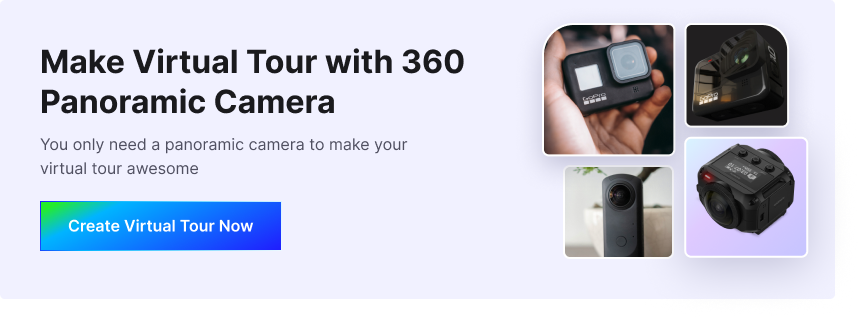
But when you want that crisp, professional look of your property that makes buyers stop scrolling, a 360 panoramic camera does it in one click, one button, and one shot. The entire room is captured.
So, walk into a listing, shoot every room in 20 minutes, and publish a full virtual tour the same day, no photographer needed.
And it’s not just for real estate. The same camera works perfectly for hotels, resorts, restaurants, or any space you want to showcase online.
I have listed the best 360-degree panoramic cameras for 2026 that help you to create a virtual tour more professionally.
So let’s get started,
TL;DR – Best 360 Panoramic Camera
- Buyers expect an immersive experience, not just another flat photo.
- Cheap cameras fail at dynamic range, lens sharpness, and workflow speed.
- Poor 360 shots cost you leads, engagement, and revenue.
- A good 360 camera should offer:
- Strong dynamic range
- Sharp lenses and high resolution
- Fast workflow
- Long battery + durable build
- Pick a camera that fits your use case, not the spec sheet.
- Final Verdict: Use WPVR to turn your 360 shots into interactive virtual tours on WordPress.
What to Look for Before Purchasing a 360 Panoramic Camera

Before you pick up any 360 panoramic digital camera, you need to know what actually matters. Not every camera is built the same, and the wrong choice means wasted money and frustrating results.
1. Dynamic Range Ability
When you’re shooting a complete sphere of a living room, you’ll have bright windows on one side and dark corners on the other.
Without strong HDR (High Dynamic Range), your listing photos will look washed out or too dark.
For real estate interiors, this is non-negotiable; HDR is what keeps every angle of the room sharp and balanced.
2. Lens Quality & Resolution
Go for a single-lens mode camera, which means cleaner stitching and less editing time.
For brilliant 360 photography of kitchens, bedrooms, and lobbies, look for ultra high resolution with at least 20MP+ so buyers can zoom into every detail.
A 1-inch sensor also makes a big difference when shooting dimly lit basements or evening open houses, producing less noise and sharper images.
3. Easy & Fast Workflow
You’ve got three property listings to shoot today; you don’t have hours to spend editing. Pick a 360 panoramic camera with a smooth app experience that speeds up everything from stabilizing to transferring files.
The faster the workflow, the sooner your virtual 3d tour goes live and starts attracting buyers.
4. Battery Life
Panoramic cameras are power-hungry. Imagine your camera dying halfway through shooting a 5-bedroom house that’s a listing appointment wasted.
Look for models with long battery life, removable batteries, or USB charging so you can shoot back-to-back properties without interruption.
5. Durability
Maybe sometimes you have to shoot a ranch-style property in the summer heat, or a luxury cabin in the rain. Your camera needs to handle it all.
Weather sealing, rugged construction, and shock resistance matter, especially when you’re moving between outdoor listings all day.
6. Aligned with Your Need
Every camera has its own strengths. Some excel at night-mode shots for evening showcases, while others handle bright sunlit rooms better.
Some are built for high-resolution video walkthroughs, while others focus on still 360 photo quality for room-by-room tours. Know what your listings demand before you buy.
Pro Tip: For the best results, always use a tripod-mounted setup. A monopod with a small tripod keeps your shots perfectly stable and gives that clean, professional look that makes a $300K home look like a million-dollar listing.
Now let’s go in th emain part, which camera is the best? You can look at it in the next section
If all is fine, you can make panoramic photos with that camera easily, and you can even create a free virtual tour with 360 images.
Quick Comparison of The Best Panoramic Cameras
| Camera | Best For | Key Strength | Limitation | Why It’s Best for Real Estate |
|---|---|---|---|---|
| Insta360 X3 | Budget + speed | 5.7K video, 72MP photo, HDR | Average low-light | Fast property shoots and quick mobile editing for listings |
| Insta360 ONE RS 1-Inch | Versatility | 1-inch sensors, strong HDR | Slower workflow | High-quality indoor tours with flexibility in shooting |
| Ricoh Theta Z1 (51GB) | Best image quality | Large sensors, RAW support | Expensive | Produces sharp, realistic interiors for premium listings |
| Qoocam 3 | Balanced performance | Good stabilization and color | Smaller ecosystem | Reliable for consistent mid-range property tours |
| Panox V2 | Entry-level/pro niche | Decent 360 capture | Limited support | Suitable for basic virtual tours with simple setup |
| Insta360 X5 | Speed and 8K | 8K resolution, strong stabilization | Higher cost | Captures ultra-detailed tours for high-end marketing |
| Trisio Lite 2 | Beginners | Simple workflow | Lower image quality | Easy starting point for agents new to virtual tours |
| Ricoh Theta X | Simple workflow | Touchscreen, easy interface | Lower dynamic range | Quick capture with minimal editing needed |
| Insta360 X4 | Value/performance | Balanced features | Not top in any single area | Strong ROI for scaling real estate content |
5 Best 360 Cameras for Panoramic Photography
As panoramic photography gains in popularity, more and more manufacturers are producing panoramic cameras that cater to this niche market.
So I’ve gathered the top five 360 panoramic cameras in the market right now, along with their standout features, pros, cons, and best use cases
1. INSTA 360 X3
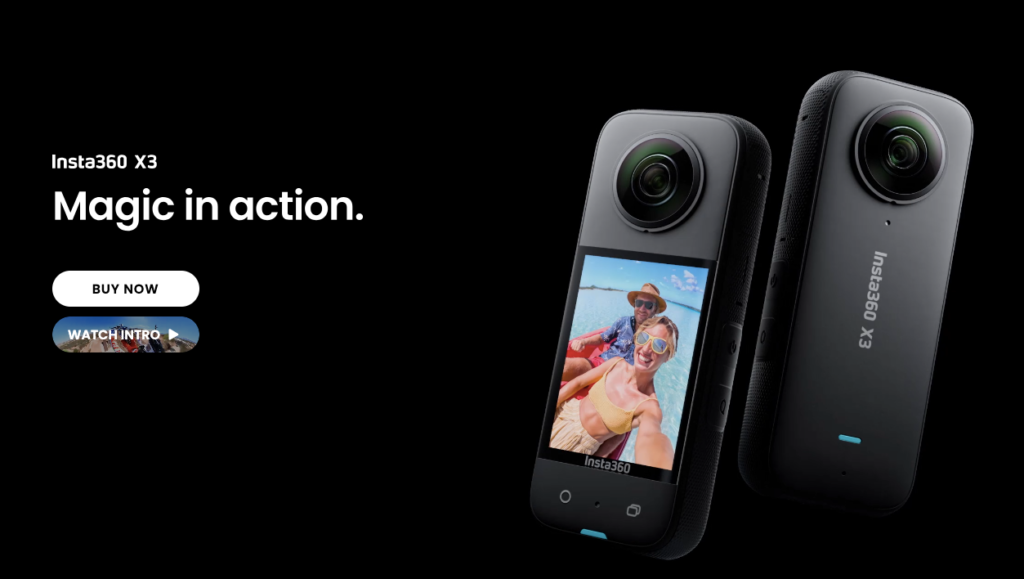
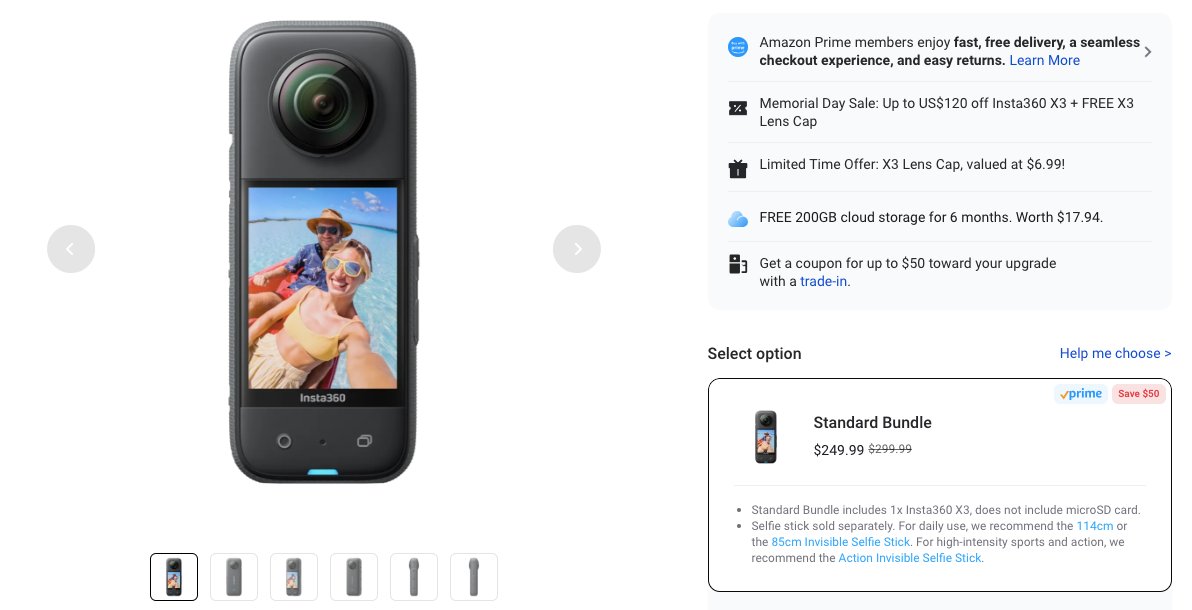
The Insta360 X3 handles bright windows and dark corners in one clean shot. Plus, wifi transfer is 50% faster, so you can move files to your phone in seconds.
For example, as a realtor, you walk into a listing with mixed lighting, a sunny living room, and a dim hallway. The X3 balances it all automatically and gives you sharp, professional 360 images without any manual adjustments.
Mount it, shoot, and share your tour on your listing page or social media in a few clicks, no quality loss, no delays.
Specification:
- Sensor Size: 1/2″
- Battery Capacity: 1800mAh
- 360° Video: 5.7K
- 360° Active HDR: Yes
- 360° Photo: 72MP
- Single-Lens Mode: 4K at 30fps
- Screen Size: 2.29″
- Waterproof: Up to 10m (33ft)
- FlowState Stabilization + 360° Horizon Lock: Yes
Buy It If :
- When you want to edit on mobile – the INSP format lets you quickly process and export property visuals via the mobile app or desktop Studio.
- When you need fast charging – fully recharge in 90 minutes (5V/3A) to stay on schedule during multiple shoots.
- When you want better visuals – high dynamic range helps capture balanced lighting for more appealing property tours.
Don’t Buy It If :
- Your operating temperature isn’t between – 4°F to 104°F (-20℃ to 40℃).
Pricing
2. INSTA360 ONE RS 1-Inch
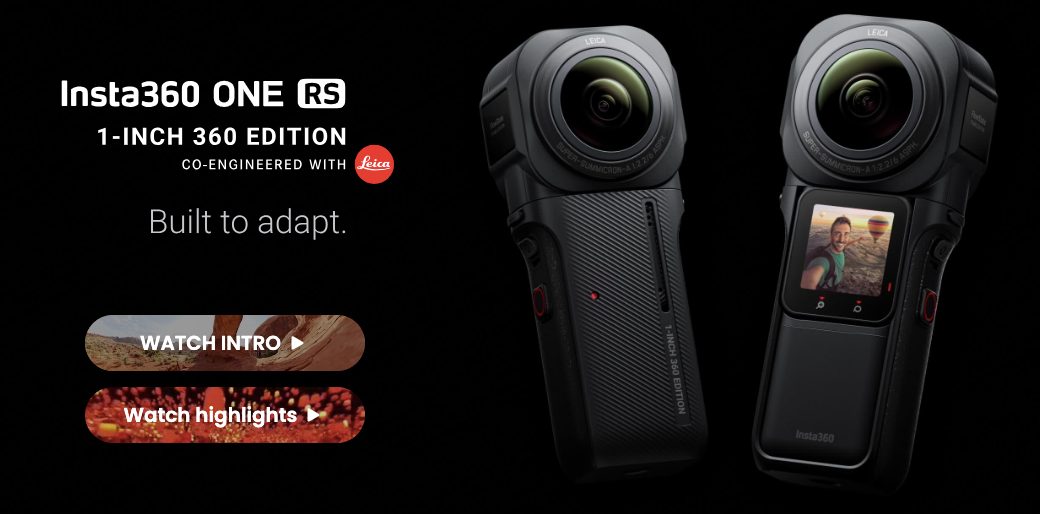
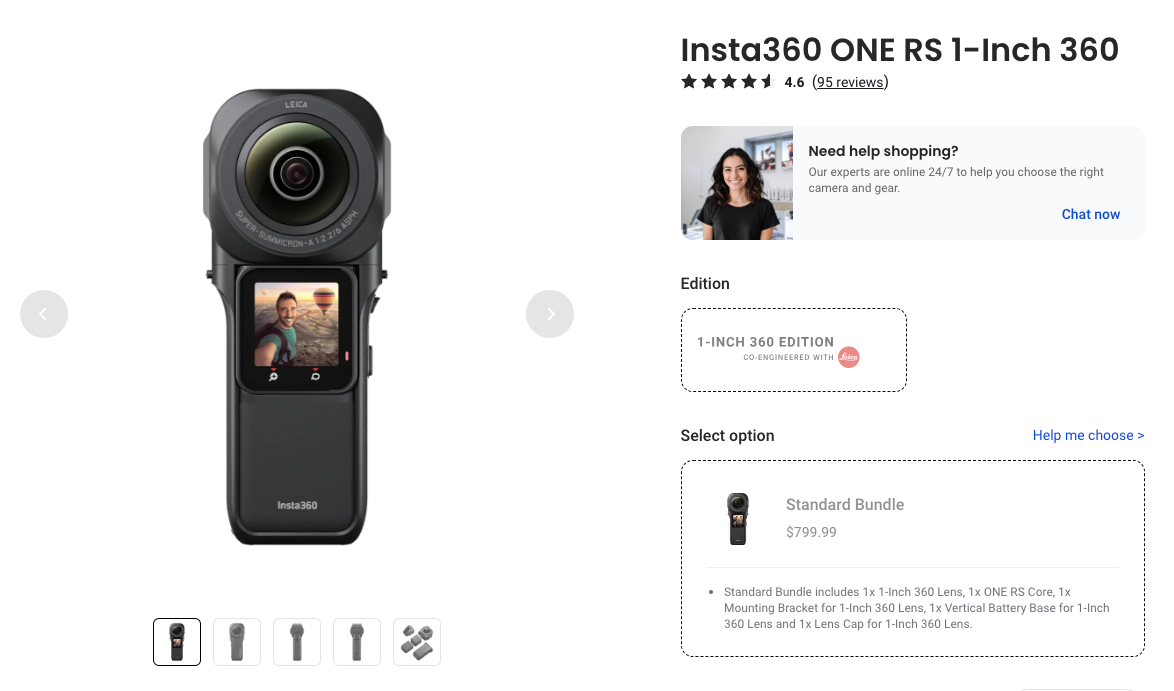
The biggest advantage of the Insta360 ONE RS 1-Inch edition is what’s under the hood – dual 13 MP cameras with Leica co-engineered lenses and dual one-inch sensors.
That combination delivers image quality that smaller sensor cameras simply can’t match.
For example, as a realtor, you can shoot a dimly lit basement or an evening open house; this camera captures bright, detailed 360 images with minimal noise.
The 6K recording gives buyers enough clarity to zoom into every corner of the property.
If low-light listings are your challenge, this is the camera that solves it – sharp, professional results without needing extra lighting equipment.
Specification:
- Aperture F2.2
- Focal Length 6.52mm
- Photo Resolution 6528×3264 (2:1)
- Dimensions (W x H x D) 53.2×129.3×49.5mm
- Max Video Bitrate 120Mbps
- ISO Range Photo: 100-3200, Video: 100-3200
- Audio Modes Wind Reduction & Stereo
- White Balance 2000K-10000K
Buy It If :
- You have limited filming experience, as the Insta360 ONE RS 1-Inch is easy to use right out of the box. The camera setup process is quick and intuitive.
- You want to connect the camera to the smartphone app.
- You want the app-to-camera connection to be stable and uninterrupted.
- If you want to connect it with multiple devices (watch, AirPods). As the connection remains strong.
Don’t Buy It If You :
- You want to format in mobile as RAW files, as this device requires software on PC/Mac to export.
Pricing
3. RICOH THETA Z1
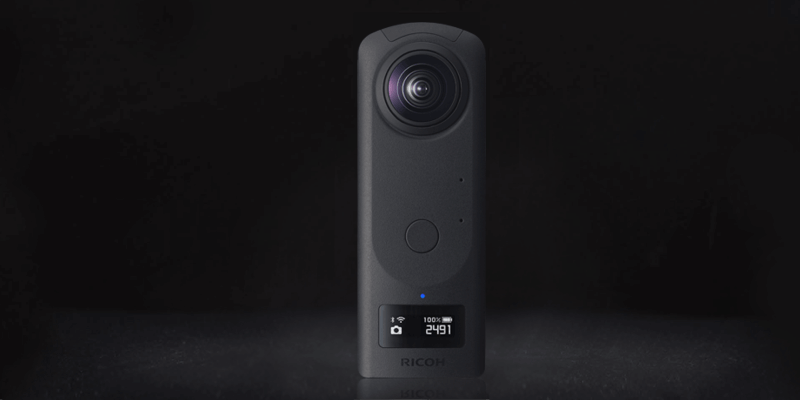
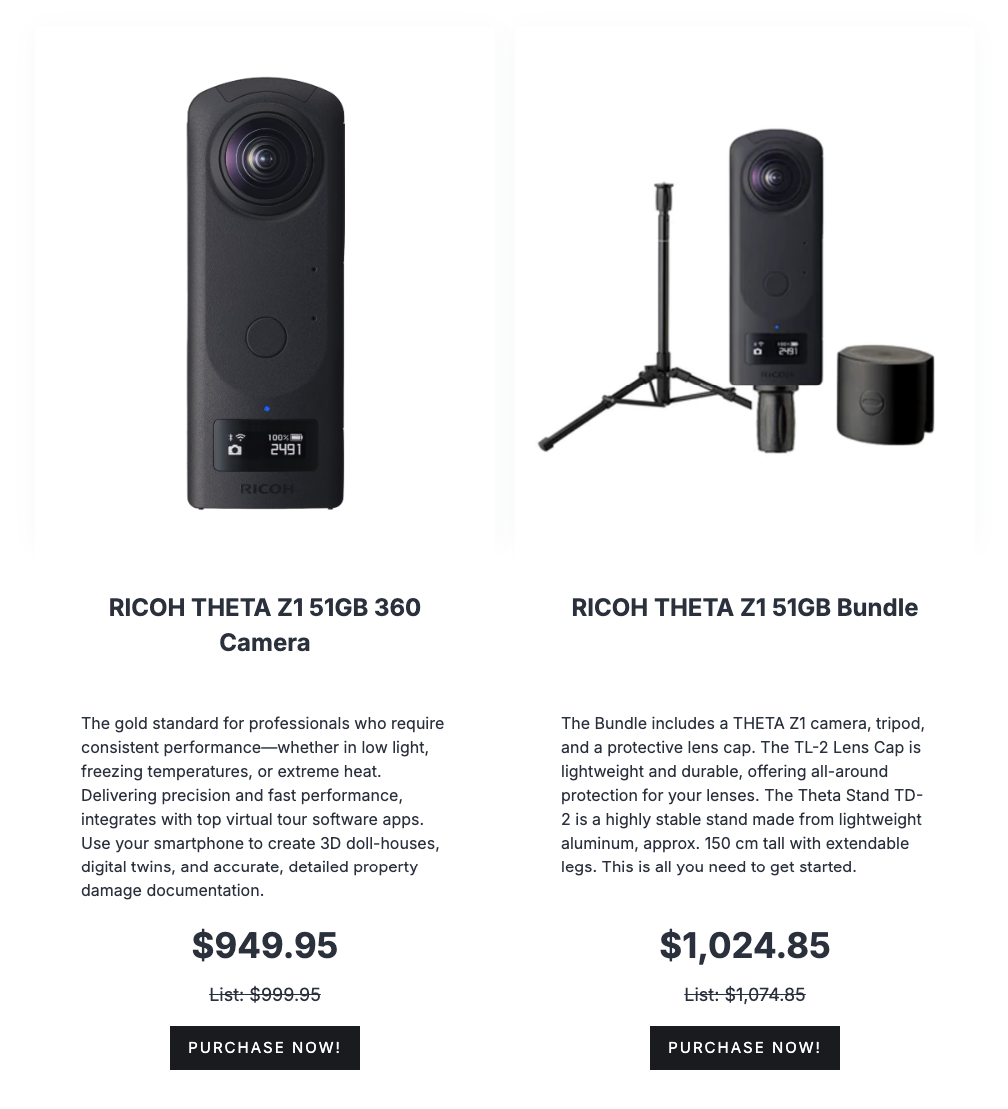
The Ricoh Theta Z1 is your premium choice when you want the sharpest, most detailed 360 images money can buy.
With a 1-inch sensor and high-end optics, every shot you take comes out with stunning clarity that makes your listing look incredible online.
For example, as a realtor shooting a luxury home, you capture every detail with this camera. Marble countertops, wood grain, natural light pouring through windows, all in one crisp, immersive 360 shot that wows your buyers instantly.
If you sell high-end properties and want your tours to match that quality, the Theta Z1 is the camera built for you.
Specification:
- Image Sensor Size 1 inch (x2)
- Image Sensor Effective Pixels Approx. 20M (x2)
- File Size (still images) RAW: 7296 x 3648, JPEG: 6720 x 3360
- Lens F2.1, 3.5, 5.6
- OLED Panel 0.93 inch Organic light-emitting display Panel, 128 x 36 dots
- Usage temperature range 0°C – 40°C
- Dimensions 48mm (W) x 132.5mm (H) x 29.7mm (24mm *7) (D)
- Shutter speed Still image: (AUTO) 1/25000 sec. to 1/8 sec.
Buy It If :
- You want to capture incredibly detailed images with excellent color accuracy and dynamic range, as it has dual 1-inch CMOS sensors.
- You want advanced image processing capabilities.
- You want a large storage capacity.
Don’t Buy It If :
- You require a huge amount of video recording, as it has limited video recording capabilities.
- You want longer battery life.
Pricing
4. QOOCAM 3

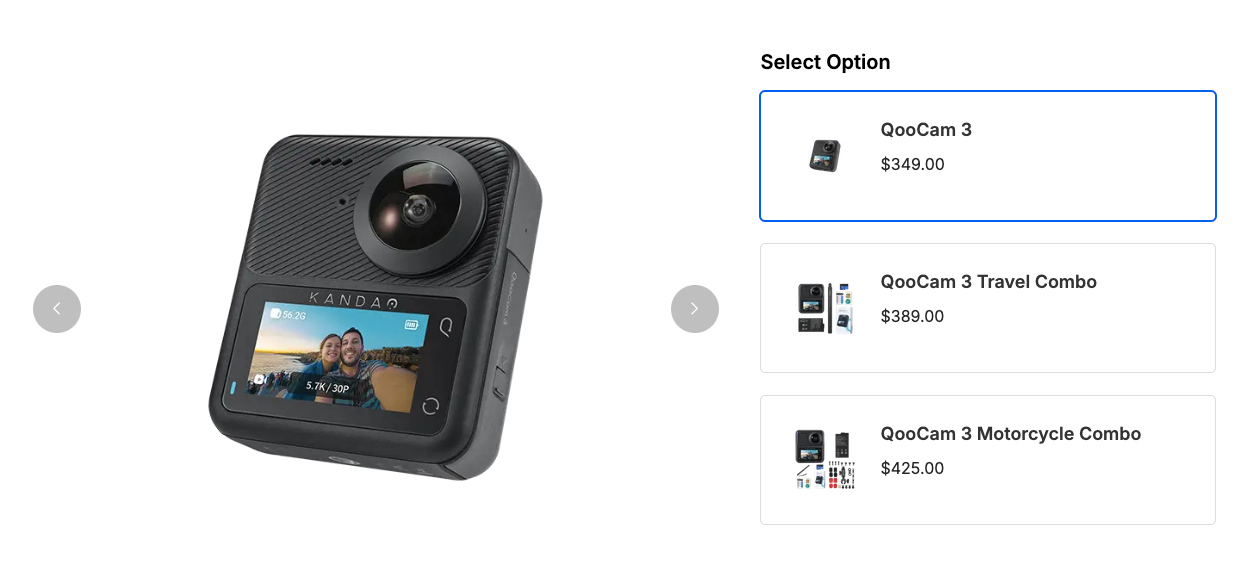
The QooCam 3 packs two ultra-wide fisheye lenses that capture 360 degree 5k photos and videos in all directions at once. You get sharp, detailed coverage of every room without needing to reposition or reshoot.
For example, as a realtor, you mount it on the “invisible” selfie stick and shoot your listing.
The camera’s algorithm automatically removes the stick from the footage, giving you a clean, professional tour with no distractions.
If you want a camera that delivers great stills and video from one shoot, the QooCam 3 gives you both without the extra work.
Specification:

- Aperture F1.6
- Exposure Compensation ±2EV
- White Balance Auto, 2500K-8000K
- Maximum Resolution of Photos 62MP (11136×5568)
- Video Bitrate 120Mbps
- Water and Dust Resistant IP68 Waterproof
- Audio output AAC (16 bit/Quadraphonic/48 KHz)
Buy It If :
- You want an easy-to-use camera
- You want a compact and travel-friendly camera.
- You want a well-built and weather-resistant camera.
Don’t Buy :
- Down on resolution and some features from its predecessor.
- Built-in JPEG processing is only so-so, with the need to use DNG to get the best out of the camera
Pricing
5. PANOX V2

The PanoX V2 stands out when you need exceptionally high-resolution still photos from your 360 shoots. It delivers sharp, detailed panoramic images that let your buyers zoom into every corner of a property without losing quality.
For example, as a realtor, you carry this camera from listing to listing without worrying about it breaking.
The rugged build handles your busy schedule, and the intuitive interface means you spend less time figuring out settings and more time shooting.
If your focus is on stunning still photography over video, the PanoX V2 is built for you. Just pick it up, shoot, and let the image quality do the talking.
Specification:
- 360°Video 5.7K@30FPS
- 360° Photo 72MP
- Sensors 1/2” CMOS
- HDR Photo 12K
- Photo Format JPG+DNG
- Live Streaming 4K 360° YouTube &Facebook
- Timelapse. 5.7K 360°
Buy It If :
- You want higher density and higher resolution as it has 8K 5 FPS mode
- You want a built-in GPS.
- You want to just drag the files right into the desktop uploader without other processing, as it has on-device stitching of 360s.
- You don’t want to buy an adapter as it has a standard tripod camera mount.
Don’t Buy It:
- If you want high sharpness, the UI on the camera feels a bit less polished
- If you want fast GPS tracking, acquiring GPS satellites can take a bit of time.
Pricing

Comparison of The Best 360 Degree Cameras
Now that you know all the details about each of the best 360 cameras, let us look at a few comparison tables to understand which one is ideal for you to choose and which 360 cameras are affordable.
Video & Image Resolution
| 360 Cameras | 360 Video Resolution | 360 Image Resolution |
|---|---|---|
| Insta360 X3 | ⬩ 5.7K: 5760×2880@30/25/24fps ⬩ 4K: 3840×1920@60/50/30/25/24fps ⬩ 3K: 3008×1504@100fps | 72MP (11968×5984) 18MP (5952×2976) |
| Insta360 One 1-inch | ⬩ 5888×2944@30fps ⬩ 6144×3072@25/24fps ⬩ 3840×1920@30/25/24fps ⬩ 3040×1520@50fps | 6528×3264 (2:1) |
| Ricoh Theta Z1 | ⬩3840×1920 (30fps 4K) | 14 Megapixels |
| Kandao QooCam 3 | ⬩ 8K Video (30fps) ⬩ 4K Video (120fps) | 29.4 Megapixels |
| PANOX V2 | ⬩ 5760 x 2880 (30fps). ⬩ 360 Degree 4K (60fps). ⬩ VR180 Degree 3D | 18 Megapixels |
Audio, Mounting & Durability
| 360 Cameras | Audio | Mounting | Waterproof |
|---|---|---|---|
| Insta360 X3 | ⬩ 48 kHz, 16bits, AAC ⬩ Directional audio for vlogging. ⬩ Wind noise reduction & stereo quality sound. | Invisible Selfie Stick | Yes, 10m (33ft) |
| Insta360 One 1-inch | ⬩ 4 Mic 360 Degree Audio. ⬩Wind Reduction ⬩ Stereo | Flip-out Mounting Feet | Yes, 10m (33ft) |
| Ricoh Theta V | ⬩ 4 microphones to record 360 degrees of spatial audio. ⬩ Option to use an additional external microphone. | Stands, Sticks, & Smartphone holders (Optional extra) | No |
| Kandao QooCam 3 | ⬩ 4 MEMS 48KHz Microphones. ⬩ 3.5mm Mic Port for external professional Mic. | Third-party stands and sticks | No |
| Panox V2 | ⬩ 4 MEMS 48KHz Microphones. | Tripod Socket | With Case (Up To 30m) |
Control Options & Pricing
| 360 Cameras | Mobile App | Touchscreen | Voice Command | Price |
|---|---|---|---|---|
| Insta360 X3 | Yes | Yes | 14 Voice Commands | $399 |
| Insta360 One 1-inch | Yes | Yes | 4 Voice Commands | $429.99 |
| Ricoh Theta Z1 | Yes | Yes | Only for Image Capture | $376.95 |
| Kandao QooCam 3 | Yes | Yes | No | $559.99 |
| Panox V2 | Yes | No | No | $399 |
You can now compare different features and aspects of these 5 cameras and decide which one matches your requirements best.
How You Can Make Money with 360 Panoramic Cameras – Industry Use Cases
Let’s have a look at how panoramic cameras are being used and can be used in different industries to make you money.
1. Real Estate
If you’re a real estate agent, you can use 360 panoramic cameras to create virtual tours of your properties, providing a 360-degree view of the property to potential buyers.
This will help to increase engagement with your clients and provide them with a more immersive viewing experience.
Pair your camera with WPVR to easily create immersive virtual tours and integrate them directly into your website.
Here’s an example of how it will look,
2. Travel and Tourism
If you work in a travel company, you can use these 360 panoramic cameras to capture immersive footage of destinations where you operate and create virtual tours.
For example, you can use the camera to capture hotel rooms, beaches, and attractions in a full 360-degree view. This gives your customers a real feel of the place before they visit.
It lets your customers explore places before booking. This builds trust and helps increase bookings.
3. Education and Training
You can use 360 panoramic cameras to create immersive training experiences for your students or employees. This helps you make learning more practical and engaging.
For example, medical students can experience surgeries through 360-degree footage. They can observe real challenges and understand how to respond in critical situations.
It allows you to simulate real-life environments that are hard to replicate in a classroom. This helps your learners build confidence and improve decision-making.
4. Museums and Exhibitions
You can use 360 panoramic cameras to capture interactive exhibits for your museum or exhibition. This helps you present your collections more engagingly.
For example, you can use the camera to capture a full 360 view of your gallery, allowing viewers to see artifacts, layouts, and details from every angle. This makes the experience more immersive and realistic.
It allows your audience to explore exhibitions from anywhere. This helps you reach more people and increase interest in your displays.
5. Automotive Industry
If you own a car dealership, you can use 360 panoramic cameras to capture detailed views of your vehicles. This helps you showcase both the interior and exterior more effectively.
For example, you can use the camera to capture the dashboard, seating, and design from every angle. This gives your customers a complete and realistic view of the car.
They can check car details like this before making a decision. This helps you build trust and attract more serious buyers.
6. Architecture and Design
If you’re an architect or designer, you can use 360 panoramic cameras to create immersive visualizations of your projects. This helps you present spaces in a more realistic and engaging way.
For example, you can capture a full 360-degree view of a building model or interior design concept, allowing your clients to explore the space as if it already exists.
It allows your clients to better understand the design and layout before it’s built. This improves communication and helps them make faster, more confident decisions.
7. Photography & Videography
You can use 360 cameras to capture unique perspectives and create stunning visuals in photography and videography. This helps you make your content more immersive and engaging.
For example, you can shoot a full 360 scene of a landscape or event, giving viewers a perspective that traditional cameras can’t capture.
Their compact size and portability make them perfect for your on-the-go shoots. This lets you capture high-quality content anytime, anywhere.
8. Event Planning
In the event planning business, you can also use 360 panoramic cameras to capture events from multiple angles. This helps you present a more complete and dynamic view of every occasion.
For example, you can use footage from your event photographers to create highlight reels or promotional content that can also be reused in an invitation maker app for dynamic event invitations.
This makes your work more impressive and helps you attract more potential clients with your past event coverage.
9. Construction and Real Estate Development
360 panoramic cameras are useful in your construction and real estate development work for creating virtual site visits and tracking project progress.
For example, a full 360-degree view of your construction site can be captured at different phases. It allows your stakeholders to see real-time progress without being physically present.
Your stakeholders can monitor the project remotely, improving transparency and keeping everyone updated on development status.
10. Sports and Action
If you use 360 panoramic cameras in sports and action activities, you can capture extreme moments and outdoor experiences in high-quality footage. This helps you record every angle in a more immersive way.
For example, you can capture a full 360-degree view of your cycling, surfing, or skateboarding session, and it helps to take the movement, surroundings, and action all at once.
This makes it easier for athletes like you to document experiences and relive moments more dynamically and engagingly.
Conlclusion
Choosing the right 360 panoramic camera isn’t complicated; you just need one that matches your listings and your budget.
Once you have it, you’re ready to shoot professional virtual tours that make buyers feel like they’re already inside your home.
The real estate market is moving fast, and buyers expect more than flat photos now. A single 360 camera puts you ahead of agents who are still relying on traditional photography.
You don’t need to be a tech expert or hire a photographer. Just pick a camera from this list, pair it with a virtual tour plugin – WPVR, and start publishing tours on your own website today.
** FAQs **
1. What is a 360 panoramic camera, and do I really need one?
A 360 panoramic camera captures every direction of your room in one shot. So instead of flat photos, you’re giving buyers a full walkthrough of your property online. Trust me, once you try it, you won’t go back to regular photos.
2. Which is the best 360 camera for photography of home interiors?
It depends on your budget and the kind of homes you sell. Cameras like Ricoh Theta Z1 or Insta360 X4 are the best 360 cameras for photography of real estate interiors. If you often shoot dimly lit rooms, go for one with strong low-light performance; you’ll thank yourself later.
3. Can I use a panoramic camera without any technical skills?
Yes, you can. Modern panoramic cameras are dead simple: mount it, press one button, done. If you can take a photo on your phone, you can shoot a professional property tour.
4. What’s the difference between a 360 panoramic digital camera and a regular one?
Your regular camera captures one direction. A 360 panoramic digital camera captures everything around it – walls, ceiling, floor – in one click. For you as an agent, it means your buyers can explore every corner of your home without stepping inside.
5. Are panorama cameras worth it if I’m a solo agent?
Yes. A good set of panorama cameras pays for itself within your first few listings. You stop paying photographers and start creating unlimited tours yourself. It’s one purchase that upgrades every home you list from that point on.