I’ve worked with eCommerce stores for years, and one thing keeps happening – people add products to the cart, then disappear. You work hard to get traffic, but most shoppers don’t finish the purchase.
Cart abandonment was 59.8% in 2006 and jumped to 70.19% in 2024, so the problem is only growing.
I’ve seen store owners change prices, redesign pages, and run more ads, but small hidden issues still make people leave. Even a tiny extra fee or unclear refund line can scare a customer away.
You’ve likely seen it yourself – lots of add-to-carts, but not enough sales. It feels like everything is set up right, yet people still abandon the checkout.
In this guide, I’ll share 6 simple strategies you can use to recover lost sales and turn those abandoned carts into real orders.
So let’s get started,
TL;DR – Ways to Avoid Abandoned Cart in Your WooCommerce Store
- Cart abandonment happens when your customer adds items but leaves without buying.
- Main reasons include limited payment options, unclear return policies, hidden costs, tricky checkout, slow pages, and no security symbols.
- Offer multiple payment options so your customers can pay easily.
- Make return and refund policies clear and customer-friendly.
- Show all costs upfront and simplify checkout for a smoother experience.
- Improve page speed and add security badges or SSL certificates to build trust.
- Use Cart Lift to automate abandoned cart recovery with emails and discounts:
What is an abandoned cart and how it works
An abandoned cart happens when a shopper adds products to their cart but leaves the store without completing the purchase. It’s one of the main reasons online stores lose sales.
For example, a customer can fill their cart but leave when shipping costs appear only at checkout. Small issues like this can stop a sale in its tracks.
Understanding why carts are abandoned helps you fix these problems and recover lost sales, turning potential buyers into real customers.
Key Reasons Behind Shopping Cart Abandonment
After a lot of research, I have found out that the major reasons why you face abandoned carts are. They are:
- Lack of Payment Options
- No or Poor Return/Refund Policies
- Additional Hidden Costs
- Complicated or Poor Checkout Process
- Slower Page Load Speed
- No Security Symbol
Yes, these can sound like small possibilities and are often ignored, but it is the reality; these simple issues lead to the largest number of abandoned carts.
Let’s look at why shopping cart abandonment happens so that you can effectively work on the recovery
1. Lack of Payment Options
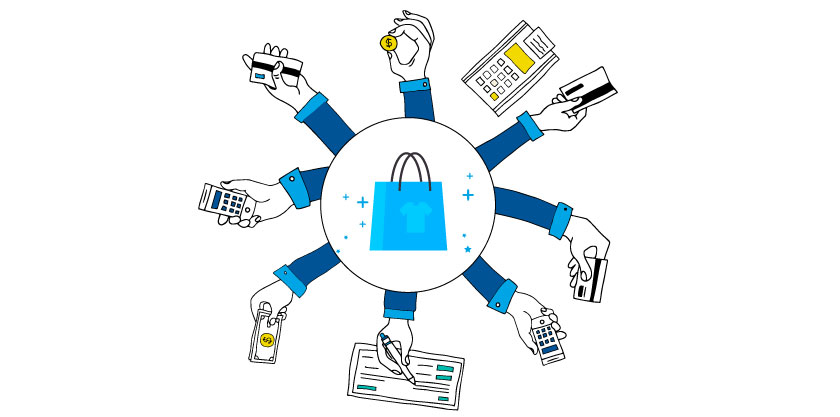
Once a prospect reaches checkout, it means they are genuinely interested and ready to buy. But even here, cart abandonment can happen if payment options don’t meet their expectations.
A lot of customers change their minds based on available payment methods. Offering limited options can lead to frustration and lost sales.
For example, a store only accepted Credit Cards and PayPal, but a customer wanted to pay with a Gift Card. They abandoned the cart instantly, and no abandoned cart email could bring them back.
Most sites offer Cash On Delivery, Credit Card, and PayPal, but missing even one method can turn a ready-to-buy customer away. Using an abandoned cart plugin can help track these lost sales and send recovery emails.
59% of customers abandon their carts because their preferred payment option was not offered on the site.
To avoid cart abandonment, ensure all popular payment methods are available. Small fixes like this can recover sales that would otherwise be lost at the last step.
2. No or Poor Return/Refund Policies

One of the most frustrating things for online store owners is losing a sale to a refund issue. Even after a customer completes checkout, a poor return experience can turn them away.
For example, a person bought a phone online but noticed the battery drained too fast after a day. They expected an easy return, and the lack of a clear policy made them hesitant to complete future purchases.
Most buyers check the return & refund policy before buying, especially on their first purchase. If it’s missing or too strict, they can abandon their cart and never come back to your WordPress website.
A clear, fair refund policy is essential. Implementing abandoned cart recovery strategies alongside a transparent refund policy can help bring back hesitant customers and recover lost sales.
Why Your Store Needs A Proper Return & Refund Policy
Let’s look at the following statistics:
- 63% of online buyers won’t consider buying from an online shop if there is no return policy.
- Almost 30% of all online shopping orders are returned, but they are returned for a good reason.
- 96% of the buyers will consider buying from an online shop again if they have supported an easy return once.
3. Additional Hidden Costs

Additional hidden costs appear mostly because of 2 things:
- Taxes
- Shipping/Delivery Costs
When you shop online, you probably have a budget in mind. Even a small added cost can make you hesitate to complete the purchase.
For example, a customer is buying makeup and finds products they like, but at checkout, taxes and shipping push the total above their budget.
At this point, most people just abandon the cart. It feels easier than changing your budget or removing items, and she might even look for a better deal elsewhere.
Now, she only has 3 choices:
- increase the budget
- cross out some products
- or abandon the cart
4. Complicated Or Poor Checkout Process
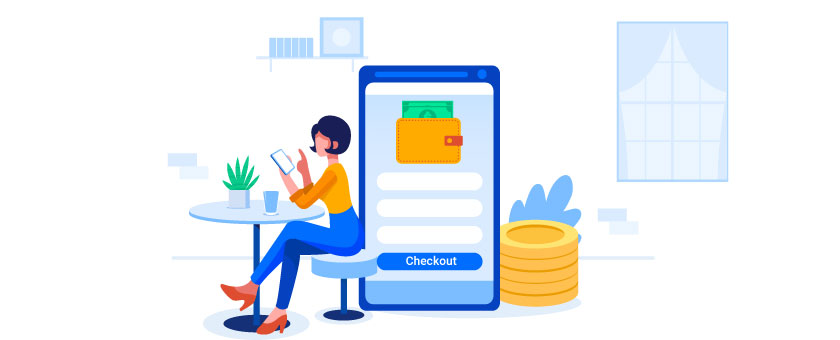
A confusing checkout can make you lose customers, even after they’ve added items to the cart. 22% of buyers abandon carts because the process feels too complicated.
These are customers who were ready to buy, but long forms, missing discount fields, or no contact info can make them hesitate.
For example, your customer wants to buy a custom hoodie, but the checkout has 4–5 steps just to pay. They might leave and never come back, even if you send an abandoned cart email.
Even small distractions like ads or extra product suggestions can pull their attention away. Many customers click and then forget to complete the order.
To avoid abandoned carts, keep checkout simple and distraction-free. Show suggestions on the cart page, but make the final steps quick and easy for your customer.
5. Slower Page Load Speed
If your store’s pages load slowly, your customers might lose patience and leave before checking out. Fast load speeds are key to keeping them engaged.
For example, your customer adds items to the cart and clicks checkout, but the page takes several seconds to load. They can start doubting if the site is safe or working properly.
Frustration builds quickly, and instead of waiting, they leave the site. A slow checkout page can directly lead to abandoned carts and lost sales.
In fact, studies show that 40% of users will abandon a website if it takes more than 3 seconds to load.
A slow website is not only annoying, but it’s also a major reason for shopping cart abandonment. Make sure your pages load quickly to avoid losing potential customers during these critical moments.
6. No Security Symbol
Security is a top concern for online shoppers. If your WooCommerce store doesn’t show SSL certificates or a security symbol, your customers might hesitate to enter their payment details.
For example, your customer reaches the checkout ready to buy, but doesn’t see the “padlock” or HTTPS in the URL. They can start questioning if the site is safe.
Without clear security signs, customers can leave before completing their purchase. Displaying SSL certificates and security markers builds trust and confidence.
Regularly testing your site and checking links for safety helps protect your visitors. It reassures your customers and encourages them to complete the checkout.
6 Actionable Strategies to Avoid Shopping Cart Abandonment
Using abandoned cart recovery strategies helps you stay ahead, and focusing on the right tactics shows your customers their experience matters as much as the products they’re buying.
Let’s look at how you can avoid those abandoned carts and create a smoother path to checkout.
1. Offer Multiple Payment Options
First of all, you must accept the common forms of payment methods:
- Cash On Delivery (For local sales)
- Credit Card Payments (Visa/Masters)
- Paypal
Now, to satisfy more prospects, you have to incorporate more payment options. Let us look at some of them.
i. Debit Card Payments
Whether it’s a Visa, Masters, or any card processing network assigned, as long as the debit card allows payments via your required currency, it should be accepted, even if the person is from abroad.
ii. Gift Card Payments
A gift card, also known as a gift voucher or a gift token, is a prepaid stored-value card and is usually issued by a bank or a retailer.
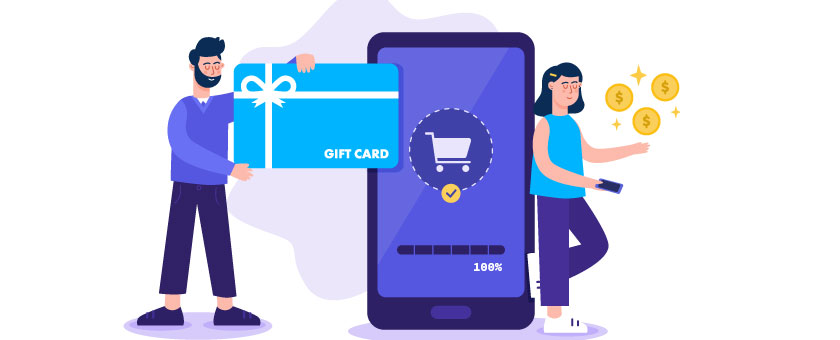
Allowing gift card payments will attract new prospects to your store.
Let’s say a person got a gift card as a present and is looking for a place to spend it. If you accept gift cards, then your shop might be the place to spend them.
It will also give you an advantage over your competitors since most of them do not accept gift cards as a payment method.
iii. Allow Partial Payments
‘Partial payments’ means when you allow a customer to place an order by paying a portion of the bill, and the rest to be paid during delivery.
In this way, there will be less chance of cancellation and it will attract prospects who have few trust issues.
iv. Payment via installment
If you have expensive products, then you can allow customers to pay via installments.
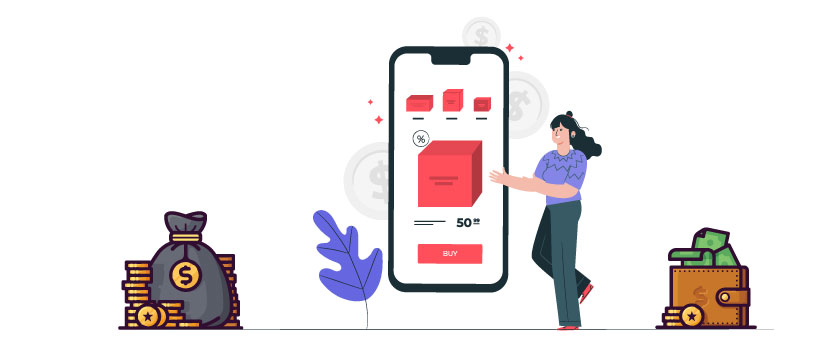
You can let your customer sign an agreement during delivery and pay the total amount over time for added security. This makes it easier for them to buy higher-priced items.
Many electronics sellers use installment payments like credit cards or ACH. You can also offer similar options with debit cards to attract customers who don’t use credit cards.
v. Allow Split Payment
During the holiday season, many banks and companies reward their users and employees with gift cards. This is also the time when people look forward to purchasing expensive gift items.
For example, if a prospect has a gift card worth $50 and he comes across a toaster in your store worth $80, he is unable to pay for it with the gift card alone.
But if you allow him to split the payment and pay the rest of the $30 with his debit card, he will be happy to pay for the toaster.
vi. Accept Payments via Other Payment Gateways
You can let your customer sign an agreement during delivery and pay the total amount over time for added security. This makes it easier for them to buy higher-priced items.
Many electronics sellers use installment payments like credit cards or ACH. You can also offer similar options with debit cards to attract customers who don’t use credit cards.
v. Allow Split Payment
During the holiday season, many banks and companies reward their users and employees with gift cards. This is also the time when people look forward to purchasing expensive gift items.
For example, if a prospect has a gift card worth $50 and he comes across a toaster in your store worth $80, he is unable to pay for it with the gift card alone.
But if you allow him to split the payment and pay the rest of the $30 with his debit card, he will be happy to pay for the toaster.
vi. Accept Payments via Other Payment Gateways
Make sure you offer all popular payment options for your customers. This is a simple way to reduce abandoned carts and improve checkout completion.
Besides PayPal, consider adding Braintree and Stripe, or use open banking options for secure and flexible payments. Giving your customers their preferred methods makes them more likely to buy.
On WooCommerce, plugins make it easy to set up these gateways. Using secure payment methods like open banking helps you build trust and recover more abandoned carts.
2. Create Clear and Customer-Friendly Return Policies
Let’s start with statistics on why there should be a clear and buyer-friendly return policy in your store.
63% of online buyers won’t consider buying from an online shop if there is no return policy.
So, first of all, you must have a Return & Refund Policy if you wish to run a successful WoocComme store.
On the policy, you must include proper instructions on what actions to take when a prospect wishes to request a return or refund.
Tips on writing a proper Return & Refund Policy
- You must clearly state the terms that make a prospect eligible for a refund. And mention the time it will take to process the refund policy. Look at the example below.
These are part of RexTheme’s refund policy.


It is clearly stated when a person is eligible to apply for a refund and within what time they have to request a refund.
- Have a clear action plan for when your customer receives a defective product, the wrong item, nothing at all, or something that doesn’t match the description.
- Set different plans for different products: underwear can’t be returned unless defective, while a phone can be exchanged, repaired, or refunded.
- Give your customer enough time to request a refund; at least a week works for most items.
- You can also offer a 14-day return & refund policy for products that take time to notice issues, like electronics.
- Simple items like lipstick can be checked right away, but phones or gadgets may need a few days for problems to show.
Write a policy that reflects your business. Don’t be lazy and just copy and paste it from any other eCommerce site. The policy should be solely based on your products and target prospects.
Here are a couple of strategies you can apply to make the return & refund policy more feasible for you.
Smart Alternatives to Refund
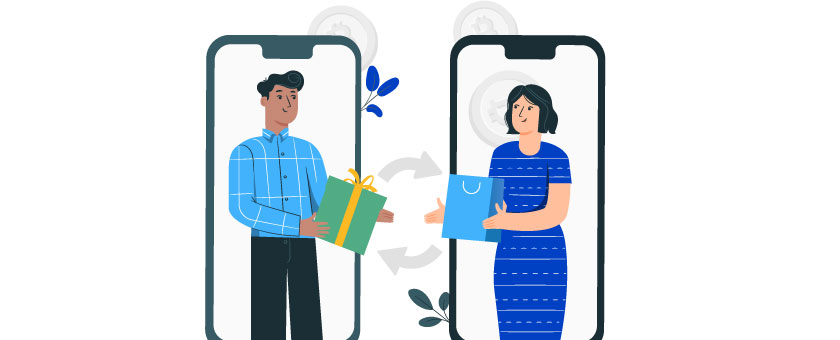
You do have a chance of avoiding refunds in some cases. You can try the following alternatives:
- Offer a store credit for genuine refund requests so your customer will spend it in your store, ideal for regular buyers or members.
- Provide an exchange or replacement for damaged products, especially electronics, as customers often prefer this over a refund.
Return & Refund policy based on product types
Here are some ideas you can implement when writing your Return and refund policy based on product types.
i. Refund Policy on Food Products
If you’re selling food products, then you know that food is perishable or has a decaying nature. Hence, you need to have a different policy for food products.
Here is what Unique Pretzels says on their return policy:
‘Perishable food products cannot be returned. All items from our online store are sold on a non-returnable basis unless defective.
Where the product is defective, damaged, or contaminated, you may contact us to request a return of your purchase within 14 days of receiving your shipment for a refund or exchange.‘
The policy is simple: your customer can only return a product if it’s defective, and they have 14 days to request a refund or exchange.
For example, if your customer orders a packet of chocolates and it arrives broken or melted, they can request a refund within 14 days.
Usually, your customer just needs to send a photo showing the defect, and once it’s verified, the refund or exchange is approved.
ii. Refund Policy on Electronics
Electronic products are a common subject of return or exchange.
If you are selling electronics online and a customer buys a cellphone from your store & discovers that the battery is not providing sufficient backup, then the customer should be offered a solution via repair. replacement, or refund.
Walmart gives customers a long period of 15-30 days to demand a return. According to their refund policy:
‘Electronics including but not limited to computers, camcorders, digital music players, and GPS units, must be returned within 15 days with receipt.’
As long as the receipt is available and a real issue is reported, a return or refund can be considered. The product should be inspected to confirm it’s the same item and no extra damage was caused by the customer.
You can allow your prospects a similar return policy. You can also offer options such as repair, replacement, or store credit.
iii. Refund Policy On Clothes & Apparel
Clothes and apparel usually receive the highest amount of refund/return requests. According to SmallBizTreds, 75% of all the returned products online are products under the category ‘clothing and apparel’.
You can allow a tactical exchange policy on clothes to avoid refunds.
Let’s say a person purchased a dress for his wife. However, after receiving the dress, he realized that it was not in the correct size. In this case, you can allow him to get an exchange for an appropriate size.
Note that in this example, there was no defect in the dress, and the customer knew what size he was buying at the time of purchase. So why still allow him an exchange?
This is just a strategy to avoid refunds when there is a defect. If your policy states an exchange, then you can simply allow the customer to return the defective product and send a copy of the same product that is not defective. Thus avoiding refund.
But you do need to mention that ‘preference-related exchanges’ should be allowed only once. Only defective goods can be returned multiple times.
For apparel, however, you should allow a return & refund only when there is a defect or wrong product delivered.
Make an Additional Policy for the Holiday Season
You’re going to receive more orders and more sales during the holiday season. It comes with some drawbacks as well.
The delivery system will be packed up during this time. With more sales, there will also be more refund requests.
Plus, missed delivery time will be a major headache. So the question is how you can avoid abandoned carts during the holiday season.
Imagine a man purchasing gifts for everyone in his family and two of the gifts were wrong deliveries. He will be furious and will surely want a refund.
So you have to prepare for the holiday rush. Here are some tips:
- Increase The Return Request Time: From mid-December to early January, make your return/exchange request time longer. If It was 14 days, make it 22 days for orders accruing within this time.
- Send Complimentary Products: If a prospect gets a wrong delivery, offer them extra store credit and send a small complimentary gift after the rush hour.
- Mention the delay possibility: Mention in your policy that due to the rush, delivery might be delayed by a couple of days.
Being transparent will let you be more credible to prospects.
Use all these ideas and make a compelling refund policy. Make sure to keep the link in the cart and checkout page as well.
On product pages, you can mention that you offer a money-back guarantee in case the product is not up to the mark. This will gain more trust and reduce the chance of an abandoned cart.
3. Be Transparent About Costs Upfront
Since hidden costs can be one of the prominent reasons for shopping cart abandonment, let’s go directly to how you can be transparent about the costs to your customers.
Here is how you can take steps to remove the hidden cost confusion.
i. Show the delivery fee on the product page
On the product page, mention the delivery fee below the product cost.
If it’s an international prospect, use a plugin that uses Geolocation tracing to show shipping costs based on the customer’s location.
You can include a calculator for international shipping, where customers can choose their preferred delivery country to find out the shipping cost.
Or, you can simply set a product price with increased value and offer free shipping.
If a shopper is ordering a product for any festival or important event, the delivery date is the primary concern.
The date can be delayed in real life for many circumstances, but you can estimate the possible delivery date of the product.
ii. Show the Delivery Date On The Cart
If a shopper is ordering a product for any festival or important event, the delivery date is the primary concern.
The date can be delayed in real life for many circumstances, but you can estimate the possible delivery date of the product.
iii. Show Price Including Tax
As of now, you can often trace the location of a prospect and calculate the amount of tax that will be added to the product. Show that amount whenever a shopper is viewing a product.
If a buyer sees a price including the tax on the product page, he or she will be able to make accurate budget decisions and is less likely to abandon the cart.
This is how NordStorm does it:
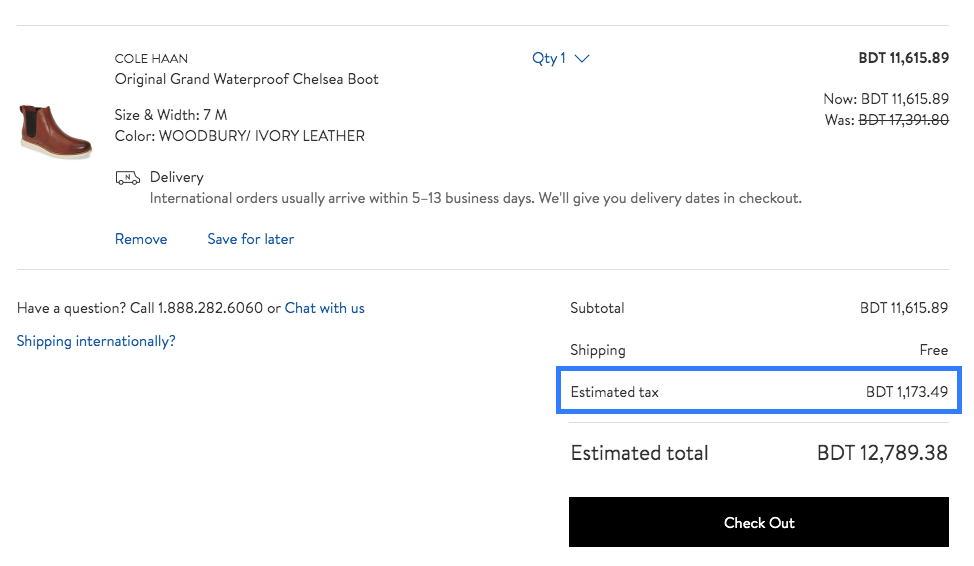
Here, you can see the actual price of the product, the shipping fee (Free shipping in this case), the tax amount, and the total bill to be paid, thus making it easier for the prospect to manage his budget.
iv. Show Shipping costs on Product Pages
If a prospect likes a product and the actual price is within his budget, the next thing he’ll be looking for is the shipping charge.
Based on the location of the prospect, the shipping charge can differ from very low to higher than the product’s price itself, especially on international shipping.
So it’s best to display the shipping cost on the product page.
v. Show Cost BreakDown On the Cart
It’s always a good idea to keep a cost breakdown for the products on your cart.
As you saw in the example of NordStorm earlier, you can break down every cost for purchasing products and produce a total price.
Here is another such example, LookHuman’s cart page:
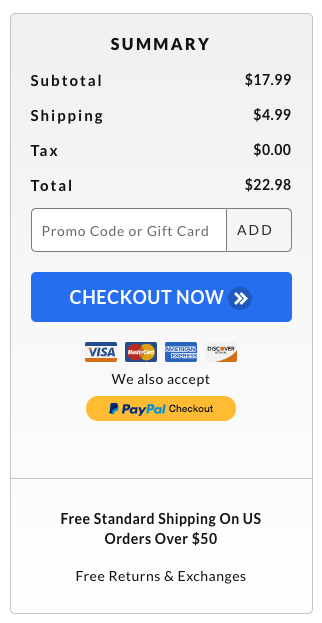
You can use some tools to calculate the accurate shipping cost of a product.
Here are some tips you can use to improvise on shipping costs.
Tips Regarding Shipping –
i. Offer Free Shipping
One of the most effective ways to convince your buyer is to offer them free shipping.
This is a lucrative deal that works like a charm locally.
See how AliExpress is doing it.
See how AliExpress is doing it.
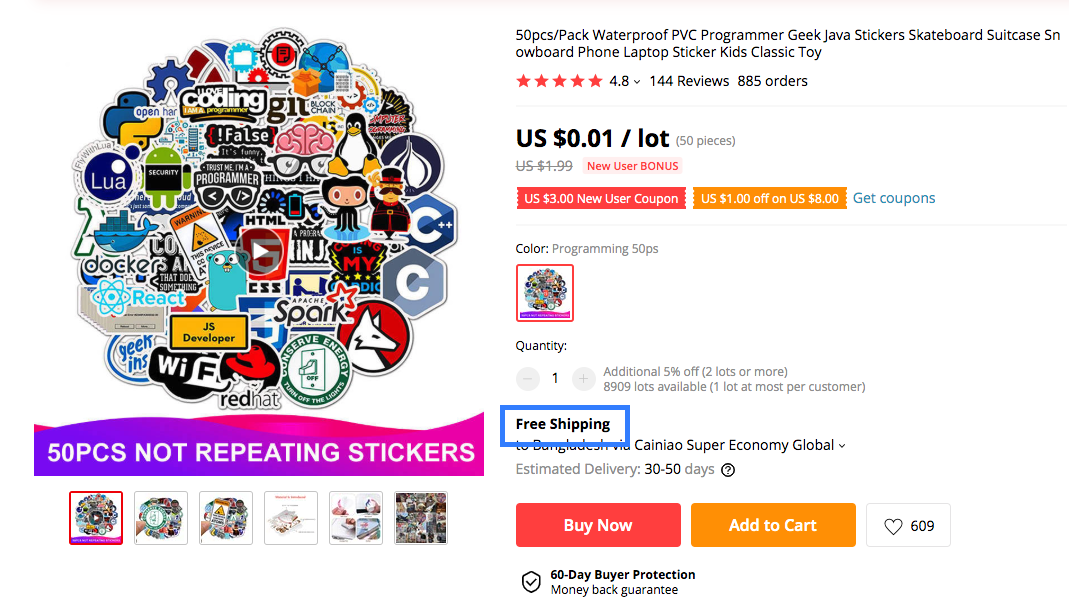
You can also offer free shipping to a few specific countries when delivering globally. Based on the Geolocation, assign the ‘free shipping’ message to appear only for customers buying from your preferred countries.
You can also offer surprise-free shipping in the cart or on the checkout page. This means you will show the shipping cost on the product page, but when the customer goes to the cart or checkout page, he will get a surprise with free shipping.
This will make him feel like it’s a special offer and will reduce the chance of shopping cart abandonment.
You can also offer free shipping to a few specific countries when delivering globally. Based on the Geolocation, assign the ‘free shipping’ message to appear only for customers buying from your preferred countries.
You can also offer surprise-free shipping in the cart or on the checkout page. This means you will show the shipping cost on the product page, but when the customer goes to the cart or checkout page, he will get a surprise with free shipping.
This will make him feel like it’s a special offer and will reduce the chance of shopping cart abandonment.
ii. Offer Express Delivery
When someone is ordering a product on the internet, they want to receive it as fast as they can. That’s why you can see the term ‘Same Day Delivery’ getting more and more popular.
If a prospect is comparing your product with similar products from your competitors, sometimes the only difference that will make them choose your product is the express delivery feature.
**Express delivery costs more, so you should mention it, calculate the price, and show the cost of express delivery.
If the customer is in a real hurry, they’ll pay for the extra cost.
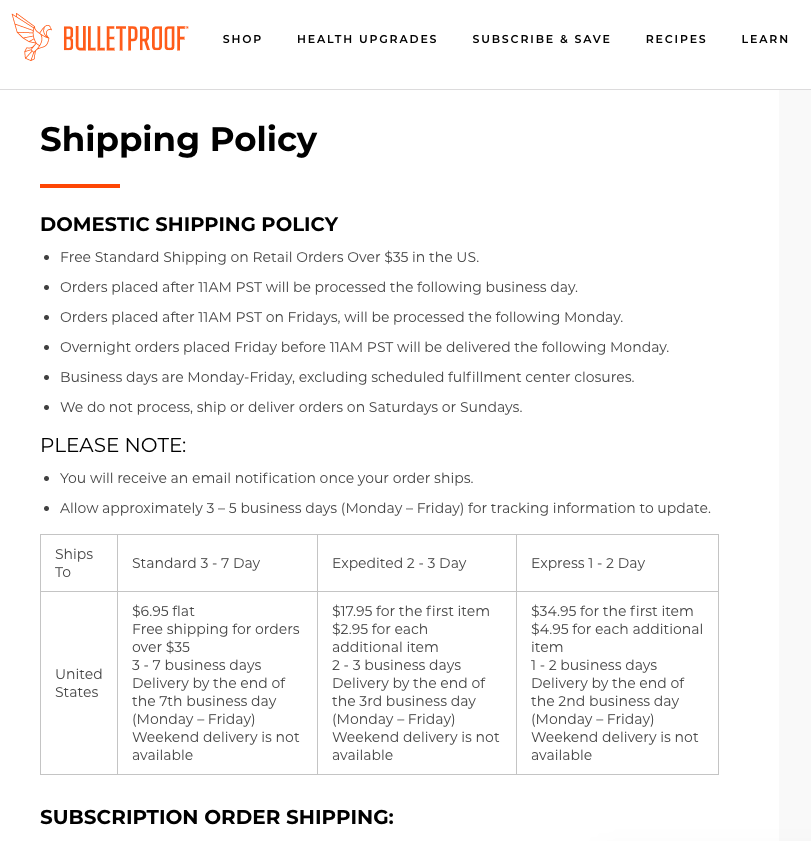
iii. Keep A Shipping Policy Page
You should not confuse a shipping policy page with a privacy policy page.
The shipping policy page should contain every detail related to shipping only.
These are things your shipping policy page should contain:
- Different methods of shipping you offer (Normal, Express Delivery) and their prices.
- Shipping medium (such as FedEx, USMail, etc)
- Accepted delivery locations
- International Shipping Information
- Local shipping information
- Bulk/wholesale shipping information
- How shipping fees will be paid
- Charges for product return/refund cases
- Shipping condition for lost/missing products
- Shipping condition for delayed delivery
- Shipping policy for canceled orders
- Product and Location restrictions (If any)
Here is an example of an excellent shipping policy from BulletProof.
iiv. Create a Tax Policy
Now, this is probably a new term for you. You won’t usually see the tax policy page on most eCommerce sites.
The amount of tax on a product depends on:
- The nature of the product.
- If the buyer is shipping it locally or internationally.
In the US, a few states have applied a recycling tax on plastic products that are different in each state. And if you’re shipping internationally, different countries charge a range of taxes on most imported products.
So you can create a separate page for tax policy or create a single page for shipping and tax policy.
4. Simplify Your Checkout Process
A short, simple checkout process genuinely helps to reduce abandoned carts. Here are several things you can do to improve the checkout process.
i. Keep The Process Short & Simple
Try to make sure there are as few steps as possible to complete the checkout process.
Some websites insist that a customer should open an account, verify it, and then place an order. This is often very annoying as it takes a lot more time to complete than a customer would expect.
So here’s what you can do.
- Only take the information you really need for a complete order. So, keep 4 fields: Name, Email, Address, and Phone number.
- Next, complete the payment process.
- Once complete, auto-create an account and give a note on the page that an account was created and an email was sent to set the password.
You can keep a checkbox that says “Send Me Exciting Offers For The Similar Products In The Future” so that, even if a person doesn’t reset their password anytime soon.
This will permit you to get in touch with them in the future, and sooner or later, they will set up their account properly.
ii. Allow Guest Checkout
A buyer might not want to open an account and can just want to purchase that one time, either because he is busy or security-conscious.
You can allow a “Guest Checkout” where the prospect will just provide the phone number, name, and address. Then proceed with the payment process.
You can display a promotional message after the payment process, offering a ‘New Sign Up’ discount voucher to encourage the person to open an account in the future.
Remember, you should encourage your prospect to open an account, but never force it.
iii. Apply One Page-Checkout
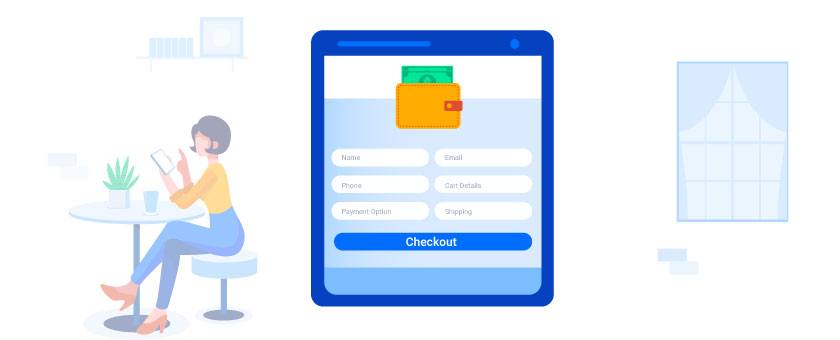
You can also be strategic and use a one-page cart and checkout page so that a prospect can see his selected product details and complete the checkout process in one go.
If he already has an account created, you can auto-fill all the fields for customer details and allow him to edit them where required. If he doesn’t, then simply let him fill them out and auto-create an account later on.
Here are some of the fields you should include in a one-page checkout:
- Customer name
- Phone number
- Cart details (Which he can edit)
- Payment options
- Shipping address and method
- “Save Cart” button (opt for e-mail and name if clicked)
- “Shop More” button
- Links to your policy pages
Nowadays, most large companies use One-Page Checkout to minimize WooCommerce cart abandonment.
5. Optimize Page Load Speed for Faster Navigation
Slow-loading websites are one of the primary reasons users abandon their carts. If your website takes too long to load, customers lose patience and leave without completing their purchase.
Optimizing your page load speed ensures a seamless shopping experience, making it more likely that customers will follow through with their orders.
Here’s how you can optimize your page load speed with actionable strategies:
i. Minimize Image Sizes
High-resolution images can take a significant amount of time to load, especially on mobile devices. Compress your images to smaller sizes without compromising quality.
Use tools like:
- TinyPNG or ImageOptim for manual compression.
- WordPress plugins like Smush or ShortPixel for automated compression.
Also, consider using modern formats like WebP instead of older formats like PNG or JPEG.
ii. Enable Browser Caching
Browser caching stores static resources, like images and stylesheets, on the user’s device. This reduces the need to reload these resources each time the user visits your site.
- Set up caching using plugins like WP Super Cache or W3 Total Cache if you’re using WordPress.
- For non-WordPress sites, configure caching through server settings or CDN providers like Cloudflare.
iii. Use a Content Delivery Network (CDN)
A CDN improves page speed by distributing your website’s resources across multiple servers worldwide. When a user accesses your site, they download resources from the server closest to their location. Popular CDNs include:
- Cloudflare
- Akamai
- Amazon CloudFront
iv. Optimize Code (CSS, JavaScript, and HTML)
Bloated code can slow down your website. Minify your CSS, JavaScript, and HTML files to reduce file sizes and improve load times.
- Use online tools like Minify Code for quick fixes.
- Install plugins like Autoptimize to automate this process for WordPress sites.
Additionally, remove unused code and reduce the number of scripts running on your site.
v. Optimize Your Hosting Environment
Your web hosting provider plays a crucial role in page load speed. Ensure that your hosting plan can handle the traffic your website receives.
- For WooCommerce sites, use hosting providers optimized for eCommerce, like SiteGround or Kinsta.
- Upgrade to a VPS or dedicated server if your current shared hosting plan is causing slowdowns.
vi. Reduce HTTP Requests
Every time a user loads your site, their browser sends HTTP requests for various resources. Too many requests can slow things down. Reduce these requests by:
- Combining CSS and JavaScript files.
- Limiting the number of plugins you use.
- Using CSS sprites for icons and small images.
By focusing on page load speed, you ensure your customers enjoy a smooth and frustration-free shopping experience, reducing the likelihood of shopping cart abandonment. The faster your site, the happier your customers.
6. Build Trust with Security Badges and SSL Certificates
If visitors don’t feel secure while browsing your site or entering their personal information, they’ll leave without making a purchase.
By showcasing security measures like SSL certificates and trust badges, you can reassure potential customers that their data is safe, building credibility and boosting conversions.
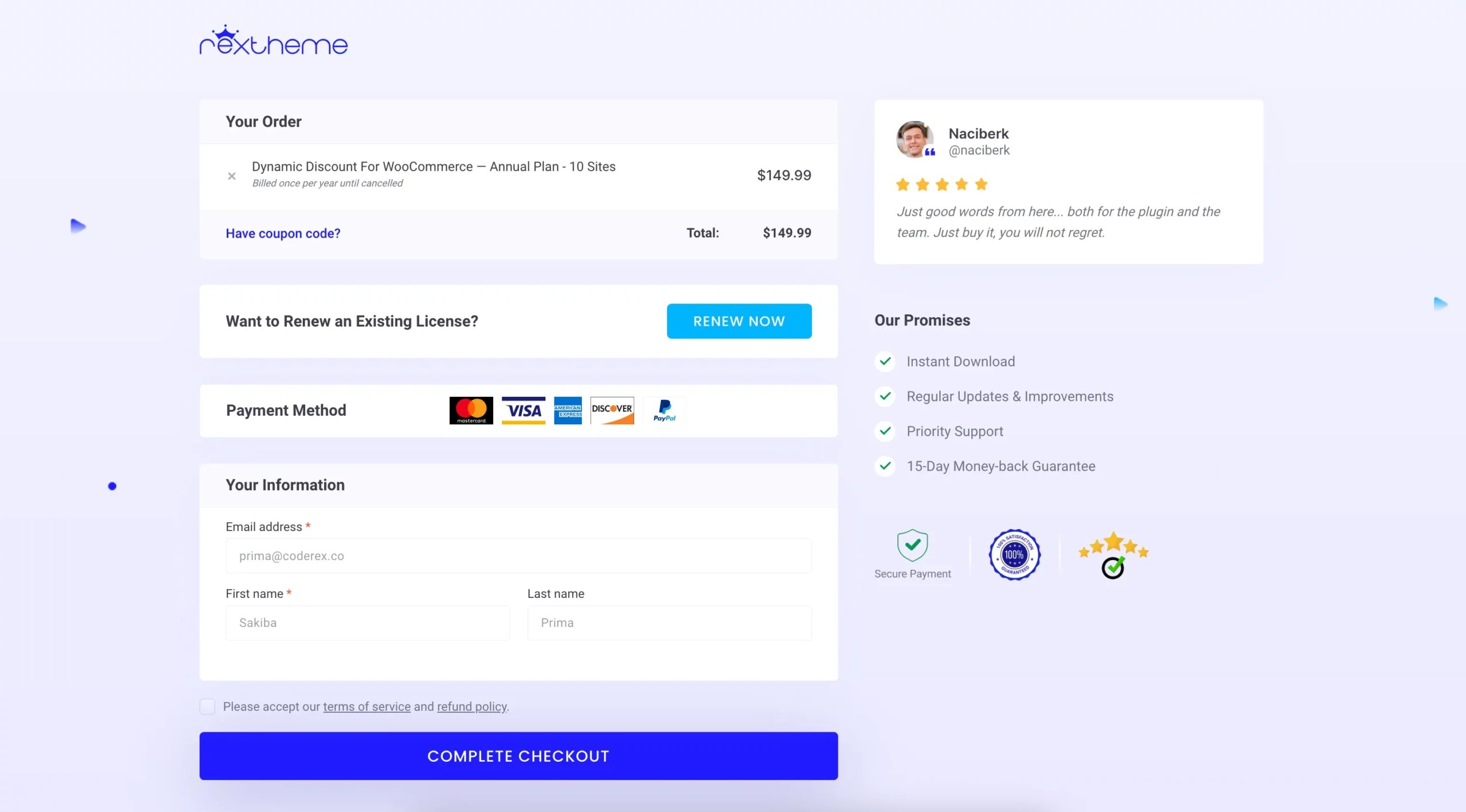
Here’s how you can effectively build trust with security badges and SSL certificates:
i. Install and Display an SSL Certificate
An SSL (Secure Socket Layer) certificate encrypts the data exchanged between your website and users, ensuring that sensitive information like credit card details and passwords remains secure.
- Activate HTTPS: Transition your site from HTTP to HTTPS. Most browsers mark HTTP sites as “Not Secure,” which deters users.
- Obtain SSL certificates from trusted providers like Let’s Encrypt (free) or premium services like DigiCert.
- Check for SSL configuration errors using tools like SSL Labs’ SSL Test.
ii. Highlight Trust Badges on Your Website
Trust badges are visual indicators that signal your site is secure and trustworthy. Place them prominently on:
- Checkout pages: Reassure users that their payment information is safe.
- Homepage or footer: Reinforce trust throughout their browsing experience.
Popular trust badges include:
- SSL badges (e.g., “Secured by SSL”).
- Payment gateway logos (e.g., PayPal, Visa, Mastercard).
- Verified seller certifications (e.g., TrustedSite or Better Business Bureau).
iii. Enable Two-Factor Authentication (2FA)
Adding an extra layer of security, like two-factor authentication, reassures users that their accounts are protected from unauthorized access.
- Use WordPress plugins like Wordfence or Google Authenticator to implement 2FA.
- Encourage users to activate this feature for their accounts.
iv. Display Privacy Policies Clearly
Transparency builds trust. Create a privacy policy that explains how you collect, use, and store customer data.
- Write in clear, simple language, avoiding legal jargon.
- Place a link to the privacy policy in the footer, checkout page, and account creation page.
Tools like Termly or PrivacyPolicies.com can help you generate a professional policy.
v. Add a Security Seal to Your Site
Displaying a security seal from a trusted provider increases buyer confidence. Services like Norton Secure, McAfee Secure, or Trustwave offer seals after verifying your site’s security.
By combining these strategies, you create a safe and secure shopping environment that builds trust with your customers.
Bonus Strategies to Prevent Shopping Cart Abandonment
Now that you’ve implemented core strategies, it’s time to take things further. Adding a few extra tactics can address specific scenarios where visitors might leave without completing their purchase.
These strategies complement what you’ve already done, giving you more ways to connect with potential customers.
i. Use Retargeting for Cart Abandoners
Even with the best optimizations, some visitors will leave their carts behind. Retargeting gives you a chance to bring them back. Use tools like Google Ads or Facebook Ads to create retargeting campaigns that remind these users about their incomplete purchases.
- Show ads with images of the products they left behind.
- Offer time-limited discounts to encourage them to act quickly.
- Use dynamic ads to personalize the experience and make it feel relevant.
This strategy doesn’t just recover lost sales—it keeps your brand top of mind.
ii. Employ Social Proof
When people see others trust your business, they’re more likely to trust it too. Social proof builds confidence and makes your brand look credible.
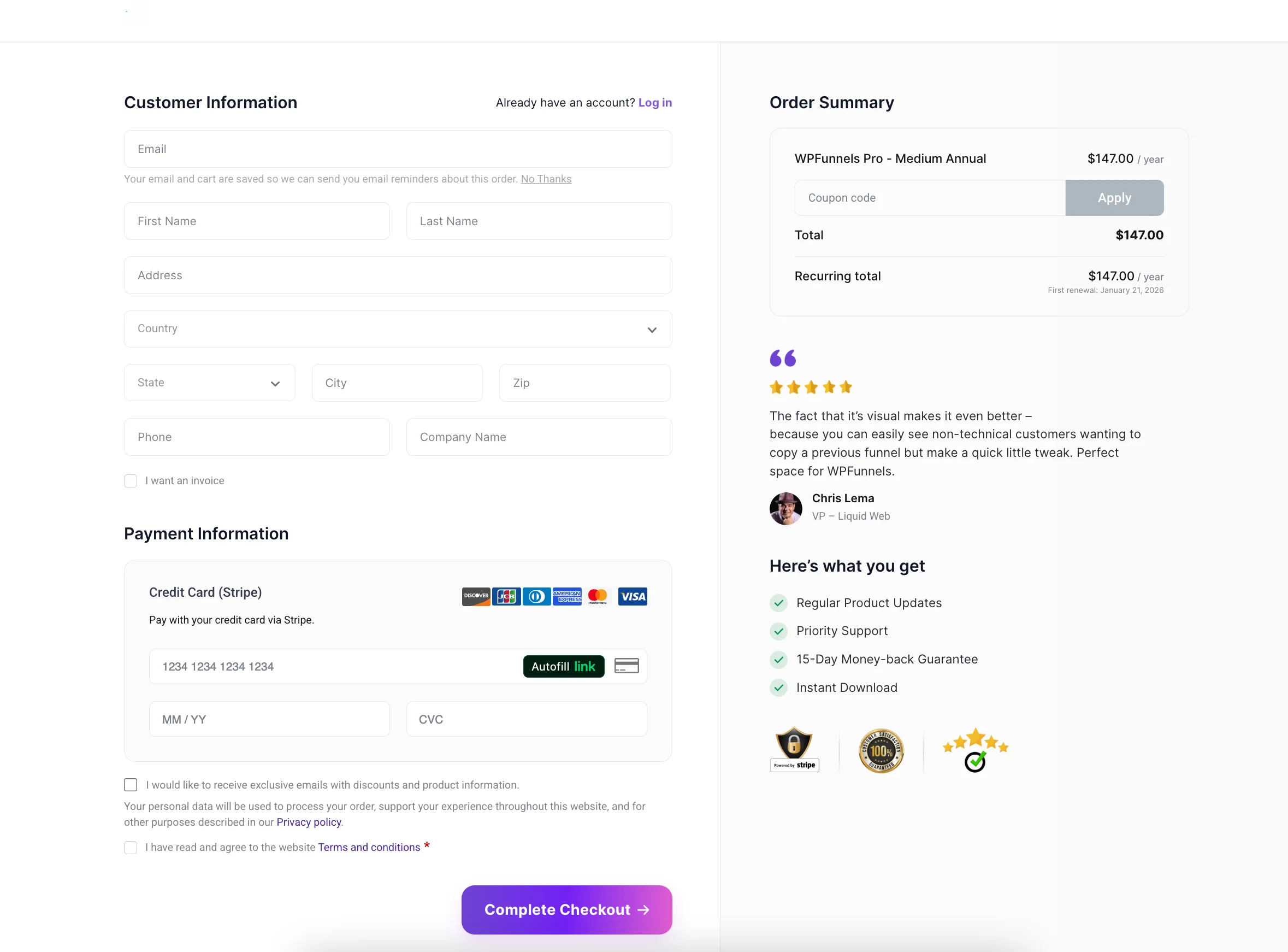
- Display customer reviews on product pages.
- Add user-generated content, like photos or testimonials, on your homepage.
- Highlight statistics, such as “10,000+ happy customers” or “Rated 4.8/5.”
Plugins like TrustPulse or Judge.me can help automate this process. By showing real-world validation, you create a sense of reliability that influences buying decisions.
iii. Utilize Exit-Intent Pop-Ups
Visitors leaving your site don’t have to be a lost cause. Exit-intent pop-ups are a simple way to grab their attention before they go.
- Offer a discount or free shipping to make them reconsider.
- Share lead magnets like an eBook, checklist, or free trial to capture their email address.
- Keep the pop-up design clean and the message short for maximum impact.
You can use tools like OptinMonster or Popup Maker to create effective exit-intent campaigns. These pop-ups are particularly useful for turning hesitant visitors into leads or customers.
By adding these extra strategies, you give your site an edge. Combined with the core methods, they create a more comprehensive approach to improving engagement and conversions.
Conclusion
Reducing cart abandonment doesn’t have to be hard. You just need to pay attention to the small things that your customers notice.
Use smart strategies to make your store easier for your customers. These tips are simple to put into action right away.
Fixing these issues can help your customers complete their purchases. You’ll make the checkout experience smoother and more enjoyable for them.
You can recover lost carts easily with Cart Lift. It lets you send automated emails and offer discounts to boost your sales.
** FAQs **
1. Why did my customer leave after adding items to the cart?
Sometimes your customer abandons a product because of extra fees or confusing checkout steps. You can send a cart abandonment recovery email to remind them to complete their purchase.
2. How can I get customers to complete checkout faster?
Make checkout simple with clear next steps and multiple payment options. You can also use automated emails to improve checkout completion and increase your sales.
3. How do I win back loyal customers who left items in the cart?
Send personalized abandoned cart email copy based on their product preferences. You can use reminder emails to encourage repeat customers to finish their purchase.
4. How can I reduce objections about price or shipping?
Offer free shipping or discounts for high-value carts to make it easier for them to buy. You can also include clear email information about costs so your customers feel confident.
5. How do I track which abandoned carts can be recovered?
Use tools like Cart Lift or FluentCRM to monitor abandoned checkout link clicks. You can check abandoned checkout email reports to see which prospective customers to follow up with.

![Show Your WooCommerce Products on ChatGPT & OpenAI Ads with Product Feed [2026] 2](https://rextheme.com/wp-content/uploads/2026/08/Show-Your-WooCommerce-Products-on-ChatGPT-with-OpenAI-Product-Feed-1-407x213.webp)
Thanks for valuable informations.
You’re welcome.