![Best 5 Panoee Alternatives Software to Create Free Virtual Tours [2026]](https://rextheme.com/wp-content/uploads/2026/08/Best-5-Panoee-Alternatives-Software-to-Create-Free-Virtual-Tour.webp)
You might be exploring Panoee alternatives to find a free virtual tour platform that better fits your needs, or you may already be using Panoee.
you signed up for Panoee, uploaded a few high-resolution 360° tours, and thought you were all set. Then you reached the free 3 GB storage limit, although they are telling you unlimited tours for free.
Your tours were still hosted on a Panoee subdomain, and your clients had to see Panoee branding instead of yours. That’s when “free” starts to feel pretty limited. A virtual tour can help buyers explore your property before they book a showing.
The goal is simple: let serious buyers see your property first, so you spend less time dealing with people who were never interested. So, do you have to stick with Panoee? Not at all.
Several Panoee alternatives can help you create and publish 360° virtual tours. Some are better for beginners, some offer more customization, and some work directly with your WordPress website.
In this guide, I’ll show you five options so you can find the best one that fits your business best.
TL;DR – Panoee Alternatives
- Panoee lets you create unlimited projects for free, but the free plan has 3 GB storage and uses a Panoee subdomain.
- Five Panoee alternatives are WPVR, CloudPano, Kuula, Lapentor, and TeliportMe
- Each tool has a different strength, such as easy setup, lead generation, speed, or hosting control.
- Cloud-based tools are easier to start with, while a self-hosted option gives you more control over your tours.
- Final Verdict: If you are looking for a Panooee alternative, WPVR free gives you more control without depending on a separate virtual tour platform.
Why You Might Be Looking for a Panoee Alternative

Once you start creating more tours, a few practical limitations become easier to notice.
You may want more control over how your tours look, where they are hosted, or how you present them to clients. You may also want to add more properties without constantly checking storage or tour limits.
For real estate agents, the ideal tool should make it easy to:
- Create as many property tours as you need
- Add your own branding
- Embed tours directly on your website
- Keep costs predictable as your listings grow
- Give buyers an easy way to explore each property
That’s where Panoee alternatives become worth considering. The right platform can give you the features you need without paying for extras you may never use.
Where Panoee’s Free Plan Actually You Don’t Care

Panoee is a free virtual tour software, and it is useful when you’re just starting. You can create unlimited projects and use your panoramas without a watermark. The problem starts when your needs grow.
The free plan gives you 3 GB of storage. That may sound like a lot, but high-resolution 360° images can use that space quickly when you’re creating complete property tours.
You also need to look at what happens when you want more:
- More storage
- Your own custom domain
- Premium features
- Better lead capture
- More flexibility for multiple listings
You can pay for individual Premium tours, with pricing that can reach around $7 to $12 per month for three tours. That’s roughly $84 to $144 per year just for those three Premium tours.
Panoee also has higher-priced plans. Around $200 per year can give you more features and 3 GB of storage, while the top plan can reach about $1,188 per year for unlimited Premium tours, 20 GB of storage, and support for 1 to 5 users.
That last option gives you plenty of room to grow, but $1,188 per year is a significant investment for a real estate agent or small agency.
And that’s where Panoee alternatives become interesting.
For example, WPVR also starts with unlimited free tours without a storage limit, and it doesn’t have many confusion just straightforward at $79.99 per year and lets you create virtual tours using your own WordPress website.
Instead of paying for each Premium tour, you can build more tours without increasing your software cost for every new property.
So before choosing Panoee, don’t just look at the free plan. Look at what you’ll pay after you have 10, 20, or 50 property tours. That’s where the real difference between these tools becomes clear.
Same case with Matterport: when you see their pricing is fair enough, but you need extra hardware and more things later. That’s why many people also consider Matterport alternatives.
That’s why I compare the five Panoee alternatives below so that you can choose the best one.
The 5 Best Panoee Alternatives to Create Virtual Tours
There are plenty of virtual tour tools available, but they are not all built for the same type of user. Some are better for real estate agents, some are easier for beginners, and others give you more control over branding and hosting.
Platforms such as WPVR, TeliportMe, Kuula, CloudPano, and Klapty are commonly listed among Panoee alternatives.
In this guide, we’ll focus on five options that are worth considering if you want an affordable way to turn your 360° images into professional property tours.
For each one, we’ll look at what it does well, what it costs, and one thing you should know before choosing it.
No single tool is the best for everyone. The right choice depends on how many tours you create, where you want to host them, and how much control you want over your tours.
1. WPVR
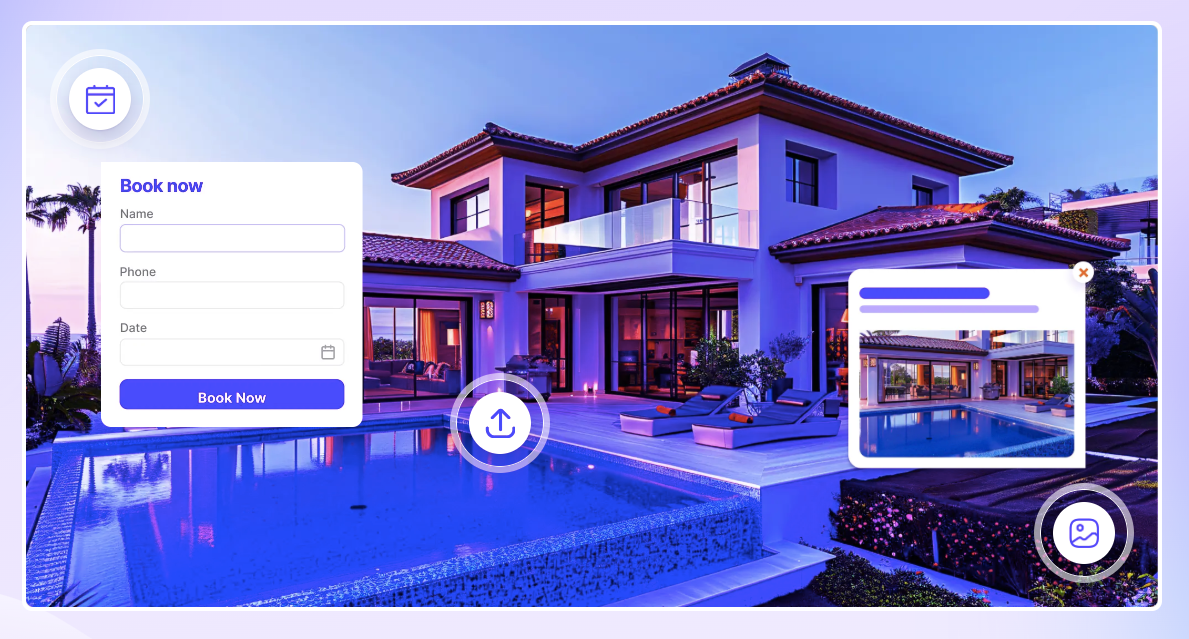
Panoee is easy to start with, but costs can increase when you need more Premium tours or storage. WPVR gives WordPress users a way to create virtual tours without paying for each Premium tour.
The free version lets you create unlimited virtual tours with up to 5 scenes and 5 hotspots per scene. If you need more, WPVR Pro starts at $79.99/year, making it easier to plan your costs.
The main trade-off is that WPVR requires a WordPress website and your own hosting. But if you already use WordPress, it can be a more affordable and flexible alternative to Panoee as your listings grow.
WPVR Free Features
Now I have listed some features for the lifetime free version of WPVR, with unlimited tours and no credit card requirement
- Unlimited 360° panorama virtual tours
- 360° video support
- 5 scenes per tour
- Multiple scenes and hotspots
- Scene hotspots for connecting rooms
- Info hotspots for adding details
- Embed text, images, videos, GIFs, and links
- Auto rotation with speed, direction, pause, and stop controls
- Zoom in/out with mouse, buttons, or keyboard
- Fullscreen virtual tours
- Full width and border radius options
- VR Glass support for video tours
- Gutenberg block support
- Elementor widget support
- Shortcode support
- WebP image support
- Self-hosted, YouTube, and Vimeo 360° videos
- Live preview in the WordPress backend
- Private and password-protected tours
- WordPress user role support
- Multi-site support
- Mobile media resize option
- Tour preview image
- Scene fade animation
- Custom CSS for hotspot styling
- On hover and on click content
- Tour autoload feature
- Plugin version rollback
- Control plugin assets per page
- Mobile visitor notice
- Basic tour control buttons
Pro Features of WPVR
Here are some pro features you can consider if you compare panoee alternatives.
- All Free Features.
- Unlimited 360 Panorama VR (Scenes).
- Unlimited Hotspots.
- Publish Tours anywhere (Embed Add-on).
- WooCommerce Add-on for Hotspots.
- WooCommerce Products – Add To Cart.
- Scene Gallery (Panorama Image Gallery).
- VR Glass/Cardboard support.
- Floor Plan support.
- Explainer Video.
- Background Audio
- Autoplay, Loop, and pause in virtual tours
- Gyroscope Support for Virtual Reality (Mobile Devices).
- VR Glass Support for Video Tours.
- 900+ Premium Icons for Hotspots.
- RGB Color Support for Hotspots.
- Partial Panorama / Mobile Panorama.
- Google Street View Support.
- Cubemap Image Support.
- Import & Export Virtual Tours.
- Custom Zoom Settings for 360 images.
- Background 360 Panorama Viewer.
- Fluent Forms Add-on.
- Company Logo & Description (White-label).
- Duplicate Tours with One Click.
- Control Horizontal & Vertical 360 view.
- Custom Loading Point (Face) for 360 views.
- Scene Title, Author Name & URL.
- On-Screen Compass for 360 Image Viewer Mode.
- Direct Social Media Share.
- Share virtual tours with a QR Code.
- Priority Support.
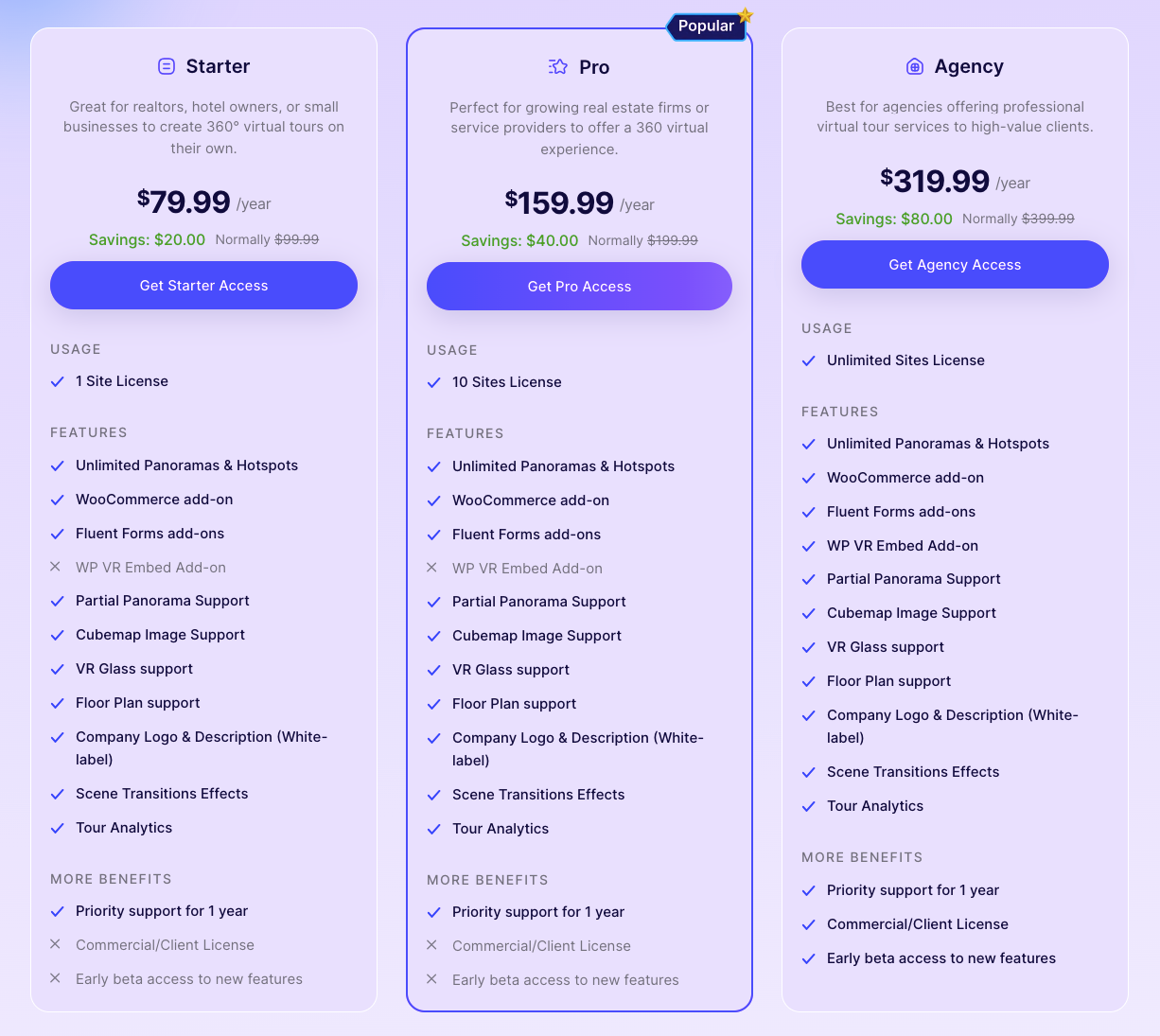
Pricing
- Free: Get it from the WordPress Repository
- Starter: $79.99 per year for 1 site
- Pro: $159.99 per year for 10 sites
- Agency: $319.99 per year for unlimited sites
Panoee vs WPVR – Which One Should You Choose
I have given a comparison so that you can choose the better one.
| Key feature | Panoee | WPVR |
|---|---|---|
| Free plan | Yes | Yes |
| Free tour capacity | Unlimited projects, 3 GB storage (10 to 20 Tours) | Unlimited virtual tours for free |
| Premium tour cost | $84 to $144/year for 3 Premium tours | $79.99 /year for unlimited premium features |
| Paid plan | $200/year | From $79.99/year |
| Storage | 3 GB on Free | Uses your WordPress hosting |
| Hosting | Panoee hosted | Self hosted |
| Custom domain | Subdomain | Your domain |
| WordPress | Embedded | Native WordPress plugin |
| Branding control | More limited on Free | More control comparatively |
| Scalability | Costs can increase with pay per usage | Same Cost for Pro |
| Best for | Quick hosted tours | Overall |
2. CloudPano
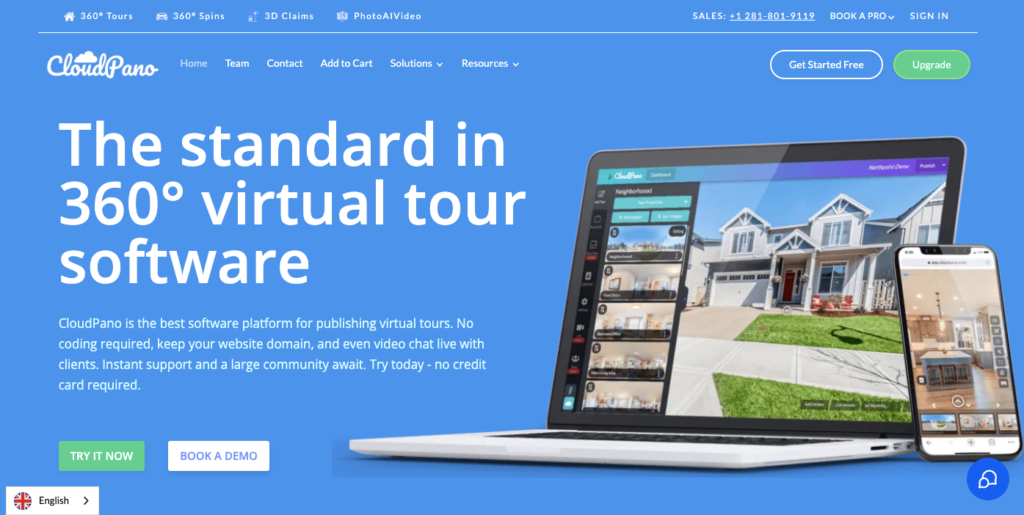
CloudPano is built for agents who want their tour to double as a sales tool, not just a walkthrough. Lead capture forms, live video chat, and Google Street View publishing all come baked into the same dashboard you build the tour in.
For example, you list a downtown condo and embed a “Schedule a Showing” form right inside your tour’s lobby scene. A buyer browsing at midnight can request a viewing without ever leaving your tour, no separate contact page, no lost lead.
That workflow is CloudPano’s real edge over Panoee, which treats lead capture more as a bolt-on than a built-in feature. The catch is knowing exactly where the free tier ends before you rely on it for a live listing.
Key Features:
- In-tour lead capture forms
- Live 360° video chat with prospective buyers
- One-click publishing to Google Street View
- Branded hotspots and clickable info panels
Pricing:
- Free: You can start it free with limited features.
- Pro Plus: $49 / month and $396 / yearly

Why Choose CloudPano as a Panoee Alternative
CloudPano is a strong Panoee alternative if your main goal is to turn virtual tour visitors into leads. Its built-in lead capture tools make it easier to collect inquiries directly from the tour.
For example, you can add a showing request form so visitors can contact you while exploring the property. This keeps the buyer engaged instead of sending them to another page.
The main tradeoff is the free plan, which has limitations on tour duration and advanced features. So, CloudPano is better suited to you if lead generation matters more than long-term free hosting.
3. Kuula
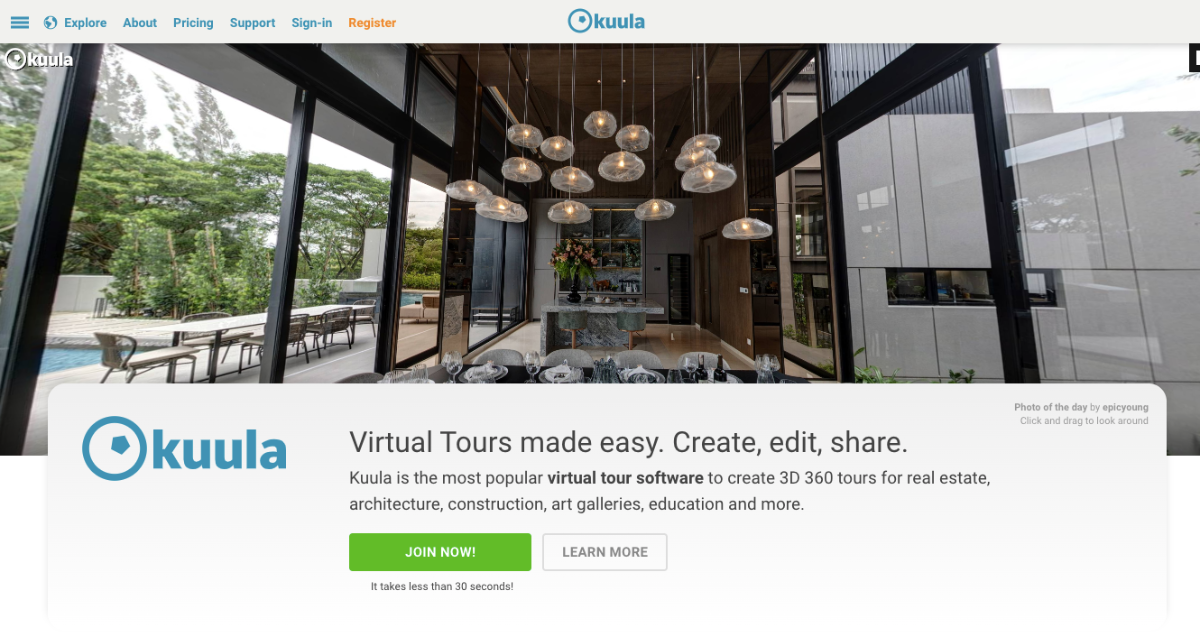
Kuula is a browser-based virtual tour editor focused on keeping the process simple. You can upload your 360° images, connect scenes, add hotspots, and publish your tour without a complicated setup.
For example, you can upload panoramas from a property, connect each room, and embed the finished tour on your website the same day. Its drag-and-drop editor makes it easy to build a tour even if you have little technical experience.
That simplicity is Kuula’s biggest advantage over Panoee, especially when you want to create and publish tours quickly. The free plan also has no expiration, although advanced branding, analytics, and other features require a paid plan.
Key Features:
- Drag and drop virtual tour editor
- 360° panorama and VR viewing
- Custom hotspots and labels
- Background audio
- Website embedding
- Mobile and VR headset support
Pricing:
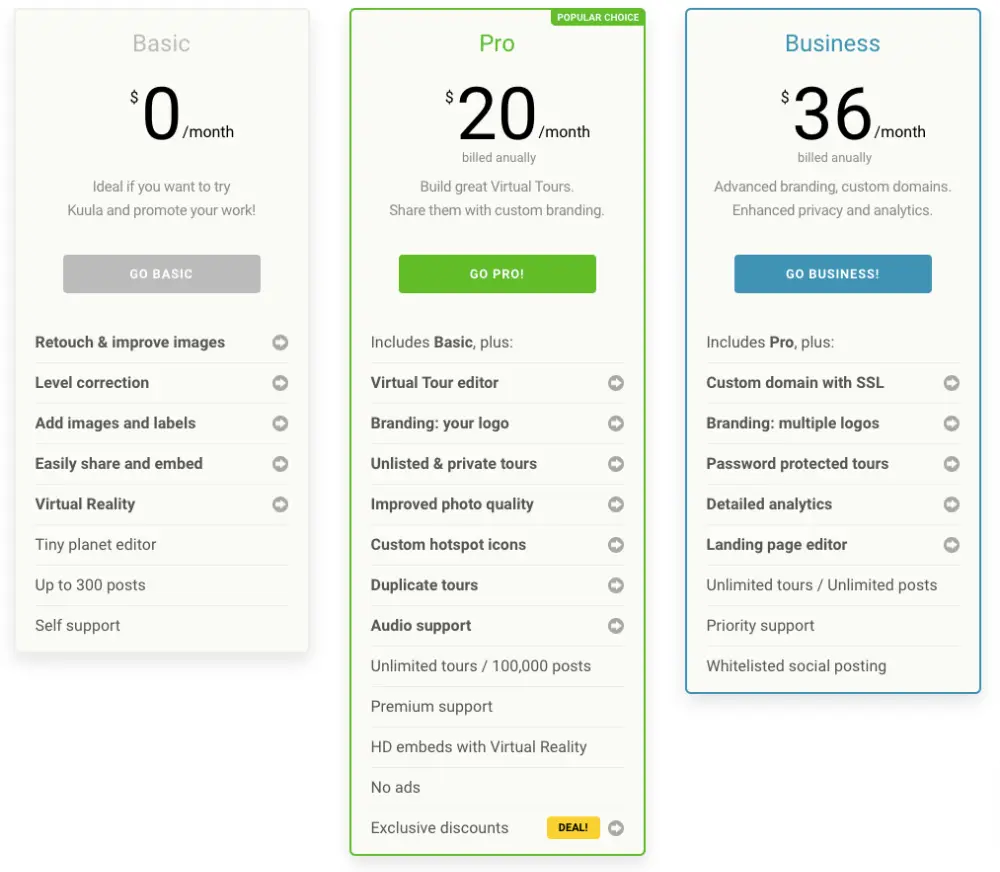
- Free (Basic): Up to 100 uploads/month and 300 posts, with no expiration
- Pro: $20 per month when billed annually
- Business: $36 per month when billed annually
Why Choose Kuula as a Panoee Alternative
Kuula is a good Panoee alternative if you want a simple and quick way to create virtual tours. Its clean editor makes it easier to upload your panoramas, connect scenes, and publish without spending much time on setup.
For example, you can take 360° photos of a property, connect the rooms in Kuula, and embed the tour on your website with just a few steps. This makes it especially useful for agents who want to publish tours quickly.
The free plan also gives you no-expiration publishing, which is useful for keeping property tours online longer. However, you will need a paid plan for more advanced branding, analytics, and customization.
4. Lapentor
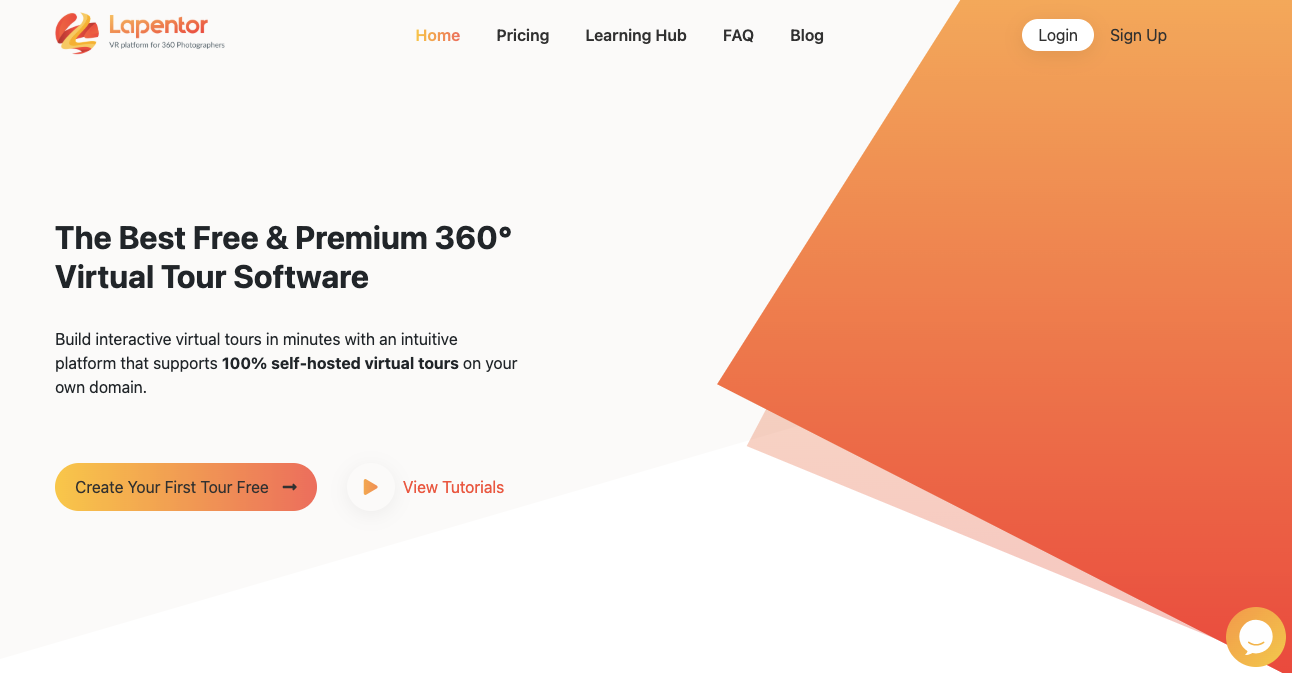
Lapentor focuses on delivering smooth, high-quality virtual tours with multi-resolution panorama support. It automatically loads the right image quality based on the visitor’s device and connection.
For example, you can publish a few property tours on the free plan and see how visitors interact with them before paying for a platform. This makes Lapentor useful for testing virtual tours without a long-term commitment.
That simple approach is Lapentor’s main advantage over Panoee when you only have a few active listings. The trade-off is that the free plan supports up to 3 active projects, so you need to upgrade or remove a project as you grow.
Key Features:
- Multi-resolution panorama loading
- 8 hotspot types
- 21+ plugins
- Floor plans and interactive maps
- Self-hosting support on paid plans
Pricing:
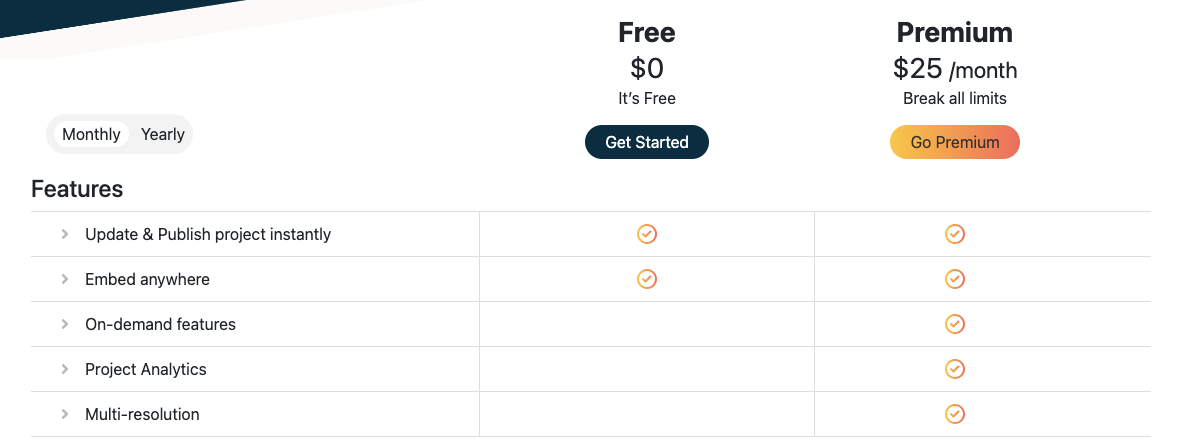
- Free: You can start this for free
- Premium: Starts at around $25/month
Why Choose Lapentor as a Panoee Alternative
Lapentor is a good Panoee alternative if you only need to manage a few active virtual tour projects. Its free plan lets you test the platform without requiring a credit card or long-term commitment.
For example, you can create tours for three active property listings and track how visitors respond before deciding whether to upgrade. This gives you a simple way to test whether virtual tours are actually generating interest.
The main limitation is the project cap, so Lapentor works better for a small number of active listings than a large tour library. If you regularly add new properties, you may need to upgrade sooner.
05. TeliportMe

TeliportMe focuses on making virtual tour creation fast and simple. You can upload panoramas, arrange scenes, add hotspots, and publish without dealing with a complicated setup.
The platform is useful when you need a working tour quickly rather than spending time on advanced customization. It also supports floor plans, maps, media embeds, and integrations with popular marketing tools.
That simplicity is TeliportMe’s main advantage over Panoee when speed matters more than having a long list of advanced features. The trade off is fewer built in tools for lead generation and deeper branding.
Key Features:
- Fast panorama upload and publishing
- Interactive hotspots with media embeds
- Floor plans and maps
- WordPress integration
- Mailchimp, Salesforce, and Zapier integrations
Pricing:
- Free: Limited tours and storage
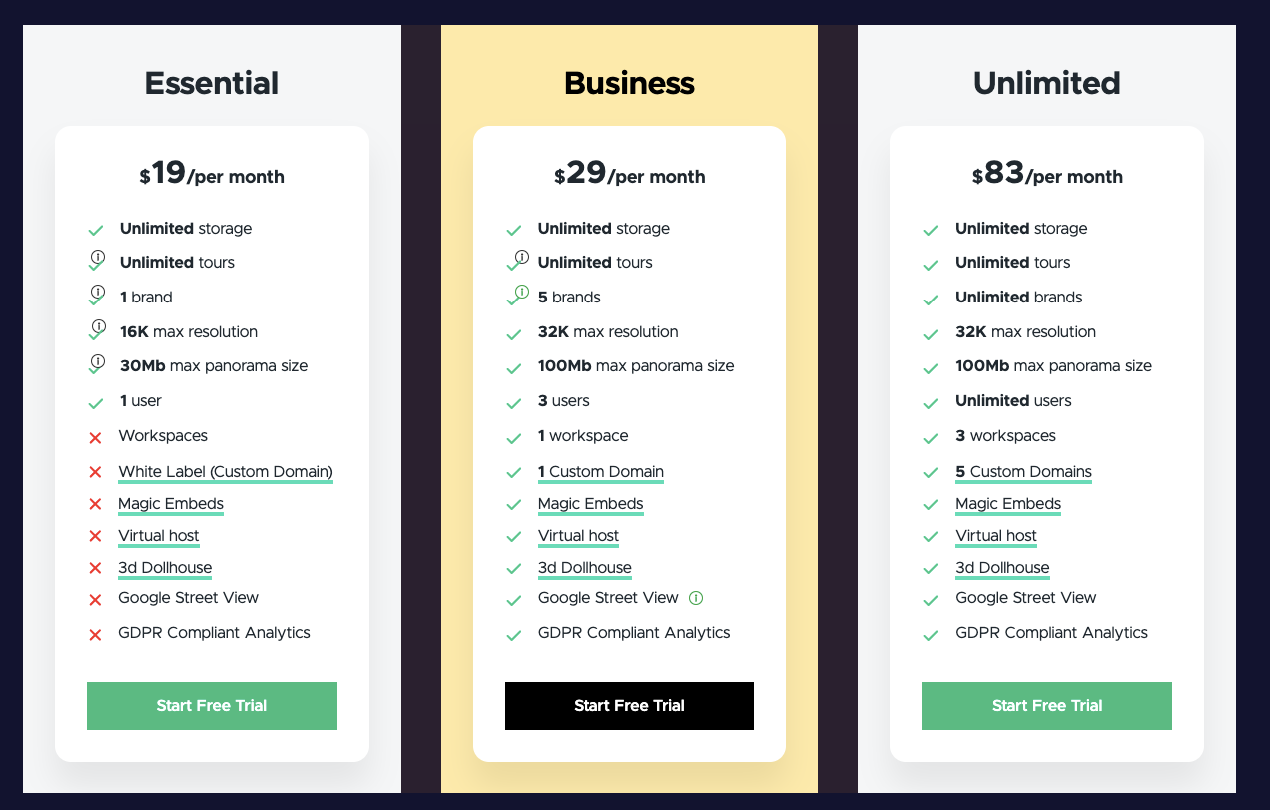
- Essential: $19 per month(billed annually)
- Business: $29 per month (billed annually)
- Agency: $83 per month (billed annually)
Why Choose TeliportMe as a Panoee Alternative
TeliportMe is a good Panoee alternative if your priority is speed and simplicity. Its straightforward workflow helps you create and publish a tour without spending too much time learning the platform.
It also gives you useful features such as hotspots, floor plans, maps, and marketing integrations. This makes it practical for agents who want the essential tools without unnecessary complexity.
TeliportMe offers fewer advanced features than some competitors. It is best suited to you if getting a tour online quickly matters more than advanced customization or lead generation tools.
What Actually Matters When You Compare These Tools
Choosing a Panoee alternative doesn’t have to be complicated. Focus on the things that actually matter when you’re creating tours for your listings:
- Hosting and ownership: Is the tour hosted by the platform, or can you host it on your own website?
- Features: Can you add hotspots, floor plans, navigation, and other interactive elements?
- Ease of use: How quickly can you create and publish a tour?
- Storage and limits: How many tours can you create before you need to upgrade?
- Pricing: Does the cost stay reasonable as your number of properties grows?
You also need the right equipment to create the tour. You can use a 360° camera, or a smartphone or iPhone with an app that can capture 360° images.
Once you have the 360° images, the software does the rest. Free or affordable virtual tour software can turn those images into an interactive tour that you can share with buyers or add to your website.
So, the camera captures the property. The software turns those images into the virtual tour.
Conclusion
Panoee is easy to start with, but its limits become more noticeable as you create more property tours. Storage, Premium tour costs, branding, and higher plans can become a problem as your business grows.
That’s why it’s worth comparing alternatives before you commit. Look at how much you’ll pay for 10, 20, or more tours, not just the free plan.
WPVR is a strong Panoee alternative software. You can create unlimited virtual tours directly on your own website without paying for every Premium tour.
** FAQs **
01. How do I find a truly free virtual tour software for my real estate listings?
You can start without paying for most of these tools. WPVR, Kuula, Lapentor, and TeliportMe offer free options, while CloudPano offers a free trial. Each has some limits, so check storage, projects, and features before choosing.
02. What camera do I need to shoot a 360° virtual tour for my house?
You can use a smartphone with an app that creates 360° images. For better results, you can use a 360° camera such as Insta360 or Ricoh Theta. Once you have the images, upload them to your virtual tour software.
03. Why should I choose a self-hosted tool like WPVR over Kuula or CloudPano?
With WPVR, your tours are hosted on your own WordPress website. You have more control over your tours and don’t have to depend on another platform for hosting. If you already use WordPress, this can be a major advantage.
04. Can I add a floor plan to my property’s virtual tour?
Yes. Several virtual tour tools support floor plans. You can use a floor plan to help buyers understand the layout of the property and move between different rooms or scenes.
05. What happens to my tours if I switch away from Panoee?
You will usually need to create the tours again in your new software. However, you don’t need to reshoot the property if you still have your original 360° images. Simply upload those images to your new virtual tour tool and rebuild the tour.