![How To Get More Real Estate Inquiries Using Virtual Tours [2026]](https://rextheme.com/wp-content/uploads/2026/02/Real-Estate-Inquiries-Using-Virtual-Feature.webp)
Getting more real estate inquiries is usually the main goal when you market a property online.
You are not just trying to attract visitors; you want someone to actually take the next step, maybe they send a message about the property, book a viewing, make a call, or fill out a contact form.
The reality is that people don’t usually inquire the moment they see a listing. Real estate decisions involve risk, so buyers and renters tend to spend time exploring before they feel confident enough to reach out.
From what I have seen in real estate marketing, virtual tours help bridge that gap. They give prospects a way to walk through a property remotely, check the details that matter to them, and slowly build trust with the listing.
In this guide, I will share practical ways you can use virtual tours to generate more real estate inquiries. The focus is on strategies you can actually apply, not just theory.
Let’s start exploring.
TL;DR: Get More Real Estate Inquiries Using Virtual Tours
If you want more real estate inquiries, you can’t treat virtual tours like simple photo galleries. You need to treat them as a core part of your real estate marketing strategy.
Here’s what actually moves the needle:
- Place clear inquiry CTAs inside the virtual tour experience
- Add interactive hotspots that encourage engagement
- Embed lead capture forms directly in or after the tour
- Optimize for mobile and fast loading speed
- Trigger CTAs based on visitor behavior
- Highlight key property features early
- Track visitor actions to improve conversion over time
When you design your virtual tours with conversion in mind, you don’t just get views. You generate more qualified real estate leads and steady real estate inquiries from people who are already interested in the property.
What does “Real Estate Inquiries” Mean Actually?
When you are trying to get more real estate inquiries, you first need to know what actually counts as an inquiry in virtual tour marketing.
In simple terms, a real estate inquiry is any action that shows someone is seriously interested in the property you are showing. You are not just tracking visitors or tour views. You are tracking behavior that suggests someone is thinking about buying or renting.
So in practice, you are looking for real conversion signals, such as:
- Filling out a contact or property interest form
- Booking a property viewing or consultation
- Clicking to call or sending a direct message
- Asking questions through chat or messaging tools inside the tour page
You may notice something interesting in real marketing situations.
When a visitor spends more time inside a virtual tour, they usually start feeling familiar with the property. They have checked the rooms, visualized the layout, and cleared some of the uncertainty without talking to an agent yet.
That is why virtual tours act as a pre-qualification layer for you. They filter out casual browsers and keep the visitors who are more likely to reach out. Instead of chasing every visitor, you are naturally attracting people who are closer to making a decision.
Why Should You Use Virtual Tours to Increase Real Estate Inquiries
Virtual tours work well because they match how people actually behave when they search for properties online. When someone is interested in a home or commercial space, they usually want to feel some level of confidence before they contact you.
Think about how buyers make decisions. They first check whether the property looks suitable, then try to imagine living or working there, and only after that do they reach out. Virtual tours fit directly into that decision process because they give visitors a closer experience than photos alone.
Here are more reasons why virtual tour increases real estate inquiries-
- Virtual tours increase property trust before physical visits When you show the full property experience, visitors feel that you are being transparent. Trust usually grows because they can check the space themselves instead of relying only on descriptions.
- They reduce hesitation caused by uncertainty about space, lighting, or layout Photos often miss perspective. Visitors may wonder whether a room is actually big enough or how the lighting looks in real life. A virtual tour answers those doubts early.
- They keep high-intent visitors engaged longer Someone who is seriously interested tends to spend more time exploring the tour. Longer engagement usually means stronger buying or renting intent, which increases the chance of inquiry actions.
- They attract remote buyers who cannot visit physically You will often see interest from people who are relocating, traveling, or searching from another city or country. Virtual tours allow them to evaluate properties without being there in person.
- They help properties stand out in competitive listings Many listings still rely only on images and text. When you add a virtual tour, you give visitors something more interactive, and that difference alone can bring more inquiries.
Traditional listing photos are useful, but they sometimes fail to build emotional confidence. A property might look good in pictures, yet visitors still worry about how it actually feels inside.
That is why virtual tours often trigger more real estate inquiry actions.
How Virtual Tours Drive More Real Estate Inquiries (Core Strategy Section)
Up to this point, you have seen why virtual tours help attract interest. Now comes the most important part—how you actually turn that interest into real estate inquiries.
From real marketing experience, virtual tours work best when you treat them as conversion assets, not just property showcases.
So, here’s how you do it.
1. Place Inquiry CTAs Inside the Virtual Tour Experience
Your CTA should not only sit below the tour page. You need to make sure it appears at moments when visitors are already interested.
Timing matters because people are more likely to inquire when the property is fresh in their mind.
You can place inquiry CTAs in several practical spots inside the tour experience:
- After showing the living room or the main property highlight
- When the visitor finishes one full tour cycle
- As a floating button while they navigate through the tour
- At exit intent moments, when they are about to leave
The CTA message should also match the visitor’s context.
Simple CTA text ideas that work well include:
- “Book a Private Viewing”
- “Talk to an Agent About This Property”
- “Ask a Question About This Home”
You can easily set up these inquiry triggers inside your tour experiences using WPVR without writing code.
2. Add Interactive Hotspots That Invite Questions
Hotspots help you guide attention inside the tour instead of forcing visitors to read long property descriptions.
Instead of overwhelming visitors with information, you let them discover details naturally as they explore the space.
You can apply this by adding hotspots on important property features.
Bijvoorbeeld:
- Mark premium kitchen appliances
- Highlight balcony views or outdoor spaces
- Label neighborhood attractions visible from the property
Each hotspot can carry a small inquiry prompt like, “Want more details about this area?”
This works because curiosity-driven interaction often keeps visitors inside the tour longer and increases the chance that they will reach out later.
3. Use Lead Capture Forms Inside or After Virtual Tours
Now that you are guiding visitors with CTAs and hotspots, the next step is collecting contact information at the right time.
You should avoid asking for details too early. If you show a form the moment someone opens the tour, many visitors may leave before exploring the property.
A better approach is to let them explore first.
From practical marketing experience, a good structure is to let visitors view about 60–70% of the tour before showing a form. At that point, they have usually checked the spaces that matter to them and are closer to deciding whether they want to reach out.
Keep the form simple. Real estate visitors usually prefer quick communication instead of long forms.
You can use only three or four fields, such as:
- Name
- Email or phone number
- Property interest type
- Preferred visit schedule
That’s it!
Shorter forms usually perform better because they reduce friction. When someone feels the process will not take much time, they are more willing to send their information.
This setup also helps you follow up faster. Once you have the contact details, you can respond quickly with property information or appointment options, which keeps the conversation warm.
4. Create Property Storytelling Through Tour Navigation
After setting up forms, CTAs, and hotspots, you can increase inquiry chances by thinking about how visitors move through the tour.
Modern buyers are not just looking at pictures. They want to understand how the property feels and fits their needs.
One way to do this is by arranging the tour scenes like a story.
You can start with a neighborhood overview so visitors understand the location first. Then move to the exterior view of the property. After that, show the main living spaces where people usually spend most of their time. Finally, highlight the high-value areas such as the master bedroom, balcony, or premium workspace.
When you organize the tour this way, visitors stay longer because each scene naturally leads to the next one. Longer exploration usually increases the chance that someone will feel comfortable enough to send an inquiry.
5. Optimize Virtual Tour Loading Speed and Mobile Experience
After structuring the tour experience, you should also pay attention to how fast and smoothly the tour actually runs.
If your virtual tour loads slowly, you are likely losing inquiry opportunities before visitors even start exploring. Many people search for properties using mobile devices, so performance matters more than you may think.
You can improve your tour performance by following a few practical steps.
- Start by compressing panoramic images without losing visual quality. Large image files are one of the main reasons tours load slowly.
- Use responsive tour layouts so the experience looks good on phones, tablets, and desktop screens. Visitors should not need to zoom or scroll awkwardly just to explore a room.
- Avoid adding too many heavy scripts or unnecessary third-party elements inside the tour page. Extra scripts increase loading time and can hurt navigation smoothness.
- Also test the tour experience on different screen sizes. Check how the navigation feels on a small phone screen because that is where a large portion of property searches happen.
When the tour runs smoothly, visitors are less likely to leave early. Lower drop-off rates usually mean more people stay long enough to consider making an inquiry.
6. Add Call-To-Action Triggers Based on User Behavior
You can also increase real estate inquiries by placing CTAs based on how visitors behave inside the tour rather than showing them randomly.
Behavior-based marketing works because you are showing the CTA when interest is already growing.
For example, you can show an inquiry CTA after a visitor spends about 2–3 minutes inside the tour. By that time, they have likely checked several property areas.
You can also trigger a contact pop-up if someone revisits the tour page. Returning visitors usually show stronger interest compared to first-time visitors.
Another option is displaying a booking or inquiry option after someone finishes the full tour walkthrough.
From practical marketing results, behavior-triggered CTAs usually convert better than static banners because the message appears when the visitor is mentally closer to taking action.
Advanced Tips to Increase Real Estate Inquiries Using Virtual Tours
Once you have the core tour conversion structure in place, you can push inquiry growth further by adding a few advanced marketing touches.
These are small strategic moves that experienced real estate marketers often use when they want more real estate leads from the same tour traffic.
i. Add neighborhood information inside tours
People don’t only buy properties; they also care about the surrounding area. When you include nearby schools, transport options, shopping zones, or community highlights inside the tour, visitors feel more confident about reaching out.
ii. Integrate chat support inside the tour page
A simple chat option gives visitors a way to ask quick questions while they are exploring. Some prospects prefer typing a short question instead of filling out a form immediately, and this can increase inquiry chances.
iii. Promote virtual tours through social media and paid ads
When you share tour links on platforms where property seekers spend time, you bring more high-intent visitors to the experience. Targeted ads work well when you are trying to attract people who are already looking for similar properties.
iv. Use analytics to track visitor behavior inside tours
Watch how long people stay, which rooms they view most, and where they leave the tour. These signals help you improve CTA placement and property presentation over time.
v. Showcase high-demand property features early in the tour
If your property has something that usually attracts attention, such as a great view, a modern kitchen, or a spacious balcony, show it within the first part of the tour. Early interest often keeps visitors exploring longer.
vi. Offer virtual appointment scheduling
Let visitors book a time to talk or view the property after they finish exploring the tour. When the booking option is easy to find, interested visitors are more likely to take the next step and make an inquiry.
How to Implement This Using WPVR
All the ideas you have seen so far are easier to apply when you are using the right tool.
You do not need complicated coding or a long technical setup to turn virtual tours into a source of real estate inquiries. What you need is a system that lets you add interaction and conversion elements inside the tour experience.
The WPVR – WordPress Virtual Tour Plugin is designed to help you build inquiry-focused virtual tours while keeping the process simple and practical.
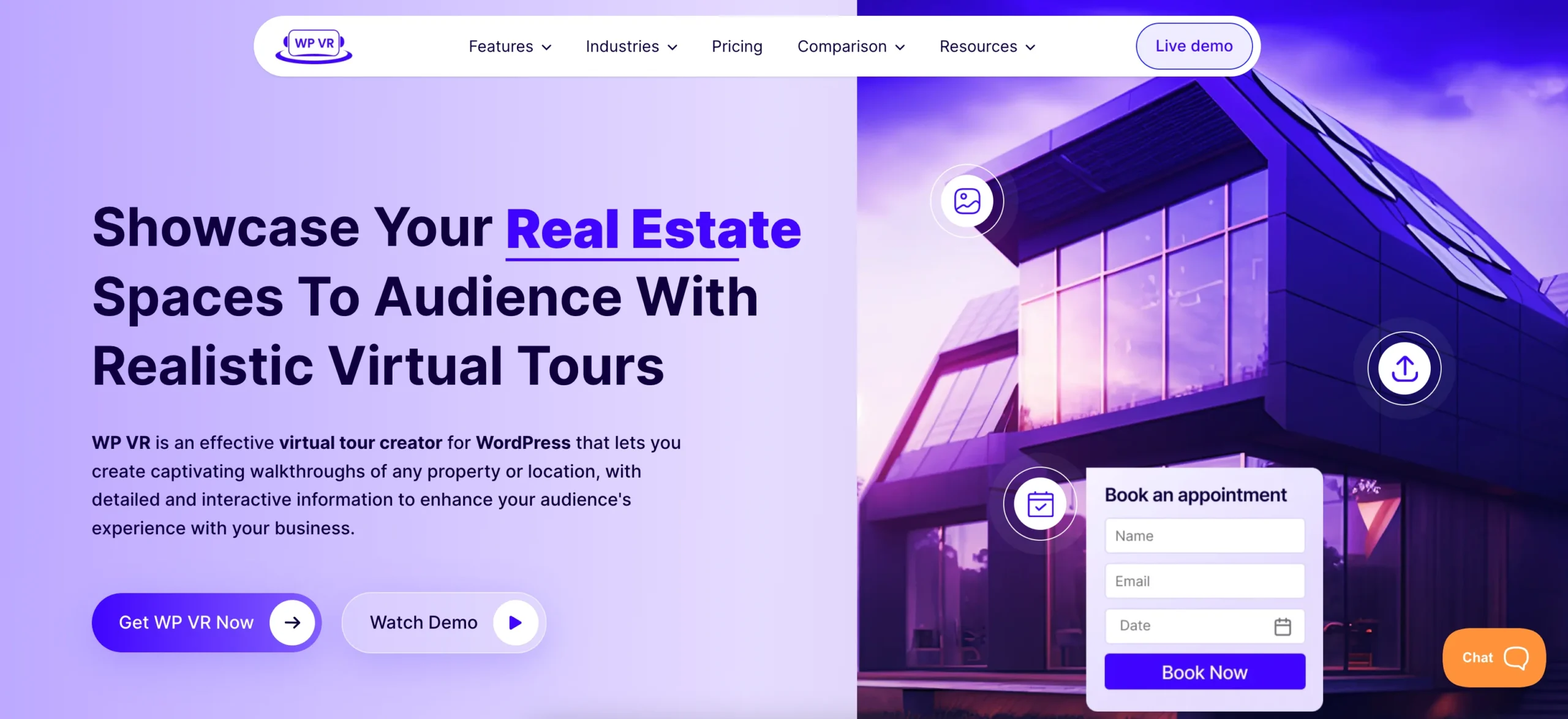
Here is what you can do using it.
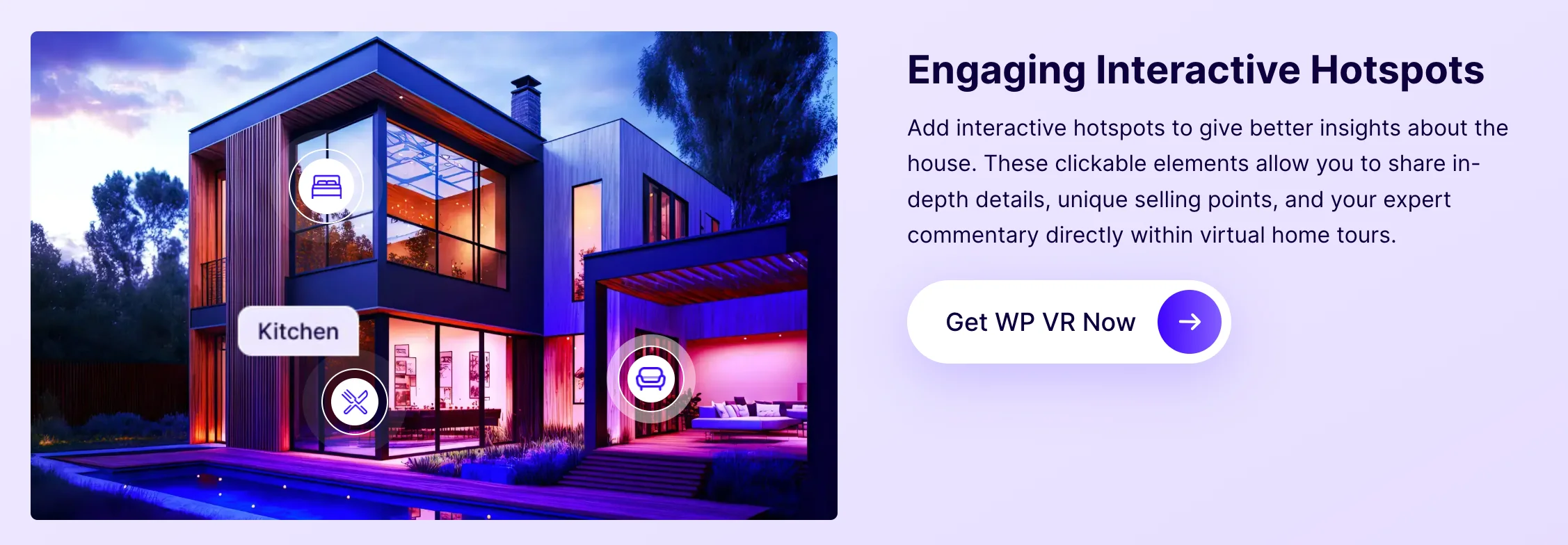
i. Add hotspot-based interaction inside tours
You can highlight important property areas such as kitchen spaces, balcony views, or neighborhood spots. When visitors click hotspots, they learn more and stay engaged longer, which increases inquiry potential.
ii. Embed CTAs directly inside the virtual tour
Instead of placing action buttons only on the page, you can show them inside the tour experience. You can use simple conversion messages like “Book a Private Viewing” or “Ask About This Property,” where visitor interest is already high.
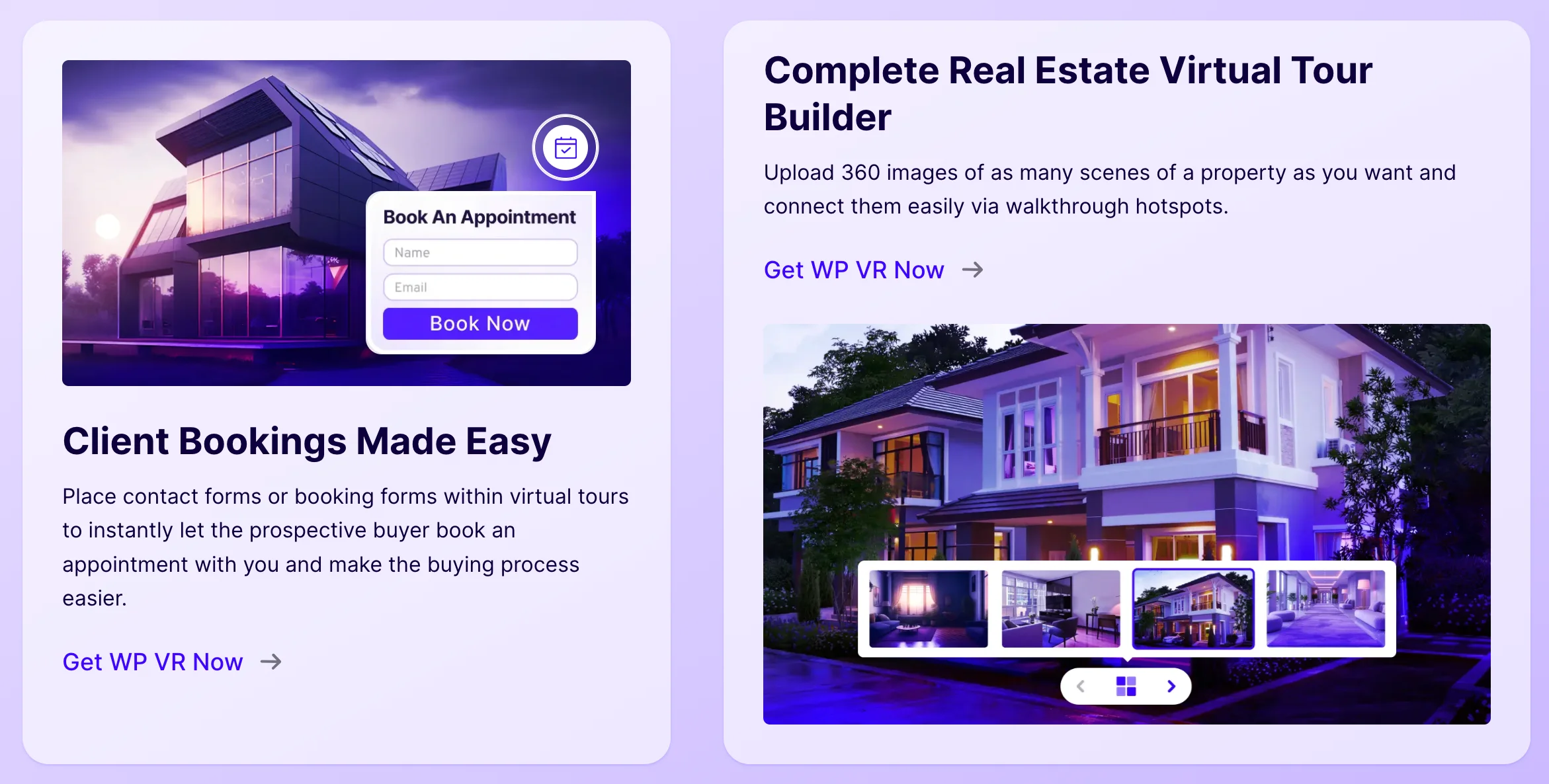
iii. Integrate lead capture forms
You can collect contact details without sending visitors to another page. This keeps the inquiry process smooth. Short forms usually work better because real estate prospects prefer quick communication.
iv. Ensure mobile-friendly tour rendering
Since many property searches happen on mobile devices, the tour should automatically adjust to different screen sizes. A smoother mobile experience helps reduce visitor drop-off.
v. Build property storytelling inside the tour
You can arrange tour scenes in a logical flow so visitors move from general property views to more valuable areas. When the navigation feels natural, visitors tend to explore longer and are more likely to reach out.
Common Mistakes That Reduce Real Estate Inquiries From Virtual Tours
Even when you are using virtual tours, you may not get more real estate inquiries if the tour is not built with conversion behavior in mind. Many marketers make small but costly mistakes that reduce visitor response.
Here are the mistakes you should avoid.
- Using virtual tours only as image galleries– If your tour just shows property images without interaction, visitors may treat it like a photo slideshow. That usually does not push them toward sending an inquiry.
- Adding too many form fields– Long forms can discourage visitors from contacting you. Real estate buyers prefer quick communication. When you ask for too much information, some interested prospects may leave instead of completing the form.
- Hiding inquiry options inside the website footer– If people cannot easily find where to contact you, they may leave the page without taking action. Inquiry buttons should appear during the tour experience, not only at the bottom of the page.
- Ignoring mobile usability– Many property searches happen on phones. If navigation is hard or tour elements do not fit the screen properly, visitors will leave early, which reduces inquiry chances.
- Not guiding visitor attention toward CTA– Visitors should naturally notice the inquiry option while exploring the property. If CTAs are placed randomly, people may finish the tour without knowing how to reach you.
- Using generic property descriptions– Descriptions like “beautiful house with good location” do not help visitors imagine the property. When information is too basic, it becomes harder to build enough interest to trigger an inquiry.
Start Turning Visitors Into Inquiries Today
Virtual tours work best when you treat them as a marketing asset that helps you grow real estate inquiries, not just a way to display property photos. When the experience is designed to guide attention and build confidence, visitors are more likely to reach out through calls, messages, or inquiry forms.
Focus on making small but meaningful improvements—place CTAs where visitor interest is highest, keep contact forms simple, and add interactive elements that help people explore the property naturally. When the tour feels helpful and easy to navigate, you are more likely to see real inquiry signals from your visitors.
If you are ready to start building inquiry-driven virtual tours for your listings, you can begin using the WPVR – WordPress Virtual Tour Plugin.
FAQs
How to increase reach for real estate?
To increase reach for real estate, you need consistent real estate marketing across search engines, social media, and property listing platforms. When you combine content, paid ads, and virtual tours, you attract more visibility and generate more real estate inquiries.
How to get more clients as a real estate agent?
To get more clients as a real estate agent, focus on building trust and capturing real estate leads through optimized landing pages and virtual tours. The easier you make it for prospects to send a real estate inquiry, the faster your pipeline grows.
Do estate agents do virtual viewings?
Yes, estate agents do virtual viewings to help buyers explore properties remotely before booking physical visits. Virtual tours often increase real estate inquiries because buyers feel more confident after viewing the property online.
How to promote yourself as a real estate agent?
You can promote yourself as a real estate agent by creating educational content, running targeted ads, and showcasing listings through strong real estate marketing strategies. When you position yourself as helpful and visible, you attract more real estate leads and consistent real estate inquiries.
What is the best virtual tour platform?
The best virtual tour platform is one that helps you turn visitors into real estate leads instead of just showing images. A platform that supports interactive design, CTA placement, and form integration will increase real estate inquiry opportunities more effectively.