![Selling on Multiple Platforms Doesn’t Get Messy Once You Do This [2026]](https://rextheme.com/wp-content/uploads/2026/05/Selling-on-Multiple-Platforms-Feels-Messy-—-Until-You-Do-This.webp)
Most WooCommerce store owners assume that selling on multiple platforms gets messy as soon as they expand.
And that feels true at first.
Because once you’re on Google Shopping, Facebook, and other marketplaces, you’re dealing with different formats, rules, and product requirements together.
But the real issue isn’t multi-channel selling. It’s how it’s managed.
When feeds are handled separately for each platform, updates get repetitive and consistency becomes harder to maintain.
When everything runs through one structured system, multi-platform selling becomes much simpler.
Today, marketplaces account for 67% of global e-commerce sales, a jump from 40% only a decade ago—and they’re still growing.
So expansion is already happening.
The real difference comes down to whether it’s fragmented or centralized.
In this guide, you’ll see why it only feels messy when handled separately, and what changes with a centralized feed approach.
TL;DR
- Selling on multiple platforms feels messy only when each marketplace is managed separately
- The real issue is not multi-platform selling, it’s fragmented product data handling
- WooCommerce should act as the single source of product data for all channels
- Marketplace-specific feeds, formats, and updates create repetition when done manually
- Centralized feed management removes duplicate work across platforms
- One setup lets you distribute, map, validate, and sync products across multiple marketplaces
Marketplaces Are Growing Faster Than Traditional eCommerce — What That Actually Means
There’s a clear reason multi-platform selling keeps becoming more relevant.
Marketplaces are growing at nearly 4x the rate of traditional eCommerce.
To understand what that actually means, let’s simplify it.
If traditional eCommerce grows around 10% annually, marketplace-driven sales in most categories are growing closer to 35–40% in the same period.
That gap changes buyer behavior over time.
- More product discovery starts on marketplaces
- More comparison happens outside individual stores
- More purchase decisions happen where listings already exist
So even if your WooCommerce store is growing steadily, a larger share of demand is shifting toward marketplaces.
And that’s the real impact of this growth rate difference — it changes where buyers naturally spend time and complete purchases.
Most Store Owners Already Expect Multi-Platform Selling to Be Messy
You already expect multi-platform selling to get messy once you expand.
And that expectation usually comes from what you deal with every time you try it:
- Each marketplace follows its own listing rules
- Product details don’t stay in one format across platforms
- The same update has to be applied more than once
So in practice, you start handling each platform like a separate job instead of one system.
And without even noticing, that becomes your reference point for how multi-channel selling works.
But that conclusion is a bit misleading.
Because what you’re really reacting to isn’t the number of platforms.
It’s the fact that each one is being managed independently, without a shared structure behind it.
And that’s where the real friction starts to show up.
The Real Mess Starts When You Manage Each Platform Separately
Let’s say you’ve already decided to sell your product on multiple platforms.
You upload it to your WooCommerce store first. Then you move it to Google Shopping. Then Facebook Marketplace. Maybe even a few other marketplaces, depending on your setup.
At first, it feels like a normal process.
But then something small changes in your store. Maybe the price updates. Maybe stock changes. Or you adjust a product detail.
Now you don’t just update it once.
You go back to each platform and repeat the same change again.
So your workflow starts to look like this:
- Update product in WooCommerce
- Go to Google Shopping and adjust it again
- Then repeat the same change on Facebook or other marketplaces
And this is where it slowly starts to feel heavy.
Not because selling on multiple platforms is wrong.
But because each platform is being handled separately, instead of being connected to one system.
Now imagine this over time.
One product becomes ten products. Ten becomes fifty.
Every small change in your store turns into multiple rounds of updates across different places.
And naturally, small gaps start to appear.
One platform shows the updated price. Another still shows the old one. Product details stop matching perfectly everywhere.
That’s usually the point where most store owners assume multi-platform selling is the problem.
But it’s not.
The problem starts earlier — when every platform is managed like an isolated channel instead of part of one connected flow.
Once you see that clearly, the direction becomes obvious.
You don’t need to work harder on each platform. You need one system that keeps everything aligned from the start.
Selling on Multiple Platforms Becomes Simple When You Change the System
At this point, you already see what’s actually creating the mess — it’s not the platforms themselves, it’s how you’re managing them separately.
So the shift is simple.
Instead of handling Google Shopping here, Facebook there, and everything separately, you start with one simple change.
You bring everything back to one place — your WooCommerce store.
This is where Product Feed Manager for WooCommerce comes in.
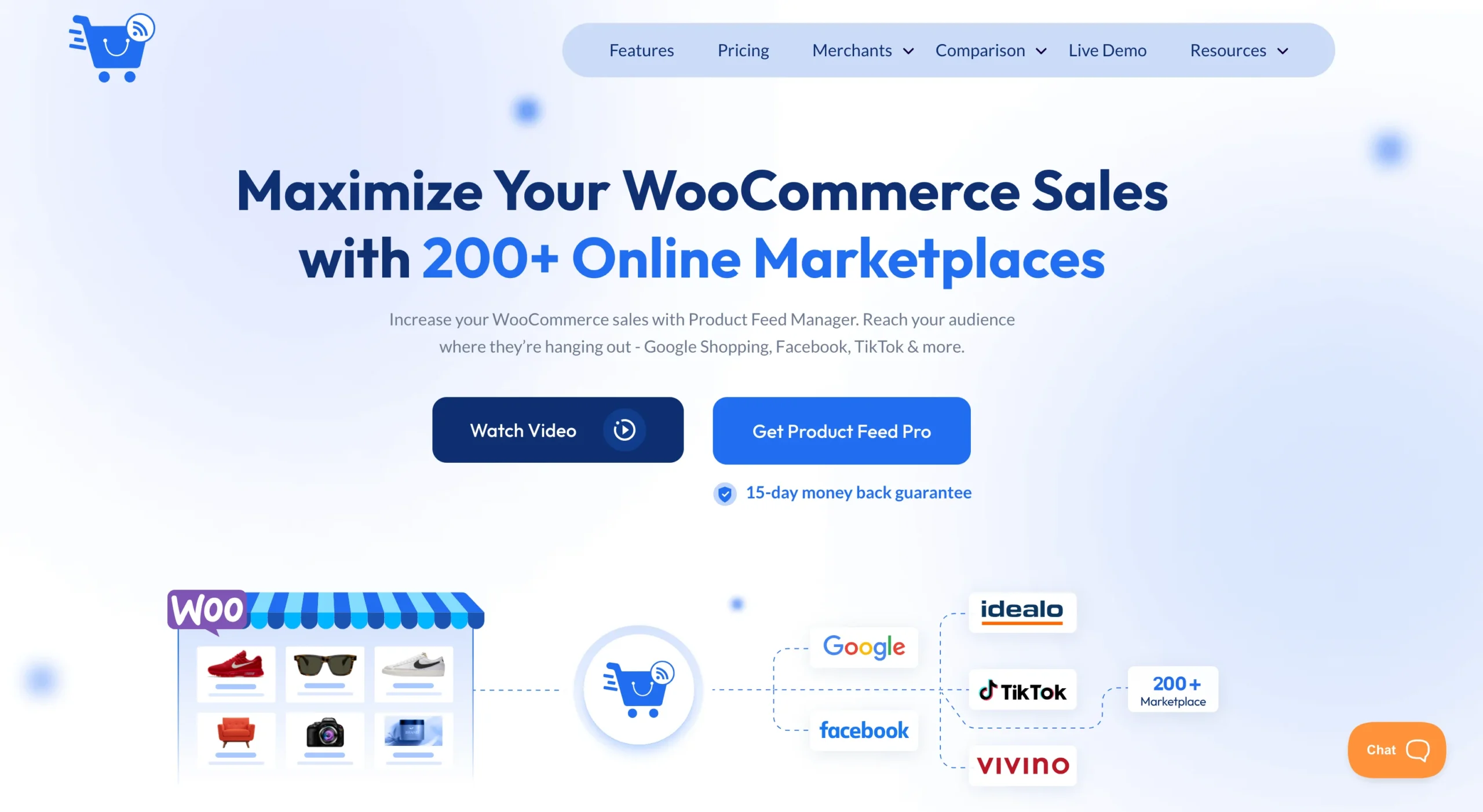
You connect your store to PFM, and from that point, your product data stops living in separate silos for each platform. It stays in one system that feeds everything else.
Let’s walk through how you actually set this up step by step.
Step 1 — Set One Product Source Inside WooCommerce
Everything starts inside your WooCommerce store.
Instead of listing products differently in each platform, you treat WooCommerce as your single source of truth.
PFM connects your WooCommerce store directly to all marketplaces and uses your existing product data as the base for every listing.
So you don’t rebuild product information for each platform. You define it once inside WooCommerce, and PFM takes it from there.
That’s what removes the first layer of repetition — creating the same product multiple times for different channels.
Step 2 — Map Product Data Once Inside the System
Once your feeds are created, the next thing is making sure your product data matches each marketplace properly.
Because product titles, categories, and attributes don’t always follow the same structure everywhere.
Without a system, this usually turns into repeated manual adjustments for every platform.
With Product Feed Manager for WooCommerce, you handle this through product mapping inside the feed setup.
You map your WooCommerce product fields once, and PFM uses that structure for the marketplaces connected to those feeds.
So instead of fixing product data repeatedly across platforms, the system keeps everything aligned from one setup.
Step 3 — Validate Feed Data Before Submission
Now this is the part that saves a lot of unnecessary troubleshooting later.
Sometimes marketplaces reject products because certain required information is missing from the feed.
And in most cases, store owners only realize that after submission.
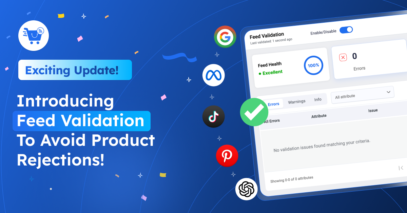
Product Feed Manager for WooCommerce helps you catch those issues earlier with its feed validator feature.
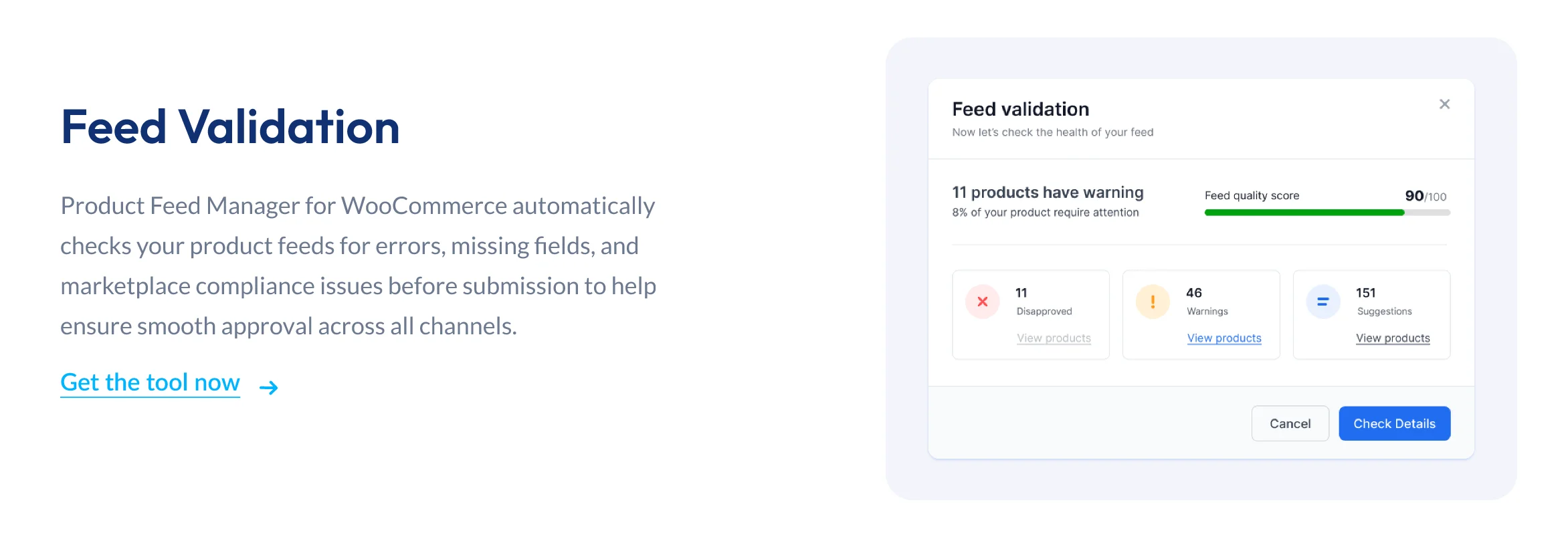
If product data is incomplete or missing required marketplace fields, PFM gives you warnings before submission so you can fix them immediately.
That means fewer feed errors, fewer rejected products, and much less back-and-forth later.
Step 4 — Enable Automatic Feed Updates
Once everything is properly set up, managing updates becomes much easier too.
Let’s say:
- you change a product price
- update stock in WooCommerce
- or edit product information
Normally, you would have to repeat those updates across marketplaces manually.
With Product Feed Manager for WooCommerce, your feeds update automatically based on the changes made inside WooCommerce.
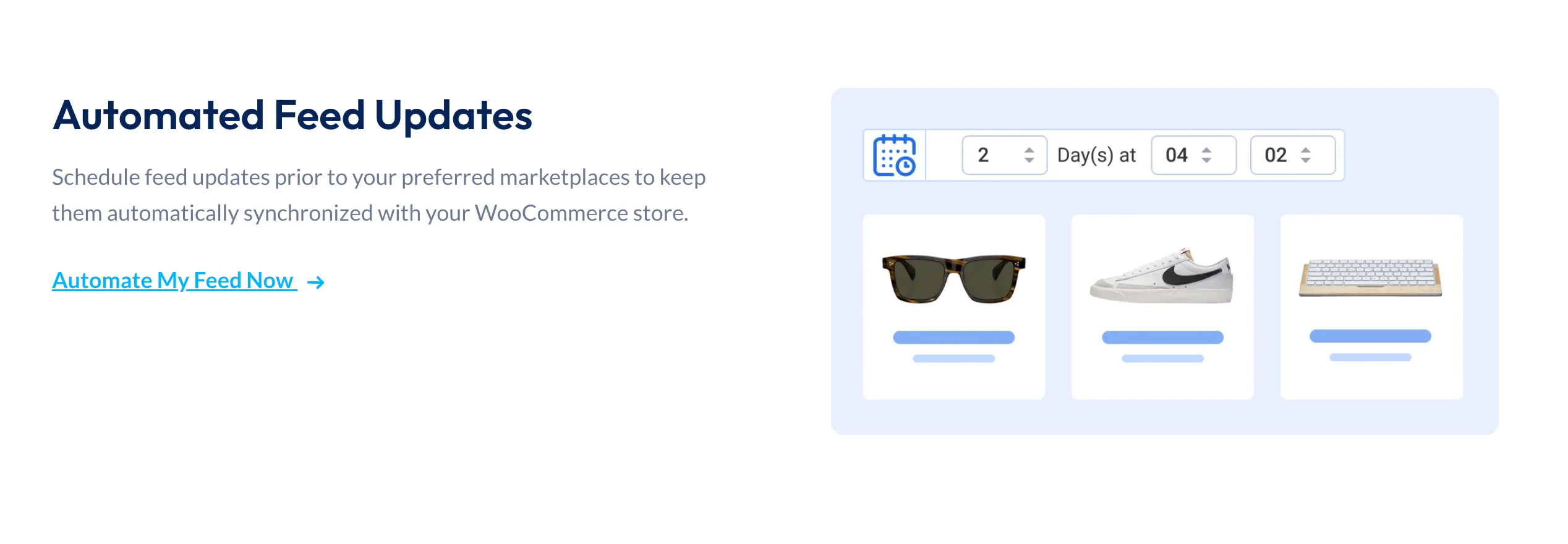
So instead of managing updates platform by platform, you update products once and let the system handle the rest.
Why This Removes the “Mess” Completely
Now, I’ve seen this exact situation play out in most WooCommerce stores once they start scaling to multiple platforms.
At first, it feels like more reach will naturally mean more work. That’s the assumption.
But let’s break it down with a simple setup.
Say you have 50 products in your WooCommerce store.
And you decide to list them on 3 platforms — Google Shopping, Facebook, and one more marketplace.
Without a structured system, that would normally turn into 150 listings to manage separately.
Now imagine a change happens — a 5% price update across your store.
In a disconnected setup, that usually means repeating the same update across every platform manually.
But this is exactly where Product Feed Manager for WooCommerce changes the outcome.
Instead of treating each marketplace separately, you manage everything from WooCommerce as the source.
So that same 5% update is made once in WooCommerce, and PFM carries that update across all connected marketplace feeds automatically.
What used to be repeated work across multiple platforms becomes a single update at the source.
And the difference becomes even clearer as you scale.
50 products, 3 platforms, or even 200 products across multiple channels — the update still happens once, not hundreds of times.
So instead of multiplying effort with each platform, the system removes that repetition entirely.
And that’s the real shift.
Multi-platform selling doesn’t stay messy when each channel is handled separately inside a structured system.
What Most Store Owners Overlook When Expanding
This is usually the part that gets missed when you start selling on multiple platforms.
Because at the beginning, everything feels simple — you just want your products listed everywhere.
But in practice, there are a few assumptions that quietly create all the friction later.
Let’s break it down.
First, most store owners focus only on:
- Getting products listed on more platforms
- Assuming visibility alone is the main win
- Treating each marketplace as a separate task
That part feels like progress.
But it’s only the first layer.
Then comes something more important that gets ignored:
- Product structure is not kept consistent across platforms
- Titles, attributes, and categories slowly drift apart
- Each marketplace starts behaving like a separate version of the same product
So instead of one clean product system, you end up with multiple variations of it across channels.
And the third part is where things usually start to break:
- Every small update becomes a repeated action
- Price changes don’t stay single updates anymore
- Product edits need to be reflected across every platform manually
So what looks like “simple expansion” quietly turns into repeated execution work.
Now here’s what this adds up to in real work:
- You spend more time maintaining listings than growing them
- Updates start lagging across platforms
- Consistency starts breaking between marketplaces
And that’s where the friction actually comes from.
Not from selling on multiple platforms. But from handling them separately without one structure holding everything together.
Final Checklist — Start Without Overthinking
At this point, you already know what creates the mess and what removes it.
Now you move from understanding to setup.
Keep it simple and step by step:
- Start with Product Feed Manager for WooCommerce
- Set up one product feed
- Connect one marketplace first
- Test the feed sync
- Add more marketplaces gradually
- Keep all updates inside WooCommerce
So instead of managing everything at once, you build one working system and expand it slowly from there.
Wrap Up
Now you’ve seen the full flow.
Multi-platform selling doesn’t become messy because of the platforms.
It becomes messy when each one is handled separately.
When you manage everything through a centralized setup like Product Feed Manager for WooCommerce, your product data stays aligned across all feeds.
So instead of scattered updates and repeated work, you get one structured system that scales with you.
The platforms stay the same.
The system changes how you manage them.
FAQs
What is selling on multiple platforms?
Selling on multiple platforms means listing and managing your products across different online marketplaces like Google Shopping, Facebook, and other ecommerce channels instead of relying on just one store.
Is it hard to sell on multiple marketplaces?
It feels hard when every marketplace is managed separately. The difficulty usually comes from repeating product updates, formatting data differently, and handling each platform in isolation.
Why do online marketplaces require different product setups?
Online marketplaces follow different rules for product data like titles, categories, and attributes. That’s why listings often need different formats before they can go live on each platform.
How do you manage product listings across multiple platforms more efficiently?
You manage them better by using a centralized system where product data is created once and distributed across all connected marketplaces. This reduces repeated manual work and keeps listings consistent.
What’s the simplest way to sell on multiple marketplaces from WooCommerce?
The simplest way is to use a feed management system that connects your WooCommerce store to multiple marketplaces and handles product feeds, updates, and structure from one place.

![Show Your WooCommerce Products on ChatGPT & OpenAI Ads with Product Feed [2026] 2](https://rextheme.com/wp-content/uploads/2026/08/Show-Your-WooCommerce-Products-on-ChatGPT-with-OpenAI-Product-Feed-1-407x213.webp)