![Commercial Real Estate Virtual Tours: A Practical Guide for Brokers [2026]](https://rextheme.com/wp-content/uploads/2026/02/Commercial-Real-Estate-Virtual-Tours-Feature-image.webp)
As a commercial real estate broker, you must know the frustration of scheduling a commercial property showing. Scheduling conflicts, unqualified leads, and out-of-town prospects can stretch a simple leasing process into weeks.
In 2026, your clients—tenants, investors, and business owners—expect more than static photos and PDFs. They want to experience the property virtually before committing to a visit.
By using commercial real estate virtual tours, you can save time, cut down on wasted showings, attract higher-quality leads, and make your listings stand out.
In fact, 90% of commercial real estate professionals who use virtual tours report that it has resulted in increased revenue for their business.
In this guide, you’ll discover everything you need to implement virtual tours effectively: best practices, software options, real-life examples, and common pitfalls to avoid.
Let’s start!
TL;DR: Commercial Real Estate Virtual Tours in 2026
Commercial real estate virtual tours help you reduce wasted showings, qualify tenants faster, and close deals sooner in 2026.
Why it matters
- CRE deals involve multiple decision-makers
- Showings get wasted on unqualified prospects
- Remote evaluation is now the default for many tenants
Virtual tours vs traditional showings
- Traditional = scheduling + cancellations + time drain
- Virtual tours = 24/7 access + self-qualification + faster decisions
Biggest broker benefits
- Fewer wasted showings
- Listings marketed 24/7
- More out-of-town + international tenant interest
- Clearer space presentation
- Stronger credibility with owners
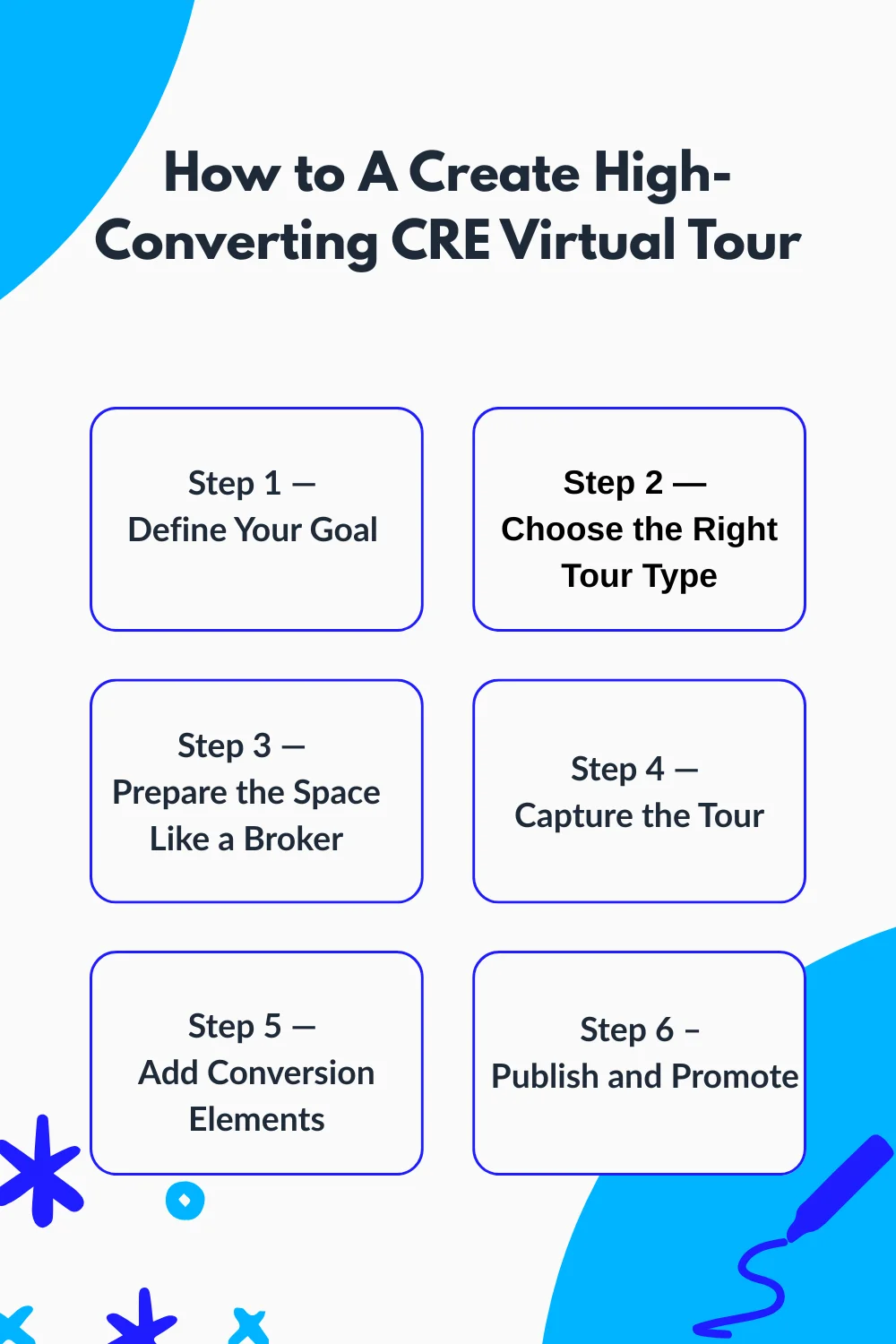
How to create a high-converting Commercial Real Estate Virtual Tour
- Define your goal (lease, sell, pre-lease)
- Choose the right tour type (360, 3D, CGI, video)
- Prep the space properly
- Capture the tour cleanly
- Add conversion elements (floor plans, hotspots, CTA)
- Publish + promote it in the right places
What to show in commercial real estate virtual tours by property type
- Office: lobby, suite entry, common areas, window lines
- Retail: frontage, signage, parking, nearby anchors
- Industrial: docks, depth, turning radius, office buildout
- Hospitality/mixed-use: layout + guest experience areas
Mistakes to avoid
- Poor lighting/quality
- No interactive features
- No analytics tracking
- Too much media
- Weak promotion
Bottom line
Virtual tours are no longer optional in CRE. They help you save time, win listings, and move deals faster in 2026.
Why Commercial Real Estate Virtual Tours Matter in 2026
The commercial real estate market is evolving. Tenants and investors increasingly expect digital experiences that allow them to evaluate properties remotely before committing to in-person visits. By offering virtual tours, you meet these expectations while also improving your efficiency and lead quality.
For example, consider a 40,000 sq. ft. office building in a major city. Without a virtual tour, you might spend multiple days coordinating in-person showings, only for prospects to realize the layout doesn’t suit their needs.
With a property virtual tour, potential tenants can explore the space from anywhere, understand the flow of offices and meeting rooms, and focus their in-person visits on serious opportunities.
According to CBRE, after adding 3D virtual tours of its amenities and flexible spaces, its occupancy increased by 40% in three months.
These numbers aren’t just statistics; they reflect the tangible business advantage of using technology to match prospect expectations with your listings.
Additionally, a property virtual tour gives you the opportunity to highlight features that might be missed in static photos. Large floor plans, structural details, and amenities can all be presented interactively, helping prospects make informed decisions and improving your credibility as a broker.
Differenciate: Virtual Tours vs Traditional Showings
After seeing how property virtual tours solve real broker problems and respond to the shift toward remote decision-makers, it’s important to understand how they compare to traditional in-person showings.
Here’s a clear comparison:
| Accessibility | Limited to scheduled times and local audiences | Available 24/7 on any device |
| Scheduling | Requires coordination and planning | Prospects self-qualify before visiting |
| Risk | No-shows and cancellations are common | Eliminates wasted time for unqualified leads |
| Efficiency | Time-consuming for brokers and prospects | Reduces wasted visits and resources |
| Reach | Mostly local or regional | Attracts out-of-town and international prospects |
To make this more concrete-
Imagine you’re leasing three office spaces in different cities. Without a property virtual tour, the tenant would need to travel to each property, coordinate schedules, and possibly deal with delays or cancellations. Each visit could take days, pulling your focus away from other listings.
With interactive 3D tours, the tenant can explore all options remotely. They get a detailed understanding of layout, space, and amenities, and only schedule in-person visits for the properties that truly match their needs. This not only reduces wasted showings but also increases the chances of closing deals faster.
The efficiency and flexibility of commercial real estate virtual tours allow you to focus your time on qualified prospects, streamline your leasing process, and ultimately improve your bottom line.
Benefits of Using Commercial Real Estate Virtual Tours for CRE Brokers
Now that you see how virtual tours save time compared to traditional showings, let’s look at the real wins you get when you make them part of your process.
1. Reduce Wasted Showings
A virtual tour acts as a self-qualification tool. Prospects can explore the property in detail and understand whether it meets their needs. This minimizes unproductive visits, letting you focus on serious leads who are more likely to convert.
2. Market Listings 24/7
With a commercial real estate virtual tour, your listings are always accessible. Prospects can view properties outside business hours, on weekends, or from remote locations. This constant availability ensures maximum exposure without additional effort from you.
3. Attract Out-of-Town or International Tenants
Commercial real estate often involves multi-city or even international clients. Virtual tours expand your reach, letting you engage tenants, investors, or reps anywhere in the world. For example, an international company evaluating U.S. office space can fully explore your property before committing to a trip.
4. Showcase Property Features Clearly
Interactive elements like floor plans, hotspots, and multimedia highlight critical property features. For instance, a large warehouse might appear empty in photos, but a commercial real estate virtual tour can showcase loading docks, office spaces, and storage areas effectively, helping prospects visualize the space in use.
5. Build Credibility and Modern Brand Image
By offering high-quality commercial real estate virtual tours, you signal professionalism and innovation. Prospects perceive you as a forward-thinking broker who uses technology to streamline their decision-making. This helps attract high-quality clients who value efficiency and expertise.
How to Create High-Converting Commercial Real Estate Virtual Tours
Now that you understand why virtual tours matter and the benefits they bring, it’s time to take action and create your own high-converting commercial real estate tour.
Follow these steps, and you’ll have a tour that works as hard as you do.
Step 1 — Define Your Goal (Leasing vs Selling vs Pre-Leasing)
The first thing you need to do is clarify what you want your tour to achieve. Your goal determines the type of tour, the assets you include, and the way you present the space.
For example, if you’re pre-leasing a new office building, your tour should highlight potential layouts, common areas, and tenant improvement options. If you’re selling an industrial property, focus on functional spaces like loading docks, ceiling heights, and storage areas.
Knowing your goal ensures every element of the tour speaks to your audience and drives the right action.
Step 2 — Choose the Right Tour Type
Not all commercial real estate virtual tours are created equal. You have options: 360° photos, interactive real estate 3d model, CGI renderings, or video walkthroughs. Choose based on property type, budget, and audience expectations.
- 360° tours are quick to produce and work for most office or retail spaces.
- 3D tours give prospects a true sense of scale and flow, which is ideal for larger commercial properties.
- CGI works well for pre-leasing or new builds without a finished space.
- Video walkthroughs are best for short, high-impact presentations to out-of-town decision-makers.
Matching the tour type to your goal ensures you’re investing wisely and giving prospects what they need to move forward.
Step 3 — Prepare the Space Like a Broker
Before you even pick up a camera, make the space look ready for inspection. Remove clutter, stage common areas neutrally, and fix lighting issues.
Accuracy matters, especially for industrial properties. Tenants want to see the true ceiling height, dock doors, or equipment placement. Misrepresenting space—even unintentionally—can frustrate prospects and hurt your credibility. Spend the time to make the property presentable and truthful; it saves follow-up explanations and keeps deals moving.
Step 4 — Capture the Tour
Now it’s time to record!
Use a camera or 3D capture tool, and focus on avoiding distortion, keeping navigation intuitive, and highlighting key areas. Walkthroughs should feel logical: entrances, common areas, main functional spaces, and special features.
Common mistakes to avoid include-
- skipping corners,
- poor lighting,
- and confusing paths.
If a tenant can’t easily understand the layout from your tour, it defeats the purpose. Think like a visitor: walk through the space as if you were seeing it for the first time.
Step 5 — Add Conversion Elements
A tour is more effective when it’s interactive.
Add elements that help prospects evaluate and take action:
- Floor plans and measurement labels to clarify space dimensions
- Hotspots for important features, like elevators or conference rooms
- Leasing brochures or PDFs that they can download
- Clear CTA buttons linking to contact forms or scheduling tools
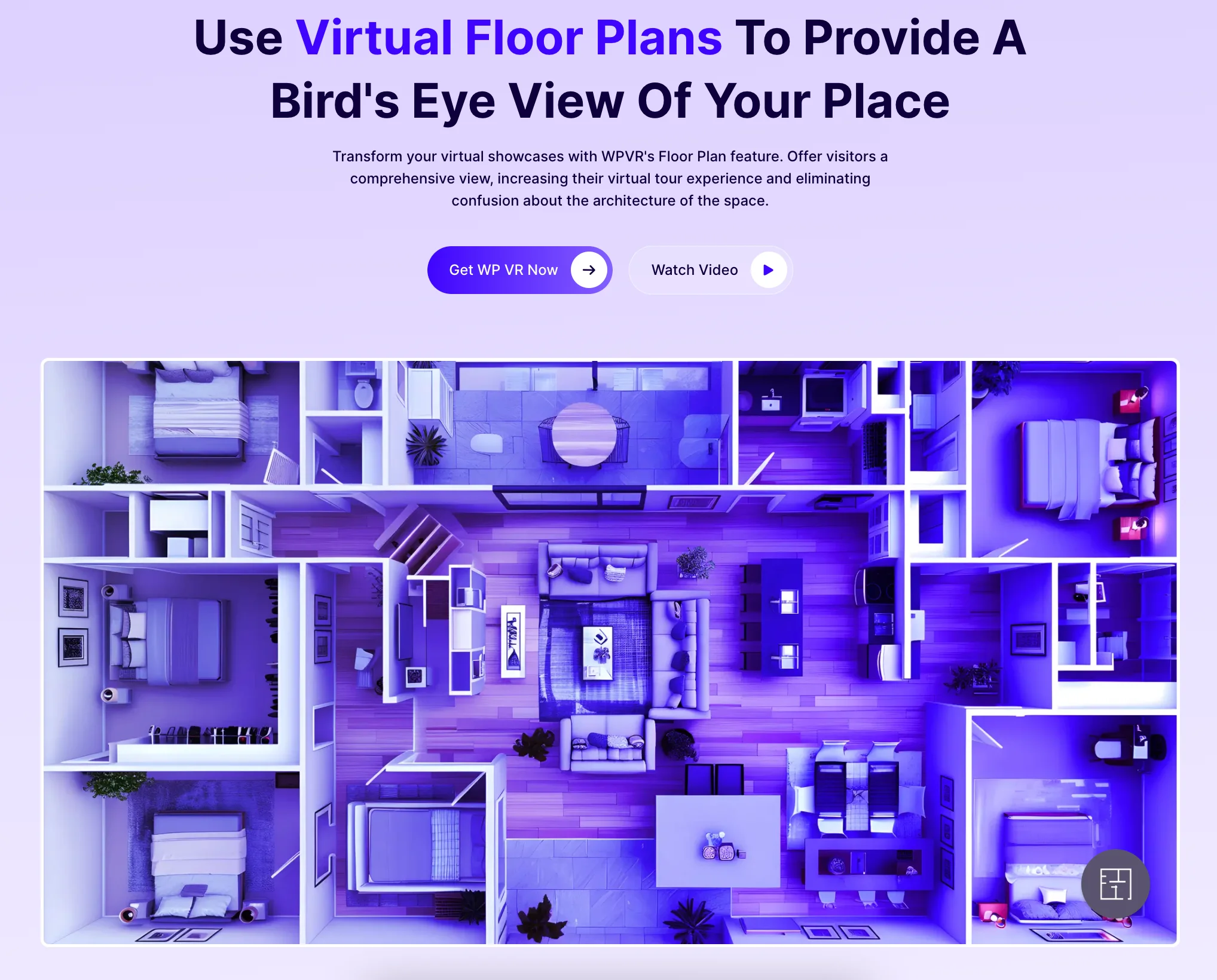

These elements turn a simple virtual walkthrough into a decision-making tool for tenants and investors, giving them everything they need without leaving the tour.
If you are looking for a tool that does all this at once in an easier way, check WPVR.
Step 6 – Publish and Promote
Once your virtual tour is ready, the next step is making it accessible to your audience. Publishing isn’t just about uploading the tour; it’s about placing it where prospects naturally engage.
- MLS Listings: Embed your tour directly within property listings so prospects can explore before contacting you.
- Email Campaigns: Include the tour link in targeted emails to qualified leads or past inquiries. A well-timed virtual tour email can cut down the back-and-forth of scheduling physical visits.
- Social Media: Share your tour on LinkedIn, Facebook, or Instagram to reach decision-makers who may not be actively searching yet.
Using these methods ensures your tour isn’t just seen—it drives action.
Property-Type Specific Strategies for Commercial Real Estate Virtual Tours
Once you know how to create a commercial real estate virtual tour, the next step is to tailor it to the type of property you’re marketing. Different commercial spaces have different priorities, and your tour should highlight what tenants care about most.
Paying attention to these details will help you capture serious leads and reduce unnecessary showings.
i. Office Spaces
When you’re marketing office properties, focus on the flow and feel of the workspace. Tenants want to understand how people will move through the building and experience their day. Highlight:
- Lobby and reception areas, which form the first impression
- Elevators and suite entry points to show accessibility
- Window lines and natural light for workspace quality
- Common areas like kitchens, lounges, and conference rooms
For example, if you’re showing a 10,000 sq. ft. office floor, make sure your virtual tour emphasizes open-plan areas versus private offices. Tenants can immediately visualize their team layout, making them more confident about scheduling an in-person visit.
ii. Retail Spaces
Retail tenants care about visibility, customer access, and adjacent businesses. Your tour should make it easy for them to assess the potential of the location. Key areas to include:
- Storefront and frontage along the street or mall corridor
- Signage opportunities and branding spots
- Parking availability for customers
- Neighboring anchors or complementary businesses that drive traffic
For instance, a boutique retailer considering a location next to a grocery anchor wants to see foot traffic flow, entrance visibility, and nearby parking. Your tour can highlight these features in ways photos alone can’t, helping prospects self-qualify before reaching out.
iii. Industrial Spaces
Industrial tenants are focused on functionality and logistics. Your tour should give them a clear view of operational areas. Highlight:
- Loading docks and dock door widths
- Warehouse depth and ceiling height
- Turning radius for trucks and forklifts
- Back-office or administrative buildouts
Imagine showing a warehouse to a logistics company. By demonstrating the truck access, storage capacity, and office setup, you help them quickly determine if the property meets their operational needs. This reduces time wasted on unsuitable properties and increases the likelihood of a serious inquiry.
iv. Hospitality / Mixed-Use Spaces
For hospitality or mixed-use properties, virtual tours are helpful when prospective tenants or investors need to visualize guest flow, amenity layout, and overall experience. Highlight areas such as:
- Lobby, common areas, and amenity spaces
- Guest rooms or residential units
- Retail or restaurant spaces within the building
- Parking, loading, and access points
Even if this isn’t your main focus, showing these areas can be the difference between a lead reaching out or moving on to another option.
What Are the Common Mistakes Brokers Make With Virtual Tours
You’ve seen how powerful virtual tours can be, but even experienced brokers can slip up if they treat them as just a “nice-to-have.” A few small mistakes can turn a great listing into a missed opportunity.
Paying attention to these will make your tours more effective and save you wasted time.
i. Poor Tour Quality or Lighting
If your tour looks dark, blurry, or unprofessional, prospects will scroll past it without a second thought. You want your property to look real, clear, and inviting so they can imagine themselves there.
What you can do: Make sure every shot is well-lit and sharp. Use professional cameras or tools like WPVR’s AI-enhanced lighting to brighten spaces and correct shadows. This small step makes a big difference in keeping people engaged.
ii. Skipping Interactive Features
A tour that just shows static images won’t keep anyone interested. Prospects want to explore the property on their own, click on details, and understand the space before committing to a visit.
What you can do: Include hotspots, floor plans, and notes that explain important features. Let prospects move around virtually. When they feel in control, they’re more likely to reach out, ready to take the next step.
iii. Not Tracking Analytics
If you don’t track how people interact with your tour, you won’t know what’s working. Are visitors skipping certain areas? Spending too little time? Without this insight, you’re missing opportunities to optimize your listing.
What you can do: Use WPVR or similar platforms to see heatmaps, dwell time, and clicks. With this data, you can focus on the sections that grab attention and tweak the ones that don’t.
iv. Overloading the Tour With Media
It’s tempting to include every photo, video, and detail you have, but too much content can confuse or overwhelm your prospects. They’ll miss the key selling points if the tour feels cluttered.
What you can do: Highlight the essential areas that matter most to tenants or buyers. Keep the tour focused and easy to navigate so prospects can quickly understand the property’s value.
v. Failing to Promote Your Tour
Even the best virtual tour doesn’t help if no one sees it. You need to get your listing in front of the right people.
What you can do: Share the tour across MLS listings, email campaigns, LinkedIn, pitch decks, and social media. Include it in remarketing campaigns if possible. The more eyes on your tour, the higher the chances of attracting serious leads.
By fixing these mistakes, you make sure your virtual tours actually work for you. You’ll spend less time on wasted showings, attract better leads, and make your listings stand out in a competitive market.
Why Every CRE Broker Needs a Virtual Tour in 2026
By now, you’ve seen how virtual tours can change the way you market, show, and close commercial properties. When you integrate virtual tours into your workflow, you’re not just adding a tool—you’re creating a better experience for your clients while saving your own time. Prospects can explore listings on their schedule, make faster decisions, and come to you already pre-qualified. That means fewer wasted showings, higher-quality leads, and faster deals.
Using a platform like WPVR makes this process practical. You can track engagement, highlight key features, and ensure your tours are professional and easy to navigate.
Looking ahead, remote evaluation and data-driven insights aren’t just trends, they’re the standard. If you start creating virtual tours now, you’re setting yourself up to lead the market, not follow it. You’ll be the broker clients trust to deliver convenience, clarity, and value every step of the way.
For hands-on creation of immersive virtual tours, visit WPVR Real Estate Virtual Tours and start turning your listings into engaging, high-converting digital experiences today.
FAQs
1. How does a virtual tour help sell commercial real estate properties in the market?
Commercial Real Estate Virtual Tours help you pre-qualify tenants and investors before they book a showing. A property virtual tour also builds trust faster because prospects can review the space remotely and share it with decision-makers.
2. What is the best way to sell commercial property?
The best approach combines strong positioning, clear financials, and a high-quality commercial real estate virtual tour. Adding a 3d virtual tour real estate experience helps serious buyers understand layout and flow without wasting time on early visits.
3. What are the benefits of using virtual tour services for real estate listings?
Virtual tours reduce wasted showings, attract remote prospects, and increase lead quality. A property virtual tour with a real estate 3d model also helps prospects picture fit-out potential more clearly.
4. What is commercial virtual reality?
Commercial virtual reality is an immersive way to explore a commercial property digitally, often through a 3d virtual tour real estate or walkthrough experience. In CRE, it’s commonly used as a commercial real estate virtual tour for leasing and sales.
5. What is the best AI for commercial real estate?
The best AI depends on your goal, but for marketing listings, tools that improve tour quality, lighting, and navigation work best. Many brokers pair AI features with Commercial Real Estate Virtual Tours to create a stronger property virtual tour experience.