![10 Best Free Virtual Tour Creators for Real Estate [2026]](https://rextheme.com/wp-content/uploads/2026/02/Virtual-Reality-for-Real-Estate-1.webp)
You’ve probably noticed how much virtual tours have changed the way buyers explore properties online.
After years of working with real estate listings, one thing is clear: they change how seriously people engage.
Listings with virtual tours get 87% more views than listings without them
Instead of scrolling a few flat photos, buyers can walk through a property, understand the layout, and feel confident about what they’re seeing.
The result is better digital engagement and more serious inquiries. Most realtors assume good tours mean expensive cameras and pricey software. They don’t.
That’s why I tested and shortlisted the top free virtual tour creators that still give you the essential features you need for property listings.
So, let’s get started,
TL;DR – Best Free Virtual Tour Creators
- Virtual tours are now a must-have to boost engagement and sales for the real estate industry.
- The 11 best free virtual tour creators to consider are:
| Tool | Best For | Why It Wins | Free Plan | Paid Starts At | Monthly Plan |
|---|---|---|---|---|---|
| WPVR | Real Estate Agents | Unlimited free tours, self-hosted control, no watermark | Fully free | $99.99 per year | Not Available |
| Panoee | Team collaboration | Cloud workspace and Google Street View integration | 14 day trial | $200 per year | $7 – $12 per month |
| Kuula | Photographers | High resolution 360 hosting and sharing | Free limited | $240 per year | $24 per month |
| Zillow 3D Home | U.S. realtors | Direct publishing to Zillow listings | Fully free | Professional add-ons price $100-$250 | Not Available |
| Matterport | 3D walkthroughs | Industry standard for digital twins | Free limited | $144 per year | $14 per month |
| Lapentor | Small portfolios | Self-hosting on your own domain | Free 3 projects | $300 per year | $25 per month |
| Virtual Tour Easy | AI based tours | Converts text or images into 360 tours | Free 3 tours | $228 per year | $19 per month |
| Klapty | Quick sharing | One-click embed and WebXR support | Kostenlos | $149 per year | $14.9 per month |
| TeleportMe | Mobile creators | Built in mobile 360 capture | Trial only | $228 per year | $25 per month |
| Theasys | Advanced editors | Strong hotspot transitions and controls | Free 5 panoramas | $239.88 per year | $23.99 per month |
| Orbix360 | VR experimentation | Supports stereoscopic 3D 360 tours | Kostenlos | $99 per year | $9.99 per month |
- Final Verdict: If you use WordPress, go with WPVR. You can download it from the repo for free, and it’s perfect for creating a professional real estate virtual tour.
What Makes a Good Free Virtual Tour Creator?
A good free 360 virtual tour software should let you build an immersive, interactive experience without paywalling the basics.
Here’s what to look for:
- 360-degree views: The core of any tour. A free 360 tour creator should stitch multiple images into a fully immersive scene so buyers can look in every direction.
- Hotspot creation: Hotspots let visitors click and explore rooms themselves. The better tools give you 5 hotspot types or more – text, image, video, and 5 scene links – to guide attention and boost engagement.
- Customization options: Add your logo, brand colors, and links so your tours look like professional virtual tours, not generic demos. And make sure there is no watermark.
- Mobile compatibility: Most buyers view listings on phones and tablets, so a tour that adapts to various devices protects the customer experience wherever people open it.
- Easy sharing & embedding: A tour you can drop onto a website or social post in a few clicks becomes a genuinely valuable asset for marketing.
- User-friendly interface: An intuitive platform lets anyone create a tour without code. A user-friendly platform is what turns “someday” into “done today.”
- VR compatibility: Support for headsets makes tours fully immersive. VR-ready virtual tours let buyers feel like they’re really standing in the room.
Now let’s look at the tools that deliver these features — and more.
11 Best Free Virtual Tour Creators for Real Estate
To explore the best free and open-source virtual tour tool for your business, check out the following top-quality list of 10 real estate virtual tour creators.
1. WPVR – Best for Real Estate Agents
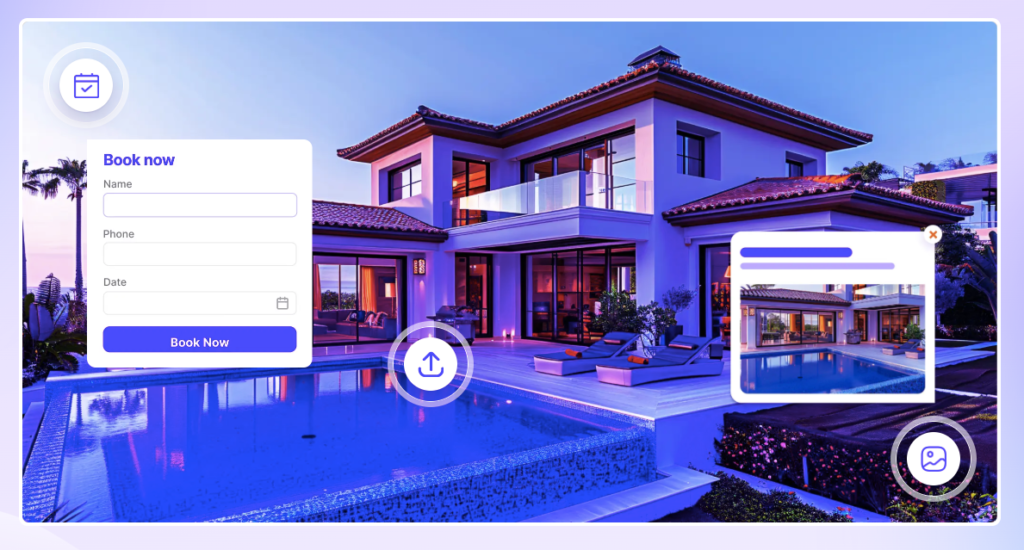
WPVR is the best free virtual tour software for real estate if you already run a WordPress site and it’s currently the leading platform for building unlimited tours for free directly on your own domain.
It’s free forever, no credit card required, and trusted by 17K+ active users, with 900K+ downloads and a 4.7/5 rating.
I used WPVR on a 3-bedroom rental listing and had a full 360° walkthrough live on the agent’s site in under 20 minutes — no coding, no external hosting.
What sets it apart from other free virtual tour builders is that it doesn’t gate the essentials: VR support, hotspot styling, 360 video, and scenes are all in the free version, while other tools lock them behind a trial.
That matters, because buyers show up to 48% more interest in homes with a virtual tour than in listings using only photos and video in real estate.
Key free features:
- Unlimited number of 360° panorama tours
- Up to 5 scenes and 5 hotspots per tour on free for unlimited tours, no matter how many
- 360° video support (self-hosted, YouTube, Vimeo) with VR Glass mode
- Shortcode, Gutenberg block, and Elementor widget support
- Scene and info hotspots with text, video, image, GIF, and link content
- Auto-rotation, mouse-drag and scroll zoom, live back-end preview
- Private & password-protected tours, WebP support, multi-site support
- Google Street View support and partial/mobile panorama support
Availability:
WPVR has no trial period. You will get all of these features free without any limitations. For the beginning stage, these features are all you need to meet your needs for a virtual tour.
![10 Best Free Virtual Tour Creators for Real Estate [2026] 3](https://rextheme.com/wp-content/uploads/2026/02/Free-Virtual-Tour-Creator-WPVR-Free-1-5.webp)
As you keep growing or want to make your virtual tour extra lucrative with an explainer video, QR code, or more, you can switch to WPVR Pro. [ALSO VERY AFFORDABLE THAN OTHERS]
Use case:
- Realtors can provide a true virtual experience to generate more quality bookings.
- Hotel and resort owners can showcase their hotel’s elegance 24/7 with interactive virtual tours.
- If you are associated with the museum sector, you can create virtual exhibitions and virtual museum & art gallery tours using WPVR.
Preisgestaltung:
- WPVR offers a free version with the mentioned features and a few more.
- Its premium plans start normally at $99.99/ per year with more advanced features.
![10 Best Free Virtual Tour Creators for Real Estate [2026] 4](https://rextheme.com/wp-content/uploads/2026/02/WPVR-Pricing-2026-1-974x1024.webp)
In my opinion, start with the free you will get useful features and make unlimited tours in the free version with a $0 lifetime.
2. Panoee – Best for Real Estate Team Collaboration
![10 Best Free Virtual Tour Creators for Real Estate [2026] 5](https://rextheme.com/wp-content/uploads/2026/02/Panoee.webp)
Panoee is great for creating virtual tours quickly, with a focus on easy uploads and smooth team collaboration. It’s ideal for real estate agents or businesses that need fast, professional tours.
For example, you can upload photos of a new property and have the team create a complete 360° tour in just a few minutes. This makes it easy to share listings and get feedback from colleagues instantly.
The platform also supports customization, interactive hotspots, and sharing across websites or social media. With Panoee, you can manage projects efficiently while delivering stunning free virtual tours to clients.
Best Features:
- 11 types of hotspot
- 360 Panorama & Tour Builder
- Google Street View
- Cloud Storage to manage 360 Panorama & Media
- Virtual Staging
Availability:
Panoee offers a free version [Only for 14 days], but with minimal features. These are the features you will get in their free plan :
- 3 gb storage
- 7 types of hotspot
- Panoee subdomain
For the best features, you need to take their pro plans.
Use case:
Suitable for businesses in real estate, hospitality, factory, office, and tourism industries looking for a comprehensive virtual tour solution.
Preisgestaltung:
![10 Best Free Virtual Tour Creators for Real Estate [2026] 6](https://rextheme.com/wp-content/uploads/2026/02/Panoee-.webp)
- Panoee offers a free plan with basic features, as I mentioned earlier.
- Their premium plans are available for users requiring more storage and advanced features. It has a monthly plan $7 – $12 and a yearly plan that costs $200.
3. Kuula – Best for Real Estate Photographers
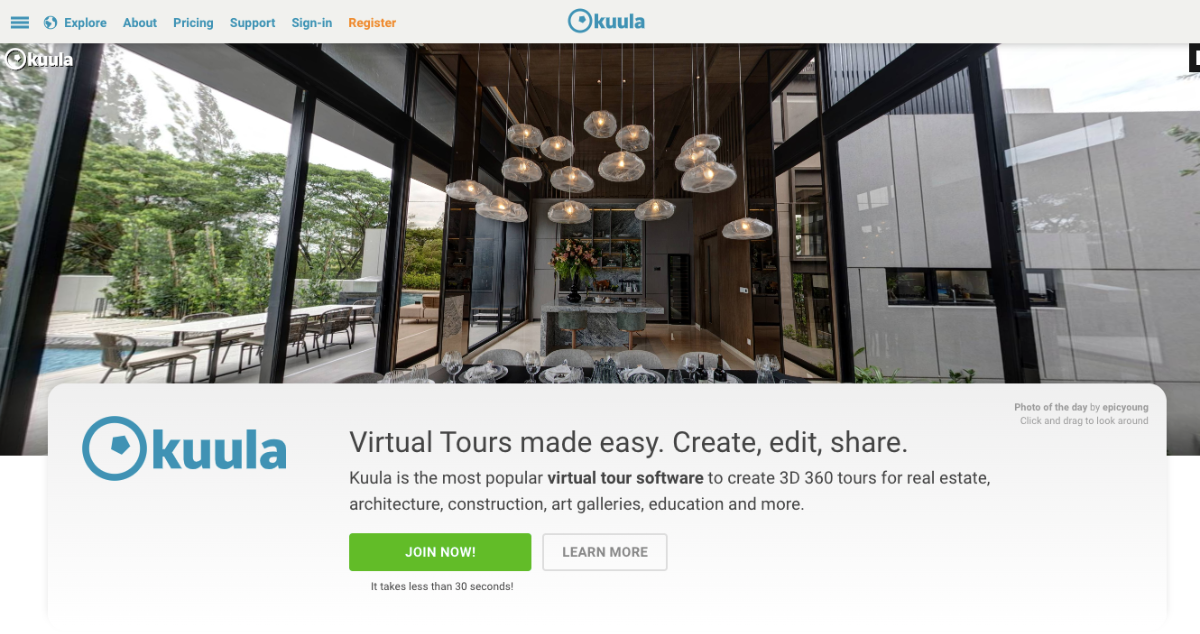
Kuula has a simple, easy-to-use interface that lets you create a virtual tour without coding in minutes. It’s perfect for real estate professionals who want to showcase listings interactively.
For example, you can turn a house or apartment into a smooth 360° virtual tour and share it instantly with buyers. Kuula lets you add hotspots and control navigation so viewers can explore each room naturally.
Kuula supports high-quality 360° photos, VR viewing, cloud hosting, and easy sharing through links or embeds. Everything is managed online, so there’s no setup or installation required.
Best Features:
- High-quality 360° photo tours
- Interactive hotspots
- VR headset support
- Cloud-based hosting
- Easy sharing and embedding
Availability:
- Kuula offers a free plan with essential features to create and publish virtual tours.
- If you need more storage, branding, or professional tools, you can upgrade to a paid plan.
Use Case:
- Real estate agents can showcase properties remotely and attract serious buyers.
- Hotels and rentals can display rooms and amenities 24/7.
- Designers and architects can present spaces in an interactive way.
Preisgestaltung:
- Kuula has a free plan for beginners.
- Paid subscription plans have advanced features for growing needs.
4. Zillow 3D Home – Best for U.S. Realtors
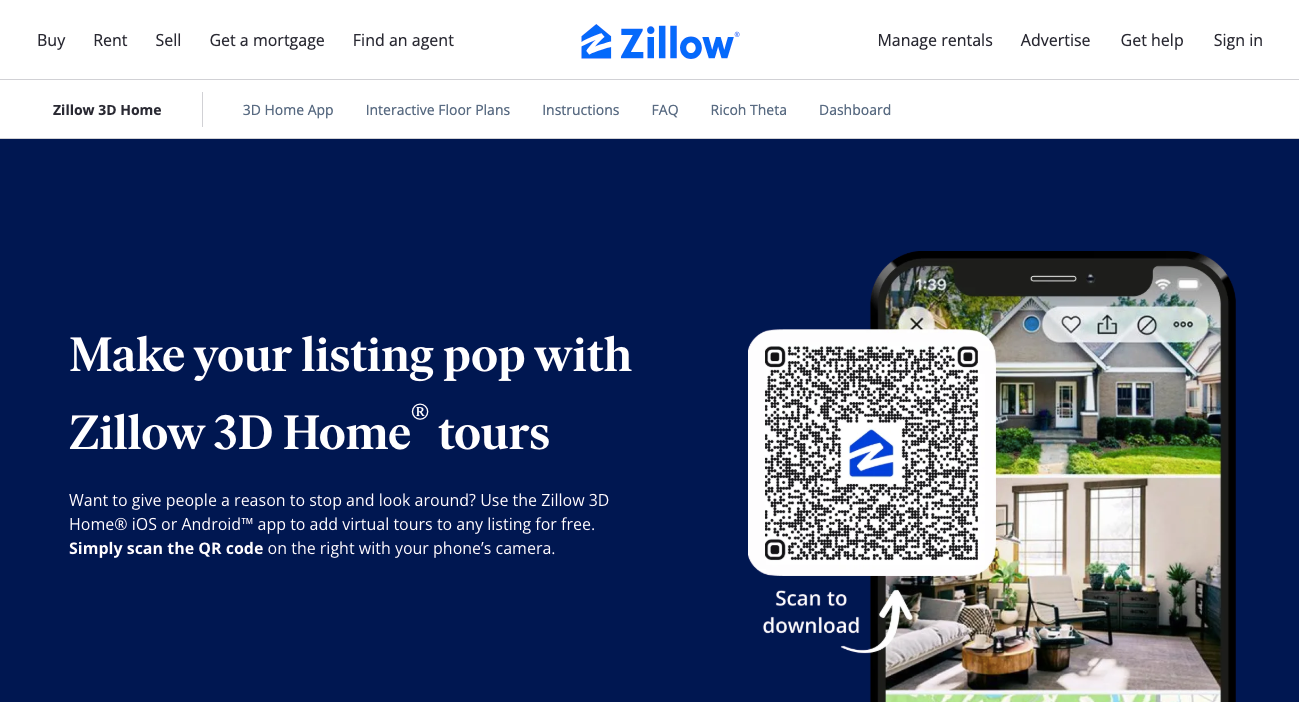
Zillow 3D Home is an easy tool for creating VR-ready virtual tours, no coding required. It’s perfect for real estate agents, builders, or galleries who want to showcase spaces interactively.
For example, you can turn a newly renovated townhouse or an art gallery into a 360° virtual tour, letting buyers or visitors explore every corner online. The platform supports 360° images, hotspots, and smooth navigation for a realistic experience.
Tours can be published to Zillow listings, shared via links, or embedded on websites. Everything is cloud-based, so no installation is needed.
Best Features
- 360-degree photo tours and drone virtual tours
- Easy navigation with interactive hotspots
- Mobile-friendly and 3D 360 virtual tour player support
- Automatic integration with Zillow listings
- Multimedia content support, like photos, videos, and floor plans
Availability
- Free for all Zillow users as a free virtual tour builder
- Works directly with your Zillow account
- Optional premium virtual tour features available
Use Cases
- Real estate agents can showcase homes remotely and attract serious buyers
- Art galleries and educational spaces can offer virtual exhibitions
- Builders and construction companies can present properties before completion
Preisgestaltung
- Free plan available for beginners and existing businesses
- Premium virtual tour features unlock advanced analytics and extra customization
- If you need profesional add on it will charge $100 to $250 + based on your needs
5. Matterport – Best for 3D Real Estate Walkthroughs
![10 Best Free Virtual Tour Creators for Real Estate [2026] 7](https://rextheme.com/wp-content/uploads/2026/02/Matterport-Virtual-Tour-Software-for-Real-estate-1.webp)
Matterport is the best choice when you want a true 3D walkthrough rather than a stitched 360° photo tour.
It’s the gold standard for immersive digital twins, with a signature dollhouse view, automatic floor plans, and built-in measurement tools that make it a favorite for luxury, commercial, and new-construction listings.
Buyers instantly recognize the Matterport look, which builds trust on high-end listings.
You can capture a space with the Matterport smartphone app or a Pro3 camera, and the platform turns it into a walkable 3D model with room measurements. The trade-off: it’s really a premium tool, so the free plan is more of a testing ground than a full solution.
Best features:
- 3D dollhouse and walkthrough view, automatic schematic floor plans, in-tour measurement tools, smartphone or Pro-camera capture, and strong buyer brand recognition.
Availability:
Free plan with 1 active space, basic features, and a watermark; smartphone capture supported.
Preisgestaltung:
![10 Best Free Virtual Tour Creators for Real Estate [2026] 8](https://rextheme.com/wp-content/uploads/2026/02/Matterport-Pricing-Virtual-Tour-Software-for-Real-estate-1.webp)
- Free (1 space);
- Starter ~$9.99/month billed annually(5-20 spaces),
6. Lapentor – Best for Small portfolios
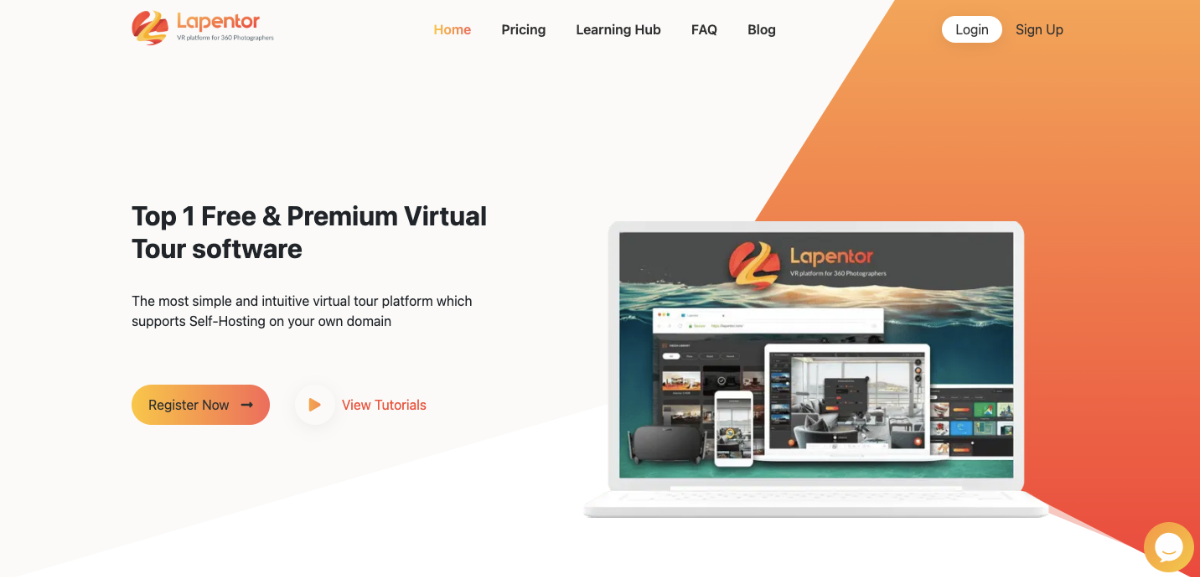
Lapentor is a virtual tour platform that combines simplicity with powerful features. It’s designed to let anyone create interactive tours quickly without technical skills.
For example, you can turn a new art gallery or a corporate training center into a 360-degree virtual tour, letting visitors or clients explore the space online.
The platform supports hotspots, high-resolution panoramas, and smooth navigation for an immersive experience.
It also offers self-hosting on personal domains and provides both free and premium plans. Professionals can customize their tours fully while keeping the process fast and easy.
Best Features
- Add information and details without any coding
- Display high-resolution panoramas and optimize load speed on multiple devices
- No limit on the number of projects or duration with the premium plan
- Customize meta titles, descriptions, and social media thumbnails
Availability
- Free plan includes:
- Update and publish projects instantly
- Embed tours anywhere
- Up to 3 projects
- Up to 15 panoramas
- Extra features available with premium plans
Use Case
- Professional photographers creating immersive portfolios
- Real estate agencies showcasing properties
- Businesses needing highly customizable virtual tour solutions
Preisgestaltung
- Free plan available with basic features
- Premium plans start at $25/month
7. Virtual Tour Easy – AI Based Tours
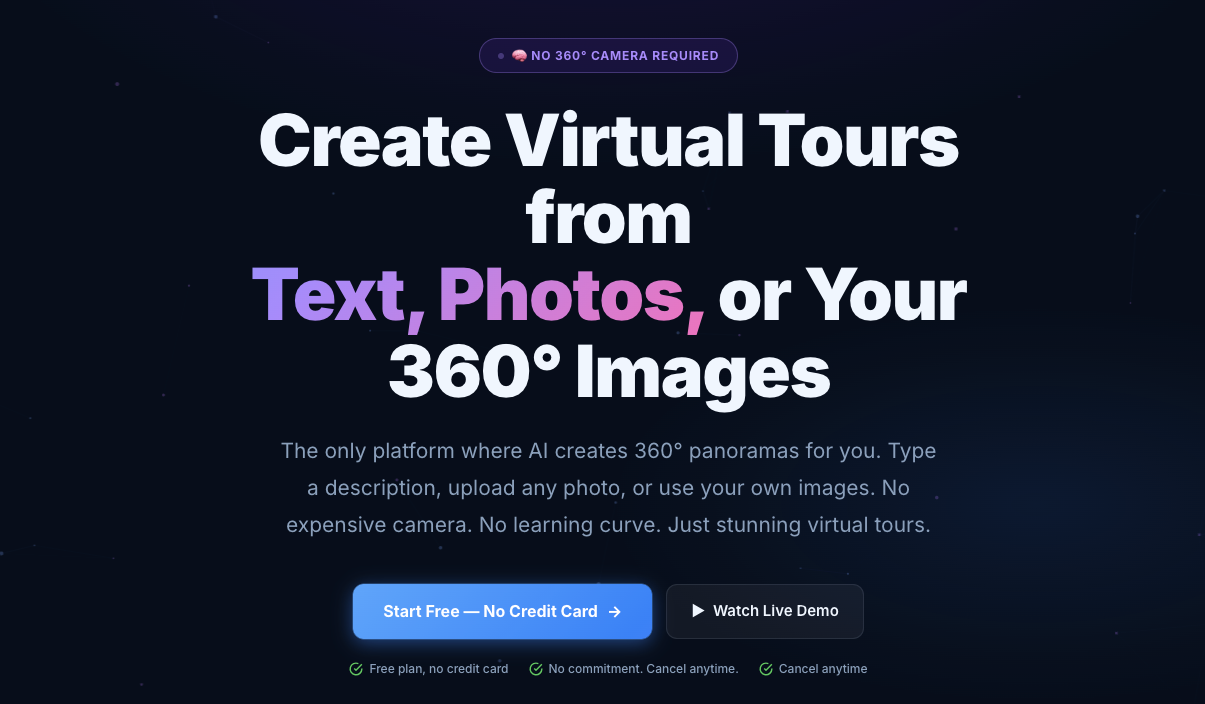
VirtualTourEasy is the best free virtual tour creator if you don’t own a 360° camera and want AI to generate the panoramas for you, from a text prompt, a regular photo, or even a listing URL.
This one genuinely surprised me during testing. I uploaded a single flat photo of a living room, and the AI expanded it into a full 360° scene I could walk into.
Then I pasted a real estate listing URL, and it pulled the photos, converted them to panoramas, and wired up the navigation between scenes automatically. No camera. No stitching. No learning curve.
Key features:
- AI generates 360° panoramas from text descriptions
- Convert any flat photo into a 360° scene
- Generate a full tour automatically from a listing URL
- AI photo enhancer (4x upscale, noise reduction)
- Drag-and-drop visual tour builder
- Interactive navigation hotspots and info panels
- Embed code for any website (WordPress, Wix, Squarespace)
- Direct shareable link
- Mobile-responsive viewer
Availability
- 3 tours
- 10 scenes per tour
- 100 MB storage
- VTE watermark on tours
- No AI credits (AI features require a paid plan)
Use Case:
- Real estate agents without a 360° camera who still want professional property tours
- Architecture and interior design firms are visualizing concepts that don’t physically exist yet
- Hotels, restaurants, and tourism brands that want to convert tours from existing marketing photos
- Solo creators testing virtual tours before investing in gear
Preisgestaltung:
- Free: 3 tours, 10 scenes each, watermark
- Pro: Start with $19 per month
8. Klapty – Best for Quick sharing
Klapty is an easy-to-use software tool that lets you create vr-ready virtual tours without any coding. It’s ideal for real estate agents, hotels, and art galleries who want to showcase spaces interactively.
For example, you can turn a vacation rental or office into a 360-degree tour, letting clients explore every corner online. Klapty supports 360-degree images, hotspots, and smooth navigation for a realistic walkthrough experience.
You can share your tours instantly via links or embed them on websites. Everything is cloud-based with no installation required, making it a simple community tour creator.
Best Features
- 360-degree photo tours and drone virtual tours
- Easy navigation with interactive hotspots
- Mobile-friendly and 3D 360 virtual tour player support
- Multimedia content support, including videos, photos, and floor plans
- VR-ready virtual tours with kuula webxr support
Availability
- Free plan available for creating and sharing virtual tours
- Works directly online with cloud-based hosting
- Premium virtual tour features are available for advanced customization
Use Cases
- Real estate agents can showcase properties remotely and attract serious buyers
- Hotels, rentals, and vacation homes can provide 24/7 interactive tours
- Art galleries and educational spaces can offer virtual exhibitions
- Construction projects and architects can display work in progress
Preisgestaltung
- Free plan available for beginners and existing businesses
- Premium virtual tour options unlock advanced analytics, multimedia content, and branding
9. Teleport Me – Best for Mobile creators

TeliportMe is the only platform that offers its own 360° photo capture on both Android and iOS. It also maintains top-notch image quality for every virtual tour.
For example, a small business can create a 32-megapixel high-resolution tour of their store, while photographers can showcase galleries in stunning detail. Custom pre-recorded host tours let brands add their own personal touch.
The platform supports advanced features like interactive hotspots and floor plans. It makes professional-looking virtual tours possible without sacrificing visual quality.
Best Features:
- High-resolution Images
- 3D Dollhouse similar to Matterport
- Polygon Hotspot
- Eye-catching 3D media
- HD Green Screen Videos
- Password Protection.
- Floor Plan
- Magic Embed
- Chatbot integration
Notes: These are available in paid plans. However, you can try them in their unlimited trial period.
Availability:
- No free plan available
- Unlimited trial period available
- Setup and maintenance can be challenging for complete beginners
Use Cases:
- Small businesses can create shareable virtual tours quickly
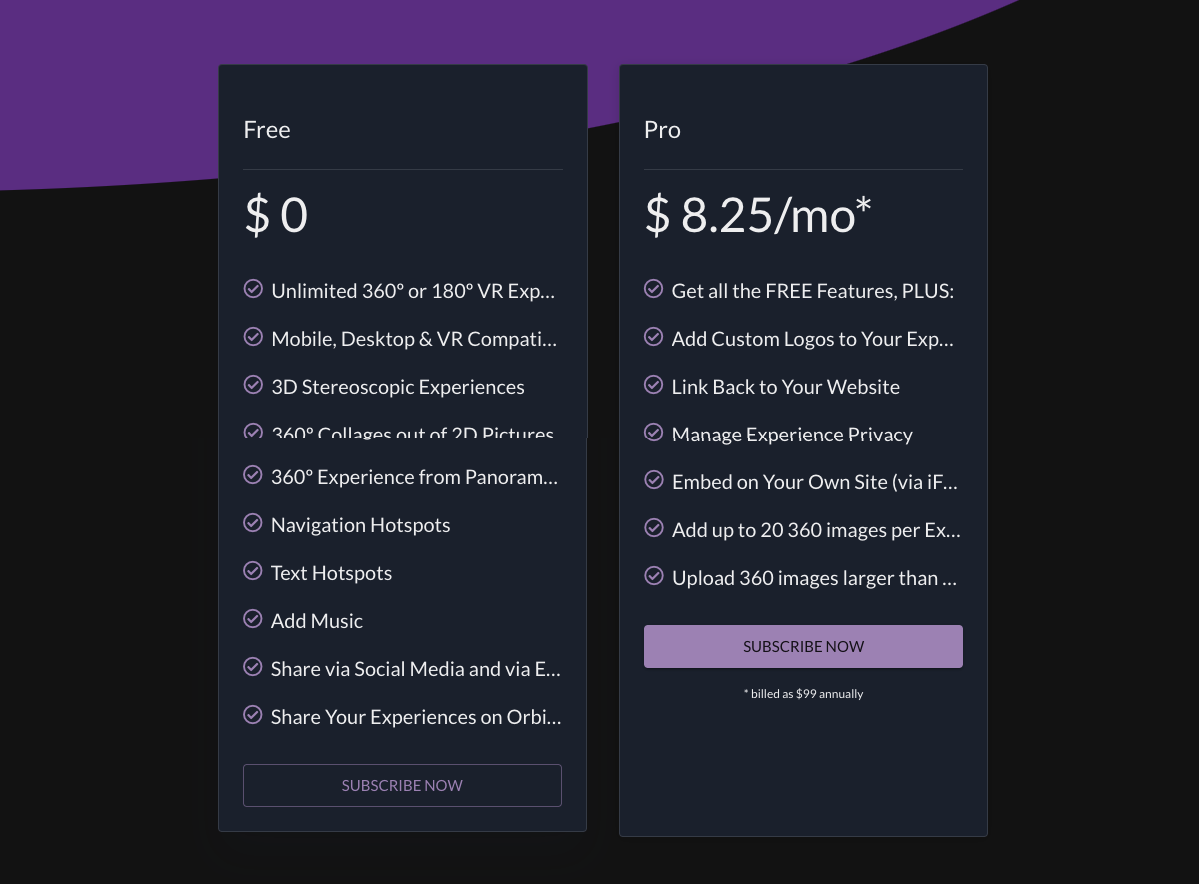
- Photographers can showcase high-resolution 360° content
- Individuals looking for professional-quality tours with minimal camera equipment
Preisgestaltung:
- Unlimited free trial plan only
- Unlimited plan for full features costs $83/month
10. Theasys – Best for Advanced Editors

Theasys is a virtual tour creator known for its flexibility and creative potential. It’s easy to use while offering powerful customization options.
For example, a real estate agent can turn a property into a 360° interactive tour, letting clients explore every corner. Photographers can showcase portfolios in a completely immersive way.
The software delivers professional-looking tours with a user-friendly interface. Stunning panoramic experiences can be created quickly and shared effortlessly.
Best Features:
- Unlimited Panoramas & Virtual Tours
- Sophisticated Linking Module
- Live Panorama Enhancing
- Powerful Hotspot Editor
- Hotspot Transitions & Effects
- Virtual Tour Share Links
- Cookies Consent Popup
- Multiple Embeds
Availability:
- Free plan available with limited features
- Up to 5 panoramas per account on the free plan
- Limited support on the free plan
- Downloading tours costs $10 per download
- Full-featured Essentials plan starts at $19.99/month (billed yearly)
Use Cases:
- Real estate agents can showcase properties interactively
- Photographers can create immersive portfolios
- Web designers can embed virtual tours in websites
- Hoteliers and travel agencies can provide 24/7 online experiences
Preisgestaltung:
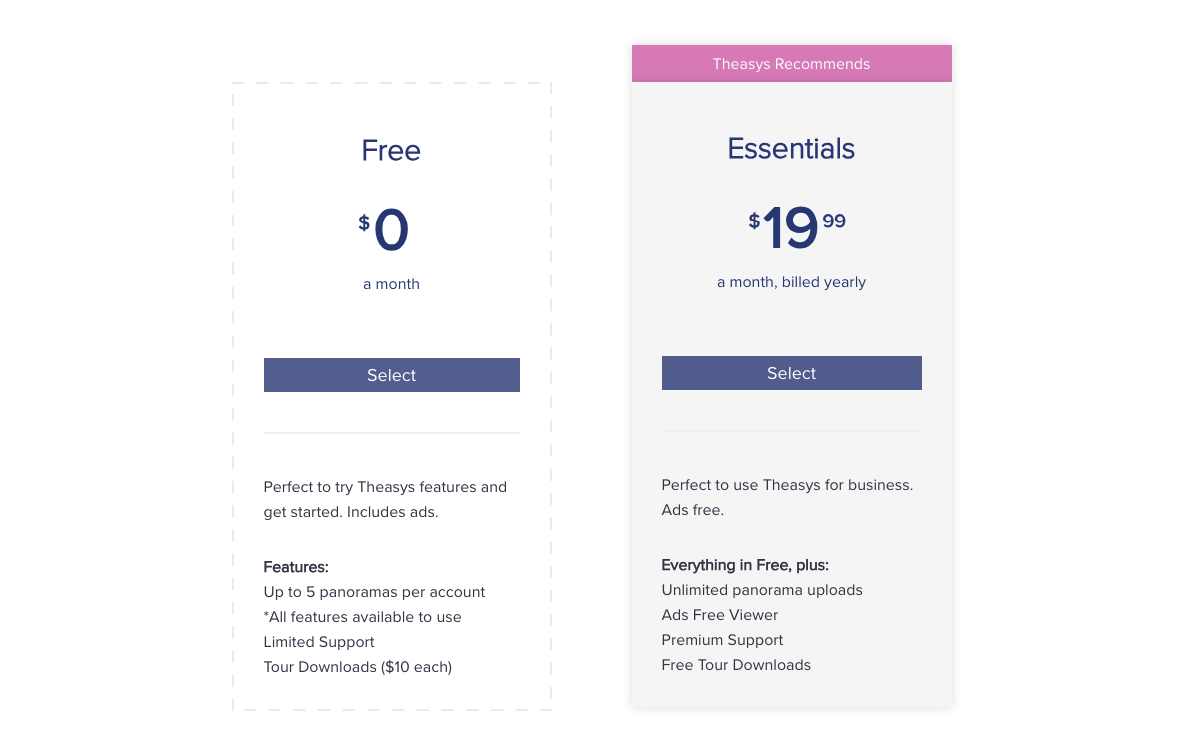
- Essentials plan starts at $19.99/month (billed yearly)
- Free plan with limited storage and features
11. Orbix360 – Best for VR & Metaverse Tinkering
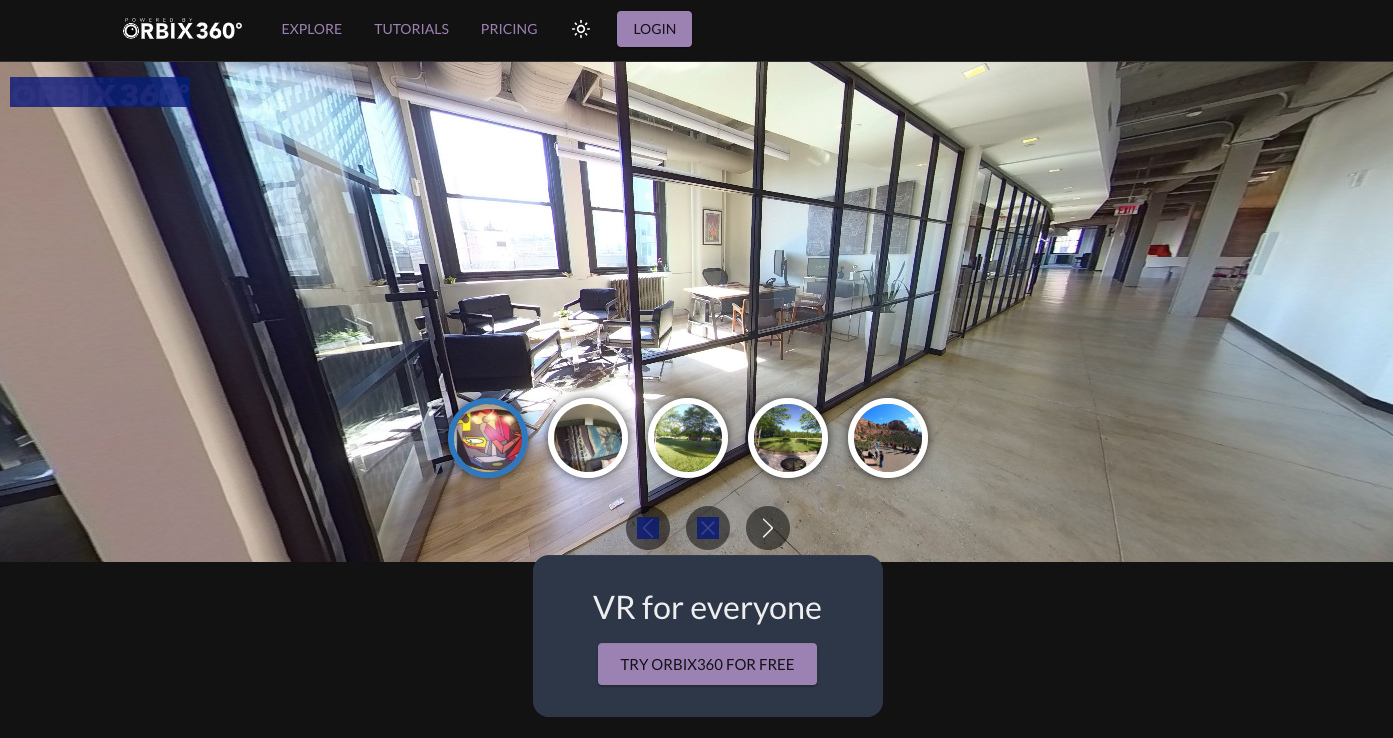
Orbix360 is best for creators who want to experiment with VR tours and even mint them as shareable metaverse/NFT experiences. It lets you create unlimited virtual tours on the free plan and supports stereoscopic 3D 360 for a deeper sense of depth.
You can add hotspots, information cards, images, and sound to build interactive 360-degree virtual tours, and it works well if you’re coming from rendering tools like SketchUp or Revit and want to show off 3D virtual tours in VR.
Unlimited free tours is a real perk, and the VR depth is fun to play with. But it’s more of a creative VR sandbox than a polished real estate tool. The free plan limits customization and you can only add a few images at a time, so it’s an ideal choice for tinkering more than client delivery.
Best features:
- Unlimited free tours, stereoscopic 3D 360, hotspots and info cards, image and audio elements, and social/NFT publishing.
Availability:
- Free plan with unlimited tours; some customization and privacy/embed options are limited on free.
Preisgestaltung:
- Free to start; paid tiers for advanced publishing.
Comparison Between the 5 Best Free Virtual Tour Creators for Real Estate Specificlly
To help you choose the right virtual tour creator for your needs, let’s compare these six platforms across key factors:
| Feature | WPVR | Panoee | Kuula | Zillow 3D Home | Matterport |
|---|---|---|---|---|---|
| 360° Views | Ja | Ja | Ja | Ja | Ja |
| Free Plan Type | Fully free | Free forever | Free limited | Fully free | Free limited |
| Tour Limits | Unlimited | Unlimited (storage limit) | Limited uploads | Unlimited | Limited active spaces |
| Hotspots (Free) | Fully usable | Multiple types | Limited visibility | Very limited | Fortgeschrittene |
| Branding | No forced branding | No watermark | Kuula branding | Zillow branding | Matterport branding |
| Hosting | Self hosted (your site) | Cloud with subdomain | Cloud | Zillow platform | Cloud |
| Sharing and Embed | Full control | Ja | Limited functionality | Ja | Ja |
| Mobile Support | High | High | High | High | High |
| Best For | Real estate websites and fully controlled | Free cloud tours and teams | Photographers and quick sharing | Zillow based listings | High end 3D walkthroughs |
How to Choose the Right Free Virtual Tour Creator
Pick based on where your buyers already are and how much control you want.
| Use Case | Tool | Why It Fits |
|---|---|---|
| Real Estate Websites | WPVR | Full control, no forced branding, and tours stay on your own domain. Built specifically for real estate agents using WordPress. |
| Zillow listings (U.S.) | Zillow 3D Home | Free to use and publishes directly to Zillow property listings with no extra setup. |
| High-quality visuals | Kuula | Strong image quality and smooth viewing experience, ideal for photographers and testing. |
| Team collaboration | Panoee | Cloud-based workspace designed for teams managing multiple property tours. |
| No 360 camera | Virtual Tour Easy | Uses AI to generate virtual tours from photos or listing URLs without special equipment. |
| True 3D walkthroughs | Matterport | Industry standard for realistic 3D tours and digital twins, best for premium or commercial properties. |
Many tools exist, but only a few truly deliver value for free such software often locks the good parts behind a trial. If you want a reliable starting point for free 360 tour creation without added complexity, WPVR gives you the best balance.
Schlussfolgerung
Different buyers explore real estate listings in different ways. Some are fine with quick photos, while others need a more immersive view to stay interested.
As a real estate agent, you may prefer speed and simplicity or more control and branding. It depends on how you want to present your properties.
The right approach depends on how you connect with buyers and how they engage with your listings. What works for others may not work the same for you.
In my opinion, you should start with WPVR for your real estate because you can create unlimited tours on your own site. If you are already using other tools and not satisfied, this is a simple free option to try.
** FAQs **
1. Why do my property listings get plenty of views but almost no inquiries?
Most buyers scroll through flat photos quickly and never get a real sense of the space. Without that connection, their interest fades before they even think about reaching out. Adding a virtual tour helps them experience the home, which naturally increases serious inquiries.
2. What is the best free virtual tour creator for a real estate website?
If you are using WordPress, WPVR is one of the best free virtual tour creators you can start with. It lets you build 360 tours directly on your own website with hotspots and mobile support, without needing any coding. That way, your property listings, branding, and leads all stay under your control.
3. Which free virtual tour software lets me keep my own branding and leads?
If keeping your branding matters, self-hosted tools like WPVR are the better choice. You can fully customize the experience and keep all your leads on your own site. Many cloud or portal tools add their own branding and redirect users away from you.
4. How do I create a virtual tour if I do not own a 360 camera?
You can start with your smartphone by using panorama mode or simple wide-angle shots. Some tools even let you create tours from regular images using AI, so you do not need special equipment. As you grow, you can always upgrade to a dedicated 360 camera later.
5. Where should I share my free virtual tour so buyers actually see it?
The best place is directly on your property listing page so buyers can explore instantly. You can also share it through social media, email, or messaging apps to reach more potential buyers. Treat it like a video link that is easy to open and engage with anywhere.