---
title: How to generate WooCommerce Product Feed for Rozekta
description: "This guide will show you how to create a Product Feed for Rozekta Marketplace using [Product Feed Manager](https://rextheme.com/best-woocommerce-product-feed/). ### Step 1: Understanding the Feed Requirements of Rozekta We provide a ready-made feed template for Rozekta. Where you’ll find the required attributes…"
url: "https://rextheme.com/docs/how-to-generate-woocommerce-product-feed-for-rozekta/"
updated: "2025-04-24"
category: Product Feed Manager / Feed Generation Instructions
---
# How to generate WooCommerce Product Feed for Rozekta
This guide will show you how to create a Product Feed for Rozekta Marketplace using [Product Feed Manager](https://rextheme.com/best-woocommerce-product-feed/).
### Step 1: Understanding the Feed Requirements of Rozekta
We provide a ready-made feed template for Rozekta. Where you’ll find the required attributes already included. To know more about Rozekta's additional/recommended attributes please check out [Rozekta’s official Documentation](https://sellerhelp.rozetka.com.ua/p185-pricelist-requirements.html).
### Step 2: How to create a Rozekta product feed using the Product Feed Manager
Go to your product feed dashboard.
Click on the **Add New Feed** button.
It will take you to the feed creation page.

Now, here,
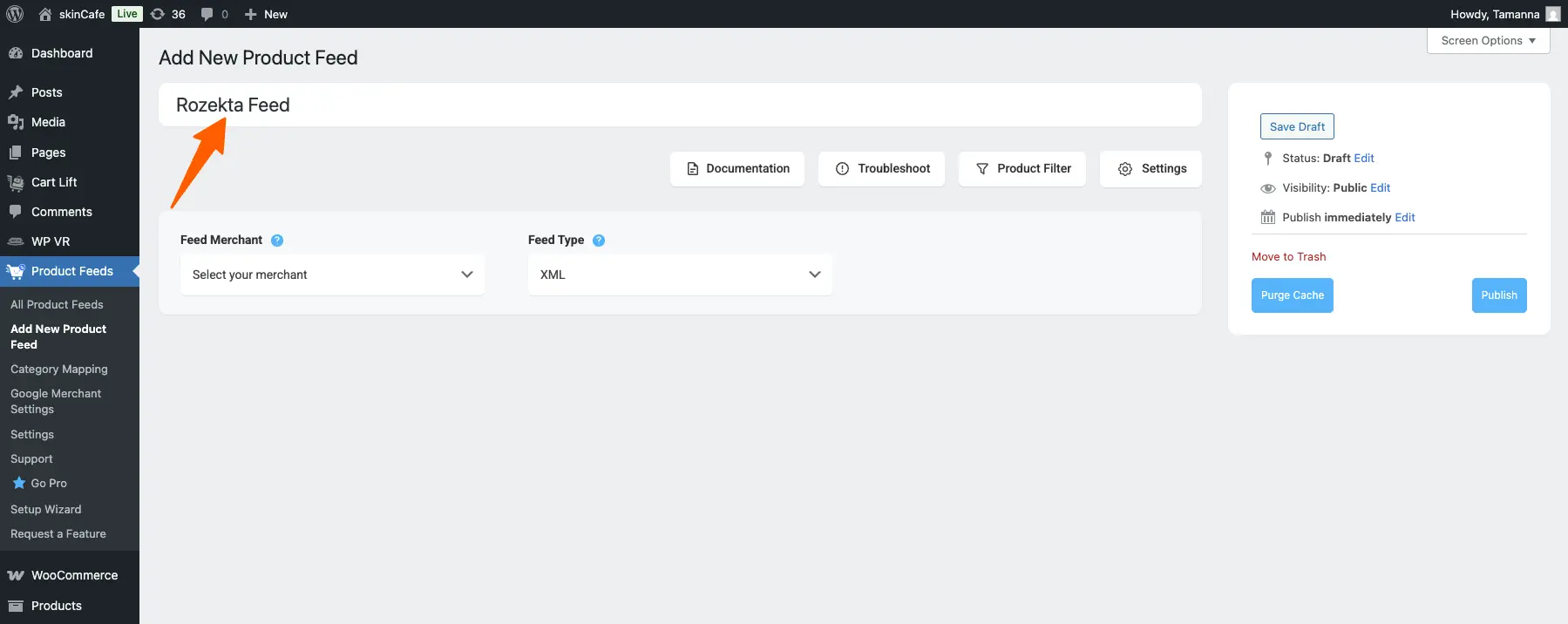
**1.** On top, you will get the option to add a title to the feed. Give your feed a name.
[](https://rextheme.com/wp-content/uploads/2025/04/Rozekta-feed-name.webp)
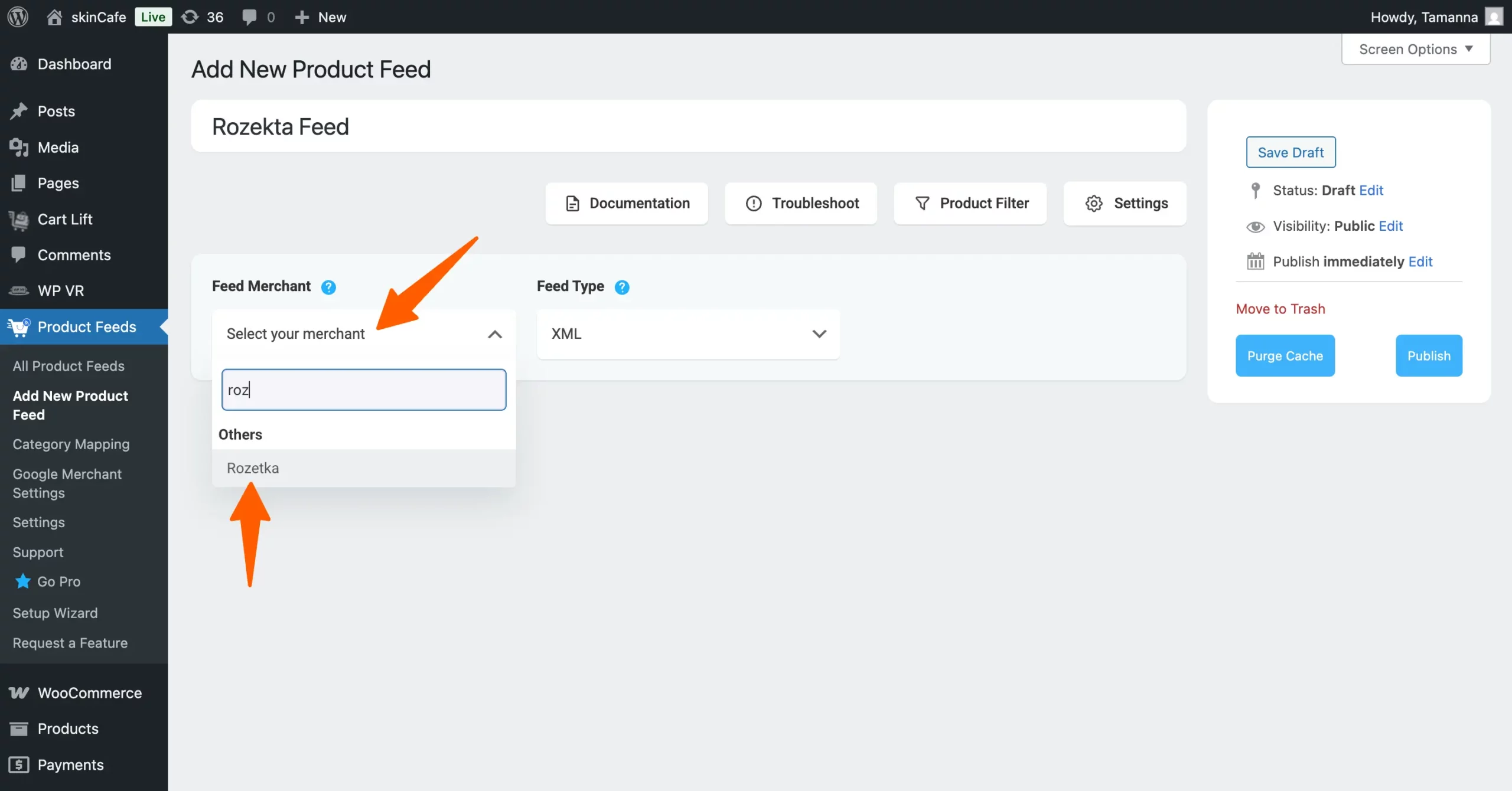
**2.** Just under the title, you will see an option to select your preferred merchant. Simply click on the Feed Merchant dropdown button and select your preferred merchant from the dropdown or you can search in the dropdown box.
[](https://rextheme.com/wp-content/uploads/2025/04/Rozekta-Select-scaled.webp)
Select your preferred merchant and all the required attributes will be loaded below.
Let’s select the Rozekta feed.
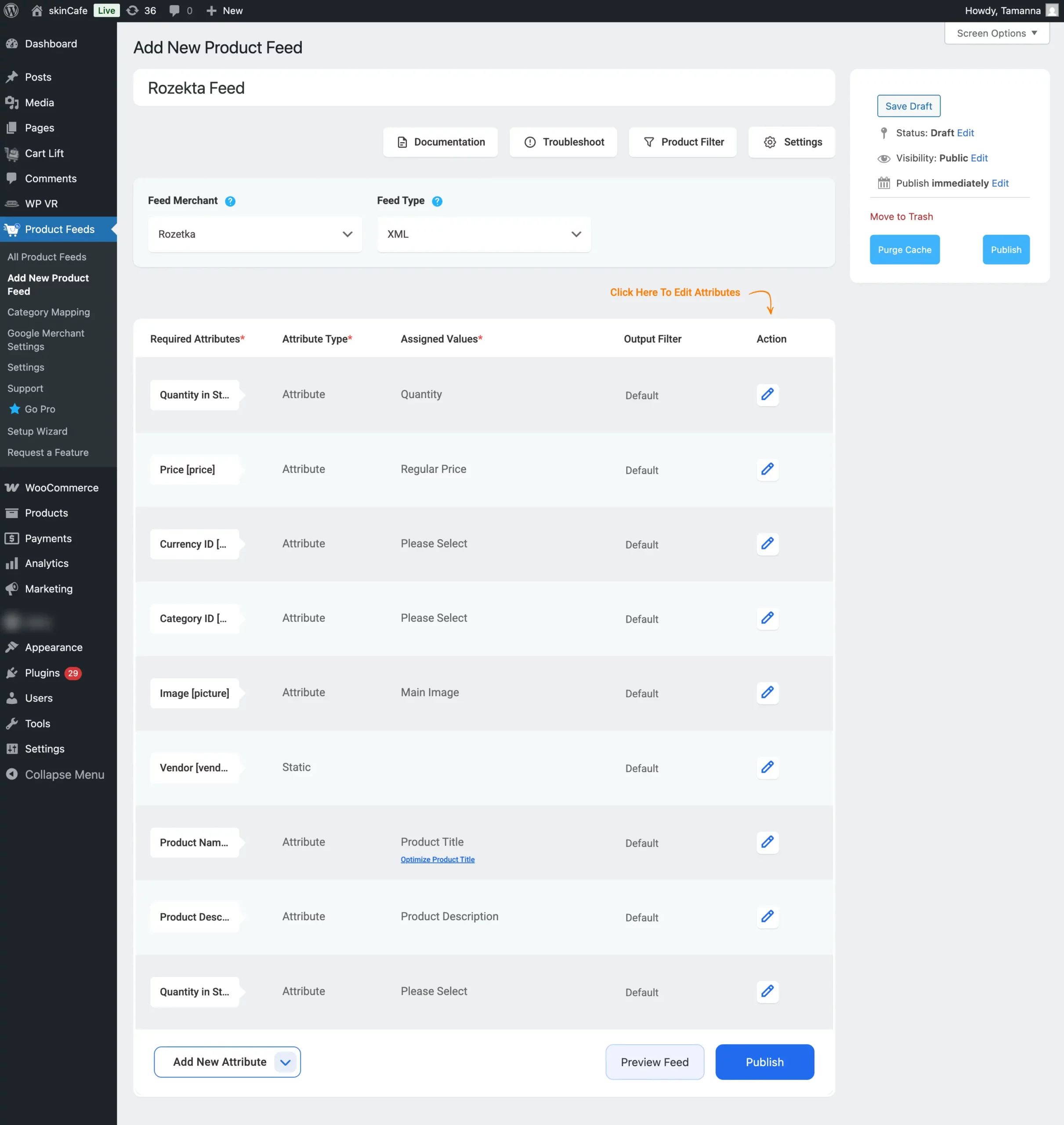
**3.** Here, you will see that most of the values are assigned. However, you can assign. the values as per your need that also Rozekta accepts.
That’s it you can now publish your feed if you do not wish to add any additional attributes.
### Step 3: How to add Param attributes in the feed
Rozekta has additional parameters that can be used to filter products on the Rozekta website.
The tag has the following sub-tags:
****mandatory, parameter name e.g. length, volume, size, color, purpose
**** *mandatory, parameter name* e.g. 110, 500, XXL, black, children’s
Will show the configuration below:
**1.** From the **Add New Attribute** drop-down button select the **New Attribute**
[](https://rextheme.com/wp-content/uploads/2024/08/custom-attribute-1.png)
For example, we will add a Color param attribute for Rozekta Merchant
**2.** From the dropdown will select the **Parameter Name 1** that we’ll name the attribute to **Color** as Rozekta outlined on their [Doc](https://sellerhelp.rozetka.com.ua/p185-pricelist-requirements.html) and assign the value to map your WooCommerce product value.
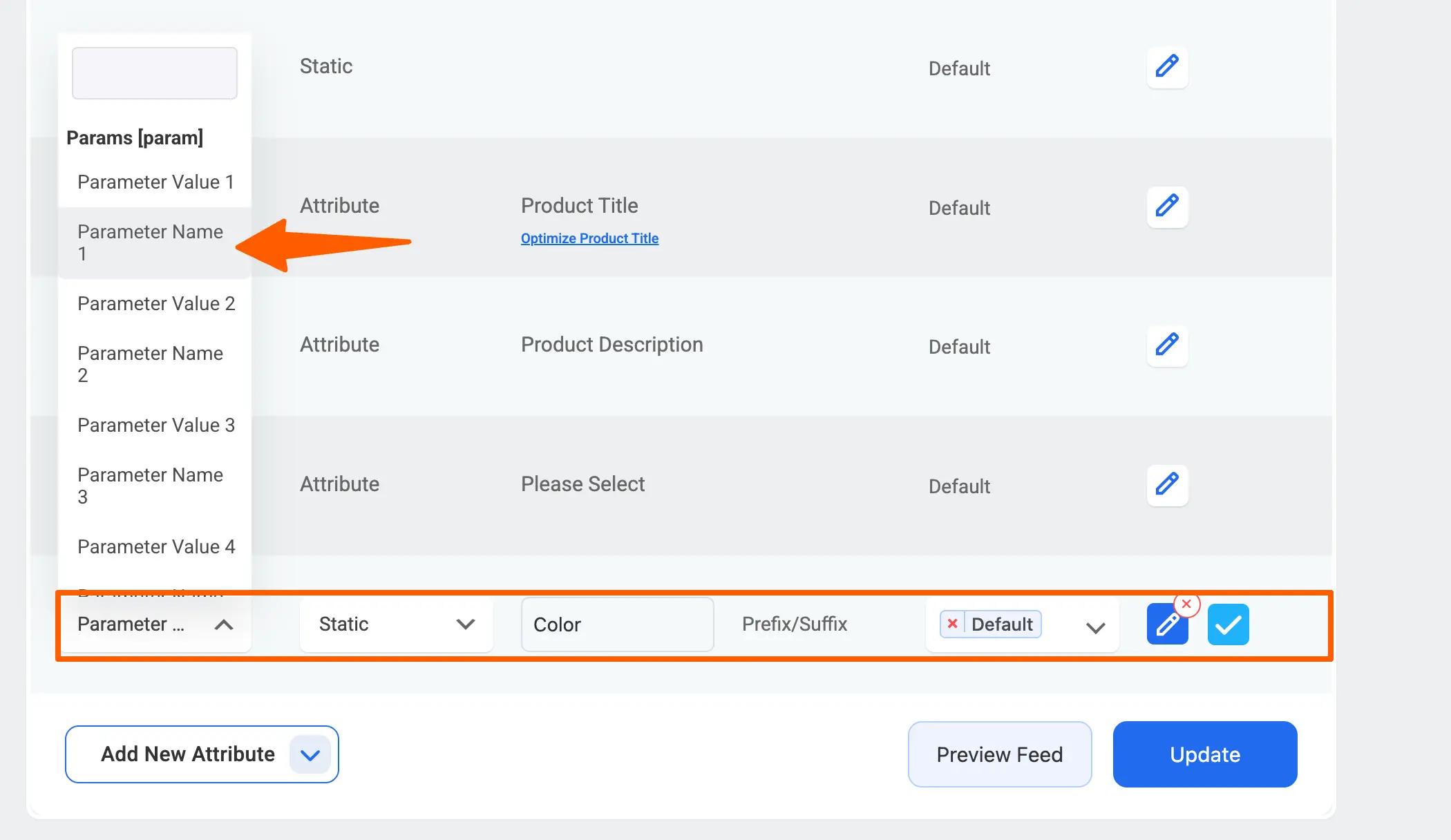
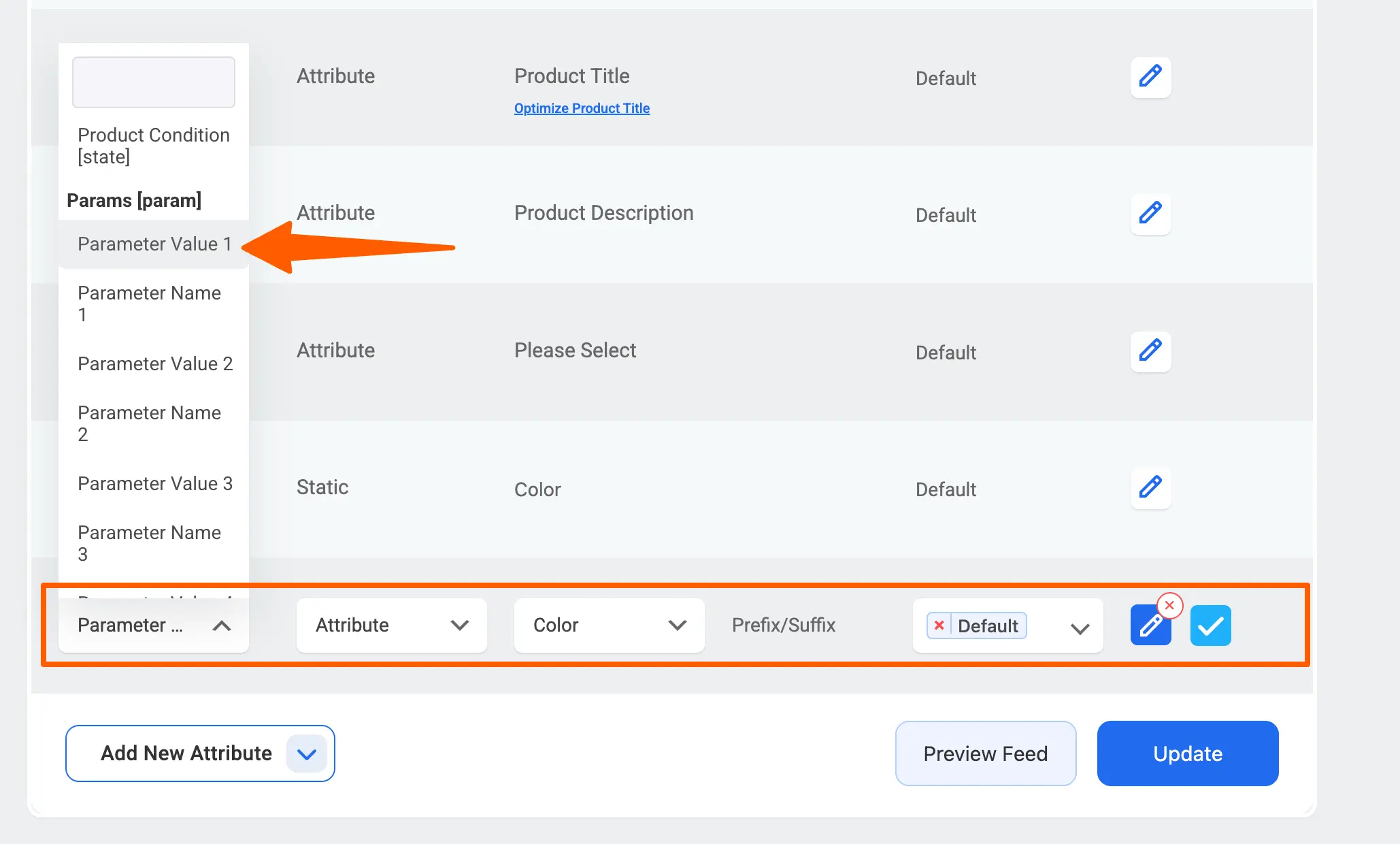
**3.**Now from the **Add New Attribute** drop-down button select another **New Attribute**. Then from that attribute dropdown select the **Parameter Value 1** that we'll map it to the Color attribute that is set for the products in your WooCommerce store.
[](https://rextheme.com/wp-content/uploads/2025/04/Parameter-value-1.webp)
**4.** Like this you can set up to 10 Parameters for each Rozekta feed.
Now click the Publish or Update button to save the configuration.
That’s it. Your WooCommerce product feed for **Rozekta** is generated and ready to publish to the Merchant center.